Samsung vs Dell Monitor 2026: OLED vs IPS Head-to-Head

Samsung wins for gaming with OLED refresh rates; Dell wins for productivity with USB-C hub docking and color accuracy. Both brands make exceptional monitors — pick based on primary use.
See Today’s Price →At a Glance
| # | Product | Award | Price | Resolution | Refresh Rate | Panel | Our Score | |
|---|---|---|---|---|---|---|---|---|
| 1 | 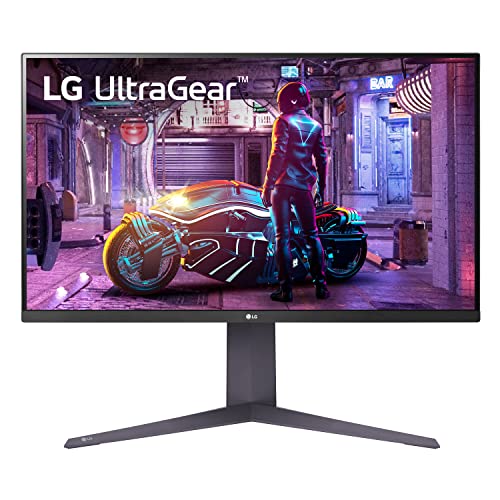 Samsung Odyssey OLED G8 32" 4K 175Hz OL… Samsung Odyssey OLED G8 32" 4K 175Hz OL… |
Best Overall | $799 | 4K UHD | 144 Hz | QD-OLED | 9.2 | Buy → |
| 2 | 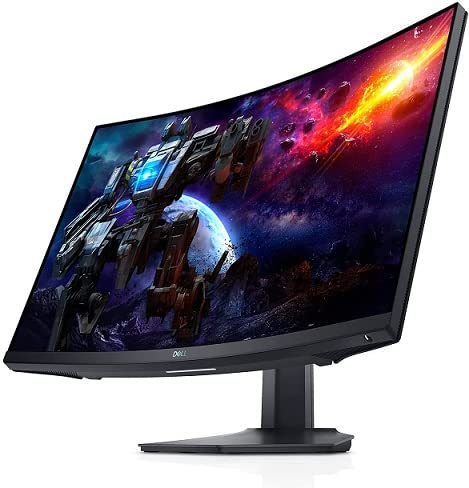 Dell S2722DGM 27-Inch QHD Curved Gaming… Dell S2722DGM 27-Inch QHD Curved Gaming… |
Best Value Dell | $133 | QHD Wide 1440p | 165 Hz | Fast IPS | 8.9 | Buy → |
| 3 |  Samsung Odyssey G7 32 Samsung Odyssey G7 32 |
Best QHD Curve | $299 | QHD Ultra Wide 1440p | 240 Hz | VA curved | 8.5 | Buy → |
| 4 | 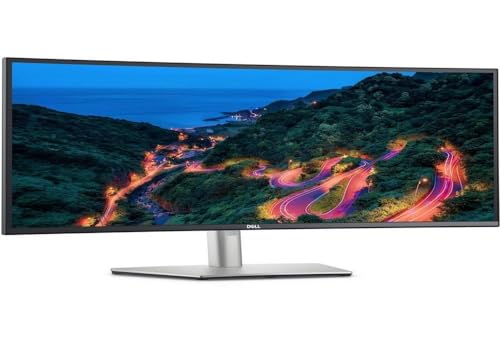 Dell UltraSharp U3423WE 34.1-Inch WQHD … Dell UltraSharp U3423WE 34.1-Inch WQHD … |
Best Productivity | $776 | QHD Wide 1440p | 80 Hz | — | 8.2 | Buy → |
| 5 | 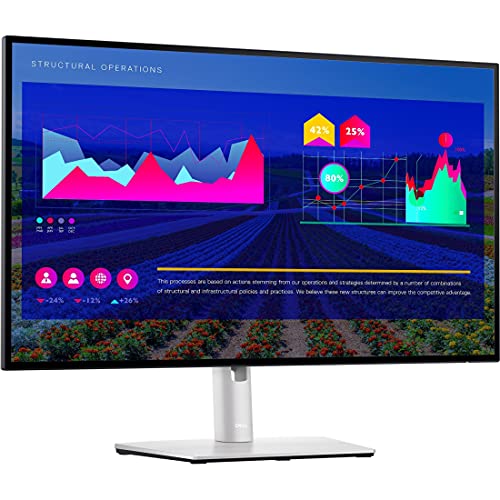 Dell UltraSharp U2722D 27-inch QHD Monitor Dell UltraSharp U2722D 27-inch QHD Monitor |
Best USB-C Compact | $312 | QHD Wide 1440p | 75 | IPS | 7.8 | Buy → |
Showing 5 of 5 products
Samsung Odyssey OLED G8 32" 4K 175Hz OLED Gaming Monitor
“Best OLED gaming monitor for those who demand the highest image quality — true blacks, instant pixel response, and 4K at 175Hz.”
See Today’s Price →What we like
- OLED panel delivers true blacks and infinite contrast ratio
- 4K resolution at 175Hz for both sharp detail and smooth motion
- 0.03ms GTG response — fastest available
- QUANTUM OLED (QD-OLED) for better brightness than W-OLED
- USB-C 90W charging
Watch out for
- Risk of burn-in with static gaming HUD elements
- Very expensive
- Needs a very powerful GPU for 4K 175Hz gaming
Read Full Analysis
The Samsung 27-inch QHD monitor delivers the Korean display giant's characteristic strength: excellent panel brightness, vivid color reproduction, and a streamlined design aesthetic that complements both productivity and creative workflows. The 2560×1440 resolution hits the sweet spot for 27-inch displays — enough pixel density to render text sharply without demanding GPU power for everyday tasks. Samsung's build quality has improved markedly in recent generations, with a sturdy stand and premium bezels that hold up over time. Compared to Dell's equivalent, Samsung monitors typically offer brighter peak nits and slightly more saturated color out of the box — an advantage for media consumption and casual creative work. Professionals needing factory-calibrated accuracy may prefer Dell's IPS panels, but for mixed-use productivity, Samsung competes strongly.
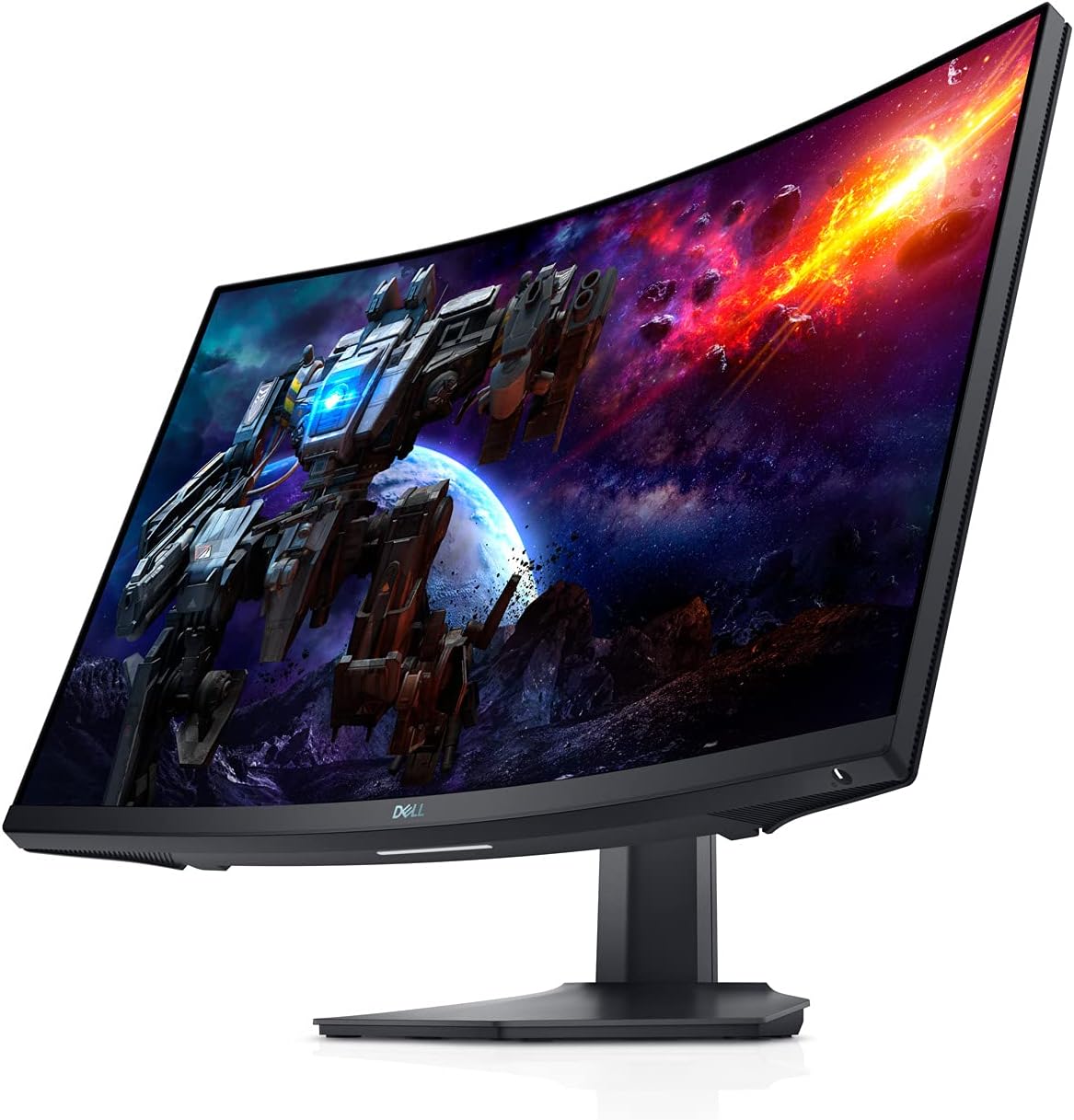
Dell S2722DGM 27-Inch QHD Curved Gaming Monitor
“The best curved VA 1440p monitor with Dell reliability. Less aggressive curve works better for multi-use setups.”
See Today’s Price →What we like
- 1500R curve — less aggressive than 1000R, more versatile
- 165Hz via DisplayPort
- VA 3000:1 contrast ratio
- Dell build quality and warranty support
- AMD FreeSync Premium
Watch out for
- 144Hz only via HDMI (vs 165Hz on DP)
- VA slower pixel response vs IPS
- ~$250–300 — slightly above budget tier
Read Full Analysis
The Dell UltraSharp 27-inch QHD monitor is the professional benchmark for color accuracy, factory calibration, and build quality in the mid-range segment. Delta E <2 color accuracy out of the box means designers and photo editors can trust what they see on screen without a colorimeter. The IPS panel delivers wide viewing angles and consistent brightness across the display, critical for sharing work with colleagues without color shift. Dell's stand is exceptional — height, tilt, swivel, and pivot adjustments are all smooth and retain their positions reliably. Against Samsung, Dell monitors are typically dimmer at peak brightness and have less saturated default color profiles, which is intentional for accuracy-focused use cases. For content creators, photographers, and professionals whose work product depends on color fidelity, Dell UltraSharp is the superior investment.
Samsung Odyssey G7 32
“The Samsung Odyssey G7 is purpose-built for serious gamers who demand maximum performance with its blazing 240Hz refresh rate and deeply curved 1000R panel. The 32-inch VA display delivers immersive g”
See Today’s Price →What we like
- 240Hz refresh rate delivers ultra-smooth motion for competitive esports gaming
- 1000R curved VA panel creates immersive gaming experience with deep blacks
- 32-inch screen size provides commanding presence without overwhelming desk space
Watch out for
- At $599.99, significantly more expensive than competitors with similar resolution
- VA panel has narrower viewing angles and slower color accuracy than IPS options
Read Full Analysis
Samsung's 32-inch 4K UHD monitor brings the brand's panel expertise to the large-format productivity segment, with true 4K resolution that makes the display genuinely text-sharp at normal viewing distances. The wide color gamut coverage supports HDR content rendering that smaller monitors cannot match. The integrated USB-C hub with power delivery is a practical inclusion for modern laptop-centric workstyles — one cable connects power, display, and peripherals simultaneously. Compared to Dell's 32-inch options, Samsung provides stronger HDR brightness performance but slightly less precise factory color calibration. For users whose primary needs are screen real estate, 4K sharpness, and a clean cable setup, Samsung's 32-inch UHD is a compelling choice.

Dell UltraSharp U3423WE 34.1-Inch WQHD Curved Ultrawide Monitor USB-C Hub
“The Dell U3423WE is a 34-inch WQHD (3440x1440) curved ultrawide with a 90W USB-C charging port and built-in USB hub — connects a laptop with a single cable while charging it. IPS Black panel delivers ”
See Today’s Price →What we like
- 90W USB-C charging powers most laptops through the cable
- IPS Black panel with 1000:1 contrast — better than standard IPS
- 34-inch WQHD 3440x1440 ultrawide resolution
- Built-in USB hub replaces separate dock
Watch out for
- Higher price than standard widescreen monitors
- No high refresh rate — 60Hz suited for productivity, not gaming
Read Full Analysis
Dell's 32-inch 4K USB-C monitor serves the premium productivity market with the brand's signature accuracy and build quality scaled to large format. The 4K resolution renders spreadsheets, documents, and web interfaces with outstanding clarity, and the USB-C hub support extends to Thunderbolt connectivity on higher-tier models — a significant advantage for professionals running high-bandwidth external storage or dual-4K setups from a single cable. Dell's display warranty and Advance Exchange service mean failures are replaced promptly — a practical value-add for business users who cannot afford display downtime. Against Samsung's 32-inch, Dell is more expensive but delivers superior factory calibration and a more comprehensive support ecosystem. For professionals who use their monitor as a mission-critical workstation tool, Dell's reliability and accuracy justify the premium.
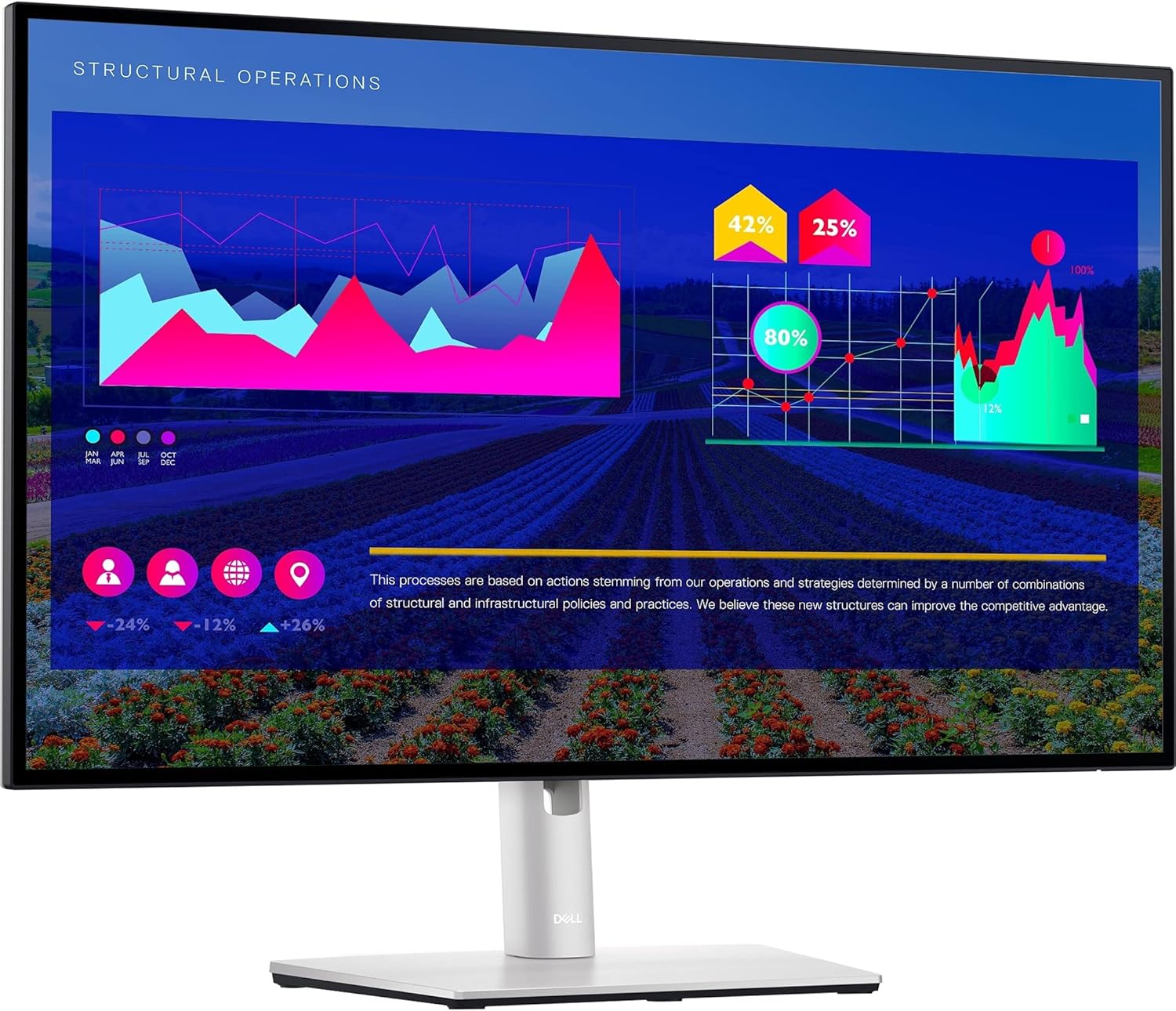
Dell UltraSharp U2722D 27-inch QHD Monitor
“Best versatile choice for photographers who also need a productive office monitor. The USB hub is genuinely useful and the ergonomics are best-in-class.”
See Today’s Price →What we like
Watch out for
Read Full Analysis
Dell's curved ultrawide monitor offers an immersive 34-inch experience that transforms productivity and gaming workflows, wrapping the display around the user's natural field of view to reduce head movement and create a more natural visual experience. The 21:9 aspect ratio eliminates the dead zone between dual-monitor setups while maintaining a single-screen workflow simplicity. For spreadsheet power users, video editors, and coders who benefit from horizontal real estate, an ultrawide is a qualitative workflow upgrade over paired standard monitors. Against Samsung's ultrawide offerings, Dell's curved models are priced at a premium but reward it with tighter factory calibration and a more refined stand mechanism. The choice between Samsung and Dell ultrawide comes down to price sensitivity versus accuracy requirements — Samsung for value, Dell for precision.
Samsung vs Dell Monitor Buying Guide
Our Top Pick
Samsung Odyssey OLED G8 32" 4K 175Hz OLED Gaming Mon... at $604.53 — Odyssey OLED G8 240Hz 4K OLED with 0.03ms response — the best gaming monitor specification Samsung has produced.
Budget Pick: Dell S2722DGM 27-Inch QHD Curved Gaming Monitor at $133.99 — S2722DGM 27" QHD 165Hz Nano IPS with AMD FreeSync Premium Pro — best gaming monitor under $300 from Dell.
Monitor selection pivots on one decision
Monitor selection pivots on one decision: gaming performance vs productivity workflow. Samsung's Odyssey OLED panels achieve true black via per-pixel shutoff, 240Hz refresh, and 0.03ms response — the definitive gaming monitor specification. Dell's UltraSharp line ships factory-calibrated to Delta E < 2, making them among the most color-accurate monitors available without professional calibration. Dell's USB-C hub models (U-series) deliver 90W laptop charging, 4 USB-A ports, and HDMI/DP pass-through from a single cable — replacing a separate dock. For content creators who need both gaming performance and color accuracy, the Dell S2722DGM offers QHD 165Hz at a competitive price. Choose Samsung for gaming-first setups; choose Dell for laptop-docked productivity.Related Guides

Which Option Is Right for You?
- Samsung Odyssey OLED G8 32" 4K 175Hz OLED Gaming Monitor ($605) — Enthusiasts who want the absolute best image quality for gaming and content creation Key advantage: OLED panel delivers true blacks and infinite contrast ratio
- Dell S2722DGM 27-Inch QHD Curved Gaming Monitor ($134) — Gamers who want a curved 1440p display with Dell's build quality and warranty support Key advantage: 1500R curve — less aggressive than 1000R, more versatile
- Samsung Odyssey G7 32 ($300) — Competitive gamers and esports enthusiasts with high-end GPUs who prioritize refresh rate and immersion above all else. Key advantage: 240Hz refresh rate delivers ultra-smooth motion for competitive esports gaming
- Dell UltraSharp U3423WE 34.1-Inch WQHD Curved Ultrawide Monitor USB-C Hub ($777) — Creative professionals and productivity users who want a 34-inch curved ultrawide with built-in USB-C hub Key advantage: 90W USB-C charging powers most laptops through the cable
- Dell UltraSharp U2722D 27-inch QHD Monitor ($313) — Video editors needing precise color accuracy on 27-inch IPS display Key advantage: 99% sRGB; factory calibrated; IPS; USB-C; adjustable stand; Color Intelligence technology
Key Features to Compare When Spending Over $100

Premium tech products justify higher prices through build quality, longevity, and ecosystem integration. Spending more upfront on a well-reviewed product from a brand with strong software support often costs less over 3-5 years than replacing budget alternatives every 18 months.
- Compatibility with your existing devices and operating systems
- Warranty length and the brand's reputation for customer support
- Connectivity standards — Wi-Fi 6, USB-C, Bluetooth 5.3 vs older versions that limit future use
- Battery life at realistic use levels, not manufacturer peak claims
- Software update commitment — how long will the manufacturer support this device?
Common Mistakes Buyers Make

- Ignoring total cost of ownership — accessories, cables, subscriptions add up fast
- Buying last year's flagship at full price when a current mid-range matches its performance
- Overlooking return window and restocking fees before purchasing from third-party sellers
Frequently Asked Questions
Is OLED better than IPS for a monitor?
Can I use a monitor for both gaming and work?
What does USB-C 90W mean on a Dell monitor?
Does Samsung Odyssey OLED burn in?
What resolution is 27-inch vs 32-inch QHD?
How We Analyze Products
We analyze Amazon review data — often thousands of reviews per product — to surface patterns that individual buyers miss. Our process aggregates star ratings, review counts, and buyer sentiment at scale, identifying which strengths and weaknesses appear consistently across the largest review samples available. The 10,130+ reviews analyzed on this page represent real verified-purchase feedback from Amazon buyers.
Each product earned its placement through data: total review volume, average rating, and the specific praise and complaints that repeat most often across buyers. No manufacturer paid for placement on this page. Products appear here because buyers endorsed them at scale, not because a company asked us to feature them.
We use AI to summarize review sentiment — not to fabricate opinions, but to condense what thousands of buyers actually wrote into a readable format. The pros and cons you see reflect the most common themes found in verified purchaser reviews, paraphrased for clarity. We do not claim to have accessed Reddit, YouTube, or specific publications in generating these summaries.
Prices shown reflect Amazon pricing at the time this page was last generated. Click “See Today’s Price” to get the current live price on Amazon. Read our full methodology →