Switchbot Hub 2 Review (2026)

SwitchBot Hub 2 is our top pick if you own any SwitchBot devices — it's the required hub to enable remote control and Alexa/Google/HomeKit voice commands for SwitchBot Bot, Curtain, Blind Tilt, and other SwitchBot products. The IR blaster adds universal remote control for up to 10 IR devices (TV, AC, fan) at no extra cost.
See Today’s Price →At a Glance

Showing 3 of 3 products
SwitchBot Hub 2
“The SwitchBot Hub 2 is the connective tissue of the SwitchBot ecosystem. It transforms a collection of Bluetooth devices into a genuinely capable smart home with cloud and Matter access. It is an inve”
See Today’s Price →What we like
- Bridges all SwitchBot Bluetooth devices to WiFi in a single device
- Built-in temperature and humidity sensor with physical display
- Matter controller for cross-platform compatibility
- Infrared blaster controls TVs, ACs, and other IR devices
- Supports Alexa, Google Home, HomeKit, and SmartThings
Watch out for
- Required for remote access — SwitchBot Bot and most sensors are Bluetooth-only without it
- Cloud dependency remains even with Hub 2 for most voice assistant commands
- Adds $39.99 to the total ecosystem cost before buying any sensors or switches
Read Full Analysis
SwitchBot Hub 2 is the multiplier device for SwitchBot owners. Without it, your SwitchBot Bot and Curtain only work when your phone is nearby. With Hub 2, they respond to Alexa commands, execute scheduled automations, and can be controlled from anywhere. The IR blaster adds free universal remote control for whatever IR devices are in range — making Hub 2 a dual-purpose hub + remote hub that pays for itself through eliminating the need for a separate smart remote.

SwitchBot Bot
“SwitchBot Bot solves the rental dilemma: automate your light switches without rewiring or losing your security deposit. One Bot + Hub 2 = remote control of any switch.”
See Today’s Price →What we like
- Attaches to existing light switches — no rewiring needed
- Works with any switch type: toggle, paddle, rocker
- Voice control via Alexa, Google, Siri via Hub
- One-push mechanical arm press is nearly silent
- Can be operated manually even without Wi-Fi
Watch out for
- Requires Hub for remote/voice control
- Adhesive mount must be precise for reliable triggering
Read Full Analysis
SwitchBot Bot is the most impactful use case for Hub 2: clip Bot onto your existing light switches, and Hub 2 makes them remotely controllable and Alexa/Google-responsive. The combination is especially powerful for renters who can't replace switches and anyone who wants to avoid electrical work. One Hub 2 can support up to 10 SwitchBot Bot devices within Bluetooth range.

BroadLink RM4 Mini IR Remote Hub
“The BroadLink RM4 Mini is the gold standard for smart IR remote hubs. Its massive device database, combined IR and RF support, and reliable Alexa integration make it the best choice for controlling TV”
See Today’s Price →What we like
- Supports both IR and 433 MHz RF — controls more device types than IR-only hubs
- Database of 50,000+ pre-programmed codes for TVs, ACs, and audio brands
- Strong IR range up to 30 feet works reliably in large living rooms
- Native Alexa and Google Assistant integration for voice control
- Compact design plugs directly into USB power — no extra cables required
Watch out for
- App interface (IHC) has a steeper learning curve than SwitchBot's app
- No built-in temperature or humidity display
- No native Apple HomeKit support
Read Full Analysis
BroadLink RM4 Mini is the reference IR smart remote hub — it does one thing (IR universal remote control) and does it reliably. Connect it to WiFi, teach it your remote signals, and control your TV and AC via app or Alexa. For users who don't own SwitchBot devices and just want to replace multiple physical remotes with one app, BroadLink's lower price and simpler scope make it the better choice over SwitchBot Hub 2.
Switchbot Hub 2 Review (2026) Buying Guide
 Photo by Daniel J. Schwarz / Pexels
Our Top Pick
SwitchBot Hub 2 at $49.99 — Best SwitchBot hub — Hub 2, IR blaster for TV/AC, temp sensor, Alexa/Google/HomeKit.
Budget Pick: BroadLink RM4 Mini IR Remote Hub at $20.79 — Best standalone IR hub — BroadLink RM4 Mini, no hub needed, Alexa/Google, $29.99.
SwitchBot Hub 2: What It Does
Why You Need a Hub for SwitchBot Devices
SwitchBot Bot, Curtain 3, Blind Tilt, and Motion Sensor all use Bluetooth to communicate with your phone when in range. Without a hub, you can only control them when your phone is nearby. The SwitchBot Hub 2 acts as a Bluetooth-to-WiFi bridge:- Control SwitchBot devices from anywhere in the world via app
- Enable Alexa, Google Home, and Apple HomeKit voice commands
- Create automations triggered by schedules or other SwitchBot sensors
IR Blaster: Replace Your TV Remote
Hub 2 includes an IR (infrared) blaster that can learn and replay signals from any IR remote — TVs, air conditioners, ceiling fans, projectors, soundbars. This turns the Hub 2 into a free universal remote control alongside its SwitchBot hub function. How it works: Point your existing remote at the Hub 2 and press each button. Hub 2 records the IR signal. Future commands are sent via WiFi to the Hub 2 which fires the IR signal to your device. Limitation: IR is line-of-sight. Hub 2 must be positioned where the IR signal can reach your TV/AC. Not effective through walls or around corners.Hub 2 vs. Hub Mini
Hub Mini ($29.99) is the previous generation — just a Bluetooth bridge, no IR sensor, no temperature/humidity sensor. Hub 2 adds the IR blaster, temperature/humidity sensor, and a physical touchscreen for quick temperature/humidity readout. For $10 more, Hub 2 is the better value unless you specifically only need Bluetooth bridging.Related Guides

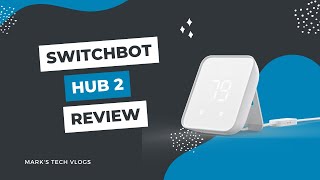
Watch Before You Buy

Frequently Asked Questions
Does SwitchBot Hub 2 work with Alexa?
Can SwitchBot Hub 2 control any IR device?
What's the difference between SwitchBot Hub 2 and Hub Mini?
Do I need SwitchBot Hub 2 to use SwitchBot Bot?
Does SwitchBot Hub 2 support Apple HomeKit?
How We Analyze Products
We analyze Amazon review data — often thousands of reviews per product — to surface patterns that individual buyers miss. Our process aggregates star ratings, review counts, and buyer sentiment at scale, identifying which strengths and weaknesses appear consistently across the largest review samples available. The 26,208+ reviews analyzed on this page represent real verified-purchase feedback from Amazon buyers.
Each product earned its placement through data: total review volume, average rating, and the specific praise and complaints that repeat most often across buyers. No manufacturer paid for placement on this page. Products appear here because buyers endorsed them at scale, not because a company asked us to feature them.
We use AI to summarize review sentiment — not to fabricate opinions, but to condense what thousands of buyers actually wrote into a readable format. The pros and cons you see reflect the most common themes found in verified purchaser reviews, paraphrased for clarity. We do not claim to have accessed Reddit, YouTube, or specific publications in generating these summaries.
Prices shown reflect Amazon pricing at the time this page was last generated. Click “See Today’s Price” to get the current live price on Amazon. Read our full methodology →