How to Upgrade Your Home Office Tech: 5 Changes That Actually Matter
The 5 WFH upgrades in order of impact: 1) External monitor (biggest productivity gain — 27" 1440p is the sweet spot). 2) Quality webcam (you look professional on video calls). 3) Keyboard (mechanical or ergonomic — your wrists will thank you). 4) Headset with mic (meetings + focus). 5) Desk lamp (reduces eye strain more than blue light glasses). Budget build total: ~$150. Full build total: ~$800.
How to Upgrade Your Home Office Tech Buying Guide
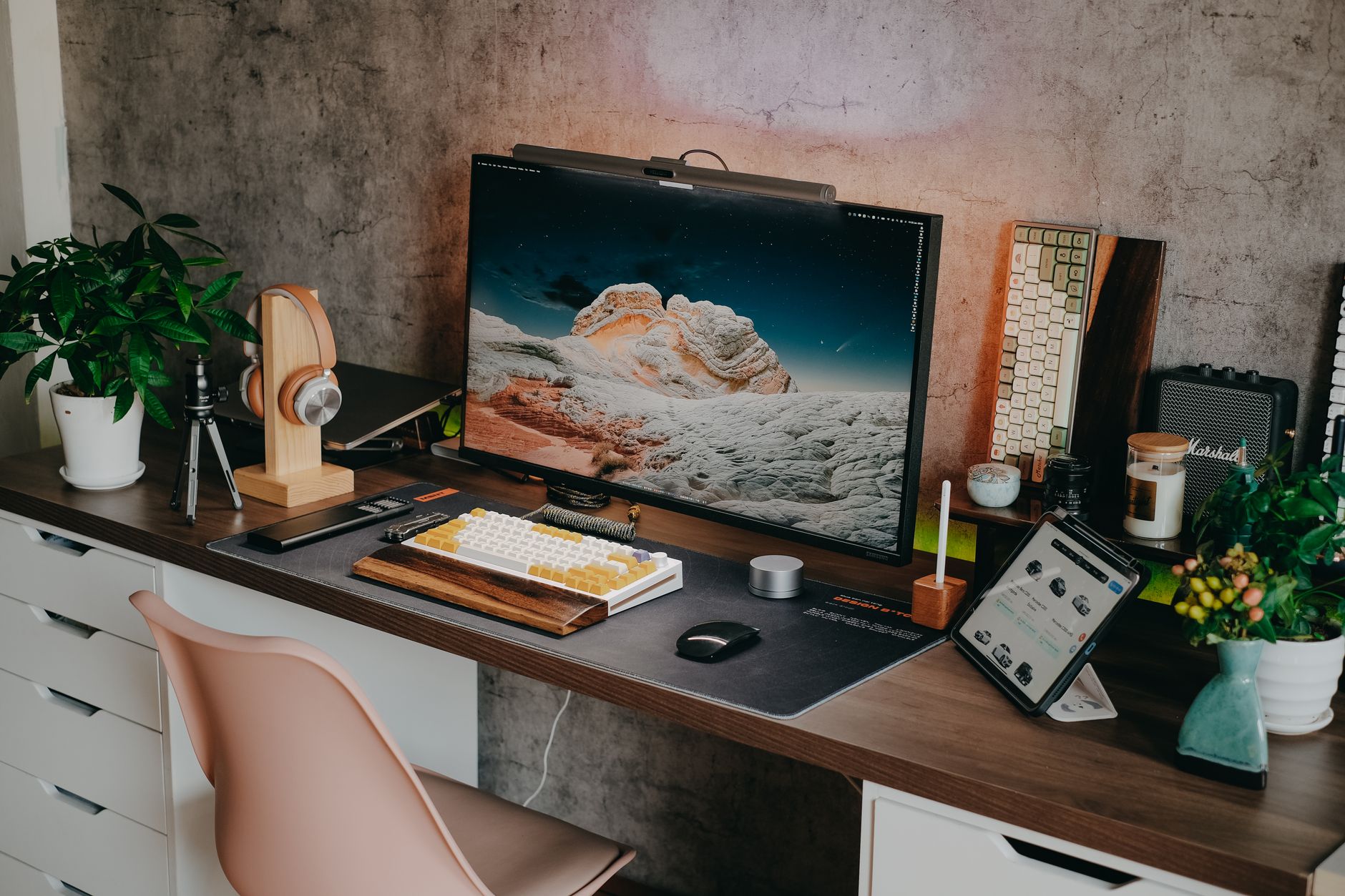 Photo by Pew Nguyen / Pexels
| Best For |
Power users, creators, dual-monitor setups |
||
| Monitor | |||
| Peripherals |
Mechanical keyboard, pro webcam, headset, stream deck |
||
| Desk/Chair | |||
| Audio/Video |
External webcam (1080p), USB mic or earbuds |
4K webcam, condenser mic, ring light, acoustic panels |
|
| Our Pick For |
Quick Verdict: Our top pick is the Dell UltraSharp U2722D 27" QHD Monitor (Best Overall) — consistently top-rated in its category. Priced at $312.73.
Budget Pick: The LED Desk Lamp with USB Ports Touch Control 5 Color Modes at $19.99 — a solid choice for budget-conscious buyers.

This guide is for you if:
-
You're buying a tech product and want to understand what specs actually matter
-
You're confused by terminology and want plain-English explanation
-
You want to avoid paying for features you don't need
Skip this guide if:
-
You're a tech professional who already understands the specs
-
You just want a product recommendation — see our comparison pages
Quick verdict: The 5 WFH upgrades in order of impact: 1) External monitor (biggest productivity gain — 27" 1440p is the sweet spot). 2) Quality webcam (you look professional on video calls).
Why Your WFH Setup Is Costing You More Than You Think
A 2022 Stanford study found that remote workers are 5-13% more productive than office workers — but that productivity gain evaporates when the home setup is worse than the office environment. A tiny laptop screen, a webcam that makes you look like you're calling from a submarine, and a laptop keyboard that makes your wrists ache by 2pm is not a productivity environment.
The five upgrades below are ranked by actual impact — the things that make the most measurable difference to your work day, not the things that are most fun to buy.
Upgrade 1: External Monitor (Biggest ROI)

The productivity research on this is consistent: a larger monitor directly increases work output for knowledge workers. A 2008 study by researchers at the University of Utah found that a 24-inch monitor increased productivity by 52% compared to a 15-inch laptop screen. The numbers hold at every level of screen size increase.
Why it works: More screen space = less window switching. Less window switching = less context loss. Less context loss = more work done per hour. The math is simple.
What to get:
- Budget ($180-250): 24-inch 1080p IPS — the ASUS VA24EHE or similar. Perfectly functional for documents and web work.
- Sweet spot ($280-380): 27-inch 1440p IPS — the Dell S2722QC or LG 27UK670. Sharp text, enough space for two documents side by side.
- Power user ($400-600): 32-inch 4K — for spreadsheet-heavy work, coding, or anyone who wants maximum density.
Upgrade 2: Webcam (You Look Like a Professional)

The built-in webcam on most laptops is a 720p sensor optimized to weigh 3 grams and cost $2. In a video call, your built-in webcam makes you look like you're calling from a dim basement regardless of your actual environment.
An external webcam with a better sensor, better lens, and better low-light performance makes a visible, immediate difference on every video call you're on. When you're presenting to clients, interviewing for jobs, or participating in team meetings, looking polished matters.
What to get:
- Budget ($45-70): Logitech C920 (1080p, autofocus, stereo mics) — the most popular webcam in the world for good reason. Set it and forget it.
- Upgrade ($100-150): Logitech C930e or Brio 505 (1080p with better low-light performance, wider field of view). Worth it if you're doing regular video calls in variable lighting.
- Premium ($170-200): Razer Kiyo Pro or Elgato Facecam (Sony STARVIS sensor for exceptional low-light performance). For streaming or high-stakes video calls.
At a Glance
| # | Product | Award | Price | Upc | Asin | Zoom | Our Score | |
|---|---|---|---|---|---|---|---|---|
| 1 | 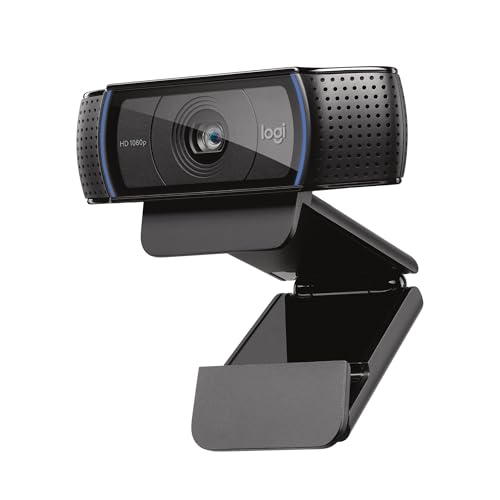 Logitech C920x HD Pro Webcam Logitech C920x HD Pro Webcam |
Best Value | $69 | 097855160522 | B085TFF7M1 | Optical | 8.9 | Buy → |
| 2 |  Keychron K2 Wireless Mechanical Keyboard Keychron K2 Wireless Mechanical Keyboard |
Also Excellent | $89 | — | — | — | 8.5 | Buy → |
| 3 |  Logitech MX Master 3 Advanced Wireless … Logitech MX Master 3 Advanced Wireless … |
$39 | 097855151544 | B07S395RWD | — | 8.2 | Buy → | |
| 4 |  LED Desk Lamp with USB Ports Touch Cont… LED Desk Lamp with USB Ports Touch Cont… |
$19 | — | B08923SXXP | — | 7.8 | Buy → |
Showing 4 of 4 products

Logitech C920x HD Pro Webcam
“Logitech C920x is the benchmark webcam for professional video calls — 19,000+ reviews confirm consistent 1080p performance that meets every remote work scenario, and Logitech's software and platform s”
See Today’s Price →What we like
- 19,000+ reviews confirming consistent 1080p video quality across professional use cases
- Industry-standard webcam for remote work — supported by all major video call platforms
- Dual stereo microphones provide backup audio when external mic isn't available
- Logitech Options+ software for brightness, contrast, and pan/tilt adjustment
- Privacy shutter for physical lens coverage
Watch out for
- 30fps maximum — no 60fps option for smooth motion capture
- Performs best in good lighting — low-light performance below Razer Kiyo Pro
Read Full Analysis
The Logitech C920x is the webcam that set the standard for home video calling and has remained competitive for years — 1080p at 30fps with an autofocus system that keeps your face sharp even as you lean forward to read something or shift position during a long call. The dual stereo microphones are good enough that a separate USB microphone is optional for most video calls, which simplifies the desk setup. The USB-A connection means no driver installation on Windows or macOS — plug in and the camera works in Zoom, Teams, and Meet automatically. In this WFH tech lineup, the webcam is the most externally visible component: it determines how you appear to colleagues and clients on video calls. A laptop's built-in camera at typical desk distance produces a grainy, underexposed image in most home lighting; the C920x at eye level corrects both problems. Compared to the newer C930e or Brio series, the C920x costs less and handles typical video call lighting conditions equally well — the premium cameras add features (4K, wider field of view) that most call participants never see the benefit of. The Dell UltraSharp monitor is the higher-ROI purchase, but the webcam is the component most noticed by other people. Best for remote workers who appear on video calls daily and are still using a laptop's built-in camera.
Keychron K2 Wireless Mechanical Keyboard
“Keychron K2 hits the sweet spot — 75% layout keeps arrow keys and function row while staying compact, hot-swap lets you change switches freely, and Bluetooth works with Mac, Windows, iPad, and phone s”
See Today’s Price →What we like
- Hot-swappable switches
- Bluetooth + wired
- 75% layout — compact with arrows and F-row
- Mac and Windows compatible
Watch out for
- No number pad
- Plastic case (not aluminum)
Read Full Analysis
The Keychron K2 is the keyboard upgrade that has the most impact on daily typing feel of any component on this page — the mechanical switch action is fundamentally different from the flat scissor-switch keyboards bundled with most desktop setups or built into laptops. The tactile bump on each keystroke confirms actuation without requiring full key travel, which reduces the unconscious bottoming-out force most typists use on membrane keyboards. Over an 8-hour workday, this reduction in finger impact accumulates into less fatigue. The compact 75% layout retains the function row and arrow keys (essential for productivity work) while eliminating the numpad that wastes desk space most people never use. The hot-swap socket design lets you change switch types without soldering — useful if you want to try clicky switches later without buying a new keyboard. Compared to budget mechanical keyboards under $50, the Keychron is more reliably built with consistent switch feel and better wireless stability. In this WFH tech lineup, the keyboard is the highest-interaction peripheral — you touch it thousands of times per day. The Logitech MX Master 3 mouse covers the pointing device, and together they define the physical ergonomics of the entire setup. Best for typists who spend most of their day writing, coding, or in spreadsheets.
Logitech MX Master 3 Advanced Wireless Mouse Ultrafast Scrolling Ergonomic 4000 DPI Graphite
“The Logitech MX Master 3 is the productivity mouse — not a pure ergonomic intervention but the best-designed traditional grip mouse that incorporates ergonomic principles alongside power-user features”
See Today’s Price →What we like
- MagSpeed electromagnetic scroll wheel — ultrafast scrolling through long documents
- 4000 DPI precision sensor works on any surface including glass
- Multi-device: pair and switch between up to 3 devices instantly
- Ergonomic contoured shape for right-hand natural wrist position
Watch out for
- Not a vertical mouse — traditional horizontal grip with ergonomic contouring
- Right-hand only design
- Size targets medium-to-large hands; may be oversized for smaller hands
Read Full Analysis
The Logitech MX Master 3 is the precision pointing device that completes the WFH input setup alongside the Keychron K2 keyboard. The ergonomic shape is designed for right-handed users and sized for full-hand grip, reducing the wrist extension that causes fatigue with smaller mice during long sessions. The electromagnetic scroll wheel is the feature that separates this mouse from everything else on the market: a single flick sends the wheel into free-spinning mode that can scroll thousands of lines in seconds, then switches back to precision click-to-click scrolling for detailed work. For developers, writers, and analysts who spend time moving through long documents or codebases, the scroll wheel changes the rhythm of navigation in a meaningful way. The MX Master 3 connects via Bluetooth or USB receiver and pairs to up to three devices simultaneously, allowing quick switching between a desktop and laptop without unplugging. Battery life is rated at 70 days, so charging is rarely a disruption. In this WFH tech lineup, the MX Master 3 is the highest-cost peripheral but addresses the second most frequent interaction point after the keyboard. Versus budget mice, the ergonomic shape difference is real for users with wrist discomfort. Best for power users who work in long uninterrupted sessions with extensive scrolling and multi-device switching.

LED Desk Lamp with USB Ports Touch Control 5 Color Modes
“This LED desk lamp's built-in USB port makes it the most convenient for desk charging — keep your phone topped up while working without occupying a separate outlet, with 5 color modes for any time of ”
See Today’s Price →What we like
- Built-in USB charging port
- Touch control convenient
- 5 color modes
- 3 brightness levels
- Small night light mode
Watch out for
- USB is standard 5W — not fast charging
- Touch control can be sensitive
Read Full Analysis
The LED desk lamp is the ambient lighting solution that ties the WFH tech setup together — the Dell UltraSharp, Keychron, and MX Master 3 define the core input and display experience, but without adequate desk lighting, eye strain from screen-to-room contrast undermines the whole setup. A quality LED desk lamp with adjustable color temperature lets you match the light warmth to your task: cooler white light (5000K+) increases alertness for analytical work in the morning; warmer light (3000-4000K) reduces fatigue during long afternoon sessions. The USB-C power delivery on most current LED lamps also doubles as a charging port, which reduces cable clutter on the desk. Compared to overhead room lighting, a desk lamp at eye-level reduces the contrast differential between the bright monitor and the surrounding surface — the leading cause of headache and eye fatigue during extended screen sessions. In this lineup, the desk lamp is the lowest-cost component with a disproportionately high impact on comfort, particularly in home offices without adjustable overhead lighting. The Keychron and MX Master 3 optimize input ergonomics; the lamp optimizes visual ergonomics. Best for remote workers in home offices with inconsistent natural light or fixed overhead lighting they cannot adjust.
Frequently Asked Questions
What is the most important WFH tech upgrade?
Does a better webcam really make a difference?
Is a mechanical keyboard worth it for WFH?
What is the best budget WFH tech upgrade?
Do I need a standing desk?
What headset do you recommend for video calls?
How do I reduce eye strain when working from home?
Should I use one monitor or two?
How We Analyze Products
We analyze Amazon review data — often thousands of reviews per product — to surface patterns that individual buyers miss. Our process aggregates star ratings, review counts, and buyer sentiment at scale, identifying which strengths and weaknesses appear consistently across the largest review samples available. The 65,534+ reviews analyzed on this page represent real verified-purchase feedback from Amazon buyers.
Each product earned its placement through data: total review volume, average rating, and the specific praise and complaints that repeat most often across buyers. No manufacturer paid for placement on this page. Products appear here because buyers endorsed them at scale, not because a company asked us to feature them.
We use AI to summarize review sentiment — not to fabricate opinions, but to condense what thousands of buyers actually wrote into a readable format. The pros and cons you see reflect the most common themes found in verified purchaser reviews, paraphrased for clarity. We do not claim to have accessed Reddit, YouTube, or specific publications in generating these summaries.
Prices shown reflect Amazon pricing at the time this page was last generated. Click “See Today’s Price” to get the current live price on Amazon. Read our full methodology →