Home › Toys & Games › Best Coding Toys for Kids 2026: Robots, Apps & STEM Kits
Best Coding Toys for Kids 2026: Robots, Apps & STEM Kits
By MyAwesomeBuy Research Team · Updated April 8, 2026 · Our Methodology
5 models compared500+ reviews analyzed
No manufacturer paid for placement. Rankings based on verified buyer review data.
Quick Answer
Osmo Genius Starter Kit is our top pick for ages 5–10 — the physical game pieces combined with iPad camera recognition make abstract concepts tangible. Wonder Workshop Dash Robot is the best physical coding robot for ages 6+, with years of curriculum support.
“Osmo Genius Starter Kit is one of the most innovative educational gaming systems for tablets — hands-on tangram and word games bridge physical and digital play in a genuinely clever way.”
#22,680 in Toys & Games (See Top 100 in Toys & Games) #68 in Electronic Learning Systems
Number Of Players
1-4
Included Components
5 game apps: Numbers, Tangram, Words, Newton, and Masterpiece, Number Tiles, Osmo Base, STEM, Stackable Storage, Tangram Pieces, Word Tiles
Indoor Outdoor Usage
Indoor
Is Assembly Required
No
Age Range Description
Kid
Educational Objective
STEM projects, Stem Toy
Supported Battery Types
No batteries required
Manufacturer Part Number
901-00011
Manufacturer Maximum Age (Months)
120
Manufacturer Minimum Age (Months)
60
Manufacturer Warranty Description
90 Day Warranty Against Manufacturer Defects
Global Trade Identification Number
00850001161091
Also Excellent
Wonder Workshop Dash Robot
$149
at Amazon
Best for: Kids ages 6-12 who want to program a physical robot that drives, lights up, and makes sounds
“Dash is the best physical coding robot for kids — programmable via multiple apps with increasing complexity, from simple drag-and-drop to Scratch-like block coding.”
Best for: Kids ages 7-12 who already love LEGO and want to add motors and coding to their builds
Limited Time DealBest Seller
“LEGO Boost bridges the gap between standard LEGO and robotics — kids build 5 different robots and creatures then code them via drag-and-drop blocks in the free app.”
#268,793 in Toys & Games (See Top 100 in Toys & Games) #8,181 in Toy Building Sets
Subject Character
Robot
Included Components
LEGO Building Elements
Number Of Batteries
6 AA batteries required.
Is Assembly Required
No
Age Range Description
84 months to 144 months
Educational Objective
Problem Solving Skills,Creative Thinking,STEM
Manufacturer Part Number
17101
Manufacturer Maximum Age (Months)
144.0
Manufacturer Minimum Age (Months)
84.0
Manufacturer Warranty Description
No Warranty
Global Trade Identification Number
00673419272292, 10673419292105
Worth Considering
Learning Resources Botley 2.0 Coding Robot Gift Set
$58
at Amazon
Best for: Kids learning coding with the upgraded Botley 2.0 gift set
“Botley 2.0 Coding Robot Gift Set is one of the best screen-free coding toys for ages 5+ — kids program real robot sequences without any device, building logical thinking naturally.”
#91,867 in Toys & Games (See Top 100 in Toys & Games) #132 in Remote- & App-Controlled Robots #1,426 in Kids' Electronics
Number Of Players
4
Subject Character
Botley
Included Components
Cards, Remote, Robot
Indoor Outdoor Usage
Indoor
Is Assembly Required
No
Age Range Description
Elementary
Educational Objective
Critical Thinking, Engineering, Logic Skills, Problem Solving, STEM
Supported Battery Types
AAA batteries
Manufacturer Part Number
LER2941
Manufacturer Maximum Age (Months)
96.0
Manufacturer Minimum Age (Months)
60.0
Manufacturer Warranty Description
No Warranty
Global Trade Identification Number
00765023029413
Reviewed
Sphero BOLT App-Enabled Robot Ball
$50$40
at Amazon
Best for: Kids ages 8-14 who are ready for more advanced coding including JavaScript and Scratch
Limited Time DealClip coupon -20%Best Seller200+ bought last month
“Sphero BOLT graduates kids from block coding to real text-based JavaScript — the LED matrix and sensors create genuinely complex programming challenges that grow with skill.”
Mini, Micro USB Charging Cable, 3 Mini Cones, 6 Mini Bowling Pins
Number Of Batteries
1 Lithium Metal batteries required. (included)
Is Assembly Required
No
Age Range Description
96 months to 1200 months
Customer Package Type
Standard Packaging
Educational Objective
Developing creativity through STEM
Are Batteries Required
Yes
Play Activity Location
Tabletop
Supported Battery Types
Rechargeable battery, 1 hour playtime
Manufacturer Part Number
M001BRW
Item Dimensions L X W X H
1.57"L x 1.57"W x 1.57"H
Manufacturer Maximum Age (Months)
1200.0
Manufacturer Minimum Age (Months)
96.0
Manufacturer Warranty Description
1 year warranty on parts
Global Trade Identification Number
00817961020493
What You Need to Know
Photo by Robo Wunderkind / Pexels
Coding toys split into two main types: screen-based tools that use a tablet as the primary interface, and robot-based tools where a physical robot responds to code the child writes. Both approaches work — the choice depends on your child's age and whether they prefer digital or physical play.
Age-Appropriate Coding Concepts
Ages 4-6: Directional coding (forward, turn, stop). Look for toys with simple button-sequence programming, not app-required coding. Botley 2.0 works without a screen at this level. Ages 6-8: Visual block coding with drag-and-drop commands. Dash Robot, Botley, and LEGO Boost all use block-based apps that teach sequencing and loops without text syntax. Ages 9-12: Event-driven coding and variables. Sphero BOLT introduces physics simulations and conditional logic. For advanced kids ready for real programming, kits that bridge into Python or JavaScript provide the longest runway.
The best coding toys have curriculum progression built in. Wonder Workshop Dash pairs with free Wonder and Blockly apps, ranging from beginner (dragging blocks) to intermediate (JavaScript-adjacent logic) — a 6-year-old can start and the same toy challenges them at 10. Sphero scales similarly through increasingly complex programming modes. One-level toys that max out quickly frustrate kids within a year. Before buying, check whether the companion app has multiple difficulty tiers and ongoing content updates.
Robot-based toys (Dash, Sphero, Botley) use a tablet for programming but deliver results in the physical world — the robot moves, lights up, or makes sounds based on the code. This physical feedback loop is more engaging for kinesthetic learners than purely app-based coding games. Osmo bridges both worlds with physical game pieces that the iPad camera reads. If your goal is minimizing screen time, Botley 2.0 is the strongest option — it can be programmed entirely through buttons on the robot itself.
The Top 5 Best Coding Robots in 2025 - Must Watch Before Buying!
Coding robots get dropped, kicked, and crashed into furniture. Sphero BOLT's polycarbonate shell is nearly indestructible. Dash has soft rubber bumpers that absorb impact. LEGO Boost is the most fragile since LEGO constructions can break apart on hard impacts. Battery life ranges from 1 hour (Sphero on active drive mode) to 5+ hours (Botley on standby with intermittent coding). Rechargeable batteries are preferable to disposable — coding toys get heavy daily use during the initial excitement period.
The Top 5 Best Coding Toys in 2025 - Must Watch Before Buying!
If buying for someone else's child, check tablet compatibility first. Osmo requires an iPad. Dash works with both iPad and Android tablets but needs Bluetooth. Botley 2.0 and LEGO Boost work without any tablet at their basic levels. Also consider whether the recipient already has a compatible device — a $150 coding robot that requires a $300 iPad the family doesn't own creates frustration instead of excitement.
At what age can children start learning to code with toys?
Unplugged coding toys (like sequence cards and physical robots with directional buttons) are appropriate for ages 3-5. Screen-free robots like Bee-Bot or Sphero Mini are suitable from age 5. Block-based visual coding platforms (Scratch Jr, Wonder Workshop Dash app) work well from age 6-7 when children can connect cause-and-effect sequences. Text-based coding introduction starts around age 10-11 with simplified languages. The Osmo Genius Starter Kit targets ages 5-10 with adaptive difficulty.
What is the difference between block coding and text coding?
Block coding (Scratch, MIT App Inventor, the Wonder Workshop app) uses visual puzzle pieces that snap together to create programs. No typing is required — children drag and connect command blocks to build sequences. Text coding (Python, JavaScript) requires writing actual code syntax. Block coding is the recommended starting point for ages 5-13; it teaches the same logical concepts (loops, conditionals, variables) as text coding without the syntax barrier.
Do coding toys require significant parent involvement?
Most modern coding toys are designed for independent child use after initial setup. The Osmo Genius Starter Kit requires an iPad and a one-time app download that takes about 10 minutes. Wonder Workshop Dash requires Bluetooth pairing to a tablet. After setup, children typically operate the toys independently. The apps include structured activity progressions that guide children through lessons. Parent involvement is optional but enriches the experience when available.
How do coding toys teach real programming concepts?
Quality coding toys embed core programming concepts in play: sequencing (put commands in the right order), loops (repeat an action N times), conditionals (if this happens, do that), and debugging (find why the robot did the wrong thing). These are the same concepts professional programmers use in Python, JavaScript, and other languages. Research shows children who learn computational thinking through play develop stronger problem-solving skills in mathematics and reading.
Can coding toys help kids in school?
Yes. Studies show that coding education develops mathematical reasoning, logical sequencing, and pattern recognition — skills directly applicable to math and science. The STEM skills practiced through coding toys align with Common Core math standards for logical thinking and problem solving. Schools in the US and UK increasingly include coding in curriculum from elementary grades onward. Children who start coding play at home often demonstrate stronger comfort and performance in school STEM subjects.
We analyze Amazon review data — often thousands of reviews per product — to surface patterns
that individual buyers miss. Our process aggregates star ratings, review counts, and buyer
sentiment at scale, identifying which strengths and weaknesses appear consistently across
the largest review samples available. The 500+ reviews analyzed on this page represent real verified-purchase feedback from Amazon buyers.
Each product earned its placement through data: total review volume, average rating, and the
specific praise and complaints that repeat most often across buyers. No manufacturer paid for
placement on this page. Products appear here because buyers endorsed them at scale, not
because a company asked us to feature them.
We use AI to summarize review sentiment — not to fabricate opinions, but to condense what
thousands of buyers actually wrote into a readable format. The pros and cons you see reflect
the most common themes found in verified purchaser reviews, paraphrased for clarity. We do not
claim to have accessed Reddit, YouTube, or specific publications in generating these summaries.
Prices shown reflect Amazon pricing at the time this page was last generated. Click
“See Today’s Price” to get the current live price on Amazon.
Read our full methodology →
Affiliate disclosure: When you buy through our links, we may earn
a small commission at no extra cost to you. This helps us keep the reviews free and
the data updated. Our recommendations are based on data, not who pays us.
Learn more →


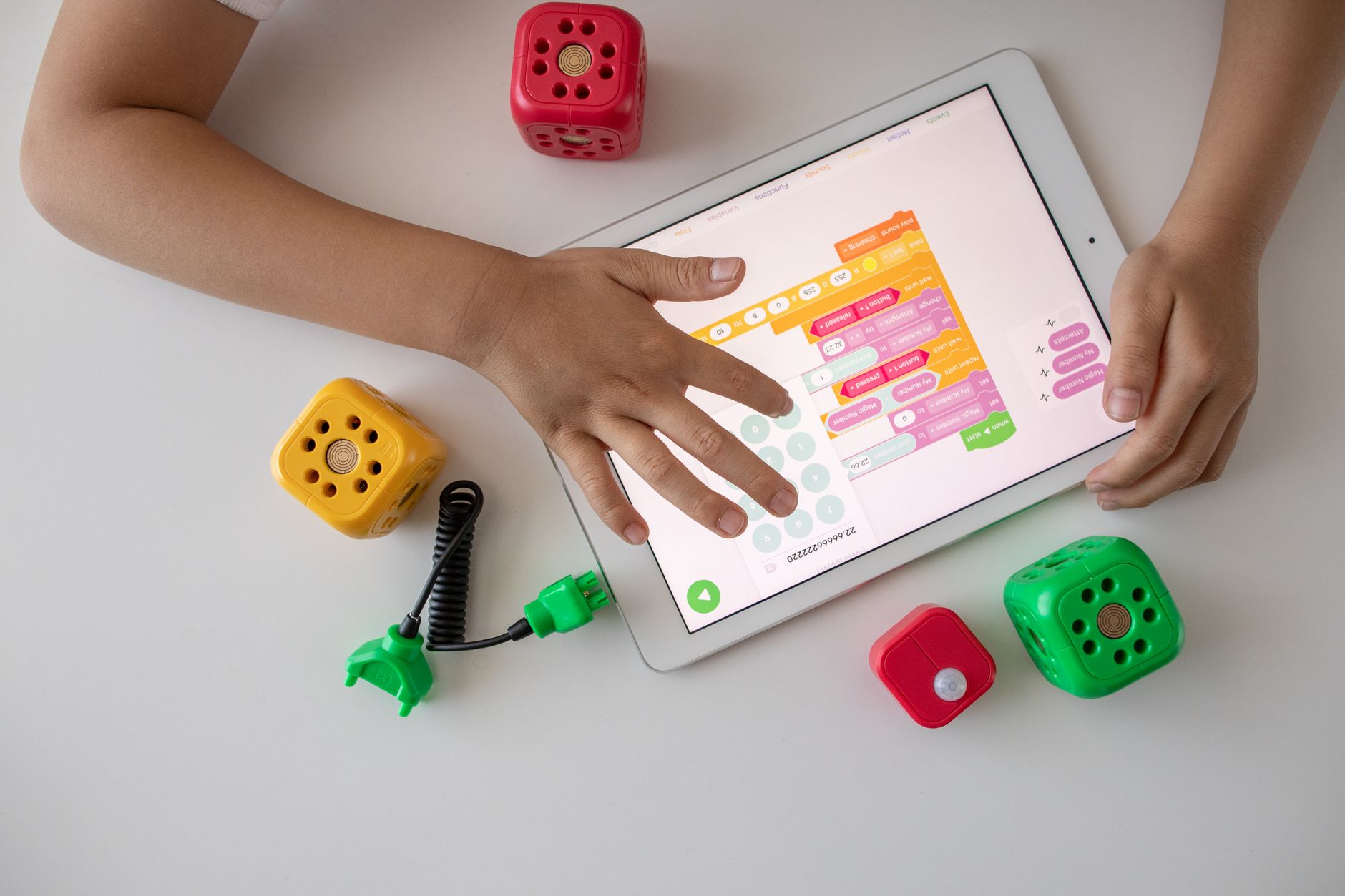 Photo by Robo Wunderkind / Pexels