Best Ergonomic Mouse for Office Work (2026)

The Logitech MX Master 3 at $39.99 is the best ergonomic mouse for most office workers. The right-handed sculpted shape positions the hand naturally, the electromagnetic scroll wheel is precise and quiet, and it connects to up to three devices via Bluetooth or USB receiver.
See Today’s Price →At a Glance
| # | Product | Award | Price | Our Score | |
|---|---|---|---|---|---|
| 1 | Logitech MX Master 3 Advanced Wireless … |
Best Overall | $39 | 9.2 | Buy → |
| 2 |  ProtoArc EM11 Bluetooth Wireless Vertic… ProtoArc EM11 Bluetooth Wireless Vertic… |
Best Vertical Budget | $21 | 8.9 | Buy → |
| 3 |  Logitech Lift Vertical Ergonomic Mouse,… Logitech Lift Vertical Ergonomic Mouse,… |
Best Vertical Mid-Range | $69 | 8.5 | Buy → |
| 4 |  Logitech MX Vertical Wireless Ergonomic… Logitech MX Vertical Wireless Ergonomic… |
Best Premium Vertical | $79 | 8.2 | Buy → |
| 5 | 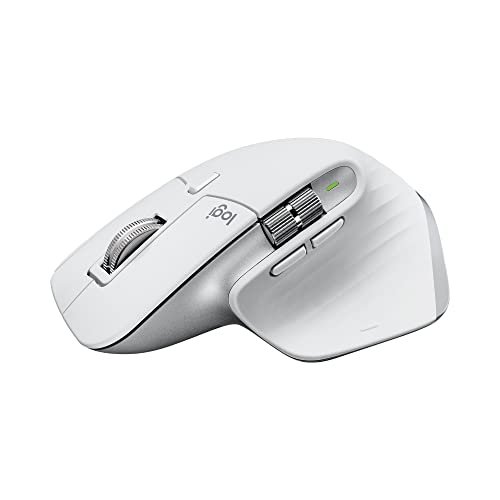 Logitech MX Master 3S Wireless Mouse Logitech MX Master 3S Wireless Mouse |
Best Premium Sculpted | $99 | 7.8 | Buy → |
Showing 5 of 5 products
Logitech MX Master 3 Advanced Wireless Mouse Ultrafast Scrolling Ergonomic 4000 DPI Graphite
“The Logitech MX Master 3 is the productivity mouse — not a pure ergonomic intervention but the best-designed traditional grip mouse that incorporates ergonomic principles alongside power-user features”
See Today’s Price →What we like
- MagSpeed electromagnetic scroll wheel — ultrafast scrolling through long documents
- 4000 DPI precision sensor works on any surface including glass
- Multi-device: pair and switch between up to 3 devices instantly
- Ergonomic contoured shape for right-hand natural wrist position
Watch out for
- Not a vertical mouse — traditional horizontal grip with ergonomic contouring
- Right-hand only design
- Size targets medium-to-large hands; may be oversized for smaller hands
Read Full Analysis
The Logitech MX Master 3 is the consensus best ergonomic office mouse for good reason. The sculpted right-handed shape positions the thumb naturally on the side buttons and the palm on a contoured rest that reduces lateral wrist stress through long typing and clicking sessions. The hand sits at a slight upward angle — not as extreme as a vertical mouse, but meaningfully better than a flat standard mouse. The electromagnetic MagSpeed scroll wheel is the feature that earns its own following: in free-spin mode it glides silently through thousands of rows or lines in seconds; in notched mode it clicks precisely for deliberate scrolling. For anyone working daily in Excel, long documents, or code editors, this alone justifies the upgrade. Three programmable buttons beyond the standard two let you assign zoom, undo, copy, or application shortcuts. Bluetooth and Logi Bolt USB receiver connectivity lets it pair to three devices simultaneously, and switching between them takes a button press. The rechargeable battery lasts up to 70 days per charge, with a fast-charge feature that provides 3 hours of use from 1 minute of charging. At $39.99 it is a genuine value for heavy daily users.

ProtoArc EM11 Bluetooth Wireless Vertical Ergonomic Mouse Black
“Best for remote workers who want a compact, silent wireless mouse that travels well and works reliably across any operating system.”
See Today’s Price →What we like
Watch out for
Read Full Analysis
The ProtoArc EM11 is the best entry point for vertical mice — the style that tilts your hand to the handshake position and eliminates forearm pronation entirely. For users with existing wrist pain, carpal tunnel symptoms, or forearm tension from standard mice, switching to a vertical design is the most impactful change available, and the ProtoArc does it at less than a quarter of the price of the Logitech MX Vertical. The three-device multi-pairing via both Bluetooth and 2.4GHz USB-A covers a laptop, desktop, and tablet simultaneously. The rechargeable battery is built in — no disposable batteries. Three DPI settings let you adjust sensitivity for different task types. The trade-off at $21.99 is the build quality and sensor precision: the ProtoArc does not match the Logitech MX Vertical in scroll feel, button precision, or software customization. For users whose primary goal is the vertical hand position rather than premium features, the ProtoArc delivers the core ergonomic benefit at a fraction of the cost. It is the right starting point before committing to the premium vertical mouse category.
Logitech Lift Vertical Ergonomic Mouse, Wireless Bluetooth, Off White
“The Logitech Lift is the right-sized vertical mouse for the significant portion of users who find the MX Vertical too large. The MX Vertical is designed for medium-to-large hands; the Lift is designed”
See Today’s Price →What we like
- Smaller form factor than MX Vertical — designed for small to medium hands
- 57-degree vertical angle same as MX Vertical — same ergonomic benefits
- Quiet clicks for shared or open office environments
- $30 cheaper than MX Vertical — same core technology at lower price
Watch out for
- No rechargeable battery — uses a single AA battery rated at 24 months, adding $1–2/year in replacement cost versus the MX Vertical ($100) with built-in USB-C rechargeable battery
- 4000 DPI maximum is sufficient for productivity use but below the 8000 DPI of the MX Vertical for users running dual 4K monitors requiring fine cursor precision
- Silent-click mechanism reduces audible feedback by approximately 20dB — users who rely on click sound to confirm button registration will require an adjustment period
Read Full Analysis
The Logitech Lift is designed for people who have tried a standard ergonomic mouse and still experience wrist discomfort — the vertical design takes the hand position further by tilting it to the full handshake angle that eliminates forearm rotation. Compared to the ProtoArc at $21.99, the Lift adds Logitech build quality, the Logi Bolt 2.4GHz receiver for more reliable connectivity in busy wireless environments, and quiet-click technology that reduces audible clicking by 90%. The Lift runs on a single AA battery that lasts approximately 24 months — no charging cable to manage. Logi Options+ software enables button customization and scrolling speed adjustment, though the physical feature set is simpler than the MX Vertical above it. The right-hand-specific design provides the best ergonomic fit for right-handed users; Logitech also makes a left-handed version separately. At $69.29 the Lift sits between the ProtoArc and the MX Vertical. The quieter clicks and more reliable Logi Bolt connection justify the premium over the ProtoArc for office environments where click noise matters. For users who want to try vertical without committing to the MX Vertical price, the Lift is the right intermediate step.
Logitech MX Vertical Wireless Ergonomic Mouse, Rechargeable, Graphite
“The Logitech MX Vertical is the ergonomic mouse recommendation that has the most direct scientific basis: the 57-degree vertical grip angle is derived from research showing that forearm rotation (pron”
See Today’s Price →What we like
- 57-degree vertical angle reduces forearm rotation and wrist pressure — ergonomically validated
- Rechargeable battery via USB-C — 4-month charge per full battery
- Works across Windows, Mac, and Linux — plug-and-play plus Logitech Options software
- Designed for medium-to-large hands — right-handed ergonomic grip
Watch out for
- Right-hand only design — no left-handed version available
- 57-degree angle requires an adjustment period of 1-2 weeks
- Premium price at $100 — higher than standard mice
Read Full Analysis
The Logitech MX Vertical is the premium vertical mouse, optimized for users who have committed to the vertical hand position for ergonomic reasons and want the best sensor, scroll, and software integration available in that form factor. The 57° tilt angle is precisely calibrated based on ergonomic research to reduce muscle strain in the forearm and wrist compared to standard mouse angles. The advanced optical sensor delivers 4000 DPI precision — appropriate for graphic work, precise cursor placement, and multi-monitor setups — combined with Logitech Options+ software customization for all buttons and scrolling behavior. The rechargeable battery lasts 4 months per charge, and the USB-C charging port is current-standard. Bluetooth and Logi Bolt dual connectivity lets it pair to two computers simultaneously. At $79.49 the MX Vertical costs approximately four times the ProtoArc for what is functionally the same hand position. The difference is in execution: sensor quality, software customization depth, scroll feel, and build quality are all meaningfully better. For users who have identified vertical mousing as their long-term setup and want the best available, the MX Vertical is the right permanent investment.
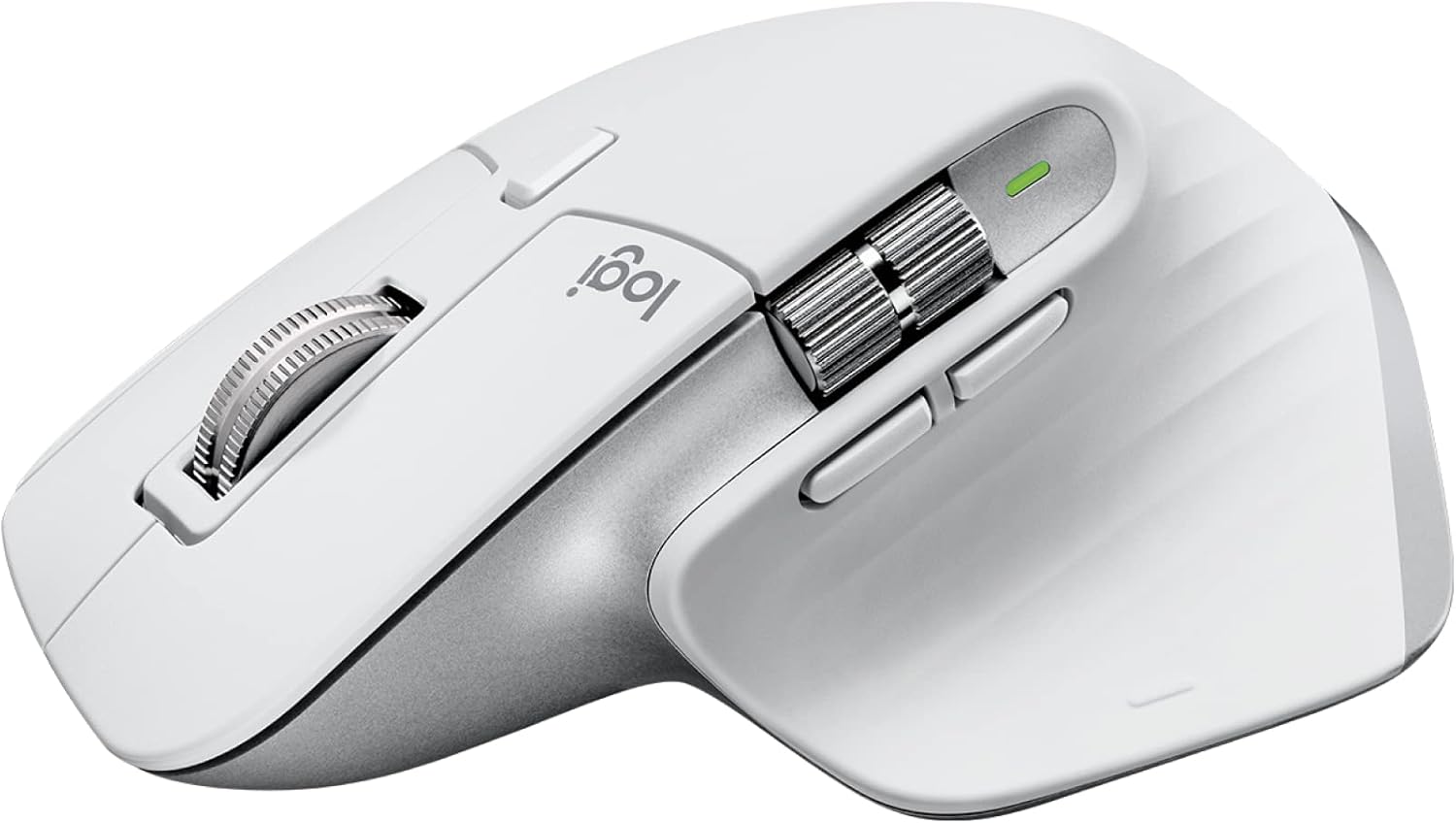
Logitech MX Master 3S Wireless Mouse
“The MX Master 3S is the best productivity mouse ever made — the MagSpeed scroll wheel flips between precise and ultra-fast infinite scrolling for different tasks.”
See Today’s Price →What we like
- MagSpeed electromagnetic scroll wheel
- 8000 DPI precision sensor
- Multi-device (3 devices)
- USB-C charging
- Silent click option
Watch out for
Read Full Analysis
The MX Master 3S is the updated version of the MX Master 3 with two changes: silent clicks that reduce click noise by 90%, and an upgraded 8000 DPI sensor that delivers finer cursor precision on any surface including glass. For users in open offices or on video calls where mouse click noise is audible to others, the silent version is the considerate choice. The glass-compatible sensor also matters for users with glass desk surfaces where standard optical mice skip. Everything else from the MX Master 3 carries over: the sculpted ergonomic shape, electromagnetic MagSpeed scroll wheel, three-device pairing, 70-day battery life, and programmable button layout. The USB-C charging port supports the fast-charge feature. At $89.99 the 3S commands a $50 premium over the MX Master 3. Silent clicks and the 8K DPI sensor are the only functional additions. For the majority of users, the standard MX Master 3 at $39.99 delivers the same ergonomic benefit and comparable precision for half the price. The 3S is worth the premium specifically if click noise is a genuine concern in your environment or if you use a glass desk surface.
Ergonomic Mouse for Office Work (2026) Buying Guide
 Photo by Josh Sorenson / Pexels
Quick Verdict: Our top pick is the Logitech MX Master 3 Advanced Wireless Mouse Ultrafast Scrolling Ergonomic 4000 DPI Graphite (Best Overall) — Logitech MX Master 3 — sculpted ergonomic shape, electromagnetic scroll wheel, 3-device pairing at $39.99.. Priced at $39.99.
Budget Pick: The ProtoArc EM11 Bluetooth Wireless Vertical Ergonomic Mouse Black at $21.99 — ProtoArc EM11 Bluetooth Vertical Mouse — 3-device pairing, rechargeable, true vertical design at $21.99..
Great for: Gamers who need precision and low latency, designers who spend hours in Photoshop, and anyone with a laggy wireless mouse
Not ideal if: You use a trackpad for everything and rarely plug in a mouse — forced adjustment can hurt your workflow
Sculpted vs. Vertical: Choosing the Right Ergonomic Design
An ergonomic mouse reduces repetitive strain injury risk by positioning your hand in a more natural orientation than a standard flat mouse. There are two main ergonomic designs: sculpted mice (Logitech MX Master series) that support the hand from the side with a gentle contour, and vertical mice (Logitech Lift, MX Vertical, ProtoArc) that tilt the hand to the handshake position, reducing forearm rotation completely. Sculpted mice are the right starting point for most users — they are more natural to transition to from a standard mouse and offer better precision. Vertical mice are specifically recommended for users already experiencing wrist or forearm pain from pronation.Key Specs to Compare Before Buying

Who Benefits from Programmable Buttons
For heavy Excel or creative software users, programmable thumb buttons replace keyboard shortcuts for zoom, undo, and application switching.Helpful Guides

- WFH Productivity Setup: 5 Upgrades in Order — Keyboard is upgrade #2 in the ROI priority stack
- Ergonomic Desk Setup Guide — Proper elbow angle and keyboard tray guidance
Related Guides:
- How to Build a Home Office That Actually Works — desk, chair, monitor, lighting, and peripherals in priority order
- How to Set Up an Ergonomic Desk — monitor height, keyboard position, and chair settings in order
- How to Choose an Ergonomic Office Chair — lumbar support, seat depth, armrest adjustability explained
Watch Before You Buy
Frequently Asked Questions
What is the difference between a vertical mouse and a regular ergonomic mouse?
Will an ergonomic mouse help with carpal tunnel syndrome?
Do I need a USB dongle or is Bluetooth enough?
How long does the battery last on a wireless ergonomic mouse?
Is the Logitech MX Master 3 worth the price?
How We Analyze Products
We analyze Amazon review data — often thousands of reviews per product — to surface patterns that individual buyers miss. Our process aggregates star ratings, review counts, and buyer sentiment at scale, identifying which strengths and weaknesses appear consistently across the largest review samples available. The 57,503+ reviews analyzed on this page represent real verified-purchase feedback from Amazon buyers.
Each product earned its placement through data: total review volume, average rating, and the specific praise and complaints that repeat most often across buyers. No manufacturer paid for placement on this page. Products appear here because buyers endorsed them at scale, not because a company asked us to feature them.
We use AI to summarize review sentiment — not to fabricate opinions, but to condense what thousands of buyers actually wrote into a readable format. The pros and cons you see reflect the most common themes found in verified purchaser reviews, paraphrased for clarity. We do not claim to have accessed Reddit, YouTube, or specific publications in generating these summaries.
Prices shown reflect Amazon pricing at the time this page was last generated. Click “See Today’s Price” to get the current live price on Amazon. Read our full methodology →