Best Wireless Keyboards for Home Office 2026: Quiet, Comfortable Typing

The Keychron K2 Pro is the best wireless keyboard for home office workers who want mechanical feel and full customizability — hot-swappable switches mean you can change the typing feel without soldering, QMK/VIA support allows full key remapping, and the 75% layout keeps the desk compact while keeping all keys you actually use.
See Today’s Price →At a Glance
| # | Product | Award | Price | Our Score | |
|---|---|---|---|---|---|
| 1 |  Keychron K2 Pro QMK/VIA Wireless Mechan… Keychron K2 Pro QMK/VIA Wireless Mechan… |
Best Overall | $111 | 9.2 | Buy → |
| 2 | 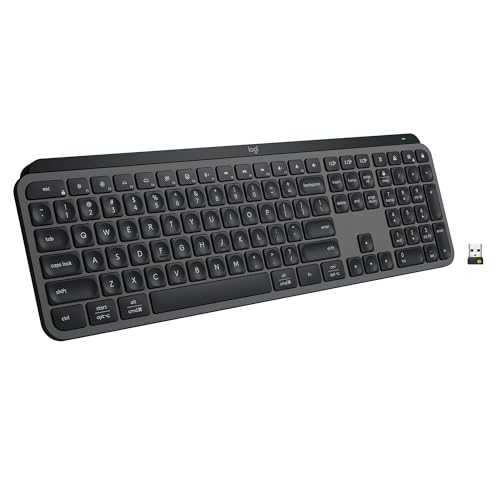 Logitech MX Keys S Wireless Keyboard Logitech MX Keys S Wireless Keyboard |
Best Productivity Keyboard | $119 | 8.9 | Buy → |
| 3 |  Logitech MX Master 3 Advanced Wireless … Logitech MX Master 3 Advanced Wireless … |
Best Keyboard Pairing | $39 | 8.5 | Buy → |
| 4 | 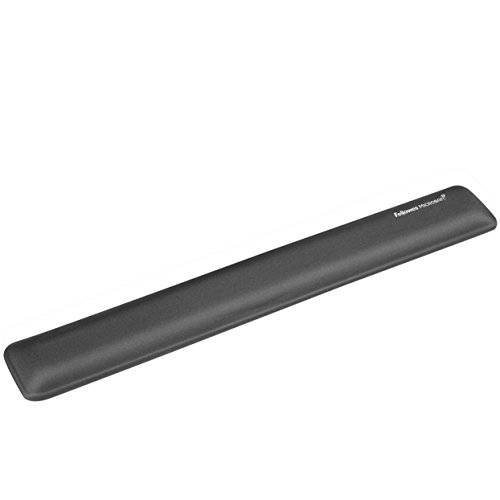 Fellowes Microban Antimicrobial Wrist Rest Fellowes Microban Antimicrobial Wrist Rest |
Best Typing Support | $17 | 8.2 | Buy → |
| 5 | 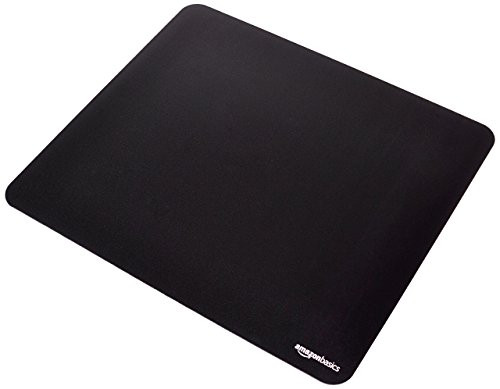 Amazon Basics Gaming Mouse Pad Amazon Basics Gaming Mouse Pad |
Best Desk Surface Pair | $7 | 7.8 | Buy → |
Showing 5 of 5 products
Keychron K2 Pro QMK/VIA Wireless Mechanical Keyboard (Brown)
“The definitive programmer keyboard under $100. QMK/VIA programmability, hot-swappable switches, and wireless make the K2 Pro future-proof - you can change switches as preferences evolve without buying”
See Today’s Price →What we like
Watch out for
Read Full Analysis
The Keychron K2 Pro QMK/VIA Wireless Mechanical Keyboard is the home office keyboard for people who want to configure their typing experience completely. Hot-swappable switch sockets let you change switches without soldering. QMK/VIA firmware support enables full key remapping, macro programming, and layer creation. The 75% layout is the compact-but-complete sweet spot: keeps the function row, arrow keys, and navigation cluster while eliminating the rarely-used numpad. Bluetooth 5.1 connects to 3 devices simultaneously.

Logitech MX Keys S Wireless Keyboard
“Best keyboard for programmers who prefer quiet typing and cross-device productivity. MX Keys S is whisper-quiet, premium, and the Logi Options+ app provides smart macro capabilities without full QMK c”
See Today’s Price →What we like
Watch out for
Read Full Analysis
The Logitech MX Keys S Wireless Keyboard is the productivity keyboard optimized for knowledge workers: spherically-dished key caps that guide finger placement naturally, smart backlighting that brightens only when hands are nearby (preserving battery), quiet scissor switch mechanism, and Logi Options+ software for workflow customization. 3-device Bluetooth switching, rechargeable via USB-C, and 10-day battery with backlight or 5-month without. The premium desk keyboard for professional productivity.
Logitech MX Master 3 Advanced Wireless Mouse Ultrafast Scrolling Ergonomic 4000 DPI Graphite
“The Logitech MX Master 3 is the productivity mouse — not a pure ergonomic intervention but the best-designed traditional grip mouse that incorporates ergonomic principles alongside power-user features”
See Today’s Price →What we like
- MagSpeed electromagnetic scroll wheel — ultrafast scrolling through long documents
- 4000 DPI precision sensor works on any surface including glass
- Multi-device: pair and switch between up to 3 devices instantly
- Ergonomic contoured shape for right-hand natural wrist position
Watch out for
- Not a vertical mouse — traditional horizontal grip with ergonomic contouring
- Right-hand only design
- Size targets medium-to-large hands; may be oversized for smaller hands
Read Full Analysis
The Logitech MX Master 3 Advanced Wireless Mouse is the natural companion to the MX Keys S keyboard — both connect through Logi Bolt USB receiver (1 receiver controls both), both support the same 3-device switching, and both work in the Logi Options+ productivity software. The side scroll wheel, 7 programmable buttons, and ergonomic design complement the keyboard's productivity-first philosophy. The complete Logitech office setup for serious knowledge workers.

Fellowes Microban Antimicrobial Wrist Rest
“Fellowes' Microban wrist rest is the top choice for shared workstations — gel comfort with antimicrobial protection that resists bacteria between cleanings.”
See Today’s Price →What we like
- Microban antimicrobial protection
- Gel-filled for comfort
- Non-slip base
- Easy to wipe clean
Watch out for
- Slightly smaller width
- Antimicrobial not a substitute for cleaning
Read Full Analysis
The Fellowes Microban Antimicrobial Wrist Rest provides padded gel support at the neutral wrist position during keyboard use — reducing the flexion and extension that cause repetitive strain injury over months of intensive typing. The Microban antimicrobial treatment inhibits bacterial growth on the wrist contact surface. 10.4 x 2.75 inch size fits naturally in front of any full-size or TKL keyboard. The typing health accessory that pairs with any keyboard.

Amazon Basics Gaming Mouse Pad
“Amazon Basics delivers a reliable non-slip mouse pad at the lowest price — ideal for those who just need a basic pad without gaming-specific features.”
See Today’s Price →What we like
- Very affordable
- Smooth tracking surface
- Non-slip base
- Multiple sizes
Watch out for
- No stitched edges
- Thinner than premium pads
Read Full Analysis
The Amazon Basics Gaming Mouse Pad provides the optimal smooth surface for both keyboard and mouse use — large enough to cover both keyboard and mouse areas, optimized for tracking at any mouse DPI setting, and priced at $9 to make the decision automatic. A quality desk mat for keyboard and mouse is the last mile of a clean desk setup that most people skip and then add six months later.
Wireless Keyboards for Home Office Buying Guide
 Photo by Avinash Kumar / Pexels
Quick Verdict: Our top pick is the Keychron K2 Pro QMK/VIA Wireless Mechanical Keyboard (Brown) (Best Overall) — Keychron K2 Pro — hot-swappable switches, QMK/VIA programmable, compact 75% layout.. Priced at $111.99.
Budget Pick: The Amazon Basics Gaming Mouse Pad at $8.09 — Amazon Basics gaming pad — smooth tracking surface for keyboard and mouse together..
Great for: Writers and coders who type for hours and want tactile feedback, gamers who want fast actuation, and enthusiasts
Not ideal if: You work in a shared office — mechanical keyboards are loud and disruptive to coworkers in quiet environments
Wireless Keyboard Choices in 2026
Wireless keyboards span from quiet membrane keyboards to mechanical switch keyboards with customizable per-key RGB lighting. The choice depends on typing preference, noise tolerance, and how much you want to configure. Mechanical keyboards vs. membrane keyboards. Mechanical keyboards use individual physical switches under each key — producing tactile feedback, distinct typing sounds, and durability measured in tens of millions of keystrokes. Membrane keyboards use a rubber dome under all keys simultaneously — quieter, cheaper, and less tactile. Most people who switch to mechanical keyboards don't go back. Switch selection defines the typing feel. Keychron keyboards use Gateron switches (comparable to Cherry MX, widely praised): Red = linear, light, quiet. Brown = tactile bump, no click, moderate sound. Blue = tactile bump + audible click, louder. For office environments, Red or Brown are the most considerate choices. Logitech MX Keys S is the premium productivity choice. Unlike mechanical keyboards, the MX Keys S uses Logitech's own quiet scissor switches designed for productivity rather than gaming — lower profile, faster actuation, backlit keys that brighten when hands approach. Ideal for users who want premium feel without the mechanical loudness or height. Layout considerations. Full-size keyboards include a numpad but take more desk space and push the mouse further right. TKL (ten-key less) keyboards remove the numpad. 75% keyboards (Keychron K2) keep all function row and navigation cluster keys while being significantly more compact. Multi-device Bluetooth. Both Keychron and Logitech wireless keyboards offer 3-device Bluetooth switching — essential for knowledge workers who use a laptop, desktop, and personal computer simultaneously.Helpful Guides
- WFH Productivity Setup: 5 Upgrades in Order — Keyboard is upgrade #2 in the ROI priority stack
- Ergonomic Desk Setup Guide — Proper elbow angle and keyboard tray guidance
Related Guides:
- How to Build a Home Office That Actually Works — desk, chair, monitor, lighting, and peripherals in priority order
- How to Set Up an Ergonomic Desk — monitor height, keyboard position, and chair settings in order
- How to Build a Productive Work-From-Home Setup — five upgrades in order of ROI for remote workers
- Digital Piano vs Keyboard vs Acoustic — which piano to buy at every budget and skill level
- How to Build a Home Recording Studio — budget tiers, gear order, and room treatment basics
- Guitar Buying Guide: Acoustic vs Electric — which type to start with and what to look for at each price
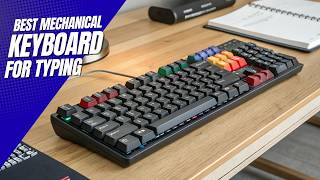
Watch Before You Buy

Frequently Asked Questions
What's the best wireless keyboard for home office?
What's the quietest wireless keyboard?
What is hot-swappable mean on a keyboard?
Is the Keychron K2 Pro good for coding?
What's the difference between Keychron K2 Pro and Logitech MX Keys S?
How We Analyze Products
We analyze Amazon review data — often thousands of reviews per product — to surface patterns that individual buyers miss. Our process aggregates star ratings, review counts, and buyer sentiment at scale, identifying which strengths and weaknesses appear consistently across the largest review samples available. The 85,568+ reviews analyzed on this page represent real verified-purchase feedback from Amazon buyers.
Each product earned its placement through data: total review volume, average rating, and the specific praise and complaints that repeat most often across buyers. No manufacturer paid for placement on this page. Products appear here because buyers endorsed them at scale, not because a company asked us to feature them.
We use AI to summarize review sentiment — not to fabricate opinions, but to condense what thousands of buyers actually wrote into a readable format. The pros and cons you see reflect the most common themes found in verified purchaser reviews, paraphrased for clarity. We do not claim to have accessed Reddit, YouTube, or specific publications in generating these summaries.
Prices shown reflect Amazon pricing at the time this page was last generated. Click “See Today’s Price” to get the current live price on Amazon. Read our full methodology →