How to Choose a Desk in 2026: Buyer's Guide
For most home office setups, a 55 to 60 inch wide desk with a depth of 24 to 30 inches accommodates dual monitors plus peripherals without crowding. Standing desks are worth the premium if you currently experience back or neck discomfort from prolonged sitting. Budget fixed desks from IKEA and Amazon Basics perform well for standard workloads.
How to Choose a Desk Buying Guide
 Photo by www.kaboompics.com / Pexels
Desk selection is frequently driven by aesthetics first and ergonomics second — the opposite of the correct priority order. A beautiful desk at the wrong height, wrong width, or insufficient depth will be uncomfortable and cluttered from day one. The dimensions that matter most are surface width (how much workspace you have left to right), surface depth (front to back distance), and height (fixed versus adjustable). Get these three right first and then optimize for aesthetics within those constraints.
Size: Width, Depth, and Monitor Clearance
Standard desk widths range from 40 to 72 inches. A 40-inch desk fits a single monitor and laptop. A 55 to 60 inch desk comfortably fits dual monitors with room for a keyboard tray and peripherals. A 72-inch desk provides full creative workspace for monitors, drawing surfaces, or audio equipment. Depth (front to back) matters for monitor distance. At 24 inch depth, a monitor placed at the back of the desk is approximately 20 to 22 inches from your eyes — within the recommended 20 to 28 inch range. Monitor arms (separate purchase) increase flexibility by allowing the monitor to be positioned precisely without being constrained by desk depth. L-shaped desks provide large total surface area in a corner configuration, maximizing workspace while minimizing floor footprint. Our best desks for small spaces covers compact configurations. For dual-monitor setups, see best desks for two monitors.
Fixed vs. Standing Desks

Standing desks (height-adjustable desks) allow you to alternate between sitting and standing during the workday. Research on standing desk health benefits is mixed, but the ability to change position reduces static loading on the lumbar spine and encourages movement. Electric standing desks adjust height via motor at the press of a button and cost $350 to $800 for quality models. Manual crank desks are less expensive ($150 to $300) but require effort to adjust and are adjusted less frequently as a result. The practical benefit of a standing desk is highest for people who currently experience lower back or neck discomfort from prolonged sitting. For people without these issues, a well-fitted fixed desk with a quality chair provides comparable comfort at lower cost. If buying a standing desk, the frame stability at full height extension is critical — cheap frames wobble at standing height even on a solid floor. Our best standing desks and best standing desks for home office cover electric models by stability and price.
Surface Material and Durability
Desk surfaces are typically MDF (medium density fiberboard) with laminate veneer, solid wood, or engineered wood with edge banding. Laminated MDF is the most common and is practical for most uses — it is scratch and moisture resistant, easy to clean, and holds up to daily writing and peripheral contact. Look for a minimum 0.8 inch thick surface since thinner MDF surfaces flex under monitor arms and sag over time. Solid wood desks are aesthetically premium and very durable but expensive ($400 to $1,500+) and require more care (oiling, avoiding prolonged moisture contact). Bamboo surfaces are a sustainable mid-point between laminate and solid wood in both price and durability. Glass tops are attractive but scratch easily and show fingerprints constantly. For a writing and computer work surface, textured laminate on a thick MDF base is the most practical choice. A desk pad (separate purchase) protects the surface and provides a comfortable writing and wrist rest surface. Our desk mat guide covers surface protection options.
Cable Management and Organization
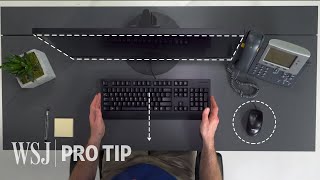
Cable management is the difference between a desk that looks clean and productive and one that looks chaotic. Modern work setups include monitor cables, USB hubs, chargers, headset cables, and speaker cables. Without cable management, these accumulate in a pile below the desk. Built-in cable management features to look for: a cable tray or raceway mounted under the desk surface, grommets (holes with plastic edging) for routing cables from the surface to below, and cable clips along the desk legs. For standing desks, cable strain relief is especially important since cables must flex through the full height range. A separate cable management kit (cable tray, velcro ties, cable clips) can supplement any desk for $15 to $30. See our desk organizer guide for surface organization, and best desks for gaming and work for setups with intensive cable requirements.
Assembly and Stability

Most desks under $500 require assembly from flat-pack components. Assembly quality correlates strongly with long-term stability. Key indicators: metal rather than plastic hardware, leg levelers on all four feet (essential on uneven floors to prevent rocking), and a crossbeam or support rail connecting the rear legs (prevents the desk from racking side to side). For standing desks, the frame geometry and number of support columns determines wobble at standing height — a single-leg electric frame is less stable than a dual-column frame at equivalent height. Assembled desk weight is a rough quality indicator: heavier desks use thicker materials and are more stable. Before purchasing, check review photos of the assembled desk for visible gaps between surfaces and frames, which indicate poor tolerances. Our standing desk mat guide covers anti-fatigue mats that complete a standing desk setup.
At a Glance
| # | Product | Award | Price |
|---|
How We Analyze Products
We analyze Amazon review data — often thousands of reviews per product — to surface patterns that individual buyers miss. Our process aggregates star ratings, review counts, and buyer sentiment at scale, identifying which strengths and weaknesses appear consistently across the largest review samples available.
Each product earned its placement through data: total review volume, average rating, and the specific praise and complaints that repeat most often across buyers. No manufacturer paid for placement on this page. Products appear here because buyers endorsed them at scale, not because a company asked us to feature them.
We use AI to summarize review sentiment — not to fabricate opinions, but to condense what thousands of buyers actually wrote into a readable format. The pros and cons you see reflect the most common themes found in verified purchaser reviews, paraphrased for clarity. We do not claim to have accessed Reddit, YouTube, or specific publications in generating these summaries.
Prices shown reflect Amazon pricing at the time this page was last generated. Click “See Today’s Price” to get the current live price on Amazon. Read our full methodology →