How to Set Up a Home Office on a Budget: Complete Guide (2026)
The highest-ROI home office purchases in order: (1) office chair with lumbar support ($200), (2) monitor at eye level ($150-200), (3) keyboard and mouse ($30-60), (4) adequate lighting ($30). Everything else is optimization. A $500 setup covering these four categories outperforms a $300 setup on aesthetics alone with better ergonomics and long-term comfort.
At a Glance
| # | Product | Award | Price |
|---|
How to Set Up a Home Office on a Budget Buying Guide
 Photo by Josh Sorenson / Pexels
Home office budgets are commonly mis-allocated — people spend $800 on a beautiful desk and use a $50 dining chair, or buy a premium monitor stand while their keyboard stays at shoulder height. This guide ranks every home office purchase by its impact on productivity and physical health, then gives you the minimum viable product at each tier.
Priority 1: The Chair ($150-350)
The chair is the single highest-priority purchase because you're in it for 8 hours. Back pain from inadequate support is the most common home office complaint and the most expensive (in lost productivity and healthcare costs). Minimum requirements: adjustable seat height, some lumbar support, armrests. At $150: Flexispot OC14 or NOUHAUS Ergo3D — both offer basic ergonomic adjustments. At $250-350: Branch Ergonomic Chair or Autonomous ErgoChair Pro — full adjustment set (seat depth, adjustable lumbar, 4D armrests). The $200 difference between a $150 and a $350 chair is justified by 8 hours/day contact. If you're renting a desk from a co-working space, skip the chair. If you're at home all day, don't compromise here.
Priority 2: Monitor Position ($0-200)
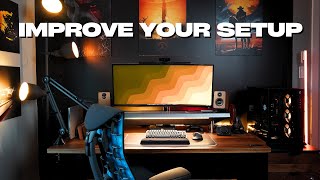
Eye strain and neck pain are the second most common home office complaints — both typically caused by monitor position. The monitor top edge should be at or slightly below eye level, at arm's length distance (18-24 inches). Most people using a laptop alone hold it too low and too close. Solutions by budget: Free: Raise a laptop with a stack of books. Add a $15 Bluetooth keyboard and mouse to allow the laptop to be elevated. $20-40: Laptop stand or tablet arm. Use the laptop screen at eye level as a second display (most laptops support this via HDMI). $150-250: A 24-27 inch external monitor. Significantly reduces squinting and eye fatigue compared to 13-15 inch laptop screens. Add a $30 monitor stand or arm to raise it properly. The ergonomic case for an external monitor at eye level is strong — it's the most measurable improvement after the chair.
Priority 3: Keyboard and Mouse ($25-80)
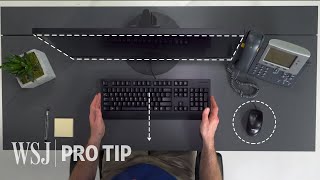
Wrist position during typing matters more than people realize. A keyboard that forces ulnar deviation (wrists bent outward) or an elevated wrist position contributes to carpal tunnel and repetitive strain over months. The standard flat keyboard (most laptop keyboards and their external equivalents) is ergonomically problematic for extended typing. Minimum viable: any full-size keyboard where your wrists rest flat. Better: a low-profile keyboard (Logitech MX Keys, $100) that reduces wrist extension. Best: a split ergonomic keyboard (Kinesis Freestyle or Microsoft Ergonomic) that allows hands to be shoulder-width apart. Budget picks: Logitech K380 ($40, compact wireless) or the basic Logitech MK270 combo ($25) for a complete keyboard+mouse. For the mouse: a vertical mouse (Logitech MX Vertical, $100, or Anker Vertical Mouse, $30) reduces forearm rotation that causes repetitive strain in standard mouse use.
Priority 4: Lighting ($20-50)
Covered in the home office lighting guide above. Budget summary: a $25 ring light for video calls and a $20 desk lamp at 4000-5000K for work lighting covers everything most people need. The ring light isn't optional if you have any video calls — the difference between backlit vs. front-lit face on camera is immediately visible and professional.
Priority 5: Desk ($0-500)
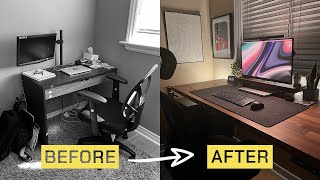
The desk is actually lower priority than the chair, monitor position, and input devices — yet it's typically the first purchase. Any flat surface at the right height (28-30 inches for most adults, adjusted for your chair height) works. Minimum: a kitchen table. Budget ($60-100): IKEA LINNMON table top + IKEA OLOV adjustable legs — the most-used budget home office desk configuration. Mid-range ($200-400): a dedicated desk with cable management and drawers. Standing desk ($400-800): adds ergonomic value for users who stand for at least 2 hours per day; not worth it if you'll exclusively sit. The FEZIBO and Flexispot E1 standing desks ($300-400) are the most reviewed entry-level options.
What to Skip on a Budget
Premium desk accessories: Fancy pen holders, wireless charging pads, monitor stands with USB hubs — all nice-to-haves, none essential. Cable management as décor: A $60 cable management box is cosmetically driven; $10 in velcro ties and cable clips achieves the same functional result. Noise-canceling headphones as priority: Good for focused work but not a first purchase — ear-plugs ($2) block the same noise. Add headphones once the ergonomics are covered. Room décor: Art, plants, color — affects morale but not productivity in any measurable way. Optimize ergonomics first.
What We Recommend: $400 Complete Setup
A functional, ergonomic home office for $400: Flexispot OC14 chair ($180) + used or refurbished 24-inch monitor ($100-150, Amazon Renewed) + IKEA LINNMON desk ($60) + Logitech MK270 keyboard/mouse combo ($25) + Neewer ring light ($25) = complete setup. See our best budget office chairs, cable management, and chairs for working from home for specific product recommendations.
How We Analyze Products
We analyze Amazon review data — often thousands of reviews per product — to surface patterns that individual buyers miss. Our process aggregates star ratings, review counts, and buyer sentiment at scale, identifying which strengths and weaknesses appear consistently across the largest review samples available.
Each product earned its placement through data: total review volume, average rating, and the specific praise and complaints that repeat most often across buyers. No manufacturer paid for placement on this page. Products appear here because buyers endorsed them at scale, not because a company asked us to feature them.
We use AI to summarize review sentiment — not to fabricate opinions, but to condense what thousands of buyers actually wrote into a readable format. The pros and cons you see reflect the most common themes found in verified purchaser reviews, paraphrased for clarity. We do not claim to have accessed Reddit, YouTube, or specific publications in generating these summaries.
Prices shown reflect Amazon pricing at the time this page was last generated. Click “See Today’s Price” to get the current live price on Amazon. Read our full methodology →