How to Choose a Standing Desk (2026): Electric vs Manual, Frame Quality
For a full desk replacement: the FlexiSpot EN1 ($209 at 55×24") is the best value electric standing desk — quiet motor, stable frame, enough space for two monitors. For a budget electric with reliable build: ErGear 48×24" at $109 works for single-monitor setups. For renter setups or shared desks: a VIVO converter ($129) sits on your existing desk and raises your monitor and keyboard without replacing the whole desk. Whatever you choose, add an anti-fatigue mat — standing on hard floors for 2+ hours causes foot and back fatigue that defeats the purpose of the desk.
How to Choose a Standing Desk (2026) Buying Guide
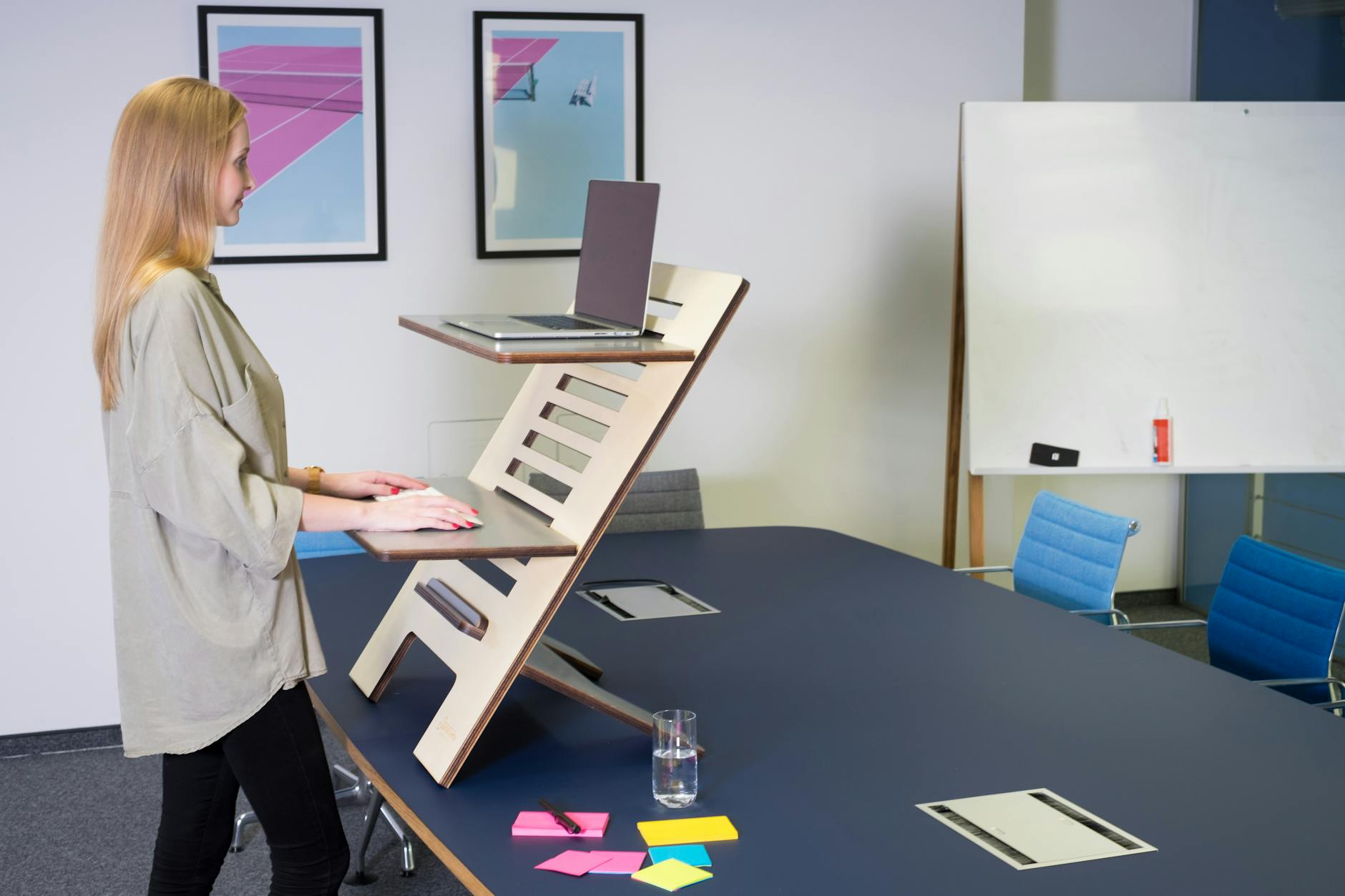 Photo by Standsome Worklifestyle / Pexels
Quick verdict: For a full desk replacement: the FlexiSpot EN1 ($209 at 55×24") is the best value electric standing desk — quiet motor, stable frame, enough space for two monitors. For a budget electric with reliable build: ErGear 48×24" at $109 works for single-monitor setups.
Quick Comparison
| Feature | Electric Sit-Stand | Manual Crank | Desktop Converter | Fixed Stand Height |
|---|---|---|---|---|
| Best For | Daily sit-stand cycling | Occasional adjusters | Testing standing, low cost | Dedicated standers |
| Height Adjustment | Button press (motorized) | Hand crank (~30 turns) | Lift handle or gas spring | Manual leg adjustment only |
| Memory Presets | Yes (2-4 presets) | No | No | No |
| Desktop Space | Full surface (48-80") | Full surface | Partial (converter top) | Full surface |
| Stability | Excellent (frame) | Good | Fair (wobble at top) | Good |
| Price Range | $400-$2,000+ | $200-$600 | $100-$400 | $150-$400 |
| Our Pick | Flexispot E7 Pro | Flexispot M2B | FlexiSpot M7MB | - |
Who This Guide Is For
This guide is for you if:
- You're setting up or improving a home office and want to know what equipment actually affects productivity
- You have back or neck pain from your current setup and want to understand your options
- You're comparing standing desks, ergonomic chairs, or monitor setups and confused by the differences
Skip this guide if:
- You just want the best office product — see our office comparison pages
- You're setting up a commercial office — this guide is for individual home office setups
Standing Desk Buying Guide: Everything You Need to Know
The standing desk market is flooded with low-quality frames, exaggerated weight claims, and vague warranties. This guide explains what actually matters in a standing desk, what the common failure points are, and how to choose the right configuration for your space and workflow.
The Science Behind Sit-Stand Work

The research on sitting time and health risks is real — sedentary behavior correlates with increased all-cause mortality in multiple large studies. But the solution isn't to stand all day. Research from the British Journal of Sports Medicine found that alternating between sitting and standing throughout the day — not eliminating sitting — is the target behavior.
The 20-8-2 rule from Dr. Jack Callaghan at the University of Waterloo: 20 minutes sitting, 8 minutes standing, 2 minutes moving (walking, stretching). This pattern significantly reduces both the back pain risk of prolonged sitting and the foot/leg fatigue of prolonged standing.
What this means practically: a sit-stand desk is only as valuable as how often you actually transition. An electric desk you adjust with a button gets used. A manual crank desk gets used for the first week. This is the single most important factor in desk selection — buy electric, or accept that you'll mostly sit.
YouTube reference: BTODtv (Btod.com's YouTube channel) has the most rigorous standing desk reviews on the internet — they test wobble with a phone accelerometer, measure actual height ranges, and weigh frames. Their "Best Standing Desk" playlist and comparison videos are the authoritative source for desk research. Dave2D's desk setup videos show real-world configurations.
Electric vs Manual vs Converter
| Type | Best For | Price Range | Trade-offs |
|---|---|---|---|
| Electric (single motor) | Budget-conscious buyers, light setups (single monitor + laptop) | $89–$220 | Lower weight capacity (110–154 lbs), slower motor, some wobble at max height |
| Electric (dual motor) | Most users — dual monitors, desktop towers, heavy setups | $350–$700 | Higher upfront cost, requires assembly (30–60 min) |
| Manual crank | Infrequent height changes, power-outage-proof setups | $150–$350 | Slow (20–40 turns per transition), users rarely adjust after first week |
| Desk converter | Renters, shared desks, people who want to test before committing | $80–$300 | Reduces desk surface area, adds height to desk (ergonomics depend on your desk height), limited surface |
Weight Capacity: Why It Matters More Than You Think
Most people underestimate what's on their desk. A realistic dual-monitor office setup weighs:
- Two 27" monitors: ~16–24 lbs total
- Monitor arms (2): ~8–12 lbs total
- Desktop computer tower: 15–25 lbs
- Keyboard, mouse, accessories: 2–5 lbs
- Desk surface itself (48×30" wood): 30–50 lbs
Total: 70–116 lbs before you put anything else on it. Single-motor budget desks rated at "110 lbs" are at or over capacity with a standard dual-monitor setup plus tower. This manifests as motor strain, reduced lifespan, and wobble.
The FlexiSpot E7 Pro's 355-lb capacity isn't overkill — it's what allows the desk to handle a real office setup and still transition smoothly 50 times a day for 10 years.
The Stability/Wobble Problem
Wobble is the most common standing desk complaint and the most underreported spec in manufacturer marketing. All standing desks wobble to some degree at maximum height — the question is how much and whether it bothers you.
What causes wobble:
- Height: wobble increases dramatically above 40" (standing height for tall users)
- Leg count: 2-leg frames wobble more than 3-leg or 4-leg frames
- Steel gauge: thinner tubes flex more under load
- Cross-beam: frames with a central cross-beam are significantly stiffer
BTODtv wobble ratings (measured in mm of lateral movement at 40" height under 50-lb load):
- Budget single-motor (ErGear, Agilestic): 8–15mm — noticeable, bothersome for typing
- Mid-range dual-motor (FlexiSpot EN1): 5–8mm — acceptable for most users
- Premium dual-motor (FlexiSpot E7 Pro, Uplift): 3–5mm — barely perceptible
If you're a heavy typer or have hypersensitivity to motion, budget for a premium dual-motor frame. The difference is real and daily.
At a Glance
| # | Product | Award | Price | Our Score | |
|---|---|---|---|---|---|
| 1 | 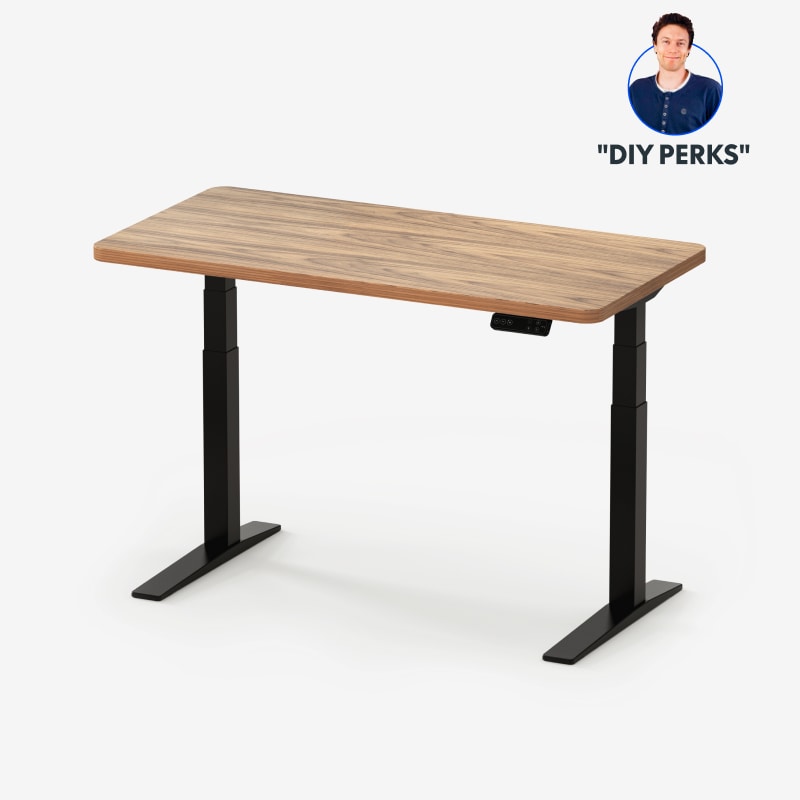 FlexiSpot E7 Pro Standing Desk FlexiSpot E7 Pro Standing Desk |
Best Overall | $499 | 9.2 | Buy → |
| 2 |  FLEXISPOT EN1 Electric Standing Desk 55… FLEXISPOT EN1 Electric Standing Desk 55… |
Best Value | $209 | 8.9 | Buy → |
| 3 |  ErGear 48x24 in Height Adjustable Elect… ErGear 48x24 in Height Adjustable Elect… |
Best Budget | $109 | 8.5 | Buy → |
| 4 |  VIVO Single Monitor Sit-Stand Desk Conv… VIVO Single Monitor Sit-Stand Desk Conv… |
Best Converter | $129 | 8.2 | Buy → |
| 5 | 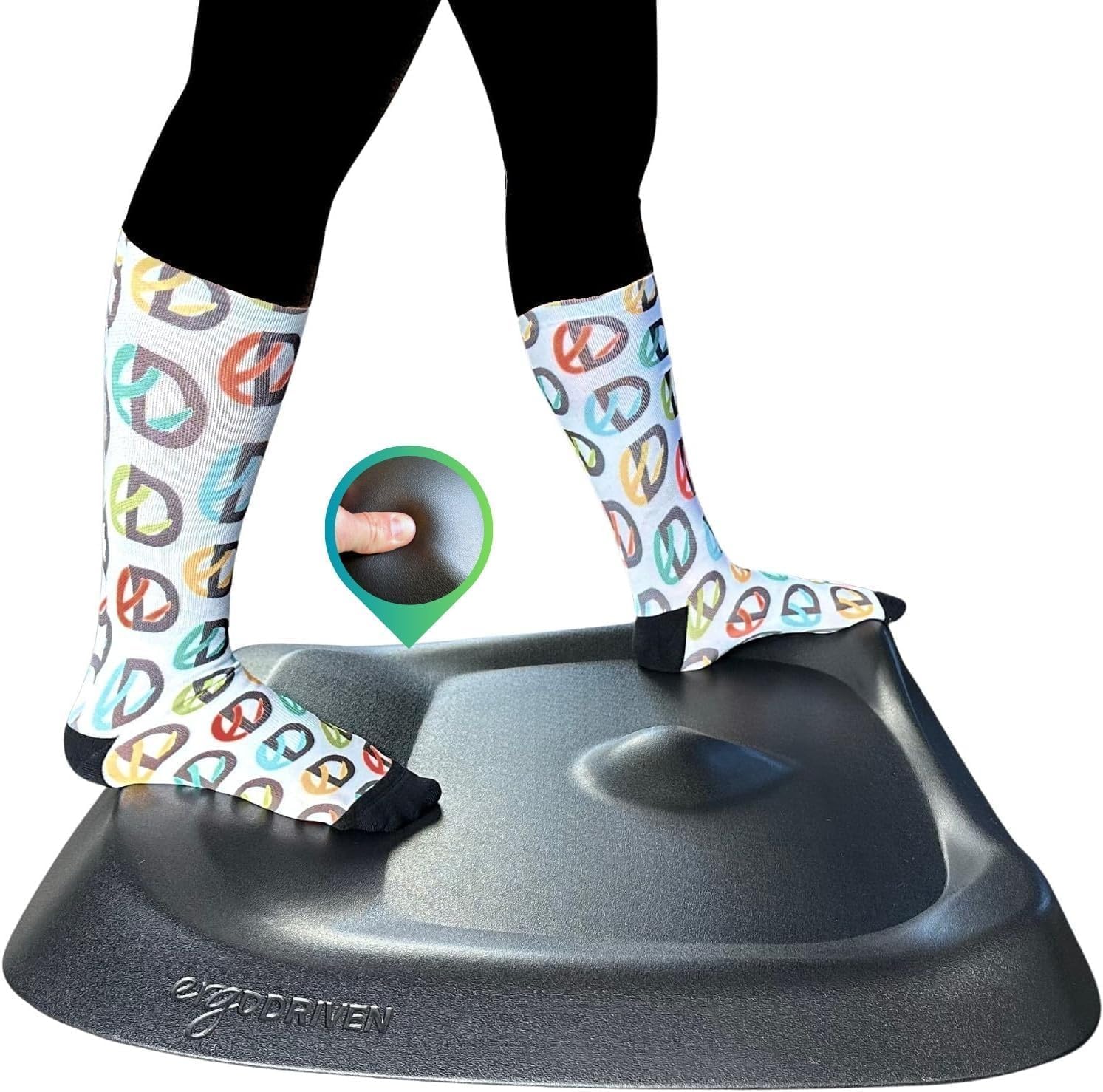 Topo by Ergodriven Anti-Fatigue Standin… Topo by Ergodriven Anti-Fatigue Standin… |
Essential Add-On | $109 | 7.8 | Buy → |
Showing 5 of 5 products
FlexiSpot E7 Pro Standing Desk
“The FlexiSpot E7 Pro is the most stable standing desk at this price — the dual motor and broad base feel completely solid even at full height.”
See Today’s Price →What we like
- Dual motor — extremely stable at height
- Height range 22.8-48.4 inches
- 4 memory presets + child lock
- Anti-collision detection
- 330 lb load capacity
Watch out for
Read Full Analysis
The FlexiSpot E7 Pro at $499 is what professional and serious home office buyers choose when they want a desk for a decade. The 3-segment leg design allows a height range of 22.8"–48.4", covering everyone from 4'8" to 6'9" at standing height. The dual-motor system handles 355 lbs — enough for the heaviest multi-monitor desktop tower setups. Wobble at max height is rated among the lowest in its class by BTODtv testing. The anti-collision technology stops the desk if it hits an obstruction. The 5-year frame and motor warranty is the industry benchmark. The one trade-off: assembly takes 45–60 minutes and the desk ships as a frame only — you purchase the desktop surface separately or use your own.
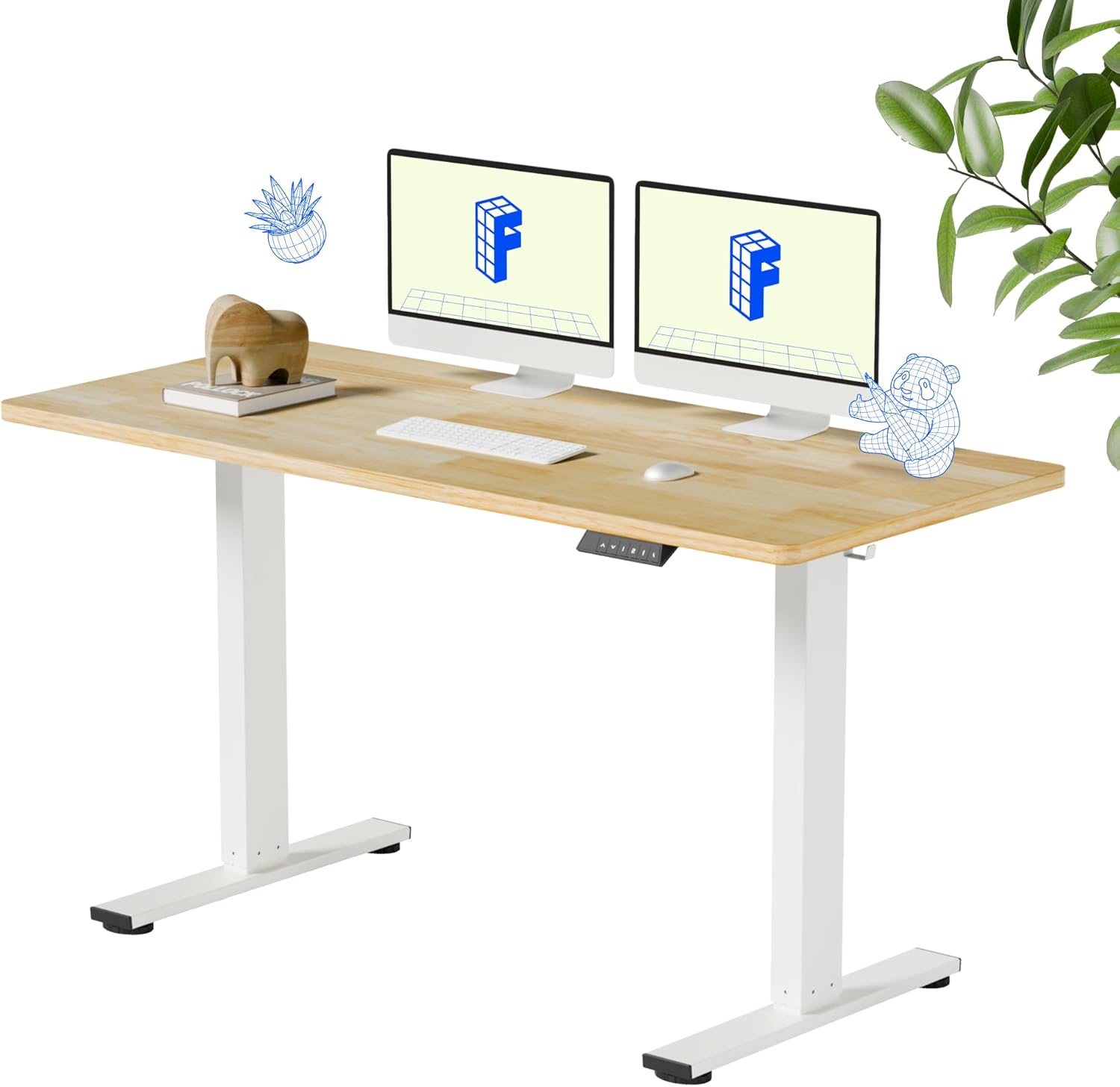
FLEXISPOT EN1 Electric Standing Desk 55x24 in Solid Wood Sit-Stand
“A premium electric standing desk with a genuine wood surface that holds up to daily use and looks like furniture rather than office equipment. The memory presets make height switching effortless.”
See Today’s Price →What we like
Watch out for
Read Full Analysis
The FlexiSpot EN1 at $209 (frame + 55×24" desktop) is the best value complete standing desk package. Unlike the E7 Pro which ships frame-only, the EN1 includes the desktop — the comparable total cost for an E7 Pro plus a 55×24" desktop top is $400–$500. The EN1's dual motor handles up to 110 lbs (appropriate for most single and dual light-monitor setups), with a height range of 28"–47.6". 4 memory presets let you program your exact sitting and standing heights for one-button transitions. The motor is quieter than most budget desks but louder than the E7 Pro. For home offices with a single monitor, laptop dock, and standard accessories — this is the right desk.
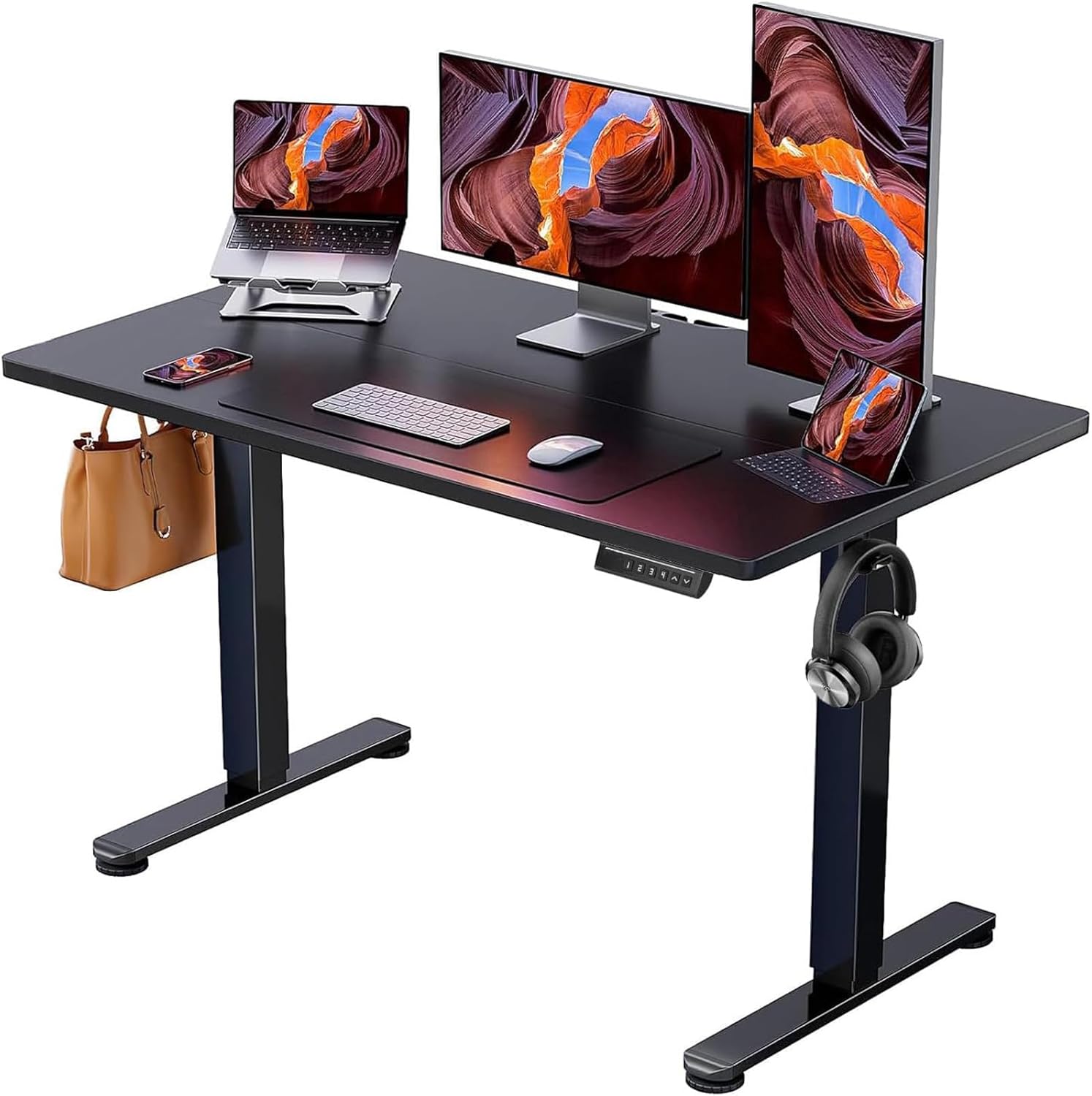
ErGear 48x24 in Height Adjustable Electric Standing Desk
“Best for home office workers who want a compact but functional electric standing desk that fits in smaller rooms without sacrificing core sit-stand features.”
See Today’s Price →What we like
Watch out for
Read Full Analysis
The ErGear 48×24" at $109 is the lowest-cost functional electric standing desk. Single motor, but with a 154-lb capacity — higher than most competing single-motor desks at this price point. Height range 28.3"–46.1" (adequate for most adult heights). The 48" width handles a single monitor plus laptop comfortably. 3-stage height memory presets. The build quality is noticeably lighter than FlexiSpot — the legs use thinner steel and wobble at max height is approximately 8–12mm vs 3–5mm for premium desks. For users who are new to sit-stand work, want to try it before committing more budget, or have a minimal single-monitor setup, the ErGear is a cost-effective entry point with the critical feature (electric adjustment) intact.
VIVO Single Monitor Sit-Stand Desk Converter 36-Inch Surface
“VIVO Sit-Stand Converter is the best overall — 36-inch surface, retractable keyboard tray, and reliable X-lift at a competitive price.”
See Today’s Price →What we like
- X-lift adjusts 4.5 to 19.5 inches smoothly
- 36-inch wide surface fits single ultrawide or dual monitors
- Retractable keyboard tray for proper ergonomics
- Stable at full height under typical load
- Assembles in under 15 minutes
Watch out for
- Some wobble at maximum height with heavy dual monitors
- Manual height adjustment only
- Keyboard tray is narrow for large keyboards with numpad
Read Full Analysis
The VIVO converter at $129 provides sit-stand capability without replacing your existing desk. The 36" platform raises both your monitor and keyboard simultaneously (critical — converters that raise the monitor without the keyboard create an ergonomically awkward split), with a height adjustment range of 6.5"–16.5" above your desk surface. The pneumatic spring mechanism adjusts with one-handed push-down. Surface accommodates two monitors up to 26" diagonal. The main constraint: you're adding 6.5"–16.5" to your existing desk height, so if your desk is already at 30", your standing height becomes 36.5"–46.5" — appropriate for most adults. Not appropriate if your desk is 34"+ already (would require you to stand with raised arms).
Topo by Ergodriven Anti-Fatigue Standing Mat
“The Topo is the best standing desk mat available — period. The contoured terrain design is backed by research and overwhelming user consensus as the most effective approach to anti-fatigue standing ma”
See Today’s Price →What we like
- Contoured terrain actively engages feet and legs — far more effective than flat mats
- No bevel edge trip hazard — terrain naturally graduates to floor level
- Durable polyurethane foam maintains effectiveness for years
- Standing desk enthusiast consensus: the mat to recommend first
Watch out for
- $99 price — most expensive on this list
- Requires 2-3 day adaptation period to the terrain
- Contoured surface not appropriate for rolling office chairs
Read Full Analysis
The Topo by Ergodriven at $109 is the premium anti-fatigue mat category winner and a genuine ergonomic upgrade, not just a comfort accessory. Its topographic ridges (toe raise, heel raise, and ramped surfaces) prompt constant subtle weight shifts that prevent the static posture fatigue that accumulates when standing on a flat mat. Oregon State University research found movement-encouraging mats reduce fatigue substantially vs flat mats after 90 minutes. The Topo's 26×30" size is large enough for comfortable side-to-side movement. Polyurethane construction holds up to years of daily use (EVA foam budget mats compress and harden within months). If the $109 is a barrier: any 3/4" polyurethane flat mat for $25–$45 is still dramatically better than bare flooring.
Frequently Asked Questions
Are standing desks actually good for you?
What's the difference between single-motor and dual-motor standing desks?
How much should I spend on a standing desk?
Should I get a standing desk converter instead of a full desk?
Do I need an anti-fatigue mat with a standing desk?
What is the best standing desk height for me?
How long should I stand each day at a standing desk?
Is a 48x24" desk big enough for two monitors?
How We Analyze Products
We analyze Amazon review data — often thousands of reviews per product — to surface patterns that individual buyers miss. Our process aggregates star ratings, review counts, and buyer sentiment at scale, identifying which strengths and weaknesses appear consistently across the largest review samples available. The 10,517+ reviews analyzed on this page represent real verified-purchase feedback from Amazon buyers.
Each product earned its placement through data: total review volume, average rating, and the specific praise and complaints that repeat most often across buyers. No manufacturer paid for placement on this page. Products appear here because buyers endorsed them at scale, not because a company asked us to feature them.
We use AI to summarize review sentiment — not to fabricate opinions, but to condense what thousands of buyers actually wrote into a readable format. The pros and cons you see reflect the most common themes found in verified purchaser reviews, paraphrased for clarity. We do not claim to have accessed Reddit, YouTube, or specific publications in generating these summaries.
Prices shown reflect Amazon pricing at the time this page was last generated. Click “See Today’s Price” to get the current live price on Amazon. Read our full methodology →