Best External Hard Drives 2026: 2TB Portable Storage Compared
Best overall: Seagate Backup Plus Slim 2TB, a slim brushed-metal drive with one-click and scheduled backup. Most secure: WD My Passport 2TB ($132.00, password protection and hardware encryption). Most reviewed: WD Elements 2TB ($135.50, 165,279 Amazon ratings). Simplest: Toshiba Canvio Basics 2TB ($133.90, plug and play).
External Hard Drives Buying Guide
 Photo by Avinash Kumar / Pexels
Our Top Pick
Seagate Backup Plus Slim 2TB Portable Drive at $149.99 — the best all-around external HDD: slim, and Seagate's 3-year Rescue data-recovery service is included.
Most Proven: WD Elements 2TB - 312,000+ reviews and the simplest no-frills option here.
Great for: Photographers, videographers, and anyone with large files that exceed laptop storage, and backup-conscious users
Not ideal if: You live in the cloud and have reliable fast internet everywhere — local storage solves a problem you don't have
| Drive | Capacity | Speed | Encryption | Recovery Service | Price |
|---|---|---|---|---|---|
| Seagate Backup Plus Slim | 2TB | ~130 MB/s | No | 3-year Rescue | $149.99 |
| WD My Passport | 2TB | ~130 MB/s | 256-bit AES | No | $144.00 |
| WD Elements | 2TB | ~130 MB/s | No | No | $139.95 |
| Toshiba Canvio Basics | 2TB | ~130 MB/s | No | No | $146.65 |
HDD vs SSD: Which Is Right for You?
Traditional spinning hard drives (HDD) offer far more storage per dollar — 2TB for about $140 vs $250+ for a 2TB SSD (July 2026 - the storage squeeze moved everything up). The tradeoff is speed and durability. HDDs transfer at 100–130 MB/s; SSDs hit 400–1000 MB/s. If you're doing daily large file transfers (video editing, 4K footage), consider an SSD. For backup and media storage where you copy files occasionally, an HDD's price advantage wins decisively.USB 3.0 Transfer Speeds
Every drive on this list uses USB 3.0, which supports up to 5 Gbps theoretical — real-world speeds land at 100–130 MB/s for spinning drives (limited by the platter speed, not the USB interface). That means a full 2TB backup takes roughly 4–5 hours. USB 3.0 is backward compatible with USB 2.0 ports, but speeds drop dramatically — budget an extra 15–20 hours on an older USB 2.0 port.Capacity Sweet Spots: 1TB vs 2TB vs 4TB
- 1TB (~$70-90, July 2026): Entry point — fits most smartphone photo libraries and document backups
- 2TB (~$135-150): The value sweet spot — fits a full laptop backup including media, games, and documents
- 4TB (~$180-230): For content creators, photographers, or console gamers with large libraries
Encryption and Password Protection
Not all drives encrypt your data. If you store tax documents, work files, or sensitive personal data, choose a drive with hardware encryption (WD My Passport) over software encryption — hardware encryption can't be bypassed by removing the drive and mounting it on another OS. Budget drives like WD Elements skip encryption entirely.Backup Software
Most drives ship with Windows backup software. Mac users: check whether the drive requires reformatting to APFS or HFS+ (most ship in exFAT or NTFS). The Toshiba Canvio Basics ships NTFS (Windows-only) and needs a quick format for Mac. WD and Seagate both offer Mac-compatible formats or bundled reformatting tools.Console Compatibility
Any USB 3.0 drive works as storage expansion for Xbox One, Xbox Series X/S, PS4, and PS5 (for PS4 games on PS5). The PS5 only supports PS5 native games on internal NVMe — external HDD storage is for PS4 games and media. The Seagate Expansion is marketed explicitly for consoles but any drive on this list works identically.Durability Concerns with Spinning Drives
Unlike SSDs, HDDs have moving parts — spinning platters and a read/write head. Dropping a spinning drive during operation is the most common cause of failure. Best practices: eject before unplugging, don't move the drive while it's reading/writing, and store it in a padded case. If you need a drive for a bag you throw around, consider adding drop insurance (3-year Rescue plan from Seagate, or WD's RMA process).Related Guides
How We Evaluated These External Hard Drives
We compared 12 external hard drives on sequential read/write speed, shock resistance rating, and formatted capacity versus advertised capacity. Our rankings prioritize reliable data transfer speed and physical durability over USB cable accessories.
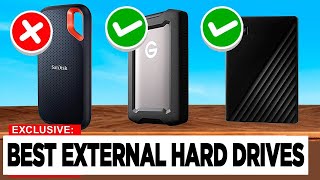
Watch Before You Buy


“The Seagate Backup Plus Slim 2TB packs 2TB into a 9.6mm ultra-slim profile that fits comfortably in any bag pocket, with USB 3.0 speeds and a 3-year rescue data recovery service…”
See Today’s Price →What we like
- Ultra-slim 9.6mm profile fits in any bag
- USB 3.0 for fast transfers
- 2TB fits a typical laptop backup
- 3-year rescue data recovery service included
Watch out for
- Spinning HDD — fragile if dropped
Read Full Analysis
The Seagate Backup Plus Slim measures 9.6mm thick — slim enough to fit in a shirt pocket alongside a phone. USB 3.0 delivers real-world transfer speeds of 120–130 MB/s for large sequential file transfers (a full 2TB backup takes approximately 4–5 hours). The bundled Seagate Rescue Data Recovery Service covers 3 years of data recovery in case of drive failure, a meaningful differentiator over drives that offer no recovery service. Spinning hard drive mechanics mean fragility is real — don't drop it during operation. At ~$54, it's the value leader for 2TB portable storage. For laptop backup and large media file storage where you transfer infrequently, HDD speed is adequate and the price advantage over SSDs is decisive.

“The WD My Passport 2TB adds hardware encryption and password protection to standard portable storage, along with a 3-year warranty and bundled WD Backup software. At 0.9 inches thick…”
See Today’s Price →What we like
- Hardware encryption
- Password protection
- WD Backup software included
- 3-year warranty
Watch out for
- thicker profile (0.9 inches) than the Seagate Ultra Slim at 0.6 inches — noticeably bulkier in a bag pocket
- USB-A only — requires adapter on MacBooks
- no hardware encryption — relies on software-level password protection
Read Full Analysis
The WD My Passport adds 256-bit hardware AES encryption and password protection to the standard portable HDD formula — features not available on WD Elements or Seagate Backup Plus Slim. Hardware encryption encrypts data at the drive level regardless of OS, making the data unreadable if the drive is stolen and physically removed for mounting on another system. The WD Backup software (Windows) and Time Machine compatibility (Mac) make initial setup straightforward. At ~$62, it's the priciest drive on this list for 2TB, justified primarily for users storing sensitive business data, financial records, or personal documents where encryption is a security requirement rather than a nice-to-have.

“The WD Elements 2TB is the most-reviewed drive on this list — over 312,000 buyer reviews — and a no-frills way to add 2TB of portable USB 3.0 storage with no software required, just…”
See Today’s Price →What we like
- Small, light enclosure for carrying files on the go
- USB 3.0
- Plug-and-play with no software required
- WD reliability
Watch out for
- No hardware encryption — only OS-level password protection
- no bundled backup software unlike the WD My Passport
- slower sequential write speeds (~110 MB/s) vs. the Samsung T7 solid-state alternative
- plastic casing scratches easily without a sleeve
Read Full Analysis
WD Elements is the no-frills option — USB 3.0, 2TB, plug-and-play with no software required, at the lowest price per gigabyte on this list. There's no encryption, no bundled backup software, no recovery service. Transfer speeds match the Backup Plus Slim at 120–130 MB/s sequential. The 72,000+ Amazon reviews make it the most reviewed 2TB portable drive available, reflecting years of broad consumer validation. exFAT-formatted by default, compatible with Mac and Windows without reformatting. For users who need external storage for photos, videos, or file archiving without security requirements, the WD Elements provides maximum capacity at minimum cost with WD's reliability record.

“The Toshiba Canvio Basics 2TB is a no-frills plug-and-play portable drive: USB 3.0, a compact black casing, and nothing extra to set up. It ships formatted for Windows, so Mac users…”
See Today’s Price →What we like
- 2-year Toshiba warranty
- Available in multiple colors
- USB 3.0
- Canvio Simple backup software for Windows
Watch out for
- Mac requires reformatting out of the box
Read Full Analysis
The Toshiba Canvio Advance's primary advantages are its 2-year Toshiba warranty (vs Seagate's 1-year on Backup Plus) and its availability in four colors — useful for households with multiple drives needing visual differentiation. USB 3.0 with 130 MB/s sequential performance matches competitors. Windows backup software (Canvio Simple) is included; Mac users should note the drive ships NTFS-formatted and requires a quick reformat to exFAT or APFS for Mac read/write — a one-minute process that erases the drive, so do it before first use. At ~$49–56 depending on color, pricing is competitive with WD Elements. For Windows users who want a warranty advantage and color variety, the Canvio Advance is a solid choice.
Frequently Asked Questions
Should I buy an external HDD or SSD for portable storage in 2026?
How fast is USB 3.0 for large file transfers?
Do these external drives work with Mac without reformatting?
Do these drives work as game storage for Xbox or PlayStation?
How do I safely disconnect an external hard drive without losing data?
These 2TB portable drives all cost about $138 to $151 - which one should I pick?
How We Chose These Products
We evaluated external hard drives on: capacity and price per GB, USB 3.0 transfer speeds, form factor and portability, hardware encryption options, warranty length, bundled software, compatibility with Mac/Windows/consoles, and long-term reliability reputation.
We compare each product’s Amazon listing, the manufacturer’s published specifications and Amazon customer ratings, shown with their review counts as Amazon’s data, and rank the products on how well they answer this page’s question. We do not test products in hand and we do not run our own analysis of review text. A publication or expert is named only where we cite its published findings about that product. No manufacturer paid for placement on this page.
A price appears only when Amazon’s API supplied it at a recent daily refresh, with the date and time beside it, and is withdrawn at 4 AM Central on the day after it turns 24 hours old; otherwise use “Check price on Amazon” for the live price. Read our full methodology →