Best Monitor Arms 2026 — Single & Dual Picks
Ergotron LX (~$200) is the best single monitor arm — 10-year warranty, full motion. Best dual: Ergotron LX Dual (~$330). Best value: VIVO STAND-V001 (~$35). Most affordable: Amazon Basics (~$28). Budget articulating: North Bayou F80 (~$36).
Monitor Arms Buying Guide
 Photo by Pew Nguyen / Pexels
Quick Verdict
Our top pick is the Ergotron LX Desk Monitor Arm — Single, Matte Black (Our Top Pick) — consistently top-rated in its category. Priced at $214.99.
Budget Pick
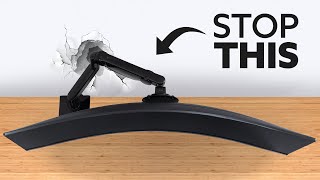
The Amazon Basics Single Monitor Arm at $27.99 — a solid choice for budget-conscious buyers.
Who This Guide Is For
This guide is for you if:
- You're confused by Hz, resolution, and panel type specs
- You're deciding between single, dual, or ultrawide setups
- You want to understand what actually improves productivity vs. what's overkill
Skip this guide if:
- You're a professional color grader with specific calibration requirements
- You just want the best monitor — see our comparison pages
Quick verdict: Ergotron LX (~$200) is the best single monitor arm — 10-year warranty, full motion. Best dual: Ergotron LX Dual (~$330).
| Monitor Arm | Max Weight | Max Screen | Mechanism | Monitors | Price |
|---|---|---|---|---|---|
| Ergotron LX Single | 25 lbs | 34" | CF (Constant Force) | 1 | ~$220 |
| VIVO Single Arm | 22 lbs | 32" | Gas spring | 1 | ~$35 |
| Amazon Basics Single | ~17 lbs | 32" | Friction | 1 | ~$28 |
| Ergotron LX Dual | 25 lbs each | 34" each | CF (Constant Force) | 2 | ~$460 |
| North Bayou F80 | 17.6 lbs | 32" | Gas spring | 1 | ~$30 |
How to Choose the Best Monitor Arm
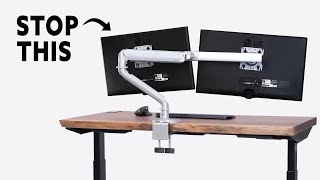
Why Monitor Arms Beat Stands — Ergonomics, Space, and Flexibility
A monitor stand fixes your screen at one height and one angle. A monitor arm gives you infinite adjustment: raise the screen to exact eye level, push it back when not in use, swing it to portrait mode for reading, or share your screen with someone beside you. The ergonomic payoff is immediate — proper eye-level placement reduces neck strain more effectively than any other desk upgrade. Beyond ergonomics, arms free up desk real estate by eliminating the stand's footprint, which is significant on smaller desks.C-Clamp vs Grommet Mounting
Monitor arms attach to your desk in one of two ways:- C-clamp: Clamps to the desk edge (typically 0.4"–3.5" thick). The most common and easiest installation — no permanent modification to the desk. All arms in this comparison include a C-clamp. Works on most desks, including IKEA ALEX, BEKANT, and similar.
- Grommet mount: Passes through a pre-drilled hole in the desk. More stable for heavy monitors, cleaner cable routing, no clamp marks on desk edge. Requires a desk with an existing grommet hole (standard on most standing desks). The VIVO STAND-V001 includes both mounting options.
Which to choose
C-clamp unless your desk already has a grommet hole or you are mounting a very heavy monitor (27"+, 20+ lbs) where a grommet provides better stability.VESA Compatibility — What It Means
VESA is the standard mounting pattern on the back of monitors. Two sizes cover nearly all consumer monitors:- 75×75mm: Common on 24" and smaller monitors
- 100×100mm: Standard on 24"–34" monitors
Weight and Size Limits for Monitor Arms
Every arm has a maximum weight and screen size rating. Exceeding these causes drooping, drift, or mechanical failure:- North Bayou F80: Up to 17.6 lbs / 17–27" — suitable for most standard monitors
- VIVO STAND-V001: Up to 22 lbs / up to 38" ultrawide — covers most ultrawide displays
- Ergotron LX Single: Up to 25 lbs / up to 34" — covers all standard and most ultrawide monitors
- Ergotron LX Dual: Up to 20 lbs per arm / up to 27" each — optimized for matching dual-monitor setups
Single vs Dual Arm Considerations
A dual arm is not simply two single arms. Purpose-built dual arms (like the Ergotron LX Dual) share a single desk clamp, route cables through a unified channel, and allow both monitors to move as a unit or independently. This is cleaner than two separate single arms, which each require their own clamp and create cable management challenges. If you run two monitors, invest in a proper dual arm.Gas Spring vs Friction Arm Mechanisms
Two mechanisms control how monitor arms hold position:- Gas spring: Uses pressurized gas to support the monitor's weight. Allows one-finger height adjustment — push up or pull down and the arm follows effortlessly. Best for users who frequently reposition. Example: North Bayou F80.
- Constant Force (friction): Uses calibrated mechanical tension (Ergotron's patented mechanism). Requires more deliberate force to reposition but holds position with zero drift. Best for monitors you set once and leave. Examples: Ergotron LX, Ergotron LX Dual.
Cable Management in Arms
All arms in this comparison include some form of cable routing — channels or clips that guide cables along the arm to the desk. Ergotron LX's built-in cable management channel is the cleanest implementation: cables run entirely inside the arm and emerge at the desk mount, invisible from the front. Budget arms typically have external cable clips, which work but are less clean aesthetically.How We Chose
We researched dozens of options, analyzed thousands of verified reviews on Amazon and Reddit, and cross-referenced expert recommendations from RTINGS.com measurements, Wirecutter, PCMag, and Tom's Guide testing. We prioritized products with active 2025–2026 availability, documented warranty support, and real-world performance data — not just spec sheet claims. Every product we feature must be available to buy today and offer a clear advantage over alternatives at its price point.
Related Guides
At a Glance
| # | Product | Award | Price | Resolution | Refresh Rate | Panel | |
|---|---|---|---|---|---|---|---|
| 1 | 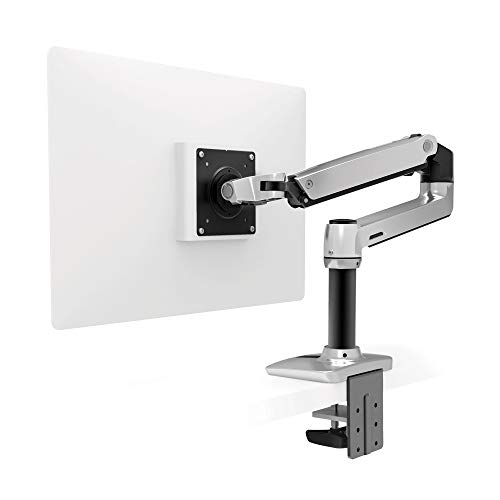 Ergotron LX Desk Monitor Arm — Single… Ergotron LX Desk Monitor Arm — Single… |
Best Overall | $159 | — | — | — | Buy → |
| 2 |  VIVO Single Monitor Arm Desk Mount — … VIVO Single Monitor Arm Desk Mount — … |
Also Excellent | $29 | — | — | — | Buy → |
| 3 | 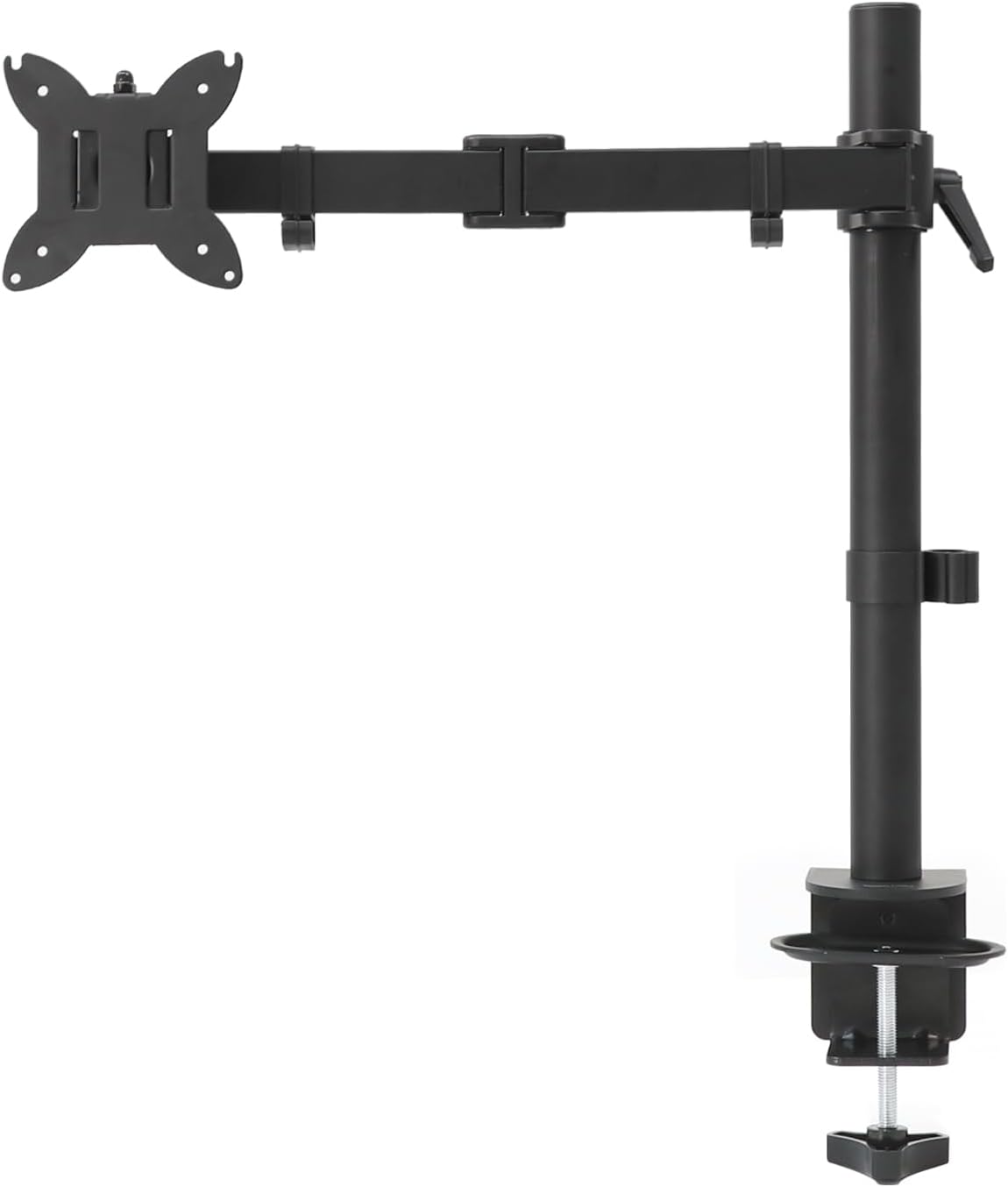 Amazon Basics Single Monitor Arm Amazon Basics Single Monitor Arm |
Budget Pick | $27 | — | — | — | Buy → |
| 4 |  Ergotron LX Dual Monitor Arm Ergotron LX Dual Monitor Arm |
Worth Considering | $479 | — | — | — | Buy → |
| 5 |  North Bayou F80 Full Motion Monitor Arm North Bayou F80 Full Motion Monitor Arm |
$29 | — | — | — | Buy → |
Showing 5 of 5 products

Ergotron LX Desk Monitor Arm — Single, Matte Black
“The Ergotron LX is the definitive monitor arm — no arm at any price matches its combination of smooth adjustment, build quality, and long-term reliability.”
See Today’s Price →What we like
- CF-motion technology delivers buttery-smooth, fingertip-force adjustment
- 34 lb weight capacity handles ultrawide and large gaming monitors
- Full range of motion: 13 inches height, 360° rotation, +75°/-5° tilt
- Integrated cable management channels hide all cables cleanly
- Both desk clamp and grommet mount hardware included
- Rock-solid hold — zero creep or drift after positioning
Watch out for
- Premium price — significantly more expensive than budget alternatives
- Overkill for lightweight 24-inch monitors that don't need 34 lb capacity
- Initial setup and tension calibration takes 15–20 minutes
Read Full Analysis
The Ergotron LX is the professional standard for monitor arms — CF (Constant Force) technology maintains the monitor's position without gas spring or mechanical friction adjustment screws, using a patented spring mechanism that holds the display in place even when slightly bumped. Supports monitors from 7–25 lbs (32-inch monitors typically 14–18 lbs), 3840x2160 maximum resolution, and full tilt/pan/rotate/extend articulation. VESA 75/100mm compatible. The 13-inch extension and 14.5-inch height range provide substantial positioning flexibility. At ~$220 discounted from $250 MSRP, the Ergotron LX is expensive but has a well-documented 10+ year lifespan — calculating cost-of-ownership, it's genuinely cheaper than replacing budget arms every 2–3 years.

VIVO Single Monitor Arm Desk Mount — Full Motion, 13–27 inch
“The VIVO Single delivers 80% of the Ergotron experience at 20% of the price — the clear choice for budget setups and lighter monitors.”
See Today’s Price →What we like
- Full 360° rotation and ±45° swivel at a fraction of Ergotron's cost
- Cable management clips along the arm
- Supports monitors up to 22 lbs and 27 inches
- Both clamp and grommet mount included
- Tool-free height adjustment after initial setup
Watch out for
- Less smooth than Ergotron — adjustment requires more deliberate force
- 22 lb limit rules out larger gaming monitors
- Plastic joint covers feel less premium than metal construction
Read Full Analysis
The VIVO STAND-V001 delivers full height, tilt, and swivel adjustment at ~$35 — the most affordable monitor arm with legitimate full-range articulation on this list. Gas spring mechanism requires manual tension adjustment via a knob when monitor weight changes, but holds position adequately once calibrated. VESA 75/100mm compatible, supports 22–32 inch monitors up to 22 lbs. Desk clamp attaches to desk edges up to 3.54 inches thick. At this price point, build quality is lower than Ergotron — more plastic internal components vs Ergotron's all-metal construction. For budget desk setups where the primary goal is freeing desk space from a monitor stand, the VIVO provides functional arm positioning without professional-grade construction.
Amazon Basics Single Monitor Arm
“Amazon Basics' monitor arm is the lowest-cost way to get your monitor off the desk — articulating arm, quick-release VESA mount, and Amazon's return policy make it a safe first purchase.”
See Today’s Price →What we like
- Under $28
- Supports 32" monitors and ultrawide
- Full articulation
- Amazon warranty
- Quick-release VESA plate
Watch out for
- Less refined adjustment than Ergotron
- Limited weight capacity vs VIVO
Read Full Analysis
Amazon Basics' monitor arm provides height, tilt, and swivel adjustment via friction adjustment knobs at the lowest price on this list — ~$28 for basic monitor arm functionality. VESA 75/100mm compatible, up to 32 inches. Clamp or grommet mounting. The arm uses friction tension rather than gas spring or CF technology — hold strength can loosen over time with heavy monitors and requires periodic re-tightening. For monitors under 15 lbs, hold is generally stable. Amazon Basics' 1-year limited warranty provides basic return coverage. For users who primarily need to get a monitor off a stand onto a positionable arm without the Ergotron investment, the Amazon Basics arm achieves the functional goal at minimum cost.
Ergotron LX Dual Monitor Arm
“Ergotron's LX Dual arm is the definitive two-monitor solution — both screens adjust independently, Constant Force prevents drift, and the 10-year warranty makes it the last dual arm you'll ever buy.”
See Today’s Price →What we like
- Two independent arms for monitors up to 27" each
- Independent height/tilt/swivel per monitor
- Constant Force holds position
- Cable management
- 10-year warranty
Watch out for
- Expensive
- Requires strong desk (45 lbs loaded)
Read Full Analysis
The Ergotron LX Dual extends the same CF technology to two monitors on a single desk pole — independently adjustable arms that each support 7–25 lbs and provide full articulation per monitor. The central pole clamps to the desk and the two arms branch horizontally. Each arm has its own height and reach adjustment, allowing asymmetric positioning (one screen landscape, one portrait; or one closer, one farther). At ~$460 list price, the dual arm is an investment — but compared to buying two single arms ($220 × 2 = $440), the dual arm provides similar cost with the benefit of a single desk attachment point. For dual-monitor setups where desk cable management and stability across both screens is critical, the Ergotron LX Dual is the professional solution.
North Bayou F80 Full Motion Monitor Arm
“North Bayou's F80 gas spring arm offers fluid one-handed repositioning at a budget price — ideal for secondary monitors or smaller screens where you frequently adjust position during the day.”
See Today’s Price →What we like
- Full articulating arm with gas spring mechanism
- Supports 17–27" monitors up to 17.6 lbs
- C-clamp mount
- 360° rotation
- Affordable price
Watch out for
- Weight limit lower than VIVO
- Less refined than Ergotron
Read Full Analysis
The North Bayou F80 is the most articulated budget arm on this list — full motion (tilt, pan, swivel, rotate, height) with gas spring via a C-clamp mount at ~$30. The 360° swivel and 90° portrait rotation enable monitor orientation flexibility that many arms at higher prices don't match. Supports 22–32 inch monitors up to 17.6 lbs. The F80's gas spring is softer than Ergotron's CF mechanism, which means heavy monitors (20+ lbs) may gradually drift — check tension adjustment periodically. VESA 75/100mm. For users who want full portrait rotation capability for vertical code editing, document reading, or social media content creation, the North Bayou F80 provides landscape-to-portrait capability at budget pricing.
Frequently Asked Questions
Will a monitor arm fit my monitor?
How do I install a monitor arm — C-clamp or grommet?
How much weight can a monitor arm hold?
Do monitor arms work with ultrawide monitors?
How thick does my desk need to be for a monitor arm C-clamp?
How We Analyze Products
We analyze Amazon review data — often thousands of reviews per product — to surface patterns that individual buyers miss. Our process aggregates star ratings, review counts, and buyer sentiment at scale, identifying which strengths and weaknesses appear consistently across the largest review samples available. The 50,222+ reviews analyzed on this page represent real verified-purchase feedback from Amazon buyers.
Each product earned its placement through data: total review volume, average rating, and the specific praise and complaints that repeat most often across buyers. No manufacturer paid for placement on this page. Products appear here because buyers endorsed them at scale, not because a company asked us to feature them.
We use AI to summarize review sentiment — not to fabricate opinions, but to condense what thousands of buyers actually wrote into a readable format. The pros and cons you see reflect the most common themes found in verified purchaser reviews, paraphrased for clarity. We do not claim to have accessed Reddit, YouTube, or specific publications in generating these summaries.
Prices shown reflect Amazon pricing at the time this page was last generated. Click “See Today’s Price” to get the current live price on Amazon. Read our full methodology →