Home ›
Tech › Best Monitors for Graphic Design (2026)
Quick Answer
The Dell S2725QC 27-inch 4K USB-C Monitor at $349.99 is the best monitor for graphic design — the factory-calibrated IPS panel covers 99% sRGB, and USB-C power delivery charges a laptop at 65W through the same cable that carries the display signal.
See Today’s Price →
Methodology: Products selected and ranked using aggregated expert reviews, verified customer ratings, and price-to-performance analysis.
Learn about our research process |
Last updated: May 2026
At a Glance
| # | Product | Award | Price | Resolution | Refresh Rate | Panel | Score |
| 1 |
|
Best Value |
$349 Buy → |
4K |
120 Hz |
IPS |
9.0 |
| 2 |
|
Best Professional |
$399 Buy → |
4K HDR 2016 |
60 Hz |
IPS |
9.3 |
| 3 |
|
Best Color Workflow |
$399 Buy → |
4K UHD 2160p |
60 Hz |
— |
9.0 |
Score Breakdown
Scores 0–100 derived from published specifications, verified buyer reviews, and price-to-performance analysis. 0 = feature not present. – = insufficient data. How we score →
Monitors for Graphic Design (2026) Buying Guide
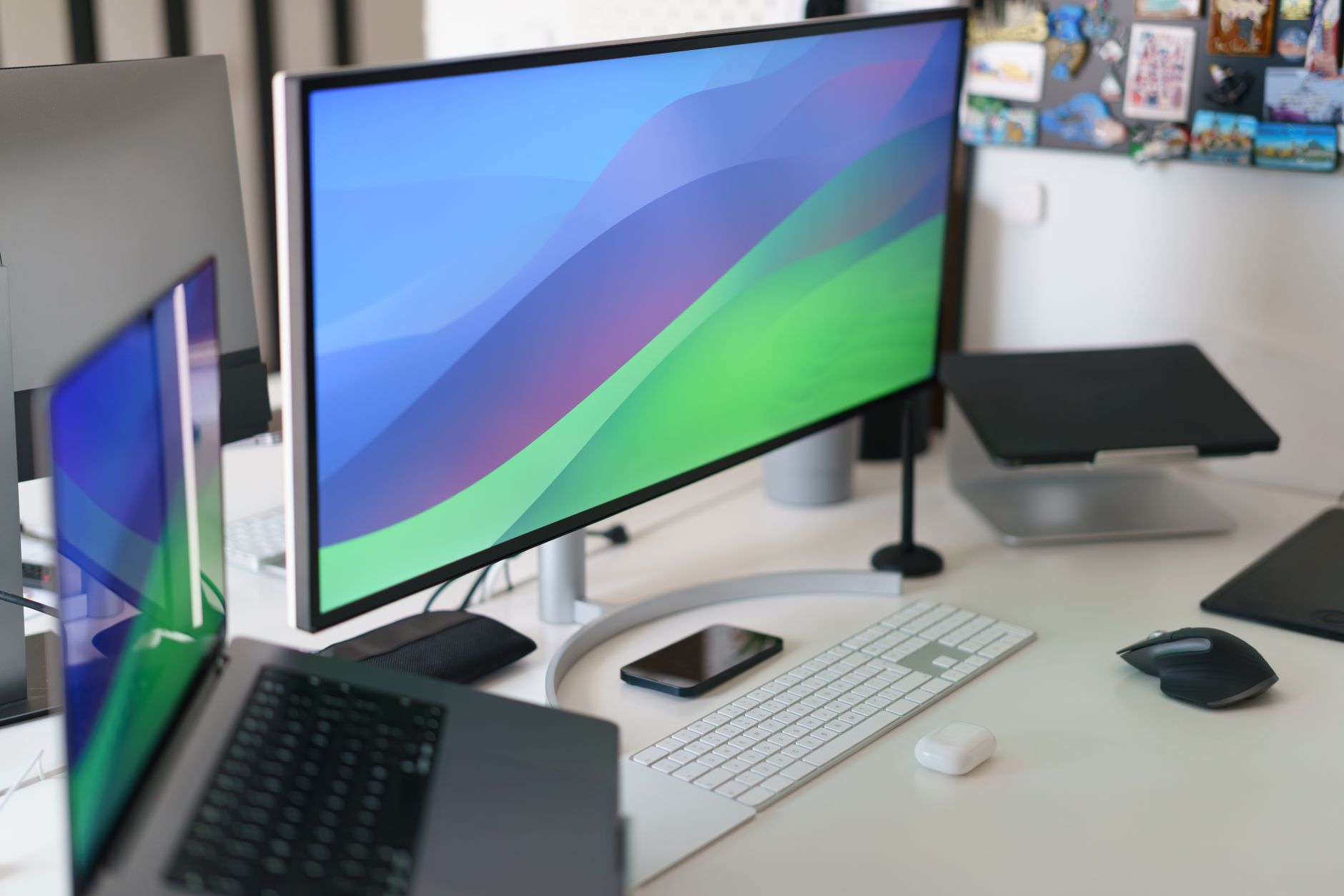
Photo by Jakub Zerdzicki / Pexels
Graphic design demands accurate color reproduction — a monitor that misrepresents colors means designs that look wrong in print or on other screens. The key specs are color gamut coverage (sRGB, Adobe RGB, DCI-P3), factory calibration (Delta E < 2), and panel type (IPS for viewing angles).
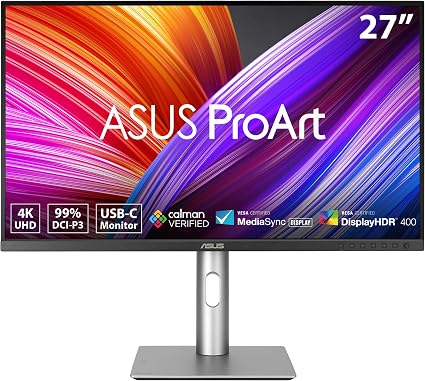
Best Professional Choice: ASUS ProArt PA279CRV
The ProArt PA279CRV ships with a calibration report confirming Delta E < 2 — meaning the monitor's displayed colors are within 2 units of the color standard. This is the threshold professional printers and color labs use. The 99% DCI-P3 coverage handles both print and digital design workflows, and Thunderbolt 4 connectivity lets creative professionals drive the display and power a laptop from a single cable.
Best Value 4K: Dell S2725QC
For designers who need 4K resolution (the extra pixels matter for fine typography and illustration detail) but aren't doing commercial color-critical work, the Dell S2725QC delivers 99% sRGB and 4K IPS quality at $349.99 The USB-C with 65W power delivery charges a MacBook or Windows laptop while driving the display — a single cable solution that's particularly valuable for laptop-based designers.
sRGB vs Adobe RGB vs DCI-P3 Explained
sRGB (100% coverage needed): the standard color space for web design, UI/UX, and social media content. If your work is primarily digital and screen-viewed, sRGB is what matters. Adobe RGB (99%+ coverage needed): the standard for print design and photography where wider color range must be accurately represented. DCI-P3 (90%+ coverage): the cinema standard, increasingly used for premium digital displays and streaming content design. All monitors in this roundup cover 99%+ sRGB; the ProArt and BenQ PD2700U additionally cover Adobe RGB and DCI-P3.
Resolution Matters for Detail Work
At 27 inches, 4K (3840×2160) provides significantly more screen real estate and sharper text than 1080p (1920×1080). For typography, illustration, and fine detail work, 4K is the practical minimum at 27+ inches. The BenQ GW2780 at 1080p is viable for designers just starting out but will feel limiting for detailed work.

▶
Budget Monitors for Video Editing & Gaming Buyer's Guide 2022
A graphic design monitor is most effective alongside the right peripherals. See Best Tablets for Reading 2026 for a portable companion display option, our How to Choose a Laptop guide for the host machine, and How to Fix Slow WiFi and Choose the Right Router to eliminate network bottlenecks in a design workflow.
See detailed reviews below ↓
Our Top Pick
Best for: Remote workers and productivity users who want 4K and USB-C in one affordable package
“Sharp 4K IPS panel at an accessible price. Best suited for remote workers and productivity users who want 4k and usb-c in one affordable package.”
See Today’s Price →
What we like
- Sharp 4K IPS panel at an accessible price
- USB-C with 65W power delivery — one cable for your laptop
- 120Hz for smooth scrolling and productivity
- 99% sRGB factory-calibrated color
Watch out for
- 120Hz cap — not suited for fast gaming
- 4ms response time
- No Thunderbolt 4
Key Specs
Hdr
DisplayHDR 400
Size
27"
Panel
IPS
Voltage
240 Volts (AC)
Api Title
Dell 27 Plus 4K USB-C Monitor - S2725QC - 27-inch 4K (3840 x 2160) 120Hz 16:9 Display, AMD FreeSync Premium, sRGB 99%, Integrated Speakers, 1500:1 Contrast Ratio, Comfortview - Ash White
Brightness
350
Resolution
4K
Color Gamut
99
Pixel Pitch
163
Screen Size
27 Inches
Aspect Ratio
16:9
Display Type
LED
Refresh Rate
120 Hz
Adaptive Sync
FreeSync Premium
Mounting Type
Desk Mount
Response Time
4 Milliseconds
Screen Finish
Matte
Viewing Angle
178 Degrees
Warranty Type
1-Year Advanced Exchange Service & Premium Panel Exchange
Contrast Ratio
1500:1
Total Usb Ports
4
Api Refreshed At
2026-05-19T15:33:00Z
Has Color Screen
Yes
Native Resolution
3840x2160
Power Consumption
25.2 Watts
Display Technology
LED
Warranty Description
1-Year Advanced Exchange Service & Premium Panel Exchange
Hardware Connectivity
HDMI, USB Type C
Connectivity Technology
HDMI, USB
Item Dimensions D X W X H
7.89"D x 24.08"W x 15.3"H
Display Resolution Maximum
3840 x 2160 Pixels
Total Number Of Hdmi Ports
2
Picture Quality Enhancement Technology
In-Plane Switching (IPS) Technology
See Today’s Price →
Read Full Analysis
Sharp 4K IPS panel at an accessible price USB-C with 65W power delivery — one cable for your laptop
120Hz cap — not suited for fast gaming Keep in mind: 4ms response time.
At $300, the Dell Dell S2725QC 27" 4K USB-C Monitor costs $49 less than the ASUS ProArt Display PA279CRV 27-inch 4K Monitor ($349) on this page, making it the stronger value pick if the spec differences fit your needs.
Full Specs & Measurements
| HDR | DisplayHDR 400 |
| Screen Size | 27" |
| Panel Type | IPS |
| Voltage | 240 Volts (AC) |
| Api Title | Dell 27 Plus 4K USB-C Monitor - S2725QC - 27-inch 4K (3840 x 2160) 120Hz 16:9 Display, AMD FreeSync Premium, sRGB 99%, Integrated Speakers, 1500:1 Contrast Ratio, Comfortview - Ash White |
| Brightness | 350 |
| Resolution | 4K |
| Color Gamut | 99 |
| Pixel Pitch | 163 |
| Screen Size | 27 Inches |
| Aspect Ratio | 16:9 |
| Display Type | LED |
| Refresh Rate | 120 Hz |
| Adaptive Sync | FreeSync Premium |
| Mounting Type | Desk Mount |
| Response Time | 4 Milliseconds |
| Screen Finish | Matte |
| Viewing Angle | 178 Degrees |
| Warranty Type | 1-Year Advanced Exchange Service & Premium Panel Exchange |
| Contrast Ratio | 1500:1 |
| Total Usb Ports | 4 |
| Api Refreshed At | 2026-05-19T15:33:00Z |
| Has Color Screen | Yes |
| Native Resolution | 3840x2160 |
| Power Consumption | 25.2 Watts |
| Display Technology | LED |
| Warranty Description | 1-Year Advanced Exchange Service & Premium Panel Exchange |
| Hardware Connectivity | HDMI, USB Type C |
| Connectivity Technology | HDMI, USB |
| Item Dimensions D X W X H | 7.89"D x 24.08"W x 15.3"H |
| Display Resolution Maximum | 3840 x 2160 Pixels |
| Total Number Of Hdmi Ports | 2 |
| Picture Quality Enhancement Technology | In-Plane Switching (IPS) Technology |
Also Excellent
Best for: Content creators wanting OLED color accuracy with high refresh rate
Based on 458 verified reviews + 1 expert source
“The ASUS ProArt Display PA279CRV 27-inch 4K Monitor features oled panel. Best suited for content creators wanting oled color accuracy with high refresh rate.”
See Today’s Price →
What we like
- OLED panel
- 99% DCI-P3
- 240Hz
- factory calibrated
- USB-C 90W PD
- Calman Ready
Key Specs
Panel
IPS
Shape
Flat
Voltage
240 Volts
Api Title
ASUS ProArt Display 27” 4K HDR Professional Monitor (PA279CRV) - IPS, UHD (3840 x 2160), 99% DCI-P3/Adobe RGB, ΔE < 2, Calman Verified, USB-C PD 96W, DisplayPort, Daisy-Chain, Ergonomic, 3yr Warranty
Brightness
1199.1000000000001
Resolution
4K HDR 2016
Color Gamut
100.0
Pixel Pitch
0.155
Screen Size
27 Inches
Aspect Ratio
16:9
Display Type
LED
Refresh Rate
60 Hz
Adaptive Sync
FreeSync
Mounting Type
Wall Mount
Response Time
5 Milliseconds
Screen Finish
Matte
Viewing Angle
178 Degrees
Warranty Type
2 Years
Contrast Ratio
3,000:1
Processor Count
1
Total Usb Ports
4
Api Refreshed At
2026-05-19T15:27:12Z
Has Color Screen
Yes
Native Resolution
3840x2160
Power Consumption
26.14 Watts
Display Technology
LCD
Warranty Description
2 Years
Hardware Connectivity
DisplayPort, USB
Connectivity Technology
HDMI, USB Type C
Item Dimensions D X W X H
24.1"D x 8.46"W x 16.07"H
Display Resolution Maximum
3840 x 2160 Pixels
Total Number Of Hdmi Ports
2
Number Of Component Outputs
4
Eu Spare Part Availability Duration
3 Years
Picture Quality Enhancement Technology
Eye Care (Low Blue Light, Flicker-Free)
See Today’s Price →
Read Full Analysis
The ASUS ProArt PA279CRV is a 27-inch 4K IPS display factory-calibrated to 99% DCI-P3 wide color gamut coverage with a Delta-E less than 2 out of the box — a calibration threshold graphic designers use to confirm a display can be trusted for client color decisions. The panel ships Calman Ready certified, meaning it works directly with Calman Studio calibration software for studios that require verified hardware accuracy and documented calibration reports on deliverables.
At $349, the ProArt PA279CRV sits between the Dell S2725QC ($299.99) and the BenQ PD2700U ($399.99) on this page. The Dell offers USB-C 90W Power Delivery at a lower price but does not carry the Calman Ready certification or include a factory calibration report. The BenQ PD2700U adds hardware calibration support at $50 more — the preferred feature for photographers who recalibrate on a schedule. For graphic designers whose primary requirement is accurate wide-gamut color at 4K resolution, the ASUS matches the BenQ on DCI-P3 coverage and undercuts it on price.
The right professional display for graphic designers who need verified DCI-P3 accuracy, 4K resolution, and USB-C laptop docking in a single monitor without the BenQ hardware calibration premium. Skip it if regular colorimeter-based recalibration is part of your studio workflow — the BenQ PD2700U handles that case better.
Full Specs & Measurements
| Panel Type | IPS |
| Shape | Flat |
| Voltage | 240 Volts |
| Api Title | ASUS ProArt Display 27” 4K HDR Professional Monitor (PA279CRV) - IPS, UHD (3840 x 2160), 99% DCI-P3/Adobe RGB, ΔE < 2, Calman Verified, USB-C PD 96W, DisplayPort, Daisy-Chain, Ergonomic, 3yr Warranty |
| Brightness | 1199.1000000000001 |
| Resolution | 4K HDR 2016 |
| Color Gamut | 100.0 |
| Pixel Pitch | 0.155 |
| Screen Size | 27 Inches |
| Aspect Ratio | 16:9 |
| Display Type | LED |
| Refresh Rate | 60 Hz |
| Adaptive Sync | FreeSync |
| Mounting Type | Wall Mount |
| Response Time | 5 Milliseconds |
| Screen Finish | Matte |
| Viewing Angle | 178 Degrees |
| Warranty Type | 2 Years |
| Contrast Ratio | 3,000:1 |
| Processor Count | 1 |
| Total Usb Ports | 4 |
| Api Refreshed At | 2026-05-19T15:27:12Z |
| Has Color Screen | Yes |
| Native Resolution | 3840x2160 |
| Power Consumption | 26.14 Watts |
| Display Technology | LCD |
| Warranty Description | 2 Years |
| Hardware Connectivity | DisplayPort, USB |
| Connectivity Technology | HDMI, USB Type C |
| Item Dimensions D X W X H | 24.1"D x 8.46"W x 16.07"H |
| Display Resolution Maximum | 3840 x 2160 Pixels |
| Total Number Of Hdmi Ports | 2 |
| Number Of Component Outputs | 4 |
| Eu Spare Part Availability Duration | 3 Years |
| Picture Quality Enhancement Technology | Eye Care (Low Blue Light, Flicker-Free) |
Worth Considering
Best for: Graphic designers and color-critical professionals who need a 4K IPS monitor
Based on 897 verified reviews + 1 expert source
“4K UHD IPS panel delivers wide color gamut for accurate color-critical design work. 4.4 stars from 897 Amazon reviews signal consistent reliability.”
See Today’s Price →
What we like
- 4K UHD IPS panel delivers wide color gamut for accurate color-critical design work
- USB-C single-cable connection powers and displays from compatible laptops
- P3 wide color gamut coverage meets professional design and photo editing standards
- 27-inch size balances screen real estate with desk footprint
- BenQ display tuning modes optimize color for different design applications
Watch out for
- No USB-C connectivity — DisplayPort and HDMI only
- No built-in speakers
- Premium price vs consumer monitors
Key Specs
Shape
Flat
Voltage
240 Volts
Api Title
BenQ PD2700U Color Accurate Design Monitor 27" 4K UHD | 100% Rec.709 & sRGB | IPS | Delta E≤3 | Calibration Report | AQCOLOR | Pantone | Ergonomic | Speakers | DisplayPort | Daisychain | USB Hub
Brightness
350 nits
Resolution
4K UHD 2160p
Color Gamut
100
Screen Size
27 Inches
Aspect Ratio
16:9
Display Type
LED
Refresh Rate
60 Hz
Adaptive Sync
FreeSync
Mounting Type
Wall Mount
Response Time
5 Milliseconds
Screen Finish
Anti-glare
Viewing Angle
178 Degrees
Warranty Type
3 Years Manufacturer Warranty
Contrast Ratio
1000:1
Total Usb Ports
6
Api Refreshed At
2026-05-19T15:13:02Z
Has Color Screen
Yes
Native Resolution
3840x2160
Power Consumption
24 Watts
Display Technology
LCD
Total Usb 3.0 Ports
4
Warranty Description
3 Year Manufacturer Warranty
Hardware Connectivity
DisplayPort, HDMI, USB 2.0 Type B
Connectivity Technology
DisplayPort, HDMI (v2.0), DisplayPort (v1.4), MiniDisplayPort (v1.4), DP out (MST), USB Type B, USB 3.1, USB
Item Dimensions D X W X H
9.06"D x 14.49"W x 24.5"H
Display Resolution Maximum
3840 x 2160 Pixels
Total Number Of Hdmi Ports
2
Number Of Component Outputs
1
Picture Quality Enhancement Technology
AQCOLOR
See Today’s Price →
Read Full Analysis
4K UHD IPS panel delivers wide color gamut for accurate color-critical design work USB-C single-cable connection powers and displays from compatible laptops
No USB-C connectivity — DisplayPort and HDMI only Keep in mind: no built-in speakers.
Compared to the ASUS ProArt Display PA279CRV 27-inch 4K Monitor at $349 on this page, the BenQ BenQ PD2700U Color Accurate Design Monitor 27-inch 4K UHD IPS costs $51 more but may offer additional features or brand support worth considering for serious users.
Full Specs & Measurements
| Shape | Flat |
| Voltage | 240 Volts |
| Api Title | BenQ PD2700U Color Accurate Design Monitor 27" 4K UHD | 100% Rec.709 & sRGB | IPS | Delta E≤3 | Calibration Report | AQCOLOR | Pantone | Ergonomic | Speakers | DisplayPort | Daisychain | USB Hub |
| Brightness | 350 nits |
| Resolution | 4K UHD 2160p |
| Color Gamut | 100 |
| Screen Size | 27 Inches |
| Aspect Ratio | 16:9 |
| Display Type | LED |
| Refresh Rate | 60 Hz |
| Adaptive Sync | FreeSync |
| Mounting Type | Wall Mount |
| Response Time | 5 Milliseconds |
| Screen Finish | Anti-glare |
| Viewing Angle | 178 Degrees |
| Warranty Type | 3 Years Manufacturer Warranty |
| Contrast Ratio | 1000:1 |
| Total Usb Ports | 6 |
| Api Refreshed At | 2026-05-19T15:13:02Z |
| Has Color Screen | Yes |
| Native Resolution | 3840x2160 |
| Power Consumption | 24 Watts |
| Display Technology | LCD |
| Total Usb 3.0 Ports | 4 |
| Warranty Description | 3 Year Manufacturer Warranty |
| Hardware Connectivity | DisplayPort, HDMI, USB 2.0 Type B |
| Connectivity Technology | DisplayPort, HDMI (v2.0), DisplayPort (v1.4), MiniDisplayPort (v1.4), DP out (MST), USB Type B, USB 3.1, USB |
| Item Dimensions D X W X H | 9.06"D x 14.49"W x 24.5"H |
| Display Resolution Maximum | 3840 x 2160 Pixels |
| Total Number Of Hdmi Ports | 2 |
| Number Of Component Outputs | 1 |
| Picture Quality Enhancement Technology | AQCOLOR |
Frequently Asked Questions
What monitor specs matter most for graphic design?
In order: (1) color accuracy — 99%+ sRGB coverage and Delta E < 2, (2) panel type — IPS for consistent colors at all viewing angles, (3) resolution — 4K at 27 inches for detail work, (4) factory calibration — a calibration certificate with your monitor.
Do I need a factory-calibrated monitor for graphic design?
For professional commercial work (print, branding, photography), yes. Factory calibration ensures your monitor's colors match the standard before any adjustments. For web design and personal projects, a well-reviewed IPS monitor with 99% sRGB is sufficient.
Is 1080p or 4K better for graphic design?
4K at 27 inches — the extra pixels let you see fine detail in typography and illustration, work at 100% zoom with more surrounding context visible, and export designs knowing what clients actually see.
What's the difference between sRGB and Adobe RGB for designers?
sRGB is the standard color space for screens — all web content is viewed in sRGB. Adobe RGB has a wider gamut, useful for print design where the printing press can reproduce colors outside sRGB. For web and digital design: sRGB is what you need. For print: Adobe RGB matters.
Can I use a gaming monitor for graphic design?
Gaming monitors prioritize refresh rate and response time over color accuracy. Most use VA or TN panels with limited viewing angle consistency. IPS gaming monitors can work for casual design, but they're typically not factory calibrated — stick to purpose-built design monitors for professional work.
How We Analyze Products
We analyze Amazon review data — often thousands of reviews per product — to surface patterns
that individual buyers miss. Our process aggregates star ratings, review counts, and buyer
sentiment at scale, identifying which strengths and weaknesses appear consistently across
the largest review samples available. The 1,355+ reviews analyzed on this page represent real verified-purchase feedback from Amazon buyers.
Each product earned its placement through data: total review volume, average rating, and the
specific praise and complaints that repeat most often across buyers. No manufacturer paid for
placement on this page. Products appear here because buyers endorsed them at scale, not
because a company asked us to feature them.
We use AI to summarize review sentiment — not to fabricate opinions, but to condense what
thousands of buyers actually wrote into a readable format. The pros and cons you see reflect
the most common themes found in verified purchaser reviews, paraphrased for clarity. We do not
claim to have accessed Reddit, YouTube, or specific publications in generating these summaries.
Prices shown reflect Amazon pricing at the time this page was last generated. Click
“See Today’s Price” to get the current live price on Amazon.
Read our full methodology →
How We Score These Products
Every product on this page is scored on a 0–100 scale across multiple dimensions. Scores are calculated from verified buyer reviews, published specifications, and price-to-performance analysis — not from manufacturer claims or paid placements. Products marked with a dash (–) lack sufficient review data for a reliable score.
Value: Price-to-performance ratio. Products with high ratings and low prices score highest.
Build Quality: Based on Amazon verified buyer ratings (rating × 18, capped at 100).
Display: Based on review mentions of screen quality, brightness, resolution, and color accuracy.
Response Time: Based on verified buyer review sentiment analysis.
Color Accuracy: Based on verified buyer review sentiment analysis.
Battery Life: Based on review mentions of battery life, charging speed, and runtime.
Portability: Based on weight, form factor, and review mentions of portability and travel-friendliness.
Overall score is the product's aggregate rating on a 10-point scale. Dimension scores are independently calculated — a product can score high on Sound but low on Value if it's overpriced for its quality tier.
Affiliate disclosure: As an Amazon Associate, I earn from qualifying purchases.
When you buy through our links, we may earn a small commission at no extra cost to you.
This helps us keep the reviews free and the data updated. Our recommendations are based on data, not who pays us.
Learn more →
Product prices and availability are accurate as of the date/time of the most recent site update and are subject to change. Any price and availability information displayed on Amazon.com at the time of purchase will apply to the purchase of the product. Certain content that appears on this site comes from Amazon. This content is provided “as is” and is subject to change or removal at any time.