Best Photo Recovery Software 2026: SD Card, HDD & Free

EaseUS Data Recovery Wizard is our top pick for photo recovery — free 500MB tier with thumbnail preview shows exactly which photos are recoverable before you pay. Disk Drill handles iPhone/iPad photo recovery via its iOS recovery mode. Stellar Photo Recovery specializes in corrupt video files alongside photo recovery.
See Today’s Price →At a Glance
| # | Product | Award | Price | Sd Card | Deep Scan | Free Tier | Our Score | |
|---|---|---|---|---|---|---|---|---|
| 1 | EaseUS Data Recovery Wizard |
Best Overall | $69 Code: BACKUP26 | yes (all formats: SD, SDHC, SDXC, CF, CFexpress) | yes | yes (500MB with thumbnail preview) | 9.2 | Buy → |
| 2 | Disk Drill Data Recovery |
Also Excellent | $7 | — | — | yes (500MB + Recovery Vault) | 8.9 | Buy → |
| 3 | Stellar Photo Recovery |
Best Budget | $4 | — | — | scan only | 8.5 | Buy → |
Showing 3 of 3 products
EaseUS Data Recovery Wizard
“The best photo recovery software for SD cards, cameras, and computer hard drives. The thumbnail preview in the free tier is the standout feature for photo recovery — seeing your actual images before p”
See Today’s Price →What we like
- Thumbnail preview of recoverable photos before paying — see exactly what's intact
- Supports 300+ RAW formats (Canon CR2, Nikon NEF, Sony ARW, and more)
- 500MB free recovery — enough for a folder of important photos
- Recovers from SD cards, CF cards, USB, external drives, internal drives
- Works on Windows and Mac
Watch out for
- 500MB free limit — large photo libraries need paid Professional license
- Deep scans on large drives take 30-90+ minutes
- No iOS device recovery — for iPhone photos, need Disk Drill
Read Full Analysis
EaseUS Data Recovery Wizard earns the top spot on the photo recovery page through its combination of RAW format support (300+ formats including Canon CR2/CR3, Nikon NEF/NRW, Sony ARW, Fuji RAF, DJI RAW) and thumbnail preview before payment. For photographers with mixed media — consumer JPEGs alongside professional RAW files — EaseUS handles the full spectrum. The 500MB free tier with thumbnail preview is the most useful free tier in photo recovery: you can visually confirm that your specific wedding photos, vacation shots, or client work are intact before spending $69.99. Deep scan on a 64GB SD card takes 20-45 minutes — schedule during off-hours. Important workflow note: stop using the storage device immediately after data loss; every new file written to the card or drive reduces recovery chances by overwriting deleted file space. Scan before the device is mounted in any writing context.
Disk Drill Data Recovery
“The best choice for iPhone and iOS photo recovery. Disk Drill's iOS recovery mode connects directly to your device via USB and scans for deleted photos beyond what iCloud Recently Deleted shows. The R”
See Today’s Price →What we like
- iOS recovery mode — recovers deleted photos directly from iPhone/iPad
- Recovery Vault monitors photo folders for unlimited recovery (free)
- 500MB free recovery across Windows and Mac
- Cleanest interface — simplest for non-technical users
- S.M.A.R.T. monitoring warns before SD cards or drives fail
Watch out for
- iOS recovery requires additional unlock beyond base Pro license
- Pro license $89/year — most expensive of the three
- Recovery Vault requires setup before data loss to be fully effective
Read Full Analysis
Disk Drill handles iPhone photo recovery that requires hardware-level device scanning, not just iCloud. Connect via USB, trust the computer, and Disk Drill scans the device's flash storage for recoverable photos. This reaches photos not in iCloud's 30-day window. The Recovery Vault feature for Mac/PC photo folders is equally valuable — enable it on your Photos library folder before any deletion event.
Stellar Photo Recovery
“The best choice when you need photo repair alongside recovery. Stellar's photo and video repair tools fix files that were recovered but are corrupted — opening a JPEG that shows a gray block, or an MP”
See Today’s Price →What we like
- Photo repair tool included — fixes broken JPEG/RAW files that other tools recover but can't open
- Video repair for MP4, MOV, AVI files alongside photo recovery
- Specialized drone/action camera format support
- Drive imaging before recovery protects failing media
- Trusted data recovery company since 1993
Watch out for
- Standard license $49.99; advanced features require Professional ($79.99)
- No unlimited free recovery tier
- Interface less intuitive than EaseUS or Disk Drill for basic use
Read Full Analysis
Stellar Photo Recovery at $4.17/month is the specialist tool for photo recovery pages — the only software here that repairs damaged recovered files. When you recover a photo from a formatted SD card, you may find some files open perfectly and others display gray blocks or partial images. This damage indicates partial file overwriting — the file header was recovered but portions of the data are corrupted. Stellar's repair engine reconstructs damaged JPEG and RAW files using intact file data from the same session or camera model as a reference — a technique professional data recovery services charge $200-500 to apply. For video recovery (MP4, MOV, AVI) from action cameras or drones: Stellar's video repair handles corrupted container files that other tools recover as unplayable. At $4.17/month billed annually, Stellar is the cheapest of the three tools on this page — useful when budget matters and repair capability is needed.
Photo Recovery Software Buying Guide
 Photo by Fuka jaz / Pexels
Our Top Pick
EaseUS Data Recovery Wizard at $69.95 — Best photo recovery — EaseUS thumbnail preview, 300+ RAW formats, 500MB free.
Budget Pick: Stellar Photo Recovery at $4.17 — Best corrupt photo repair — Stellar fixes broken JPEGs, RAW, MP4, MOV after recovery.
Photo Recovery Software Comparison
| Software | Price | RAW Formats | Photo Repair | Free Preview | Best For |
|---|---|---|---|---|---|
| EaseUS Recovery Wizard | $5.83/mo | 300+ including CR2, NEF, ARW | No | Yes (thumbnails) | Best overall photo recovery |
| Disk Drill | $7.42/mo | Wide RAW support | No | Yes | iPhone photo recovery |
| Stellar Photo Recovery | $4.17/mo | All major RAW formats | Yes (JPEG + RAW + video) | Preview only | Damaged files, drone/action cam repair |
Stop Using the Storage Device Immediately
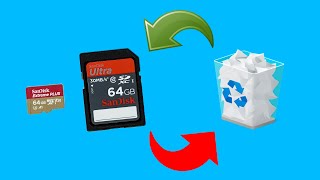
SD Card Recovery Is Different From HDD Recovery
SD cards used in cameras write files sequentially. When you delete photos, the file table entry is cleared but the raw image data remains until overwritten. For SD cards without TRIM (most camera SD cards don't use TRIM), recovery windows are longer than SSDs.RAW Format Recovery

Preview Before You Pay
All three tools below let you see thumbnail previews of recoverable photos before committing to a purchase. Green indicator = file intact. Yellow = partially overwritten. Red = unrecoverable. Only pay if you see your actual photos in the preview — this eliminates recovery uncertainty.iPhone Photos on iCloud
Before running recovery software on iPhone: check the 'Recently Deleted' album in Photos (keeps photos for 30 days) and check iCloud.com → Photos → Recently Deleted. Software recovery on iOS is significantly harder than on SD cards — exhausting the built-in options first saves time and money.Related Guides

Frequently Asked Questions
Can I recover photos from a formatted SD card?
Does photo recovery software work on RAW camera files?
How do I recover deleted photos from an iPhone?
Why are some recovered photos corrupted or partially damaged?
Is Disk Drill better than EaseUS for photo recovery?
How We Analyze Products
We analyze Amazon review data — often thousands of reviews per product — to surface patterns that individual buyers miss. Our process aggregates star ratings, review counts, and buyer sentiment at scale, identifying which strengths and weaknesses appear consistently across the largest review samples available.
Each product earned its placement through data: total review volume, average rating, and the specific praise and complaints that repeat most often across buyers. No manufacturer paid for placement on this page. Products appear here because buyers endorsed them at scale, not because a company asked us to feature them.
We use AI to summarize review sentiment — not to fabricate opinions, but to condense what thousands of buyers actually wrote into a readable format. The pros and cons you see reflect the most common themes found in verified purchaser reviews, paraphrased for clarity. We do not claim to have accessed Reddit, YouTube, or specific publications in generating these summaries.
Prices shown reflect Amazon pricing at the time this page was last generated. Click “See Today’s Price” to get the current live price on Amazon. Read our full methodology →