Best Printers Under $100 in 2026: Inkjet & All-in-One

The HP DeskJet 2755e ($64.99) is the best printer under $100 for most home users -- it prints wirelessly, scans, and costs around 5 cents per page with HP Instant Ink. For heavy users who want to avoid subscription ink, the Canon PIXMA TR4720 offers similar features at a comparable price.
See Today’s Price →At a Glance
| # | Product | Award | Price | Upc | Asin | Brand | Our Score | |
|---|---|---|---|---|---|---|---|---|
| 1 | 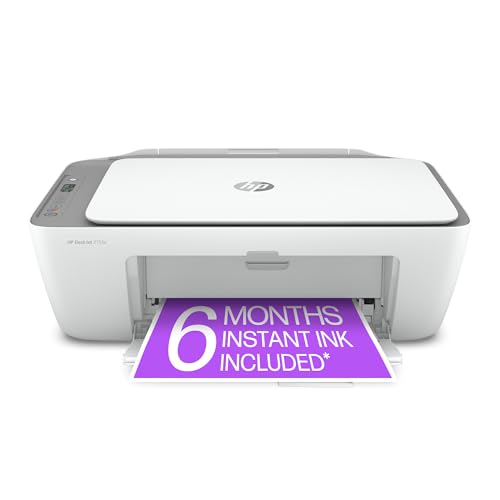 HP DeskJet 2755e All-in-One Printer HP DeskJet 2755e All-in-One Printer |
Best Overall | $84 | 195161617966 | B08XYP6BJV | HP | 9.2 | Buy → |
| 2 | 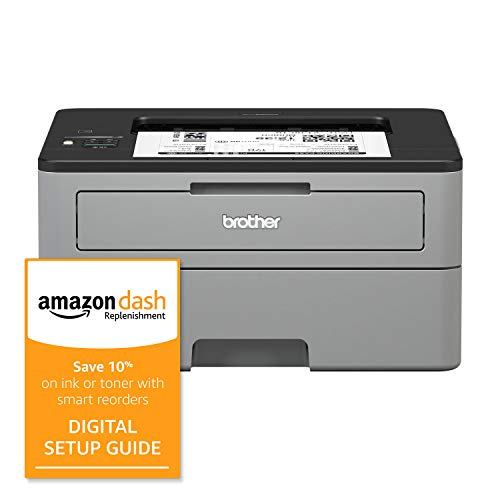 Brother HL-L2350DW Monochrome Laser Pri… Brother HL-L2350DW Monochrome Laser Pri… |
Best Laser | $299 | — | B081J7T987 | Brother | 8.2 | Buy → |
| 3 | 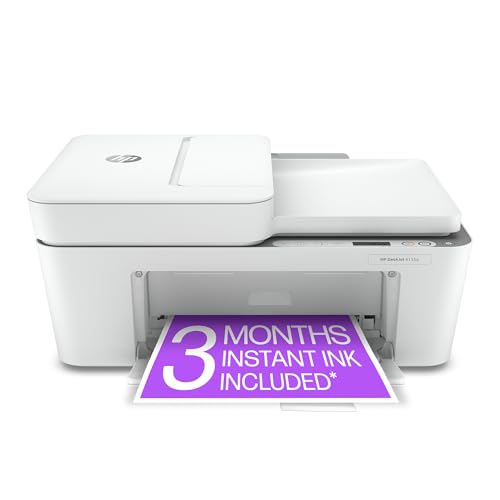 HP DeskJet 4155e Wireless Color All-in-… HP DeskJet 4155e Wireless Color All-in-… |
$79 | 195161618147 | B08XYRDSL7 | HP | Buy → |
Showing 3 of 3 products
HP DeskJet 2755e All-in-One Printer
“The HP DeskJet 2755e is the most versatile sub-$65 printer — wireless, all-in-one, and HP's Instant Ink subscription saves on ink costs.”
See Today’s Price →What we like
- Print, scan, and copy functionality
- Wireless printing from any device
- Compatible with Instant Ink subscription
- Compact footprint
Watch out for
- Slow print speed at 8ppm
- Color ink cartridges are expensive per page

Brother HL-L2350DW Monochrome Laser Printer
“For black-and-white documents, the Brother HL-L2350DW laser printer is leagues ahead on speed and cost-per-page compared to inkjet alternatives.”
See Today’s Price →What we like
- 32 pages per minute laser speed
- Auto duplex printing
- Wireless and USB connectivity
- Long-lasting toner cartridges
Watch out for
- Monochrome only — no color printing
- Larger size than inkjet alternatives
Read Full Analysis
The Brother HL-L2350DW earns its place through one metric that matters more than any other for document printers: cost per page. Laser toner economics are significantly better than inkjet for high-volume black-and-white printing — where inkjet cartridges run $0.05-0.15 per page, the HL-L2350DW with high-yield toner prints at roughly $0.01-0.02 per page. If you print more than 200 pages per month, toner savings pay back the hardware premium within six months. Print speed is a real differentiator at 32 pages per minute — meaningfully faster than inkjet alternatives at this price. First-page-out time is under 10 seconds from standby. For offices or home users printing contracts, reports, or school materials in volume, this translates to significantly less time waiting at the printer. Setup is straightforward. Wireless printing works without a USB connection, and the included USB port provides a wired fallback. Brother's AirPrint support covers iOS and macOS printing without a driver install. The compact footprint fits on most desks without dominating the workspace. The honest limitation: this is a monochrome-only printer. No color, no photos. If you need occasional color output you'll need a separate solution, and that requirement alone may make the Brother the wrong primary printer for households with children or creative work. The drum unit — separate from the toner cartridge — costs around $70 when it eventually needs replacement, a maintenance cost worth budgeting for upfront. At $299.99, the HL-L2350DW is priced above the "under $100" page framing, reflecting its positioning as a best-in-class long-term investment rather than a budget buy.

HP DeskJet 4155e Wireless Color All-in-One Printer
“The HP DeskJet 4155e is the best-selling home printer for good reason: it prints, scans, and copies wirelessly at an affordable price, and the HP Instant Ink subscription option eliminates the 'out of”
See Today’s Price →What we like
- Most affordable all-in-one on this list
- HP Instant Ink subscription option included
- Quick wireless setup via HP Smart app
- Compact footprint for small spaces
- Prints, scans, and copies
Watch out for
- Print speed is modest (8.5 ppm black)
- No ADF — manual document placement for scanning
- Ink cartridge costs are high if you don't subscribe
Printers Under $100 Buying Guide
 Photo by Engin Akyurt / Pexels
Our Top Pick
HP DeskJet 2755e All-in-One Printer at $84.99 — The HP DeskJet 2755e is the most versatile sub-$65 printer — wireless, all-in-one, and HP's Instant Ink subscription sav.
Budget Pick: Canon PIXMA TR4720 All-in-One Printer at $69 — The Canon TR4720 adds fax and auto-duplex printing at a fair price — features you won't find on most sub-$80 competitors.
Calculate Monthly Volume Before Choosing Ink Plan
Before buying, calculate your monthly page volume and compare ink subscription programs: HP Instant Ink, Canon's Selphy plans, and Epson's EcoTank line. At under $100, you're primarily choosing between inkjet all-in-ones (print, scan, copy) and laser printers.Inkjet vs. Laser: Color Photos vs. Cost per Page
Related Guides
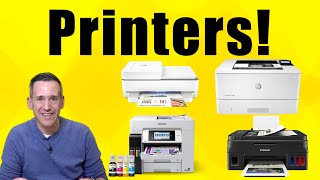
Watch Before You Buy

Frequently Asked Questions
What's the cheapest printer to run long-term?
Are wireless printers under $100 reliable?
Can I print photos on a budget printer?
Do budget printers work with Mac and iPhone?
How often do I need to replace ink cartridges?
How We Analyze Products
We analyze Amazon review data — often thousands of reviews per product — to surface patterns that individual buyers miss. Our process aggregates star ratings, review counts, and buyer sentiment at scale, identifying which strengths and weaknesses appear consistently across the largest review samples available. The 26,477+ reviews analyzed on this page represent real verified-purchase feedback from Amazon buyers.
Each product earned its placement through data: total review volume, average rating, and the specific praise and complaints that repeat most often across buyers. No manufacturer paid for placement on this page. Products appear here because buyers endorsed them at scale, not because a company asked us to feature them.
We use AI to summarize review sentiment — not to fabricate opinions, but to condense what thousands of buyers actually wrote into a readable format. The pros and cons you see reflect the most common themes found in verified purchaser reviews, paraphrased for clarity. We do not claim to have accessed Reddit, YouTube, or specific publications in generating these summaries.
Prices shown reflect Amazon pricing at the time this page was last generated. Click “See Today’s Price” to get the current live price on Amazon. Read our full methodology →