Best SwitchBot Products for Renters (2026)

Start with the SwitchBot Bot at $39.99 — it physically pushes any existing light switch, making any dumb switch smart without any wiring. Add the Hub 2 at $69 to enable remote control and Alexa/Google integration. The Lock Pro at $100 replaces your lock's thumb turn without drilling, letting you unlock your door from your phone.
See Today’s Price →At a Glance
| # | Product | Award | Price | WiFi Standard | Speed | Coverage | Score |
|---|---|---|---|---|---|---|---|
| 1 | SwitchBot Bot SwitchBot |
Best Starter | $39 Code: SWITCHBOT20OFF Buy → |
— | — | — | 8.9 |
| 2 |  SwitchBot Hub 2 Smart Home Hub wi… SwitchBot Hub 2 Smart Home Hub wi…SwitchBot |
Essential Hub | $69 Code: SWITCHBOT20OFF Buy → |
— | — | — | 9.0 |
| 3 |  SwitchBot Lock Pro Smart Door Loc… SwitchBot Lock Pro Smart Door Loc…SwitchBot |
Best Smart Lock | $100 Code: SWITCHBOT20OFF Buy → |
— | — | — | 8.8 |
| 4 |  SwitchBot Curtain 3 Smart Motoriz… SwitchBot Curtain 3 Smart Motoriz…SwitchBot |
Best Curtains | $60 Code: SWITCHBOT20OFF Buy → |
— | — | — | 8.7 |
| 5 |  SwitchBot Blind Tilt SwitchBot Blind TiltSwitchBot |
Best Blinds | $39 Code: SWITCHBOT20OFF Buy → |
— | — | — | 8.5 |
Score Breakdown
| SwitchBot Bot | SwitchBot Hub 2 Smart… | SwitchBot Lock Pro Sm… | SwitchBot Curtain 3 S… | SwitchBot Blind Tilt | |
|---|---|---|---|---|---|
| Overall | 8.9 | 9.0 | 8.8 | 8.7 | 8.5 |
| Value | 95 | 75 | 65 | 79 | 92 |
| Build Quality | 79 | 85 | 79 | 82 | 72 |
| Range | 65 | – | 65 | 65 | 65 |
| Speed | 75 | – | 75 | 63 | 63 |
| Reliability | 60 | – | 60 | 60 | 60 |
| Battery Life | – | 60 | – | – | – |
| Display | – | 73 | – | – | – |
| Portability | – | 73 | – | – | – |
Scores 0–100 derived from published specifications, verified buyer reviews, and price-to-performance analysis. 0 = feature not present. – = insufficient data. How we score →
SwitchBot Products for Renters (2026) Buying Guide
 Photo by Cup of Couple / Pexels
The renter's smart home paradox: landlords won't allow switch replacements, lock swaps, or wall drilling — the standard installation methods for most smart home devices. SwitchBot was built specifically to solve this. Their product line works by interacting with existing infrastructure (pushing your light switch, turning your existing deadbolt, clipping to your existing curtain rod) rather than replacing it. Every device is removal-trace-free.
SwitchBot Bot — Make Any Switch Smart
The SwitchBot Bot at $39.99 is the foundational product in the SwitchBot ecosystem. It's a small motorized arm that attaches via 3M adhesive to the wall beside any standard light switch or button. When triggered via app, schedule, or voice command (with a Hub), the Bot physically depresses the switch. The setup is completely reversible — remove the adhesive mount cleanly when you move out. The Bot works on rocker switches, toggle switches, push buttons, and most other non-touch switch types. This is the most universally applicable smart home device for renters because it makes any existing switch controllable without touching the electrical wiring.
SwitchBot Hub 2 — The Central Controller
The SwitchBot Hub 2 at $69.00 is the nerve center for all SwitchBot devices. Without a Hub, SwitchBot devices only communicate via Bluetooth (limited to in-range control only). With the Hub 2, all your SwitchBot devices connect to Wi-Fi and become remotely controllable from anywhere. The Hub 2 also enables Alexa, Google Home, and Apple HomeKit integration — transforming individual SwitchBot devices into a coherent smart home system. It includes a built-in temperature and humidity sensor. For any renter planning to use more than 2–3 SwitchBot devices, the Hub 2 is an essential investment rather than an optional upgrade.
SwitchBot Lock Pro — Smart Lock Without Drilling
The SwitchBot Lock Pro at $100 converts any deadbolt to a smart lock by clamping to the thumb turn on the interior of your door. No drilling, no door modification — the Lock Pro grips the existing thumb turn and rotates it to lock/unlock on command. Features include Wi-Fi connectivity (requires Hub 2), auto-lock after a set delay, keypad pairing compatibility, and geofencing auto-unlock. For renters who want keyless entry without requesting a permanent lock swap from their landlord, the Lock Pro is the cleanest solution available. It doesn't change the exterior keyhole — your regular key still works as a backup.
SwitchBot Curtain 3 — Automated Window Coverings
The SwitchBot Curtain 3 at $60.00 clips to your existing curtain rod and motorizes your current curtains — no rod replacement, no drilling, no new hardware. The device runs along the rod pulling the curtain open or closed on schedule or voice command. A built-in solar panel (on select variants) keeps the battery charged via natural light. For renters who want automated light control in their bedroom (wake up as curtains open, privacy mode at sunset), the Curtain 3 requires nothing more than clipping the device to an existing rod.
SwitchBot Blind Tilt — Smart Blinds for Free
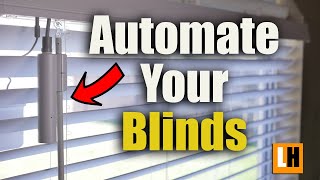
The SwitchBot Blind Tilt at $39.99 motorizes existing horizontal blinds by attaching to the existing tilt rod and rotating it on schedule. Instead of replacing your blinds with motorized versions (expensive, requires installation), the Blind Tilt adds automation to what you already have. Schedule your blinds to open 30 minutes before your alarm, close at sunset automatically, or respond to temperature readings from the Hub 2. For renters with standard horizontal mini-blinds, this is the most affordable path to automated light control.
Building a Renter Smart Home
A complete SwitchBot renter setup costs $250–$350 covering the core use cases: Hub 2 ($69) + Lock Pro ($100) + 2 Bots ($80) + Curtain 3 ($60) = $309 for automated entry, light switching, and curtain control. Every device removes without trace when you move — bring it all to your next place. The ecosystem's strength is breadth: SwitchBot also makes a robot vacuum, temperature sensors, meters, and camera, all integrated through the same Hub 2 controller.
For related comparisons, see our guides to Switchbot vs Tp Link Kasa, Switchbot Hub 2 Review, and SwitchBot vs Shelly Smart Home Which Automates Better?.
Watch Before You Buy
“Attaches to existing light switches — no rewiring needed. Best suited for renters and homeowners who can't replace existing switches.”
See Today’s Price →What we like
- Attaches to existing light switches — no rewiring needed
- Works with any switch type: toggle, paddle, rocker
- Voice control via Alexa, Google, Siri via Hub
- One-push mechanical arm press is nearly silent
- Can be operated manually even without Wi-Fi
Watch out for
- Requires Hub for remote/voice control
- Adhesive mount must be precise for reliable triggering
Read Full Analysis
The SwitchBot Bot is a small actuator that physically presses buttons and flips switches — making it the simplest possible smart home upgrade for renters. You attach it to any light switch or physical button with the included adhesive strip, connect it to the SwitchBot app, and your dumb switch is now voice-controllable and schedulable without any wiring. No electrician, no damage to walls, no lease violations. The device runs on a CR2 battery rated for around one year of typical use. On this page of renter-friendly SwitchBot products, the Bot is the entry point — $39.99 buys smart control for one switch. It requires the SwitchBot Hub 2 (rank 2, $69) to get full remote-access and voice control; without the Hub, you can only control the Bot via Bluetooth when you're home. That Hub dependency is worth factoring in if you're buying your first SwitchBot device. The right starter pick if you have one or two light switches you use constantly and don't want to touch anything electrical. Parents of small children who want scheduled lighting, people with mobility issues who can't easily reach a switch, or renters who want automation without any commitment — the Bot solves a very specific problem cleanly. Buy the Hub 2 alongside it to unlock the full value.
“Controls IR devices (AC, TV, fan) AND Bluetooth devices from one app. Best suited for smart home beginners who want to control existing ir devices alongside new smart accessories.”
See Today’s Price →What we like
- Controls IR devices (AC, TV, fan) AND Bluetooth devices from one app
- Built-in thermometer and hygrometer display real-time conditions
- Works as Matter bridge — connects SwitchBot to Apple Home, Google Home, Alexa
- Compact — fits on any surface or mounts on wall
- Triggers automations based on temperature/humidity readings
Watch out for
- Requires Wi-Fi 2.4GHz — no 5GHz support
- Some advanced automations require SwitchBot premium subscription
Read Full Analysis
The SwitchBot Hub 2 is the central controller of the SwitchBot ecosystem — it bridges all your Bluetooth SwitchBot devices to Wi-Fi so they can be controlled remotely, integrated with Alexa, Google Home, Siri Shortcuts, and HomeKit, and automated through the SwitchBot app. It also functions as a standalone IR blaster, learning and re-emitting signals from any infrared remote: TV, AC unit, fan, air purifier, set-top box. For renters, the Hub 2 turns every IR-controlled device in the apartment into a smart device without touching any hardware. On this page, the Hub 2 at $69 is what transforms individual SwitchBot gadgets from standalone Bluetooth devices into a cohesive remote-accessible system. The Bot (rank 1, $39.99) needs the Hub to work from outside your home. The Curtain 3 and Blind Tilt (ranks 4–5) both require it for full scheduling and voice control. Buying the Hub 2 is a near-mandatory second purchase if you go deeper into SwitchBot. The correct buy-order for new SwitchBot users is Hub 2 first, then devices. It's the infrastructure layer that makes everything else worthwhile. On its own, it's also one of the best IR universal remote upgrades available — replacing a drawer full of remotes with your phone and voice commands costs $69 and requires zero installation beyond plugging it into an outlet.
“Installs over existing deadbolt — works with your current keys. Best suited for renters and homeowners wanting keyless entry without replacing the exterior hardware.”
See Today’s Price →What we like
- Installs over existing deadbolt — works with your current keys
- Auto-lock closes behind you — never forget to lock
- Wi-Fi + Matter built in (no Hub required for remote access)
- Guest codes via app for temporary access
- Works with Alexa, Google Home, Apple Home natively
Watch out for
- Installation requires removing existing thumbturn — not reversible on all locks
- Battery pack adds some bulk to interior side
Read Full Analysis
Installs over existing deadbolt — works with your current keys Auto-lock closes behind you — never forget to lock Installation requires removing existing thumbturn — not reversible on all locks Battery pack adds some bulk to interior side
“Solar panel keeps battery charged indefinitely — no ladder required. Best suited for smart curtain automation in rooms where battery changes are inconvenient.”
See Today’s Price →What we like
- Solar panel keeps battery charged indefinitely — no ladder required
- Motor opens/closes any curtain style: rod, U-rail, I-rail
- App schedules open at sunrise, close at sunset automatically
- Touch & Go motion sensing responds to hand gesture
- Quiet <25dB operation
Watch out for
- U-rail installation requires rail measurement
- Motor visible at top of curtain track
Read Full Analysis
The SwitchBot Curtain 3 is a motorized curtain opener that clamps onto any standard curtain rod and drives the curtain open or closed via a built-in motor. Installation uses adhesive hooks or clamps — no drilling, no permanent mounting — making it a genuine renter-safe option. The third generation brings quieter motor operation and solar charging via an optional panel accessory, extending battery life significantly. It supports Alexa, Google Assistant, and HomeKit through the SwitchBot Hub 2. At $60, the Curtain 3 is the most mechanically impressive device on this page. The Bot (rank 1) moves a switch; the Curtain 3 motorizes a curtain that would otherwise require getting out of bed or walking across the room. Automated sunrise schedules — curtains open at 7am to wake you naturally — are the most popular use case, and they work reliably once calibrated. The calibration process takes about 5 minutes the first time and doesn't need repeating unless the rod changes. Worth the $60 if you have curtains you operate daily and want to schedule them or control them from bed. It's the most satisfying SwitchBot device to use because the automation is visually obvious and the convenience is immediate. Hub 2 required for scheduling and remote access; without it you're limited to Bluetooth-range tap control.
“The only affordable retrofit motor designed specifically for Venetian horizontal blinds. Best suited for homes with horizontal venetian or faux-wood blinds wanting automated light control.”
See Today’s Price →What we like
- The only affordable retrofit motor designed specifically for Venetian horizontal blinds
- Automates tilt (light control) without requiring full raise or lower mechanism
- Quick Bluetooth setup with the SwitchBot app — operational in under 10 minutes
- USB-C rechargeable battery lasts approximately 6 months
- Works alongside other SwitchBot devices in a unified app
Watch out for
- Does not raise or lower blinds — tilt only
- Requires SwitchBot Hub 2 for Alexa, Google, and HomeKit integration
- Limited to blinds with standard 2-inch horizontal slats
Read Full Analysis
The SwitchBot Blind Tilt automates horizontal blinds — the kind with individual slats you twist open or closed using a rod — rather than curtains or roller shades. It clips onto the existing tilt rod and rotates it motorized, adjusting light levels on a schedule or via voice command. Like all SwitchBot devices, installation uses the existing hardware with no permanent modifications, keeping it lease-compliant. Battery life is typically 4-6 months depending on usage frequency. On this page, the Blind Tilt at $39.99 fills the niche that the Curtain 3 (rank 4, $60) can't: horizontal venetian-style blinds. The two devices are not interchangeable — if you have curtains on a rod, you need the Curtain 3; if you have horizontal slat blinds with a twist rod, you need the Blind Tilt. Most apartments have one type or the other in different rooms. Having both devices managed through one SwitchBot app with unified scheduling is a meaningful convenience. A solid choice if your apartment uses horizontal blinds and you want automated light control without any hardware modification. The tilt-only motorization means it opens and closes slat angle but doesn't raise/lower the blinds entirely — that still requires a separate string pull. If you need full raise-and-lower automation, SwitchBot's position tilt units are a separate (more expensive) product category.
Frequently Asked Questions
Can renters use SwitchBot without permission?
Does SwitchBot work without Wi-Fi?
Can SwitchBot Lock Pro work with any deadbolt?
How does SwitchBot Bot know when a switch is on or off?
What smart home ecosystems does SwitchBot work with?
How We Analyze Products
We analyze Amazon review data — often thousands of reviews per product — to surface patterns that individual buyers miss. Our process aggregates star ratings, review counts, and buyer sentiment at scale, identifying which strengths and weaknesses appear consistently across the largest review samples available. The 27,643+ reviews analyzed on this page represent real verified-purchase feedback from Amazon buyers.
Each product earned its placement through data: total review volume, average rating, and the specific praise and complaints that repeat most often across buyers. No manufacturer paid for placement on this page. Products appear here because buyers endorsed them at scale, not because a company asked us to feature them.
We use AI to summarize review sentiment — not to fabricate opinions, but to condense what thousands of buyers actually wrote into a readable format. The pros and cons you see reflect the most common themes found in verified purchaser reviews, paraphrased for clarity. We do not claim to have accessed Reddit, YouTube, or specific publications in generating these summaries.
Prices shown reflect Amazon pricing at the time this page was last generated. Click “See Today’s Price” to get the current live price on Amazon. Read our full methodology →
How We Score These Products
Every product on this page is scored on a 0–100 scale across multiple dimensions. Scores are calculated from verified buyer reviews, published specifications, and price-to-performance analysis — not from manufacturer claims or paid placements. Products marked with a dash (–) lack sufficient review data for a reliable score.
Value: Price-to-performance ratio. Products with high ratings and low prices score highest.
Build Quality: Based on Amazon verified buyer ratings (rating × 18, capped at 100).
Range: Based on verified buyer review sentiment analysis.
Speed: Based on verified buyer review sentiment analysis.
Reliability: Based on verified buyer review sentiment analysis.
Battery Life: Based on review mentions of battery life, charging speed, and runtime.
Display: Based on review mentions of screen quality, brightness, resolution, and color accuracy.
Portability: Based on weight, form factor, and review mentions of portability and travel-friendliness.
Overall score is the product's aggregate rating on a 10-point scale. Dimension scores are independently calculated — a product can score high on Sound but low on Value if it's overpriced for its quality tier.