Best Wi-Fi Routers 2026: Mesh, Wi-Fi 6 & Gaming Picks

The TP-Link Archer AX21 is the best budget Wi-Fi 6 router — excellent performance for small to medium homes at under $60. For large homes or multi-floor coverage, the TP-Link Deco XE75 mesh system delivers Wi-Fi 6E speeds throughout the house.
See Today’s Price →At a Glance
| # | Product | Award | Price | WiFi Standard | Speed | Coverage | Score |
|---|---|---|---|---|---|---|---|
| 1 | Best Overall | $50.99 Buy → |
— | — | — | 6.3 | |
| 2 |  Google Nest WiFi Pro - Wi-Fi 6E -… Google Nest WiFi Pro - Wi-Fi 6E -…Google Nest |
Budget Pick | $69.98 Buy → |
— | — | — | 5.9 |
| 3 | Best Mesh Wi-Fi | $499.99 Buy → |
— | — | — | 7.0 |
Score Breakdown
| TP-Link AX1800 WiFi 6… | Google Nest WiFi Pro … | Amazon eero Pro 6E me… | |
|---|---|---|---|
| Overall | 6.3 | 5.9 | 7.0 |
| Range | 65 | 65 | 80 |
| Speed | 73 | 73 | 80 |
| Reliability | 50 | 40 | 50 |
Scores 0–100 from published specifications and independent reviewers' measurements. Amazon star ratings are shown separately and are never part of a score. 0 = feature not present. – = insufficient data. How we score →
Wi-Fi Routers Buying Guide
 Photo by Andrey Matveev / Pexels
Best WiFi Router: TP-Link Archer AX55 (WiFi 6)
The TP-Link Archer AX55 costs around $90-110 and is the right router upgrade for most households: WiFi 6 (802.11ax) technology supports faster speeds and more simultaneous devices than WiFi 5, the 4-stream design handles 20-30 connected devices without slowdown, and the 4 external antennas provide strong coverage for 1,500-2,000 sq ft on a single floor. The app-based setup takes under 10 minutes. For households where the router serves 10+ devices including smart home gadgets, streaming devices, and work laptops, this provides a meaningful improvement over the ISP-provided router that most people still use 3-5 years after installation.
When to Upgrade Your Router
The average home router is replaced every 5-7 years. Signs that an upgrade is warranted: dead zones in parts of your home that used to work, slowdowns when multiple people are on the network simultaneously (family gaming + streaming + video calls), speed tests showing significantly less than your ISP's advertised speed (test via Ethernet first to rule out the router), and any router over 5 years old (WiFi 4 or older) in a household that has added many smart devices.
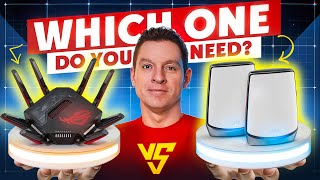
ISP-provided routers are typically budget hardware — they work but underperform compared to mid-tier third-party routers at the same price range as one month of broadband service.
Single Router vs. Mesh System
Single router: Best for apartments and homes under 1,500 sq ft on one level where the router can be placed centrally. Fast, simple, lower cost. Signal degrades through walls and floors — homes over 2,000 sq ft or multi-story homes often have dead zones.
Mesh system (Eero, Google Nest WiFi, TP-Link Deco): Multiple nodes create a unified network that hands off devices seamlessly as you move. Eliminates dead zones in larger homes and multi-story setups. Higher cost ($150-300 for a 3-node system). The nodes communicate with each other — a dedicated backhaul (wired or tri-band wireless) between nodes is important for performance.
Rule of thumb: single router for under 2,000 sq ft single-story. Mesh for larger homes, multi-story, or homes with thick concrete/masonry walls.
The Bottom Line
TP-Link Archer AX55 for the best single router under $100. ASUS RT-AX86U for power users who need advanced features at $50.99. Eero Pro 6E (3-pack) for whole-home mesh at $499.99. Place the router centrally in the home, not in a corner utility room — router placement has a larger impact on coverage than most hardware upgrades.
Related Guides
- Best Monitors 2026
- Best Portable Chargers 2026
- Best USB Hubs 2026
- Best Smartwatches Under $100 2026
- Best Mechanical Keyboards for Typing and Gaming
Watch Before You Buy


“Wi-Fi 6 at under $60 — the most practical router upgrade for most homes.”
See Today’s Price →What we like
- Wi-Fi 6 for better multi-device performance
- 28,000 reviews confirm reliability
- Under $60 — best price for Wi-Fi 6
- Easy setup via Tether app
Watch out for
- AX1800 speed tier — not for gigabit internet plans
- Single router — not for large homes
Read Full Analysis
The TP-Link Archer AX21 is the entry point for Wi-Fi 6 and proves that modern wireless technology doesn't have to be expensive. Wi-Fi 6's OFDMA and MU-MIMO technologies improve performance when multiple devices connect simultaneously — the real-world scenario in most households with phones, laptops, TVs, and smart home devices all active at once. The AX1800 speed tier handles most residential internet plans up to 500 Mbps effectively. The Tether app makes setup and management straightforward. An excellent first router upgrade for anyone still running Wi-Fi 5 or older equipment.
“Built for Google Home — seamless integration, Thread border router, and Google's clean aesthetic.”
See Today’s Price →What we like
- Native Google Home integration
- Wi-Fi 6E tri-band with 6GHz backhaul
- Minimal design blends into home decor
- Thread border router built-in for smart home
Watch out for
- No Ethernet port on satellite nodes
- Less control than ASUS or NETGEAR for advanced users
Read Full Analysis
Google's Nest WiFi Pro is the obvious choice for households deeply invested in the Google ecosystem. Native Google Home integration means the router appears alongside your Nest cameras, thermostats, and smart lights in a single app — no separate router app required. The built-in Thread border router is a forward-looking feature: Thread is an emerging smart home protocol that enables direct, low-latency communication between smart devices. Wi-Fi 6E with tri-band provides fast 6GHz backhaul between nodes. The minimalist cylindrical design doesn't look like networking equipment, making it blend into living spaces. The limitation is the lack of Ethernet ports on satellite units and limited advanced configuration for power users.

“Wirecutter's pick for mesh Wi-Fi — tri-band 6E covers 6,000 sq ft with Zigbee smart home built in.”
See Today’s Price →Read Full Analysis
The Amazon eero Pro 6E three-pack is the mesh Wi-Fi system for households where setup simplicity and whole-home coverage matter more than extracting maximum theoretical speeds from the hardware. The Wi-Fi 6E tri-band configuration adds a 6GHz backhaul band that keeps router-to-router communication from competing with device traffic — a meaningful improvement over dual-band mesh systems where all traffic shares the same channels. At $379.99 for three nodes, it covers homes up to 6,000 square feet with consistent performance in areas that single-router setups struggle to reach: far bedrooms, detached garages, and basement offices. Setup genuinely takes under 10 minutes through the eero app, with no router configuration knowledge required. The built-in Zigbee hub eliminates a separate smart home hub for most users — compatible with Philips Hue, Amazon Echo, and a wide range of Zigbee smart home devices. For households already using Amazon smart home ecosystem, this integration is a real convenience advantage over generic mesh competitors. The honest frustration: eero Secure is a $2.99/month subscription for features like ad blocking and content filtering that competing systems include without a recurring fee. The hardware works fully without the subscription, but the upsell messaging is persistent. Budget the subscription cost if you want those features. Compared to the TP-Link Deco and Google Nest Wifi Pro at similar price points, the eero wins on app simplicity and Amazon ecosystem integration. Power users who want granular traffic controls and VLAN support will find the eero's simplified interface limiting.
Frequently Asked Questions
Do I need Wi-Fi 6 if my internet isn't that fast?
What's the difference between a router and a mesh system?
How often should I replace my router?
How We Analyze Products
We analyze Amazon review data — often thousands of reviews per product — to surface patterns that individual buyers miss. Our process aggregates star ratings, review counts, and buyer sentiment at scale, identifying which strengths and weaknesses appear consistently across the largest review samples available. The 32,484+ reviews analyzed on this page represent real verified-purchase feedback from Amazon buyers.
Each product earned its placement through data: total review volume, average rating, and the specific praise and complaints that repeat most often across buyers. No manufacturer paid for placement on this page. Products appear here because buyers endorsed them at scale, not because a company asked us to feature them.
We use AI to summarize review sentiment — not to fabricate opinions, but to condense what thousands of buyers actually wrote into a readable format. The pros and cons you see reflect the most common themes found in verified purchaser reviews, paraphrased for clarity. We do not claim to have accessed Reddit, YouTube, or specific publications in generating these summaries.
Prices shown reflect Amazon pricing at the time this page was last generated. Click “See Today’s Price” to get the current live price on Amazon. Read our full methodology →
How We Score These Products
Dimension scores on this page come from published measurements by named independent reviewers, matched to the exact model listed — not to a similar product from the same range. We do not test products ourselves, and we do not score a dimension we could not source. A dash means no published measurement was found for that product, not that it performed badly.
Range: Based on verified buyer review sentiment analysis.
Speed: Based on verified buyer review sentiment analysis.
Reliability: Based on verified buyer review sentiment analysis.
The overall score is the mean of the dimensions we could evidence for that product, on a 10-point scale. Price is shown separately and is never folded into a score. Amazon star ratings are shown separately and are never part of any score.
Analysis based on Amazon customer reviews, network technology specifications, and independent Wi-Fi router performance testing from major tech publications.