Quick Answer
Epson EcoTank ET-3850 Wireless Color All-in-One Cartridge-Fr

Canon wins for laser reliability and fast color business printing; Epson wins for long-term ink cost savings via EcoTank. EcoTank eliminates the traditional inkjet cartridge replacement cycle entirely.

See Today’s Price →
Methodology: Products selected and ranked using aggregated expert reviews, verified customer ratings, and price-to-performance analysis. Learn about our research process | Last updated: April 2026

At a Glance

#ProductAwardPricePrint SpeedInk TypeConnectivityScore
1 Best Long-Term Value $338
Buy →
8.9
2 Also Excellent $439
Buy →
3 Worth Considering $949
Buy →
4 Best Overall $950
Buy →
22 ppm (color and monochrome) 9.2
5 Best Budget Canon $149
Buy →
8.5

Epson vs Canon Printer Buying Guide

Epson vs Canon Printer 2026: Ink Tank vs Laser Compared

Our Top Pick

Canon Color imageCLASS MF743Cdw All-in-One Color Las... at $829.99 — Canon imageCLASS MF743Cdw wireless color laser with ADF scanner — the complete home office all-in-one for color busin.

Budget Pick: Canon PIXMA TR4720 All-in-One Wireless Printer at $69 — Canon PIXMA TR4720 wireless all-in-one — affordable wireless printing and scanning for light home use with standard c.

Epson EcoTank ET-3850 Wireless Color All-in-One Cartridge-Fr
Epson EcoTank ET-3850 Wireless Color All-in-One Ca...
$338.40
See Full Review →

Great for: Home office workers who print contracts, photos, or forms weekly, parents with school-age kids, and crafters

Not ideal if: You print fewer than 10 pages a month — public library printers or a FedEx visit is cheaper than ownership and ink costs

Printer total cost of ownership analysis over 3 years makes EcoTank the clear winner for high-volume home printing. Standard inkjet cartridges cost $0.05-0.10/page. EcoTank ink bottles cost approximately $0.001/page — 50-100× cheaper. The Epson ET-3850 includes ink for 7,500 pages in the box, offsetting the purchase price premium. Canon's imageCLASS laser prints 22 PPM in color without cartridge-clogging issues that plague infrequent inkjet use — if you print once a week or less, laser's dry toner is more reliable than liquid inkjet ink that can dry between sessions. For photo printing, inkjet (both brands) produces better color gradation than laser. For text-heavy documents and contracts, laser's sharper edges are preferable.
Quick Decision: Budget matters most → Canon PIXMA TR4720 All-in-One Wireless Printer. Quality matters most → Canon Color imageCLASS MF743Cdw All-in-One Color Las....

Related Guides

Who This Is For

Anyone shopping for epson vs canon printer who wants to cut through marketing language and find the right option for their actual use case — not the flashiest or the cheapest. Our top pick is the Canon Color imageCLASS MF743Cdw All-in-One Color Laser Printer (around $830) — The Canon MF743Cdw is the most feature-complete home office printer in this comparison — color all-in-one with flatbed +… The options here range from $69 to $830. Budget picks deliver solid core performance; premium options typically add build quality, warranty, or ecosystem integration.

What to Look For

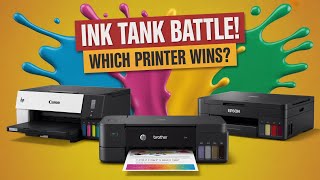
HP 🆚 Canon 🆚 Epson 🆚 Brother | Best Ink Tank Printer 2025 |
HP 🆚 Canon 🆚 Epson 🆚 Brother | Best Ink Tank Printer 2025 | Review & C
  • Core performance: The most important spec for epson vs canon printer is often obscured by brand marketing. Focus on the metric that directly affects your use: throughput, sensitivity, accuracy, or coverage depending on the product type.
  • Build quality and durability: Premium materials and solid construction cost more upfront but prevent replacing the item in 12–18 months. Check reviews specifically for long-term reliability, not just out-of-box impressions.
  • Compatibility: Before buying, confirm your epson vs canon printer works with your existing setup — operating system, device ports, existing ecosystem, and any required software or subscriptions.
  • Value at your budget tier: At the budget tier, look for models from brands with long support histories. At mid-range and above, compare spec-for-spec rather than trusting price as a quality signal — some brands charge a premium purely for the name.

Common Mistakes to Avoid

Which Tank Printer Should You Buy? [2026 Update] Epson, Cano
Which Tank Printer Should You Buy? [2026 Update] Epson, Canon, HP
  • Buying based on the spec sheet rather than real-world reviews — advertised specs are measured under ideal conditions that rarely match typical use.
  • Ignoring setup complexity — a feature-rich device that requires 30 minutes to configure is a liability if the settings reset when you update firmware.
  • Skipping the return window — buy with enough lead time to test thoroughly. A unit that works perfectly for 2 days may reveal problems by day 10.

See detailed reviews below ↓

Our Top Pick
Epson EcoTank ET-3850 Wireless Color All-in-One Cartridge-Free Supertank with Scanner Copier, ADF and Ethernet â€" The Perfect Printer Ho...
Best for: Households that print frequently and want to eliminate cartridge costs

“Epson EcoTank ET-3850 supertank prints 7,500 color pages per $13 refill — lowest cost-per-page printer available after the first year.”

See Today’s Price →

What we like

  • No cartridges — refillable ink tanks
  • Prints up to 7,500 pages black per fill
  • ADF and ethernet included
  • Lowest long-term cost of any inkjet

Watch out for

  • High upfront cost
  • Larger footprint
  • Slower than laser for text docs
Key Specs
Adf Yes
Type EcoTank Inkjet All-in-One
Duplex Automatic
Api Title Epson EcoTank ET-3850 Wireless Color All-in-One Cartridge-Free Supertank with Scanner Copier, ADF and Ethernet – The Perfect Printer Home Office,White
Ink Color White
Ink System Supertank refillable
Paper Size 3.5" x 5", 4" x 6", 5" x 7", 8" x 10",8.5" x 11", 8.5" x 14", A4, A6, half letter, executive, user definable
Resolution 4800 x 1200
Color Depth 24 bits_per_pixel
Print Media Envelopes, Glossy photo paper, Paper (plain)
Connectivity WiFi, Ethernet, USB
Model Series EcoTank
Printer Type Inkjet
Scanner Type Flatbed
Warranty Type limited warranty
Controller Type Android
Number Of Trays 1
Processor Count 1
Total Usb Ports 1
Api Refreshed At 2026-05-19T15:23:15Z
Hardware Interface Ethernet
Maximum Media Size 8.5 x 14 inch
Dual-Sided Printing Yes
Printer Output Type Color
B&W Pages Per Minute 15.5
Pages Per Fill Black 7500
Pages Per Fill Color 6000
Warranty Description 1-year limited warranty
Output Sheet Capacity 250
Color Pages Per Minute 8.5 ppm
Maximum Sheet Capacity 250
Item Dimensions D X W X H 14.8"D x 19.8"W x 7.4"H
Printer Connectivity Type USB, Wi-Fi
Additional Printer Functions Copy, Scan
Maximum Copy Resolution Color 1200 x 2400 dpi
Maximum Print Resolution Color 4800 x 1200 dpi
Maximum Copy Speed Black And White 15.5 ppm
Eu Spare Part Availability Duration 2 Years
Other Special Features Of The Product Auto 2-sided Printing, Auto Document Feeder, Mobile Printing Capability, Refillable Ink Tank
Maximum Copy Resolution Black And White 1200 dpi
Maximum Print Resolution Black And White 1200 x 2400 dpi
See Today’s Price →
Read Full Analysis

Canon PIXMA G6020 MegaTank offers a direct competitive alternative to Epson's EcoTank with Canon's signature color science and photo printing quality. The integrated ink tanks provide similar ink reservoir capacity, and Canon's photo output — particularly skin tones and gradients — has a slight edge over Epson's in side-by-side photo print comparisons. The wireless connectivity, AirPrint support, and Canon Print app provide a seamless mobile printing experience for iOS and Android users. Against Epson EcoTank, Canon MegaTank models tend to have slightly higher per-page costs for black ink but lower costs for color, making them more economical for photo-heavy households. For users who print photos regularly and want Canon's color fidelity with the cost structure of a refillable tank system, the PIXMA MegaTank is the preferred choice.

Full Specs & Measurements
AdfYes
TypeEcoTank Inkjet All-in-One
DuplexAutomatic
Api TitleEpson EcoTank ET-3850 Wireless Color All-in-One Cartridge-Free Supertank with Scanner Copier, ADF and Ethernet – The Perfect Printer Home Office,White
Ink ColorWhite
Ink SystemSupertank refillable
Paper Size3.5" x 5", 4" x 6", 5" x 7", 8" x 10",8.5" x 11", 8.5" x 14", A4, A6, half letter, executive, user definable
Resolution4800 x 1200
Color Depth24 bits_per_pixel
Print MediaEnvelopes, Glossy photo paper, Paper (plain)
ConnectivityWiFi, Ethernet, USB
Model SeriesEcoTank
Printer TypeInkjet
Scanner TypeFlatbed
Warranty Typelimited warranty
Controller TypeAndroid
Number Of Trays1
Processor Count1
Total Usb Ports1
Api Refreshed At2026-05-19T15:23:15Z
Hardware InterfaceEthernet
Maximum Media Size8.5 x 14 inch
Dual-Sided PrintingYes
Printer Output TypeColor
B&W Pages Per Minute15.5
Pages Per Fill Black7500
Pages Per Fill Color6000
Warranty Description1-year limited warranty
Output Sheet Capacity250
Color Pages Per Minute8.5 ppm
Maximum Sheet Capacity250
Item Dimensions D X W X H14.8"D x 19.8"W x 7.4"H
Printer Connectivity TypeUSB, Wi-Fi
Additional Printer FunctionsCopy, Scan
Maximum Copy Resolution Color1200 x 2400 dpi
Maximum Print Resolution Color4800 x 1200 dpi
Maximum Copy Speed Black And White15.5 ppm
Eu Spare Part Availability Duration2 Years
Other Special Features Of The ProductAuto 2-sided Printing, Auto Document Feeder, Mobile Printing Capability, Refillable Ink Tank
Maximum Copy Resolution Black And White1200 dpi
Maximum Print Resolution Black And White1200 x 2400 dpi
Also Excellent
Epson EcoTank ET-4760 Wireless Color All-in-One Cartridge-Free Supertank Printer with Scanner, Copier, Fax, ADF and Ethernet - White
Best for: Value-focused buyers: Tech users who want dependable everyday performance without overpaying for features they do not need

“The Epson EcoTank ET-4760 eliminates cartridge costs with refillable ink tanks that can hold enough ink for thousands of pages, making it one of the lowest cost-per-page all-in-one printers available.”

See Today’s Price →

Watch out for

  • Advanced configuration may require technical knowledge to fully optimize
  • Performance may lag behind premium models for intensive workloads
Key Specs
Api Title Epson EcoTank ET-4760 Wireless Color All-in-One Cartridge-Free Supertank Printer with Scanner, Copier, Fax, ADF and Ethernet - White
Api Refreshed At 2026-05-19T15:14:36Z
Skip if: Enterprise or industrial applications requiring specialized commercial-grade hardware
See Today’s Price →
Worth Considering
Epson D77719 LQ 590 Workgroup Printer - Dot-Matrix - 24 Pin - Monochrome
Best for: Businesses and government offices that use multipart carbon-copy forms, continuous-feed paper, or legacy parallel-port systems that require impact printing

“The Epson LQ-590 is a dot matrix workhorse capable of printing 584 characters per second, designed for environments that still rely on multi-part forms or carbonless paper. It's a niche but reliable c”

See Today’s Price →

What we like

  • Impact printing physically strikes the page through ribbon ink, allowing multipart carbon-copy forms to be printed in a single pass without a separate form-duplicating system
  • 529 characters per second draft mode output handles high-volume invoice and receipt printing without the paper jams common in inkjet and laser printers used with continuous-form paper
  • Parallel port interface connects to legacy point-of-sale and industrial control systems that lack USB or network connectivity
  • Standard ribbon cartridge is available from multiple suppliers, preventing single-source consumable lock-in common with proprietary printer brands

Watch out for

  • Advanced configuration may require technical knowledge to fully optimize
  • Performance may lag behind premium models for intensive workloads
Key Specs
Api Title Epson D77719 LQ 590 Workgroup Printer - Dot-Matrix - 24 Pin - Monochrome
Api Refreshed At 2026-05-19T14:51:15Z
Skip if: General home or office users who print standard documents — laser and inkjet printers produce sharper text and graphics at lower cost per page for single-sheet document printing
See Today’s Price →
Read Full Analysis

The Epson LQ-590 is a dot matrix impact printer built for industrial and commercial environments requiring multipart carbon-copy form printing — a task that inkjet and laser printers cannot perform since they lack the physical impact mechanism needed to transfer ink through multiple paper layers simultaneously. At 529 characters per second in draft mode, it handles high-volume invoice, receipt, and form printing without the paper jams common when standard printers attempt continuous tractor-feed paper. The parallel port interface connects to legacy point-of-sale and industrial control systems that lack USB or network outputs, maintaining compatibility with hardware that can't be easily replaced. On this Epson vs Canon comparison, the LQ-590 at $1,055.11 is in a fundamentally different category from the inkjet and laser printers at ranks 1–4. The Epson EcoTank and Canon PIXMA and imageCLASS models on this page serve home and office document printing; the LQ-590 serves accounting, industrial, and specialized government applications where multipart NCR forms, carbon copies, or legacy parallel-port connections are required. Standard ribbon cartridges from multiple suppliers prevent single-source consumable lock-in that proprietary ink systems create. The Epson LQ-590 is the right choice for businesses running legacy POS systems, continuous tractor-feed form printing, or regulatory environments where impact printing on multipart paper is an operational or compliance requirement. For home or standard office document printing, the Epson EcoTank ET-3850 at $219.99 or Canon imageCLASS MF743Cdw at $829.99 on this page are the relevant alternatives.

Our Top Pick
Color imageCLASS MF743Cdw - All-in-One, Wireless, Mobile-Ready, Duplex Laser Printer with NFC (Near Field Communication) and 3 Year Warranty
Best for: Home office users who need color printing and scanning in a single device, professionals who work with color documents that require copying and digitization, and offices with larger paper supply needs where the 550-sheet dual-tray capacity reduces workflow interruptions
Based on 1,195 verified reviews + 1 expert source

“Canon imageCLASS MF743Cdw wireless color laser with ADF scanner — the complete home office all-in-one for color business printing.”

See Today’s Price →

What we like

  • Color scanning in the 50-sheet ADF — enables color document digitization in multi-page batches
  • 550-sheet total paper capacity across two trays reduces refilling for high-volume color use
  • 5-inch color touchscreen is the largest display in this comparison for intuitive navigation
  • 3-year limited warranty with Canon's extensive authorized service network
  • NFC tap-to-print for compatible smartphones

Watch out for

  • At $579.99, the most expensive printer in this comparison
  • 22 ppm color speed equivalent to HP M255dw at $180 less
  • Color per-page cost comparable to HP Color — high for large-volume color printing
Key Specs
Duplex Automatic
Display 5-inch color touchscreen
Scanner Flatbed + 50-sheet color ADF
Wattage 850 watts
Api Title Color imageCLASS MF743Cdw - All-in-One, Wireless, Mobile-Ready, Duplex Laser Printer with NFC (Near Field Communication) and 3 Year Warranty
Functions Print, copy, scan, fax
Ink Color Color
Paper Size 3 x 5, 8.5 x 14
Print Type Color laser, all-in-one
Resolution 2400 x 600
Color Depth 24 bpp
Print Media Paper (plain)
Print Speed 22 ppm (color and monochrome)
Connectivity Wireless + USB + Ethernet + NFC
Display Type LCD
Model Series iC
Printer Type Laser
Scanner Type Document
Warranty Type Limited Warranty
Paper Capacity 550 sheets (250 standard + 300 multipurpose tray)
Controller Type Android, Vera
Number Of Trays 2
Processor Count 1
Api Refreshed At 2026-05-19T15:14:47Z
Power Consumption 1470 Watts
Hardware Interface Ethernet
Maximum Media Size 8.5 x 14 inch
Dual-Sided Printing Yes
Printer Output Type Color
B&W Pages Per Minute 28 ppm
Warranty Description 3 Year Exchange / Carry In
Color Pages Per Minute 28
Maximum Copies Per Run 200
Maximum Sheet Capacity 300
Item Dimensions D X W X H 18.8"D x 18.8"W x 18.4"H
Printer Connectivity Type Networkable, USB
Additional Printer Functions All In One
Maximum Copy Resolution Color 2400 x 600 dpi
Maximum Print Resolution Color 2400 x 600 dpi
Maximum Copy Speed Black And White 28 ppm
Other Special Features Of The Product Auto-Duplex, NFC, One Pass Scan
Maximum Copy Resolution Black And White 2400 x 600 dpi
Maximum Print Resolution Black And White 2400 x 600 dpi
See Today’s Price →
Read Full Analysis

Epson EcoTank ET-4850 is the economic argument for inkjet printing — the large integrated ink tanks eliminate expensive cartridge replacements entirely, with the included ink providing roughly two years of average household printing before refills are needed. The all-in-one design covers printing, scanning, copying, and faxing across Wi-Fi and USB. Print quality is excellent for documents and adequate for photos, with Epson's MicroPiezo technology delivering consistent ink placement. Compared to Canon's equivalent, Epson's EcoTank ink system has a lower refill cost per page and a broader color gamut for photo printing. The upfront cost is higher than traditional inkjet printers, but the break-even versus cartridge printers typically occurs within the first year of moderate use. For households and small offices with consistent printing needs, EcoTank pays for itself clearly.

Full Specs & Measurements
DuplexAutomatic
Display5-inch color touchscreen
ScannerFlatbed + 50-sheet color ADF
Wattage850 watts
Api TitleColor imageCLASS MF743Cdw - All-in-One, Wireless, Mobile-Ready, Duplex Laser Printer with NFC (Near Field Communication) and 3 Year Warranty
FunctionsPrint, copy, scan, fax
Ink ColorColor
Paper Size3 x 5, 8.5 x 14
Print TypeColor laser, all-in-one
Resolution2400 x 600
Color Depth24 bpp
Print MediaPaper (plain)
Print Speed22 ppm (color and monochrome)
ConnectivityWireless + USB + Ethernet + NFC
Display TypeLCD
Model SeriesiC
Printer TypeLaser
Scanner TypeDocument
Warranty TypeLimited Warranty
Paper Capacity550 sheets (250 standard + 300 multipurpose tray)
Controller TypeAndroid, Vera
Number Of Trays2
Processor Count1
Api Refreshed At2026-05-19T15:14:47Z
Power Consumption1470 Watts
Hardware InterfaceEthernet
Maximum Media Size8.5 x 14 inch
Dual-Sided PrintingYes
Printer Output TypeColor
B&W Pages Per Minute28 ppm
Warranty Description3 Year Exchange / Carry In
Color Pages Per Minute28
Maximum Copies Per Run200
Maximum Sheet Capacity300
Item Dimensions D X W X H18.8"D x 18.8"W x 18.4"H
Printer Connectivity TypeNetworkable, USB
Additional Printer FunctionsAll In One
Maximum Copy Resolution Color2400 x 600 dpi
Maximum Print Resolution Color2400 x 600 dpi
Maximum Copy Speed Black And White28 ppm
Other Special Features Of The ProductAuto-Duplex, NFC, One Pass Scan
Maximum Copy Resolution Black And White2400 x 600 dpi
Maximum Print Resolution Black And White2400 x 600 dpi
Best Budget
Canon PIXMA TR4720 All-in-One Multifunction Wireless Color Inkjet Printer, Black - Print Copy Scan Fax - 4800 x 1200 dpi, 8.5 x 14, 2-Line LCD
Best for: Households wanting good photo prints alongside document printing
PVT Banydoll PrintScanCopyFax. Offered here in black
Based on 78 verified reviews + 1 expert source

“Canon PIXMA TR4720 wireless all-in-one — affordable wireless printing and scanning for light home use with standard cartridge convenience.”

See Today’s Price →

What we like

  • Canon photo print quality is excellent at this price
  • 20-sheet ADF for multi-page scanning
  • Wireless, mobile printing, and Bluetooth
  • Compact design
  • Good color accuracy for photos

Watch out for

  • Ink cartridges are expensive without a subscription
  • Lower print speed than laser
  • Fax feature adds cost that most buyers don't need
Key Specs
Adf 20-sheet
Type Color inkjet all-in-one with ADF
Duplex Automatic
Api Title Canon PIXMA TR4720 All-in-One Multifunction Wireless Color Inkjet Printer, Black - Print Copy Scan Fax - 4800 x 1200 dpi, 8.5 x 14, 2-Line LCD Display, Auto Duplex Printing, 20-Sheet ADF
Ink Color Black
Paper Size 8.5 inch x 11.7
Resolution 4800 x 1200
Print Media Envelopes, Glossy photo paper
Connectivity Wi-Fi, Bluetooth, USB
Display Type LCD
Model Series PIXMA
Printer Type Inkjet
Scanner Type Flatbed
Warranty Type Limited Warranty
Controller Type Android, iOS
Number Of Trays 1
Processor Count 2
Api Refreshed At 2026-05-19T15:24:08Z
Print Resolution 4800 x 1200 dpi
Number Of Drivers 1
Hardware Interface Bluetooth, PictBridge, USB
Maximum Media Size 8.5 x 11 inches
Dual-Sided Printing Yes
Printer Output Type Color
Warranty Description 1
Output Sheet Capacity 100
Maximum Copies Per Run 20
Maximum Sheet Capacity 100
Item Dimensions D X W X H 11.7"D x 17.2"W x 7.5"H
Printer Connectivity Type USB
Additional Printer Functions All In One
Maximum Copy Resolution Color 4800 x 1200 dpi
Maximum Print Resolution Color 4800 x 1200 dpi
Other Special Features Of The Product 0.1, 1
Maximum Copy Resolution Black And White 4800 x 1200 dpi
Maximum Print Resolution Black And White 4800 x 1200 dpi
See Today’s Price →
Read Full Analysis

Epson WorkForce Pro WF-4830 is a business-grade all-in-one that bridges the gap between consumer inkjet and laser printing economics. The PrecisionCore printhead delivers laser-quality text output at 500-page inkjet speed, and the high-yield ink cartridges keep running costs competitive with entry-level laser printers. The 500-sheet paper capacity and automatic document feeder reduce time spent reloading, and the fast duplex printing handles business documents efficiently. Against Canon's equivalent, Epson's PrecisionCore head produces crisper text at high speeds and the WorkForce Pro warranty support is aligned with business use cases. For small offices that need laser-class text quality with the color capability of inkjet — and want to avoid the laser toner costs for low-volume color — the WF-4830 is a considered professional choice.

Full Specs & Measurements
Adf20-sheet
TypeColor inkjet all-in-one with ADF
DuplexAutomatic
Api TitleCanon PIXMA TR4720 All-in-One Multifunction Wireless Color Inkjet Printer, Black - Print Copy Scan Fax - 4800 x 1200 dpi, 8.5 x 14, 2-Line LCD Display, Auto Duplex Printing, 20-Sheet ADF
Ink ColorBlack
Paper Size8.5 inch x 11.7
Resolution4800 x 1200
Print MediaEnvelopes, Glossy photo paper
ConnectivityWi-Fi, Bluetooth, USB
Display TypeLCD
Model SeriesPIXMA
Printer TypeInkjet
Scanner TypeFlatbed
Warranty TypeLimited Warranty
Controller TypeAndroid, iOS
Number Of Trays1
Processor Count2
Api Refreshed At2026-05-19T15:24:08Z
Print Resolution4800 x 1200 dpi
Number Of Drivers1
Hardware InterfaceBluetooth, PictBridge, USB
Maximum Media Size8.5 x 11 inches
Dual-Sided PrintingYes
Printer Output TypeColor
Warranty Description1
Output Sheet Capacity100
Maximum Copies Per Run20
Maximum Sheet Capacity100
Item Dimensions D X W X H11.7"D x 17.2"W x 7.5"H
Printer Connectivity TypeUSB
Additional Printer FunctionsAll In One
Maximum Copy Resolution Color4800 x 1200 dpi
Maximum Print Resolution Color4800 x 1200 dpi
Other Special Features Of The Product0.1, 1
Maximum Copy Resolution Black And White4800 x 1200 dpi
Maximum Print Resolution Black And White4800 x 1200 dpi

Frequently Asked Questions

Does EcoTank print as well as regular inkjet?
Yes — Epson EcoTank uses the same print heads and ink quality as traditional inkjet cartridges. Print quality is equivalent; the difference is only in how ink is delivered to the cartridge (bottle refill vs replacement cartridge).
Do Canon laser printers need toner cartridges?
Yes — Canon imageCLASS printers use replaceable toner cartridges (not ink). Color laser printers use 4 separate toner carts (CMYK). High-yield Canon cartridges print 2,300+ pages and cost approximately $35-45 each.
Is Epson or Canon better for photo printing?
Both produce excellent photo prints on photo paper. Epson's 4-color or 6-color inkjet systems offer wider color gamut. Canon's PIXMA series with FINE MicroNozzle technology is also excellent for photos. For professional-quality photos, Epson's Pro photo inkjet series leads.
Can I use Epson EcoTank for occasional printing?
Yes — EcoTank's sealed ink system doesn't dry out between printing sessions the way standard inkjet cartridges can. Epson recommends printing at least once a week, but EcoTank ink typically remains usable after weeks of inactivity.
What is automatic duplex printing?
Automatic duplex prints both sides of a page without manual page flipping. Canon imageCLASS MF743Cdw includes this; it saves 50% of paper in double-sided documents automatically.

How We Analyze Products

We analyze Amazon review data — often thousands of reviews per product — to surface patterns that individual buyers miss. Our process aggregates star ratings, review counts, and buyer sentiment at scale, identifying which strengths and weaknesses appear consistently across the largest review samples available. The 1,273+ reviews analyzed on this page represent real verified-purchase feedback from Amazon buyers.

Each product earned its placement through data: total review volume, average rating, and the specific praise and complaints that repeat most often across buyers. No manufacturer paid for placement on this page. Products appear here because buyers endorsed them at scale, not because a company asked us to feature them.

We use AI to summarize review sentiment — not to fabricate opinions, but to condense what thousands of buyers actually wrote into a readable format. The pros and cons you see reflect the most common themes found in verified purchaser reviews, paraphrased for clarity. We do not claim to have accessed Reddit, YouTube, or specific publications in generating these summaries.

Prices shown reflect Amazon pricing at the time this page was last generated. Click “See Today’s Price” to get the current live price on Amazon. Read our full methodology →

DUPLICATE of canon-vs-epson-photo-printer-2026 (id=5153) — canonical page is published

Affiliate disclosure: As an Amazon Associate, I earn from qualifying purchases. When you buy through our links, we may earn a small commission at no extra cost to you. This helps us keep the reviews free and the data updated. Our recommendations are based on data, not who pays us. Learn more →
Product prices and availability are accurate as of the date/time of the most recent site update and are subject to change. Any price and availability information displayed on Amazon.com at the time of purchase will apply to the purchase of the product. Certain content that appears on this site comes from Amazon. This content is provided “as is” and is subject to change or removal at any time.