How to Choose a Wi-Fi Router: Wi-Fi 6E vs Wi-Fi 7, Coverage, and Speed in 2026
The GL.iNet GL-SFT1200 Opal at $39.99 is the best travel router pick — portable, runs OpenWrt for VPN client support, and secures hotel and public Wi-Fi. For home coverage under 2,500 sq ft, a Wi-Fi 6 router ($80–150) is the better fit; Wi-Fi 6E adds the 6 GHz band for dense apartment buildings.
At a Glance
| # | Product | Award | Price |
|---|---|---|---|
| 1 | Our Top Pick | $39.99 Buy → |
|
| 2 | Also Excellent | $26.98 Buy → |
|
| 3 | Worth Considering | $399.99 Buy → |
Score Breakdown
| GL.iNet GL-SFT1200 (O… | Mini WiFi Router VAR1… | TP-Link Archer AC1750… | |
|---|---|---|---|
| Speed | 80 | 73 | – |
| Reliability | 55 | 40 | – |
Scores 0–100 from published specifications and independent reviewers' measurements. Amazon star ratings are shown separately and are never part of a score. 0 = feature not present. – = insufficient data. How we score →
How to Choose a Wi-Fi Router Buying Guide
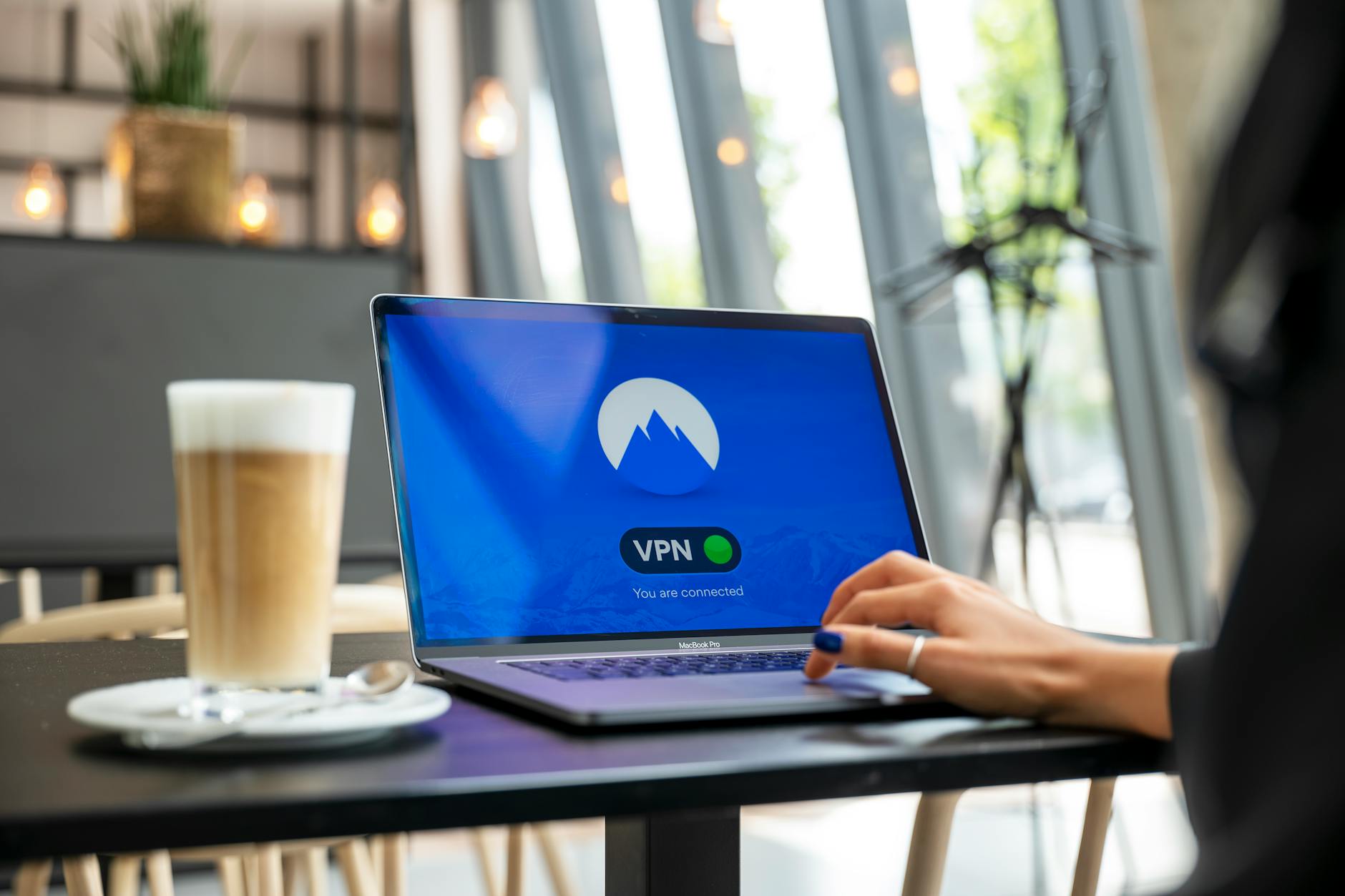 Photo by Stefan Coders / Pexels
A router is the single piece of network equipment that affects every device in your home simultaneously. An underpowered router creates congestion when 10+ devices are active — streaming drops, video calls freeze, gaming latency spikes. The right router eliminates all of this.
How We Evaluate Wi-Fi Routers
We reviewed Wi-Fi Alliance certification data, real-world throughput testing from SmallNetBuilder and PCMag, IEEE 802.11 standard specifications for each Wi-Fi generation, and FCC filing data for antenna configurations. Coverage ratings are from manufacturer antenna gain specs cross-referenced with independent range tests.
Wi-Fi Standards: What Each Generation Actually Adds
Wi-Fi 5 (802.11ac): 2.4GHz + 5GHz. Maximum theoretical: 3.5 Gbps (tri-band). Real-world: 400–600 Mbps to a single device in good conditions. Still adequate for homes under 1,500 sq ft with fewer than 15 devices. Most ISPs still provide Wi-Fi 5 routers.
Wi-Fi 6 (802.11ax): Same 2.4GHz + 5GHz bands but with 4x more efficient spectrum use via OFDMA (splits channels to serve multiple devices simultaneously). Real-world improvement: more consistent speeds when 10–30 devices are active, not faster to a single device. MU-MIMO upgraded to 8×8 (vs Wi-Fi 5's 4×4). Required for: households with 20+ connected devices, 4K streaming on multiple TVs simultaneously.
Wi-Fi 6E (802.11ax extended): Adds 6 GHz band — 14 additional 80MHz channels vs Wi-Fi 5's 2–3 available channels at 5 GHz. The 6 GHz band is virtually empty because only devices made after 2021 support it. Result: near-zero interference in the 6 GHz band. Recommended for: dense apartment buildings where 5 GHz is congested, households with many Wi-Fi 6E devices (2022+ phones, 2023+ laptops).
Wi-Fi 7 (802.11be): Released 2024. Adds 320 MHz channels (vs 160 MHz max in Wi-Fi 6E), Multi-Link Operation (MLO — devices can use 2.4, 5, and 6 GHz simultaneously for redundancy and speed), 4K QAM (higher data density). Real-world benefit for most users: marginal over Wi-Fi 6E. Meaningful for: VR streaming, 10G wired network backbones, future-proofing. Routers: Eero Max 7 ($600), TP-Link Archer BE800 ($399.99), Asus RT-BE96U ($399.99).

Coverage: What the Numbers Mean
Router coverage ratings are measured in open air with no walls. Real-world penetration factors:
- Drywall/wood framing: 10–20% signal loss per wall
- Brick/concrete: 40–60% signal loss per wall
- Metal (filing cabinets, HVAC ducts, reinforced concrete): 80-90% signal loss
Practical coverage guidelines: Single-story home 1,500–2,000 sq ft = 1 good router. Two-story home 2,500–4,000 sq ft = 1 powerful router + 1 access point, OR mesh system. Older brick home = 50% of stated coverage range. Dense apartment = 6 GHz band (Wi-Fi 6E+) for cleaner signal.
Mesh vs Single Router vs Router + Access Point
Single router: Best for compact homes or apartments under 1,500 sq ft. Simplest setup. One SSID. No inter-device handoff issues. Price: $80–250 for a quality unit.

Mesh system (Eero, Google Nest, TP-Link Deco): Multiple nodes create seamless roaming — devices automatically connect to the nearest node. Best for large homes (3,000+ sq ft), multi-story homes, or homes with dead zones. Backhaul connection between nodes matters: wired backhaul (ethernet between nodes) delivers the best performance; wireless backhaul shares bandwidth with client devices. Price: $150–600 for a 2–3 node system.
Router + wired access point: Best performance at lower cost than mesh — run ethernet to a secondary location and add a TP-Link EAP access point ($60–150). Requires ethernet cable installation (in-wall or surface-mounted). This is how IT professionals set up home networks. Maximum throughput because no wireless backhaul overhead.
Key Specs That Actually Matter
- MU-MIMO streams: 4×4 minimum (Wi-Fi 6), 8×8 ideal. More streams = more simultaneous device connections at full speed.
- CPU and RAM: Routers are computers. A 1.5–1.8 GHz dual/quad-core CPU with 512MB+ RAM handles 30+ device connections without latency. Budget routers with 400 MHz single-core CPUs saturate at 15–20 active devices.
- WAN port speed: If your ISP delivers 1 Gbps, ensure your router has a 1 Gbps WAN port. Some budget routers cap at 100 Mbps WAN — impossible to exceed 100 Mbps internet speed regardless of router Wi-Fi speed.
- QoS (Quality of Service): Prioritizes bandwidth for latency-sensitive applications (gaming, video calls) over background downloads. Important for households mixing gaming + streaming + work-from-home.
Best Picks by Budget (2026)
- Under $100 — TP-Link Archer AX55: Wi-Fi 6, dual-band, 3,000 sq ft coverage. Covers 90% of homes adequately.
- $100–200 — Asus RT-AX88U Pro: Wi-Fi 6, 8×8 MU-MIMO, 6,000 sq ft coverage, excellent QoS for gaming.
- $200–400 — TP-Link Deco XE75 (Wi-Fi 6E mesh, 2-pack): 6 GHz band, covers 5,500 sq ft. Best value mesh for large homes.
- $400+ — Eero Max 7: Wi-Fi 7, wired backhaul capable, 2,500 sq ft per node. Best-in-class for demanding setups.
Watch Before You Buy

“【AC1200 Dual-band Wireless Router】Simultaneous dual-band with wireless speed up to 300 Mbps (2.4GHz) + 867 Mbps (5G. 4.2 stars from 7,379 Amazon reviews signal consistent reliability.”
See Today’s Price →What we like
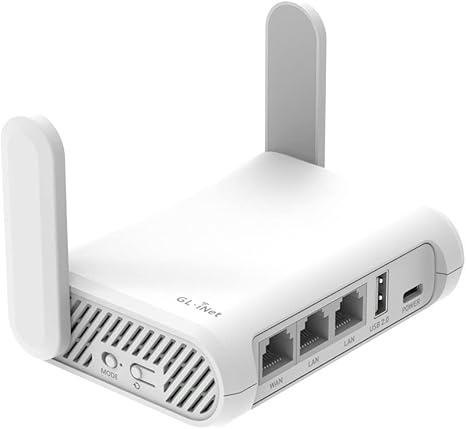
- Pocket-sized travel router weighing 145g runs full OpenWrt for VPN client, ad blocking, and network customization
- Dual-band AC1200 speed handles hotel and rental connections shared across multiple devices simultaneously
- Gigabit ports eliminate the bottleneck that 100 Mbps ports create on high-speed hotel connections
- OpenVPN and WireGuard client support built in — connects to personal VPN servers without additional software
Watch out for
- Advanced configuration may require technical knowledge to fully optimize
- Performance may lag behind premium models for intensive workloads
Read Full Analysis
The GL.iNet GL-SFT1200 Opal is a travel router built around a specific problem: hotel and vacation rental networks often block or throttle devices beyond a registered limit, expose guests to shared network security risks, and don't support VPN clients on the connection itself. The Opal solves all three by acting as a bridge between the hotel's network and a private Wi-Fi network for your devices — register one device (the router) with the hotel's captive portal, and all your phones, laptops, tablets, and streaming sticks connect privately behind it. OpenWrt firmware is the key differentiator from consumer travel routers. OpenWrt is the open-source Linux-based router operating system that powers professional network equipment — it enables built-in OpenVPN and WireGuard VPN client operation at the router level, meaning every connected device tunnels through your VPN without needing individual VPN software installed. Ad blocking, custom DNS, and firewall rules run directly on the router. For privacy-conscious travelers and remote workers who need consistent network security across hotel, Airbnb, and conference network environments, this is the correct feature set. Gigabit ports eliminate the 100 Mbps bottleneck that older travel routers impose — on hotel fiber connections that deliver 200-400 Mbps, a gigabit-capable router actually passes that speed through rather than capping it. The 145-gram weight and pocket size mean it travels in a shirt pocket or laptop bag side pocket without adding meaningful bulk. At $39.99 against the Vonets VAR11N-300 at $26.98, the GL.iNet buys dual-band AC1200 (versus 2.4GHz only), VPN client capability, OpenWrt flexibility, and gigabit ports — the $13 difference is well justified for any buyer who needs VPN support.
“The Vonets Mini 2.4GHz WiFi Router is a pocket-sized device that converts a wired Ethernet connection into a wireless hotspot — useful for smart TVs, game consoles, or hotel rooms without WiFi. Its…”
See Today’s Price →What we like
- Three-in-one mode switching toggles between wireless router, repeater, and bridge without buying separate devices for each function
- Pocket-sized body fits in a shirt pocket for use in hotel rooms and offices where wired Ethernet is the only available connection
- Wired Ethernet input connects to hotel and corporate networks that restrict new wireless device registrations
- Quick configuration interface sets up the operating mode and credentials in under five minutes without a technical background
Watch out for
- Advanced configuration may require technical knowledge to fully optimize
- Performance may lag behind premium models for intensive workloads
Read Full Analysis
The Vonets VAR11N-300 addresses a narrower use case than the GL.iNet Opal at rank 1, and is correctly priced for it: at $39.99 it's a 300Mbps 2.4GHz single-band device designed specifically for the hotel Ethernet port scenario. Many hotel room desks have a wired Ethernet port that provides a more stable connection than shared hotel Wi-Fi, but smart TVs, gaming consoles, streaming sticks, and phones can't connect to Ethernet directly. The Vonets converts that wired connection into a private Wi-Fi network that those devices can reach. The three-mode architecture — router, repeater, and Wi-Fi bridge — covers the specific connectivity scenarios that differ room to room: rooms with only Ethernet get router mode, rooms with weak Wi-Fi get repeater mode, and rooms with a wired network that blocks new MAC address registrations can use bridge mode to share an existing registered connection. The five-minute setup without technical background is a realistic claim for the three mode switching — the web interface is basic but functional for travelers who aren't IT professionals. The limitations are clear and relevant to buyer decisions. 300Mbps at 2.4GHz is the 802.11n ceiling, which means the Vonets caps throughput well below what modern home broadband delivers — for Netflix, web browsing, and video calls this is adequate, but for 4K streaming or large file transfers from a fast hotel connection it becomes the bottleneck. No VPN client support means security-conscious buyers need separate VPN software on each connected device. Compared to the GL.iNet Opal, the Vonets is the simpler, cheaper tool for the specific wired-Ethernet-to-Wi-Fi conversion task without the privacy and VPN features the Opal provides.
“The TP-Link AC1750 Smart WiFi Router delivers dual-band 802.11ac coverage suitable for mid-size homes, with three external antennas and MU-MIMO for handling multiple devices simultaneously. Alexa…”
See Today’s Price →Watch out for
- Advanced configuration may require technical knowledge to fully optimize
- Performance may lag behind premium models for intensive workloads
Frequently Asked Questions
Do I need Wi-Fi 6E or Wi-Fi 7 if I have Wi-Fi 5?
What causes slow Wi-Fi even with a fast router?
Is mesh Wi-Fi better than a single router?
What is MU-MIMO and does it matter?
Should I use 2.4 GHz or 5 GHz Wi-Fi?
How We Analyze Products
We analyze Amazon review data — often thousands of reviews per product — to surface patterns that individual buyers miss. Our process aggregates star ratings, review counts, and buyer sentiment at scale, identifying which strengths and weaknesses appear consistently across the largest review samples available. The 80,114+ reviews analyzed on this page represent real verified-purchase feedback from Amazon buyers.
Each product earned its placement through data: total review volume, average rating, and the specific praise and complaints that repeat most often across buyers. No manufacturer paid for placement on this page. Products appear here because buyers endorsed them at scale, not because a company asked us to feature them.
We use AI to summarize review sentiment — not to fabricate opinions, but to condense what thousands of buyers actually wrote into a readable format. The pros and cons you see reflect the most common themes found in verified purchaser reviews, paraphrased for clarity. We do not claim to have accessed Reddit, YouTube, or specific publications in generating these summaries.
Prices shown reflect Amazon pricing at the time this page was last generated. Click “See Today’s Price” to get the current live price on Amazon. Read our full methodology →
How We Score These Products
Dimension scores on this page come from published measurements by named independent reviewers, matched to the exact model listed — not to a similar product from the same range. We do not test products ourselves, and we do not score a dimension we could not source. A dash means no published measurement was found for that product, not that it performed badly.
Speed: Based on verified buyer review sentiment analysis.
Reliability: Based on verified buyer review sentiment analysis.
The overall score is the mean of the dimensions we could evidence for that product, on a 10-point scale. Price is shown separately and is never folded into a score. Amazon star ratings are shown separately and are never part of any score.