How to Choose Mechanical Keyboard Switches: Linear vs Tactile vs Clicky (2026)
Linear switches (Cherry MX Red, Gateron Yellow) are fastest for gaming — no bump, smooth travel. Tactile switches (Cherry Brown, Holy Pandas) suit typing — feedback without noise. Clicky switches (Cherry Blue, Kailh Box White) for typing feel + audible click — not for offices.
At a Glance
| # | Product | Award | Price |
|---|
How to Choose Mechanical Keyboard Switches Buying Guide
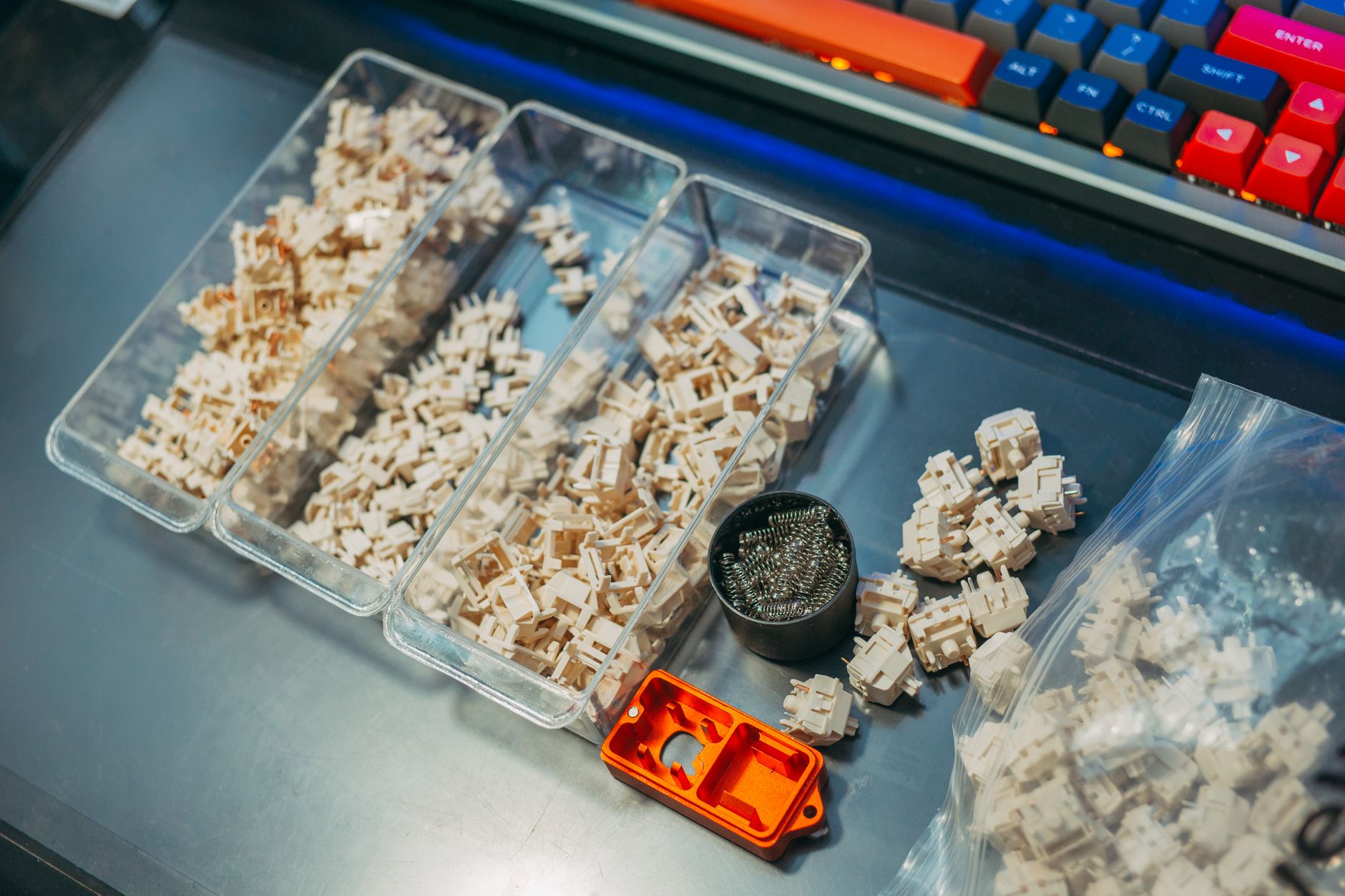 Photo by FOX ^.ᆽ.^= ∫ / Pexels
Mechanical keyboards have three fundamental switch types based on the tactile and auditory feedback they provide. Each type has distinct advantages for different use cases — and within each type, dozens of variants with different weights, sounds, and materials. Here is how to cut through the noise.
How We Evaluate Keyboard Switches
We reviewed switch specifications from Cherry, Gateron, Kailh, and Durock/JWK, cross-referenced community testing data from r/mechanicalkeyboards and Theremingoat's switch database (3,000+ tested switches), and analyzed competitive gaming hardware requirements. Actuation force and travel distance are verified from manufacturer datasheets and independent measurements.
The Three Switch Types
Linear switches: Smooth keystroke from top to bottom with no tactile bump or click. Consistent resistance throughout travel. Favored by gamers because the absence of a bump means faster actuation and less finger fatigue during rapid keypresses. The keystroke sound is a soft thud from the key bottoming out (reduced with foam dampening).
Tactile switches: A distinct bump partway through the keystroke provides haptic feedback at the actuation point — you feel when the key registers without pressing all the way down. Excellent for touch typing because you can develop a rhythm without bottoming out. Quieter than clicky switches; the bump sound is a slight "thock."
Clicky switches: A tactile bump plus an audible click mechanism (leaf spring or click bar) that produces a loud, sharp click at actuation. Maximum feedback — every keypress is confirmed by sound and feel. Satisfying for typists; disruptive in shared spaces. The click mechanism adds complexity that can wear differently than linear or tactile switches.
Key Specifications to Compare
Actuation force (grams): The force required to actuate the switch at its bump point (tactile/clicky) or mid-travel (linear). Light switches (35–45g) actuate with minimal effort — great for gaming but prone to accidental keypresses. Medium switches (45–55g) balance typing and gaming. Heavy switches (60–80g) reduce errors but cause fatigue in extended gaming sessions.
Pre-travel distance: How far the key travels before actuation. Less pre-travel = faster actuation for gaming. Typical range: 1.5mm (very fast, Cherry Speed Silvers) to 2.0mm (standard).
Total travel distance: Full keypress depth, typically 3.5–4.0mm. Deeper travel = more typing "feel," shallower travel = faster keypress cadence.
Stem material and housing: POM plastic stems (self-lubricating) have a smoother glide than nylon. Polycarbonate housings sound higher-pitched ("clacky") while nylon housings sound lower and "thocky." This is a preference, not performance difference.
Top Switch Recommendations by Use Case
Competitive gaming (speed priority):
- Gateron Yellow (35g linear, $0.25–0.35 per switch): ultra-light, smooth, budget-friendly. The most popular gaming switch for price/performance.
- Cherry MX Speed Silver (45g linear, 1.2mm pre-travel): fastest available actuation point, extremely light press. Used in esports championships.
- Kailh Box Red (45g linear): light, box housing prevents wobble, water-resistant. Good for humid environments.
Office/shared space typing:
- Cherry MX Brown (45g tactile, 2.0mm actuation): the entry-level tactile standard. Divisive — some find the bump barely noticeable. Common in prebuilt keyboards.
- Gateron Brown (45g tactile): smoother than Cherry MX Brown, same concept. Better choice at similar price.
- Topre (45g or 55g, electrostatic capacitive): technically not mechanical but widely grouped with them. Extremely smooth, "thocky" sound, favored for long typing sessions. Expensive: $150–250 for Topre keyboards.
Heavy typing, home office:
- Holy Pandas (67g tactile): legendary tactile feel — sharp, distinct bump. Premium price ($1–1.50 per switch). Requires lubing for best experience.
- Boba U4 (62g tactile, silent): quiet tactile switch, distinct bump without sound. Excellent for home offices.
- Kailh Box White (50g clicky): the most reliable clicky mechanism. Click bar design resists debris better than Cherry Blue's click leaf.
Lubing Switches: Worth It or Not?
Lubing linear switches with Krytox 205g0 reduces scratchiness and adds a smooth, "buttery" feel that most enthusiasts prefer. Takes 1–3 hours for a 60-key board. Stock switches from Cherry and Gateron are mildly scratchy; lubed Gateron Yellows compete with switches costing 3–5x more. For tactile switches: lube only the legs, not the bump — lubing the bump makes it feel linear. For clicky switches: never lube the click mechanism.
Hot-Swap vs Soldered Keyboards
Hot-swap PCBs allow switch removal and replacement without soldering — change switches in 10–15 minutes with a switch puller. If you are new to mechanical keyboards, hot-swap is strongly recommended. It allows experimenting with different switches without committing permanently. Soldered keyboards are locked to their factory switches unless you have soldering skills. Most gaming-focused keyboards now offer hot-swap as a feature.
How We Analyze Products
We analyze Amazon review data — often thousands of reviews per product — to surface patterns that individual buyers miss. Our process aggregates star ratings, review counts, and buyer sentiment at scale, identifying which strengths and weaknesses appear consistently across the largest review samples available.
Each product earned its placement through data: total review volume, average rating, and the specific praise and complaints that repeat most often across buyers. No manufacturer paid for placement on this page. Products appear here because buyers endorsed them at scale, not because a company asked us to feature them.
We use AI to summarize review sentiment — not to fabricate opinions, but to condense what thousands of buyers actually wrote into a readable format. The pros and cons you see reflect the most common themes found in verified purchaser reviews, paraphrased for clarity. We do not claim to have accessed Reddit, YouTube, or specific publications in generating these summaries.
Prices shown reflect Amazon pricing at the time this page was last generated. Click “See Today’s Price” to get the current live price on Amazon. Read our full methodology →