How to Set Up a Smart Home: Beginner Guide (2026)
Start with smart bulbs (Philips Hue, $14-50/bulb) and a smart plug for the room you use most. Choose your ecosystem first: Amazon Alexa, Google Home, or Apple HomeKit — then add a smart speaker (Echo Dot, $49.99) or display (Nest Hub, $154.99) as your control center. Smart thermostat is the highest-ROI upgrade after the basics.
At a Glance
| # | Product | Award | Price | WiFi Standard | Speed | Coverage |
|---|---|---|---|---|---|---|
| 1 |  Google Nest Thermostat - Smart Th… Google Nest Thermostat - Smart Th…Google Nest |
Best Smart Thermostat | $129.99 Buy → |
— | — | — |
| 2 | Best Premium Thermostat | $229.99 Buy → |
— | — | — | |
| 3 |  Google Nest Hub 7" Smart Display … Google Nest Hub 7" Smart Display …Google Nest |
Best Smart Display | $249.99 Buy → |
— | — | — |
| 4 | Best Mesh Router for Smart Home | $169.99 Buy → |
— | — | — |
How to Set Up a Smart Home Buying Guide
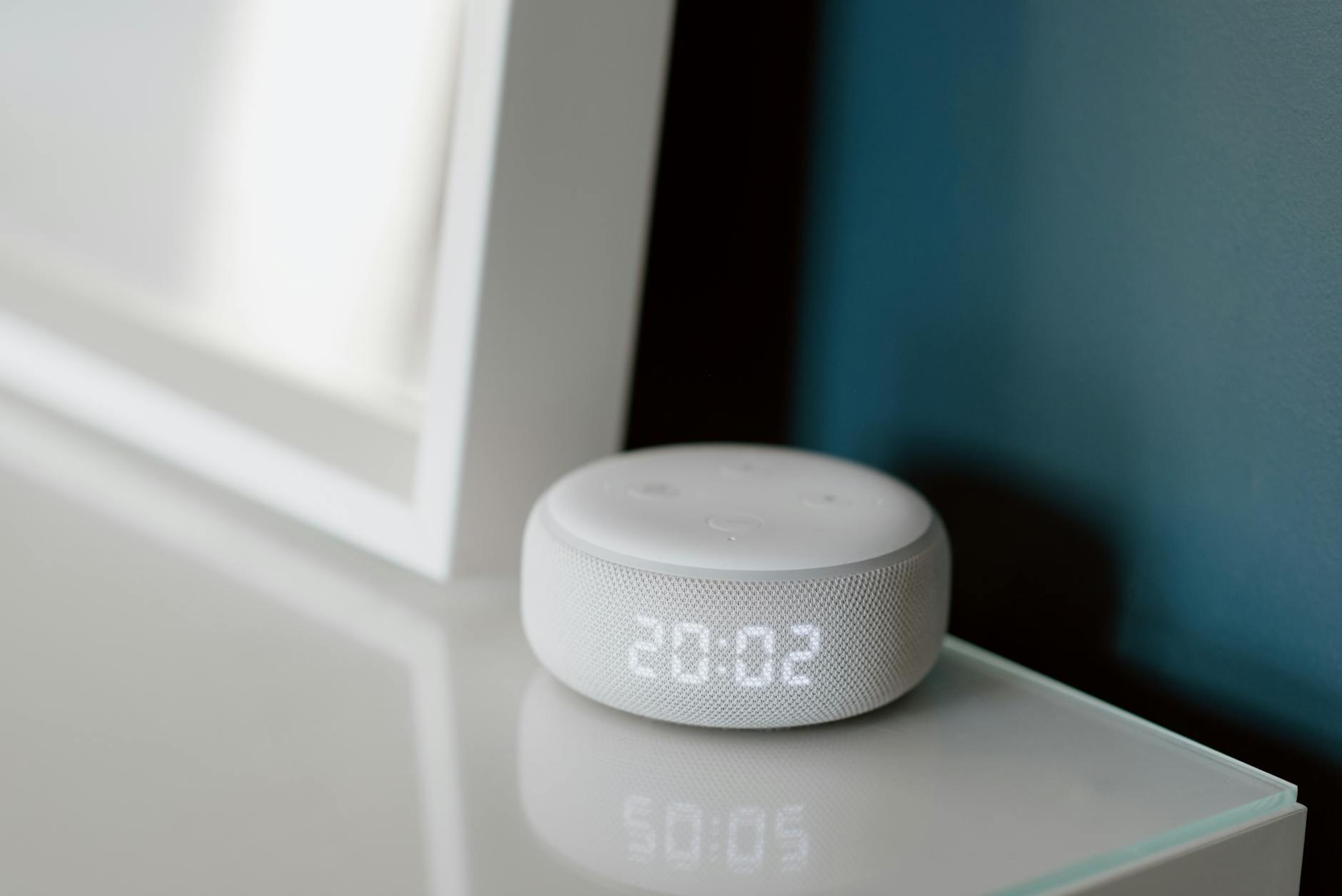 Photo by Anete Lusina / Pexels
A smart home in 2026 doesn't require a hub, a complicated app ecosystem, or rewiring anything. The fastest path to a functional smart home is starting with three categories that work immediately out of the box: smart bulbs, smart plugs, and a smart speaker or display. Everything else — locks, thermostats, cameras, sensors — layers on top of that foundation. This guide is for someone starting from zero.
Step 1: Choose Your Ecosystem First
The most important decision in smart home setup isn't which device to buy first — it's which voice assistant and app ecosystem to standardize on. The three main options are Amazon Alexa, Google Home, and Apple HomeKit. Amazon Alexa has the largest compatible device catalog and the widest range of budget options — most entry-level smart home devices support Alexa first. Google Home integrates tightly with Android phones, Google Calendar, and YouTube, and has strong smart display support. Apple HomeKit is the most privacy-focused and most restrictive — fewer compatible devices, but tight integration with iPhones, iPads, and Macs through the Home app. Matter (the new smart home standard backed by Apple, Google, Amazon, and Samsung) now allows many modern devices to work across all four ecosystems simultaneously, reducing ecosystem lock-in going forward. If you're on Android, start with Google Home. On iPhone, start with HomeKit or use Matter-compatible devices that work with both. If you already have Alexa devices (Echo, Fire TV), stay in the Amazon ecosystem for device compatibility.
Step 2: Start with Smart Bulbs or Smart Plugs
Smart bulbs and smart plugs are the easiest entry points — they require no wiring, work on Wi-Fi or Zigbee, and provide immediate value. Smart bulbs replace standard bulbs and add scheduling, dimming, and color control. Philips Hue ($14.99-49.99 per bulb) is the premium option — Zigbee protocol, fast response, and the most polished app experience. Govee and LIFX offer Wi-Fi-based bulbs at lower prices that work reasonably well for most users. Smart plugs convert any existing lamp or appliance into a smart device — plug it in, connect to your Wi-Fi, and it's controllable from your phone or voice. Amazon Smart Plug ($24.99) and Kasa EP25 ($15-20) are reliable options that work with Alexa and Google Home respectively. Start here: replace 2-3 lamps you use every day with smart bulbs, or add a smart plug to your living room lamp and a bedroom lamp. The immediate utility of "goodnight" routines that turn everything off with one command is the hook that gets most people invested in expanding their smart home.
Step 3: Add a Smart Speaker or Display
A smart speaker or display is the control center for voice commands and the hub for routines. Amazon Echo Dot ($49.99) is the most affordable voice assistant with decent audio. Amazon Echo Show 8 ($149.99) or Google Nest Hub (2nd Gen, $249.99) add a screen — useful for video calls, recipe display, and smart home control panels. The Google Nest Hub has a presence sensor that can detect when you're in the room and adjust display brightness automatically. For kitchen use specifically, a display is substantially more useful than a speaker-only device. For living rooms where you want music primarily, a speaker (Echo Dot, Google Nest Mini) is fine. Place the device in the room you use most — voice commands work best when the speaker is in the same room as you.
Step 4: Add Smart Sensors and Thermostats
Once the basics are working, sensors and thermostats provide the most automation value. A smart thermostat like the Google Nest Thermostat ($89.99) or ecobee Smart Thermostat Premium ($229.99) can reduce heating and cooling costs by 10-23% according to manufacturer studies — meaningful savings over a year. Smart thermostats learn your schedule or use occupancy sensing to automatically adjust temperature when you're away. Motion sensors and door/window sensors enable automations: "When I open the front door, turn on the living room lights." This is where smart home becomes genuinely useful rather than just novelty — automations that run without you thinking about them. The Ring Alarm system integrates sensors with security monitoring; SimpliSafe offers a similar all-in-one approach for those who want security alongside smart home features.

Step 5: Routers and Wi-Fi Infrastructure
A smart home with 15-30 connected devices puts meaningful load on a basic router. Most ISP-provided routers handle 15-20 simultaneous connections fine; above that, network congestion can cause delayed responses and dropouts. If you're adding 10+ smart home devices, upgrading to a mesh Wi-Fi system like the Amazon eero 7 ($169.99) or eero 6+ ($169.99) improves reliability for smart home networks significantly. Mesh systems extend Wi-Fi coverage throughout the home, ensuring wall switches and sensors in distant rooms stay connected reliably.
Common Beginner Mistakes
Don't mix ecosystems without Matter support — a Zigbee Philips Hue bridge doesn't communicate directly with Alexa without a bridge or app. Don't buy a hub first — modern smart bulbs and plugs work directly on Wi-Fi, eliminating the need for separate Zigbee or Z-Wave hubs. Don't automate too fast — set up two or three devices and learn what you'll actually use before buying ten more. Don't overlook Wi-Fi dead zones — smart home devices in garages, basements, and distant bedrooms need reliable Wi-Fi to function; a mesh extender or access point may be needed.
Watch Before You Buy
“Google Nest Thermostat ($120.15) — the most popular smart thermostat. Learns your schedule, presence detection, remote control. Works with Google Home and Alexa.”
See Today’s Price →What we like
- Learning algorithm
- 10-year warranty
- Farsight display
- remote sensor compatible
- works with Alexa Google
Watch out for
- Entry Nest model — no color display or premium Farsight feature on budget version
- Learning requires consistent schedule to work well
- No built-in sensor for remote rooms
Read Full Analysis
The Google Nest Thermostat at $89.99 is the most accessible smart thermostat entry point on this beginner guide. Google's learning algorithm studies your heating and cooling patterns over the first week and builds a schedule automatically — no manual programming required. Remote control via the Google Home app works reliably for travel or unexpected schedule changes, and it pairs with both Google Assistant and Alexa. Energy History in the app shows usage breakdowns so beginners can see their savings in concrete terms. The main limitation of this entry model is what it lacks compared to the higher-end Learning Thermostat: no Farsight proximity display that brightens when you approach, and a simpler touchpad rather than a full color screen. The standard 2-year warranty is typical for smart home hardware. Older homes without a common wire (C-wire) will need Google's free Nest Power Connector — it works, but adds a step to installation that can surprise first-timers. Against the ecobee Smart Thermostat Premium ($229.99) on this page, the Nest Thermostat gives up the built-in Alexa speaker, air quality sensor, humidity sensor, and SmartSensor room occupancy detector. For a beginner who primarily wants app-based schedule control and occasional remote adjustments, the Nest Thermostat delivers the essential smart thermostat experience at less than half the ecobee's price.

“ecobee Smart Thermostat Premium ($249) — includes remote sensors for room-by-room temperature tracking and built-in Alexa. Best for larger homes.”
See Today’s Price →What we like
- Built-in Alexa
- color touchscreen
- humidity sensor
- geofencing
- Alexa and Google and HomeKit
- SmartSensor
Watch out for
- Most expensive smart thermostat option
- App can be complex for non-technical users
- Alexa integration can conflict with separate Alexa devices
Read Full Analysis
The ecobee Smart Thermostat Premium at $229.99 is the most hardware-complete option on this smart home beginner guide — it packs a built-in Alexa speaker, air quality monitor, humidity sensor, and SmartSensor (a separate room occupancy sensor in the box) into one device. The color touchscreen is sharp and well-organized. Platform breadth stands out: it's one of the few thermostats that works natively with Alexa, Google Assistant, and Apple HomeKit, so it won't become obsolete if your ecosystem preferences shift. At over 2.5x the Nest Thermostat's price, the ecobee Premium asks for meaningful commitment from a beginner. The built-in Alexa speaker can create confusion if you already have Echo devices in the same room — they compete to answer commands. Installation for homes without a C-wire requires an add-a-wire kit. The feature depth is an asset long-term but adds initial setup complexity through the ecobee app. Against the Google Nest Thermostat ($229.99) on this page, ecobee's hardware additions — the room sensor, Alexa speaker, and air quality monitoring — make it genuinely more capable for a complete smart home setup, not just a fancier-looking thermostat. Beginners planning to expand into a full smart home with multiple device types will get more long-term value from ecobee's multi-platform compatibility.
“Google Nest Hub 2nd Gen ($154.99) — 7" smart display with presence sensing, Google Home control hub, and recipe/video display. Best for kitchen countertop use.”
See Today’s Price →What we like
- 7-inch touchscreen for visual responses and recipes
- Sleep tracking with Soli radar sensor
- Google Photos digital frame mode
- Google Assistant with screen support
Watch out for
- No camera for video calls
- Cannot run third-party Android apps
- Requires outlet — not portable
Read Full Analysis
The Google Nest Hub 2nd Gen at $249.99 functions as the visual command center of a Google Home smart home setup. Its 7-inch touchscreen displays device status, plays YouTube and Spotify, and responds to Google Assistant voice commands for controlling lights, locks, thermostats, and cameras — all from one screen. The standout hardware feature is the Soli radar chip, which tracks sleep patterns without a camera through subtle motion detection, logging the data in the Google Health app each morning. The deliberate omission of a camera keeps the bedroom placement private but blocks video calling — users who want Google Meet or Duo will need the larger Nest Hub Max. The Nest Hub runs on Google's cast-based OS, not Android, so it can't install apps beyond what Google supports natively. Plugged in at all times, it doesn't travel easily, and users outside the Google ecosystem will find Alexa Echo Shows or Apple HomePods more natural starting points. Where the ecobee Smart Thermostat Premium ($229.99) specializes in climate intelligence and the eero 7 ($169.99) handles network infrastructure, the Nest Hub 2nd Gen is the interaction layer — the screen where beginners can see and control everything that's happening in their smart home without opening a phone app. For Google Home users, it's a natural hub that ties the whole beginner setup together.

“Amazon eero 7 ($169.99) — Wi-Fi 7 mesh router handles 20+ smart home devices reliably. Integrates with Alexa for network management voice commands.”
See Today’s Price →What we like
- Wi-Fi 7 supports next-gen devices with 320MHz channel widths in 6GHz band
- Mesh-ready system extends coverage to 2,000+ sq ft per node
- TrueMesh routing dynamically picks the fastest path to each device
- Eero Plus subscription unlocks parental controls and ad blocking (sold separately)
Watch out for
- Requires eero app and Amazon account — no traditional web admin interface
- Advanced features like port forwarding require eero Secure subscription
- Single unit insufficient for homes over 2,500 sq ft — second unit needed
Read Full Analysis
The Amazon eero 7 at $169.99 earns a spot on this smart home beginner guide not as a control device but as the foundational infrastructure — it's a Thread border router, meaning it provides the low-power mesh network that Matter-compatible smart home devices (locks, sensors, bulbs, switches) use to communicate with each other and the internet. For beginners building with newer smart home gear in 2025 and 2026, an eero 7 as the home router means devices from different brands — Philips Hue, Schlage, Eve, and more — can all talk through a single reliable backbone. Alexa routines work natively through eero. As a standalone unit, the eero 7 covers roughly 2,000 sq ft — enough for apartments and smaller homes, but beginners in larger spaces may not initially realize that whole-home coverage requires additional eero nodes. It has no display or voice interface; unlike the Nest Hub or ecobee, you interact with it only through the eero app. The $169.99 price covers only the networking function, which can feel abstract to beginners compared to devices with visible screens and interactions. Compared to the Google Nest Hub 2nd Gen ($249.99) on this page, the eero 7 operates invisibly in the background rather than as an interactive device. The two are complementary rather than competitive: the eero 7 provides the Thread and Matter network foundation that modern smart home devices rely on, while the Nest Hub provides the screen-based interface for controlling them. Beginners who buy both get a complete infrastructure-plus-control setup.
Frequently Asked Questions
What smart home ecosystem should I choose as a beginner?
Do I need a smart home hub?
What is Matter and does it matter for smart home setup?
How many smart home devices can my router handle?
Is a smart thermostat worth it?
What should I buy first for a smart home?
How We Analyze Products
We analyze Amazon review data — often thousands of reviews per product — to surface patterns that individual buyers miss. Our process aggregates star ratings, review counts, and buyer sentiment at scale, identifying which strengths and weaknesses appear consistently across the largest review samples available. The 36,847+ reviews analyzed on this page represent real verified-purchase feedback from Amazon buyers.
Each product earned its placement through data: total review volume, average rating, and the specific praise and complaints that repeat most often across buyers. No manufacturer paid for placement on this page. Products appear here because buyers endorsed them at scale, not because a company asked us to feature them.
We use AI to summarize review sentiment — not to fabricate opinions, but to condense what thousands of buyers actually wrote into a readable format. The pros and cons you see reflect the most common themes found in verified purchaser reviews, paraphrased for clarity. We do not claim to have accessed Reddit, YouTube, or specific publications in generating these summaries.
Prices shown reflect Amazon pricing at the time this page was last generated. Click “See Today’s Price” to get the current live price on Amazon. Read our full methodology →