Logitech vs Razer Gaming Mouse (2026): Which Brand Wins?

Logitech wins overall: the G502 X ($59.99) offers the best sensor, ergonomics, and button customization in this price range. Choose Razer if you prioritize ultralight form factor — the DeathAdder V3 at 59g is one of the lightest gaming mice available.
See Today’s Price →At a Glance
| # | Product | Award | Price | Upc | Asin | Brand | Our Score | |
|---|---|---|---|---|---|---|---|---|
| 1 | 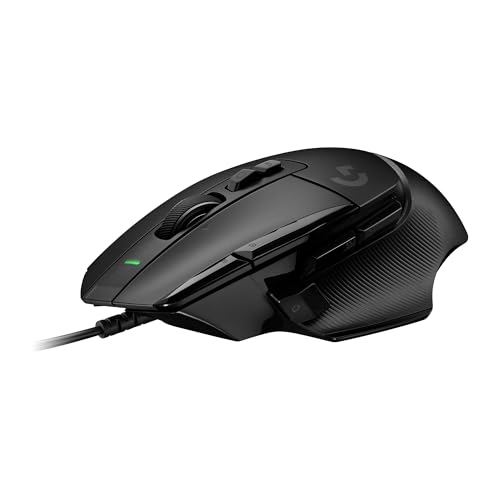 Logitech G502 X Wired Gaming Mouse with… Logitech G502 X Wired Gaming Mouse with… |
Best Overall | $59 | 097855166876 | B0943HXDVM | Logitech G | 9.2 | Buy → |
| 2 | 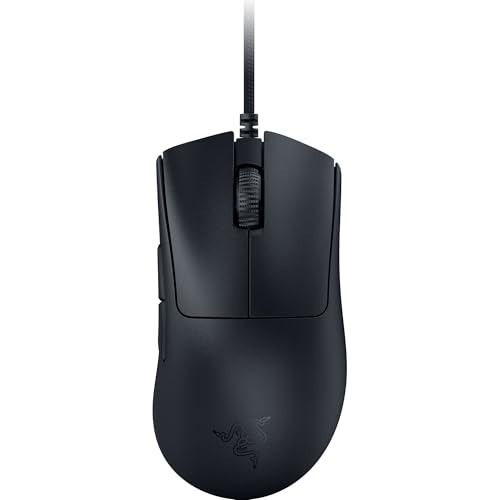 Razer DeathAdder V3 Wired Gaming Mouse … Razer DeathAdder V3 Wired Gaming Mouse … |
Best Ultralight | $43 | 840272903018 | B0B6XTDJS1 | Razer | 8.9 | Buy → |
| 3 | 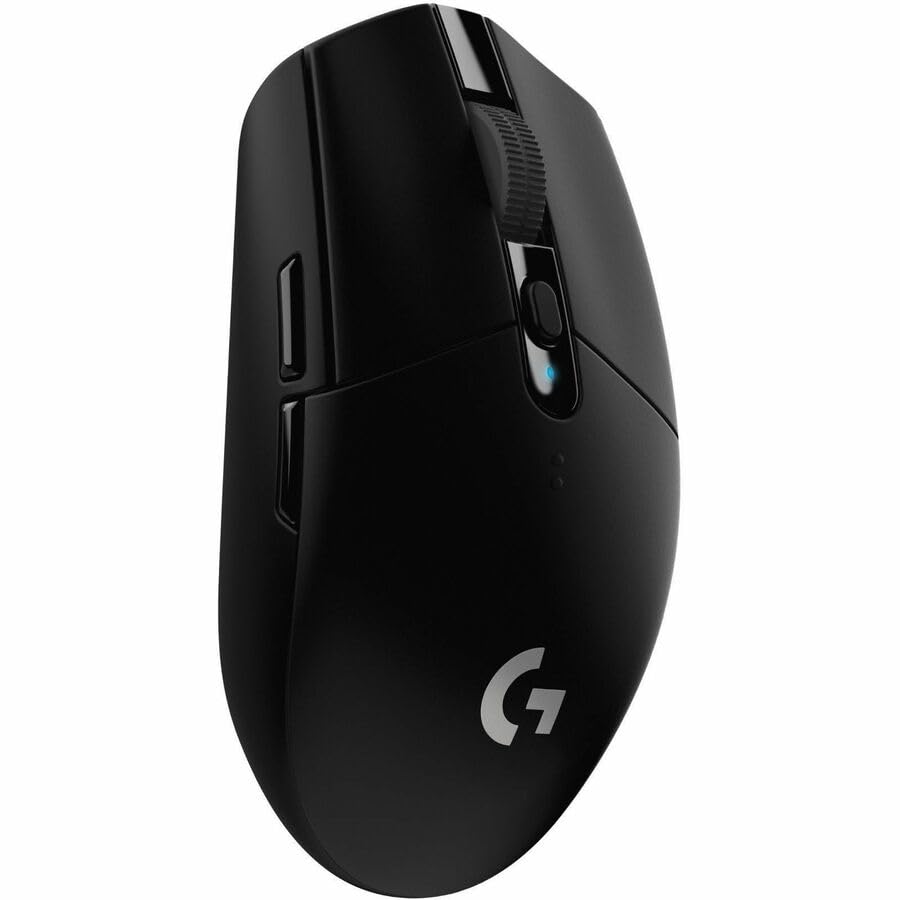 Logitech G305 LIGHTSPEED Wireless Gamin… Logitech G305 LIGHTSPEED Wireless Gamin… |
Best Wireless Value | $39 | 097855137692 | B07CMS5Q6P | Logitech G | 8.5 | Buy → |
| 4 | 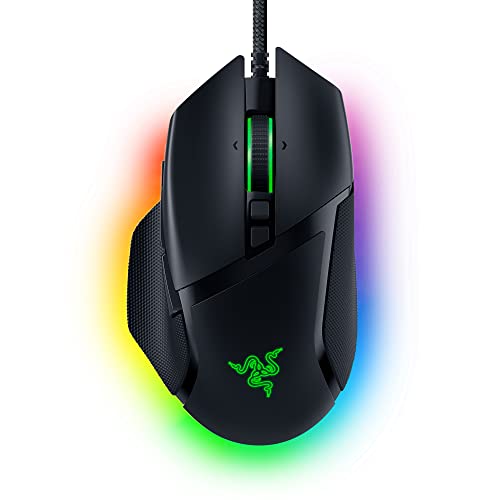 Razer Basilisk V3 Gaming Mouse Razer Basilisk V3 Gaming Mouse |
Best Razer Flagship | $199 | 810056143336 | B09C13PZX7 | Razer | 8.2 | Buy → |
| 5 |  Logitech MX Master 3 Advanced Wireless … Logitech MX Master 3 Advanced Wireless … |
Best for Productivity | $39 | 097855151544 | B07S395RWD | Logitech | 7.8 | Buy → |
| 6 | 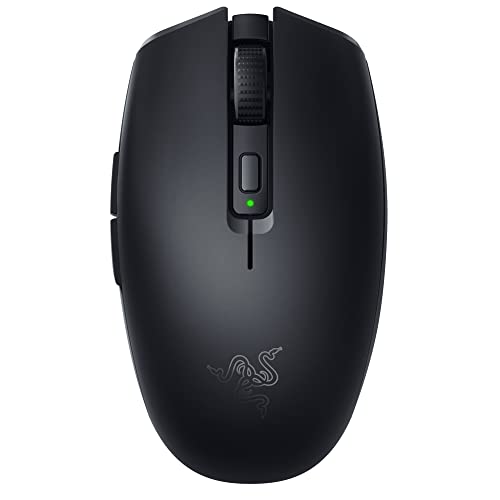 Razer Orochi V2 Mobile Wireless Gaming … Razer Orochi V2 Mobile Wireless Gaming … |
Best Compact Wireless | $27 | 810056141356 | B0916N2LPZ | Razer | 7.5 | Buy → |
| 7 | 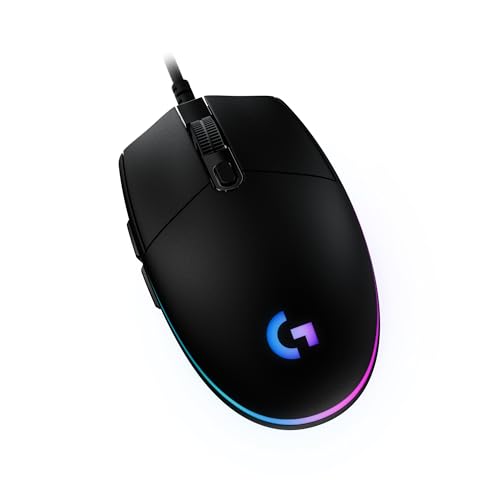 Logitech G203 LIGHTSYNC Gaming Mouse Logitech G203 LIGHTSYNC Gaming Mouse |
Best Budget Pick | $23 | 097855155948 | B07YN82X3B | Logitech G | 7.1 | Buy → |
| 8 | 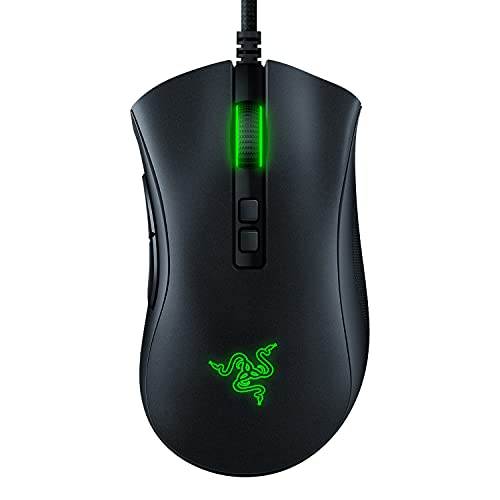 Razer DeathAdder V2 Gaming Mouse Razer DeathAdder V2 Gaming Mouse |
Value Razer Option | $39 | 811659036278 | B082G5SPR5 | Razer | 7.0 | Buy → |
Showing 8 of 8 products
Logitech G502 X Wired Gaming Mouse with HERO 25K Sensor
“Best all-around gaming mouse for its sensor quality, programmable buttons, and competitive pricing. Ideal for FPS and MMO gamers.”
See Today’s Price →What we like
- HERO 25K sensor with no smoothing
- 13 programmable buttons
- Textured grip sides
- Compatible with G HUB software
Watch out for
- 89g is heavier than lightweight mice
- Asymmetric design favors right-handed users
- Wired only
Read Full Analysis
The Logitech G502 X is built for players who want precise, heavy feedback. At around 89g it sits noticeably heavier than the DeathAdder V3 across the hall, and that mass translates into a grounded, controlled feel during long sessions. The HERO 25K sensor reports zero smoothing and near-zero lift-off distance, which matters for low-sensitivity FPS players making large sweeps. Eleven physical buttons give you more macro real estate than any Razer option here, and the adjustable weight system lets you dial in balance front-to-back. On the downside, that weight is a liability for wrist-aiming styles. Razer's DeathAdder V3 runs 20g lighter and your arm will feel it after two hours. The G502 X also ships with a slightly stiffer cable that creates drag unless you add an aftermarket bungee. Battery life in the wireless version exceeds 130 hours per charge — meaningfully better than most Razer wireless mice. If you game 6+ hours daily or compete in tactical shooters where repositioning precision beats raw speed, the G502 X earns its price premium. Casual players or those who prefer flick-heavy play should look at the lighter options on this page instead.

Razer DeathAdder V3 Wired Gaming Mouse - 59g Ultralight
“Best ultralight wired mouse for competitive FPS gaming. The 59g weight and Focus Pro sensor make it a top pick for players who prioritize speed.”
See Today’s Price →What we like
- 59g ultralight design
- Focus Pro 30K optical sensor
- Ergonomic right-hand shape
- Premium optical switches
Watch out for
- Higher price than G502 X
- Only 5 buttons
- Right-hand only ergonomics
Read Full Analysis
The Razer DeathAdder V3 is the lightest mouse on this page at roughly 59g, and that weight advantage shows immediately. The elongated right-hand shell fits large to extra-large hands exceptionally well, and the Focus Pro 30K optical sensor delivers 99.8% tracking accuracy with intelligent asymmetric cut-off that adjusts lift-off based on surface. Razer's Optical Gen-3 switches are rated to 90 million clicks, making durability less of a concern than it used to be with optical actuation. Where it falls short: the minimalist button layout (six buttons total) means fewer bindings than the G502 X, and there is no scroll-wheel resistance adjustment — the wheel feels looser than Logitech's MagSpeed. The DeathAdder V3 also runs wired-only in this base configuration; wireless adds cost. For competitive players who prioritize low mass and ergonomic comfort over feature density, this is the strongest pure-gaming option on the page. Budget-conscious buyers should weigh whether the weight savings over the G305 justify the price jump.

Logitech G305 LIGHTSPEED Wireless Gaming Mouse
“The Logitech G305 is the best-value wireless gaming mouse — LIGHTSPEED 1ms wireless technology at $40 is extraordinary, with a 250-hour battery on one AA.”
See Today’s Price →What we like
- LIGHTSPEED (1ms wireless performance)
- HERO sensor (250+ hour battery on 1 AA)
- 12000 DPI
- Affordable gaming wireless
Watch out for
- Uses AA battery (not USB-C rechargeable)
- Older design
Read Full Analysis
Logitech's G305 makes a compelling case as the value champion in this lineup. At roughly half the price of the G502 X, it delivers HERO 16K sensor performance that is genuinely tournament-legal — multiple esports players have used it at LAN events. Battery life is exceptional: one AA battery runs for up to 250 hours, which means months between changes for average users. The compact, ambidextrous shell is lightweight at about 99g with battery, and LIGHTSPEED wireless runs at 1ms report rate matching wired performance. The trade-offs are real. The sensor tops out at 16K DPI versus 25K on the G502 X, and the click switches use traditional mechanical actuation rather than optical, so longevity is rated lower. The scroll wheel is basic — no MagSpeed, no side-scroll. Build quality feels noticeably more plastic compared to the DeathAdder V3's textured grip surfaces. For players who want wireless freedom and competitive-grade tracking without spending premium prices, the G305 is difficult to beat. Those who game daily for 4+ hours should probably invest in the higher-end options.

Razer Basilisk V3 Gaming Mouse
“The Razer Basilisk V3 is the best gaming mouse with advanced scroll wheel — HyperPrecision 3-mode wheel and Focus+ 26K sensor make it ideal for MMO, RTS, and productivity gaming.”
See Today’s Price →What we like
- HyperPrecision scroll wheel: 3 modes including tilt-click for horizontal scrolling
- Focus+ 26K optical sensor — highest precision in the Razer lineup
- 11 programmable buttons
- Customizable scroll wheel resistance
- Ergonomic right-hand design with prominent thumb grip
Watch out for
- No wireless version at $60 (Basilisk V3 Pro adds wireless at $160)
- Right-handed only
- Heavier at 101g due to scroll wheel mechanism
Read Full Analysis
The Razer Basilisk V3 occupies the middle ground on this page — more features than the DeathAdder V3, more ergonomic than the G502 X. The standout addition is a customizable scroll wheel with HyperScroll technology that lets you toggle between tactile notched scrolling for gaming and free-spin mode for fast document navigation. Eleven programmable buttons match the G502 X, and the 26K DPI Focus+ sensor handles glass and irregular surfaces better than most alternatives here. Where it loses to Logitech: the Basilisk V3 is wired-only in the base model, while the G502 X PLUS and G305 offer wireless. The 101g weight is manageable but not light. Chroma RGB requires Razer Synapse software running in the background, which consumes RAM and occasionally causes connectivity hiccups. For players who do a mix of gaming and productivity work — switching between FPS and spreadsheets — the Basilisk's versatile scroll wheel is genuinely useful. Pure gamers who never scroll documents should look at the lighter, simpler options instead.
Logitech MX Master 3 Advanced Wireless Mouse Ultrafast Scrolling Ergonomic 4000 DPI Graphite
“The Logitech MX Master 3 is the productivity mouse — not a pure ergonomic intervention but the best-designed traditional grip mouse that incorporates ergonomic principles alongside power-user features”
See Today’s Price →What we like
- MagSpeed electromagnetic scroll wheel — ultrafast scrolling through long documents
- 4000 DPI precision sensor works on any surface including glass
- Multi-device: pair and switch between up to 3 devices instantly
- Ergonomic contoured shape for right-hand natural wrist position
Watch out for
- Not a vertical mouse — traditional horizontal grip with ergonomic contouring
- Right-hand only design
- Size targets medium-to-large hands; may be oversized for smaller hands
Read Full Analysis
The Logitech MX Master 3 is the productivity outlier on this page — it was never designed as a gaming mouse, and it shows. The MagSpeed electromagnetic scroll wheel is the best scroll wheel on any mouse at any price, spinning frictionlessly through long documents and snapping into precise notches when needed. Ergonomic sculpting fits medium to large right hands naturally, and seven programmable buttons plus gesture controls make it genuinely useful in creative applications. For gaming it has real shortcomings. The DARKFIELD sensor maxes at 8K DPI and wasn't engineered for 1000Hz polling. Button actuation is noticeably slower than optical switches. It only runs over Bluetooth or a 2.4GHz receiver, and its 145g weight is the heaviest option here. Battery charges via USB-C and lasts 70 days. If you're looking for a dual-purpose mouse — competitive gaming on one hand, eight-hour design/editing sessions on the other — the MX Master 3 handles the productivity side better than anything Razer makes. For gaming-first buyers, look elsewhere on this page.

Razer Orochi V2 Mobile Wireless Gaming Mouse
“Best for gamers with small hands who want an ultralight wireless option for travel gaming or LAN events without carrying a full-size mouse.”
See Today’s Price →What we like
Watch out for
Read Full Analysis
Razer's Orochi V2 is the travel mouse champion in this lineup. At just 77g with dual wireless modes (Bluetooth and 2.4GHz), it's designed for portability — the compact shell fits in a laptop bag without a case, and Bluetooth mode eliminates dongle dependency when traveling. Battery life reaches 950 hours in Bluetooth mode or 425 hours via 2.4GHz with two AA batteries. The 18K DPI sensor handles typical gaming surfaces without issue. Size is its biggest limitation. The compact form factor suits small to medium hands but becomes cramped for large-handed users over extended sessions. Click force feels lighter and less tactile than the Basilisk V3 or G502 X, which bothers some players coming from heavier mice. At its price point the Orochi V2 is excellent value for travel or secondary-desk use, but it's not the right daily driver for serious competitive gaming. If you carry a laptop to LAN events or want a mouse that works on hotel desks without dongles, this earns its place. Home desktop gamers should consider the G305 at a similar price.

Logitech G203 LIGHTSYNC Gaming Mouse
“The Logitech G203 is the best ambidextrous budget gaming mouse — Logitech sensor quality, zero smoothing, and ambidextrous design at $30.”
See Today’s Price →What we like
- 8,000 DPI gaming-grade sensor with zero smoothing
- 85g — light for comfortable extended sessions
- Ambidextrous design — works for left and right hand
- 6 programmable buttons
- LIGHTSYNC RGB lighting
Watch out for
- Basic symmetric shape — less ergonomic than curved alternatives
- Sensor ceiling (8K DPI) lower than mid-range options
- No wireless option
Read Full Analysis
The Logitech G203 is the entry point in this Logitech vs. Razer comparison, and it punches above its weight class. The LIGHTSYNC RGB and basic 8K DPI sensor are competent for casual and mid-level play, and the symmetrical shell accommodates both hand orientations. Six programmable buttons cover standard gaming needs, and the lightweight 85g build is actually better for fatigue reduction than some pricier options here. At its price, few mice offer comparable build quality. The limitations become apparent next to premium options. The sensor's polling rate doesn't match HERO 25K accuracy under fast movement, and there's no wireless option. Cable quality is average. The scroll wheel feels plasticky compared to MagSpeed implementations. RGB customization through G HUB is functional but lacks Chroma's breadth. For new PC gamers, players on a strict budget, or those equipping a secondary setup, the G203 is smart value. Anyone who games competitively daily or values wireless freedom should invest in at least the G305 or DeathAdder V3.

Razer DeathAdder V2 Gaming Mouse
“The DeathAdder V2 is the best wired gaming mouse for palm grip users — Focus+ sensor accuracy, optical switches, and the iconic DeathAdder shape at $50.”
See Today’s Price →What we like
- Focus+ 20K optical sensor: intelligent tracking with 99.4% precision
- Classic DeathAdder right-hand ergonomic shape — loved by palm grip users
- Razer Optical switches: 0.2ms actuation, 70 million click durability
- Speedflex cable — flexible braided cable with minimal drag
- 82g — lighter than previous DeathAdder models
Watch out for
- Wired only — no wireless version at this price
- Right-hand ergonomic only
- RGB lighting adds weight without gameplay benefit
Read Full Analysis
The DeathAdder V2 sits one generation behind the V3 but remains a strong value option in this Razer vs. Logitech comparison. The 20K DPI Focus+ sensor and second-gen optical switches deliver performance that still meets esports standards, and the ergonomic right-hand shell that made the DeathAdder famous is unchanged — long, curved, with textured rubber grip that holds up after years of use. At reduced pricing versus the V3, the value case is real. Where you feel the age: the V2 weighs 82g versus the V3's 59g, and that 23g difference is noticeable in fast wrist movements. The switches are rated to 70 million clicks vs 90 million on the V3. No wireless option exists. For players who want Razer ergonomics without the V3 premium, this is a logical choice — but the G305 competes closely at similar pricing with wireless connectivity. If you can stretch the budget, the V3's weight reduction alone justifies the upgrade for frequent players.
Logitech vs Razer Gaming Mouse (2026) Buying Guide
Our Top Pick
Logitech G502 X Wired Gaming Mouse with HERO 25K Sensor at $59.99 — Logitech G502 X ($59.99) earns top spot with the HERO 25K sensor, 13 programmable buttons, and comfortable right-hand....
Budget Pick: Logitech G305 LIGHTSPEED Wireless Gaming Mouse at $26.99 — Logitech G305 ($26.99) is the best wireless gaming mouse under $30, using LIGHTSPEED 1ms wireless and the HERO 12K se....
Great for: Gamers who need precision and low latency, designers who spend hours in Photoshop, and anyone with a laggy wireless mouse
Not ideal if: You use a trackpad for everything and rarely plug in a mouse — forced adjustment can hurt your workflow
What to Evaluate: Sensor, Weight, Switch, Connectivity
When comparing Logitech vs Razer gaming mice, evaluate: sensor accuracy (DPI range and tracking IPS), weight, switch type, and connectivity.Sensors: Both Brands Use Industry Benchmark Options

Weight: Razer Leads in Ultralight Design
Weight is where the brands diverge most: Razer has pushed into ultralight territory (DeathAdder V3 at 59g is 30% lighter than most traditional mice). For wired gaming, the G502 X and DeathAdder V3 are peak performers. For wireless gaming, Logitech LIGHTSPEED and Razer HyperSpeed both achieve 1ms connections indistinguishable from wired in practice. Switch type: Logitech uses optical switches on newer models (no debounce delay); Razer uses both optical and Gen-3 mechanical switches. Budget pick: the Logitech G203 at $23.52 is hard to beat for first-time gaming mouse buyers.Related Guides
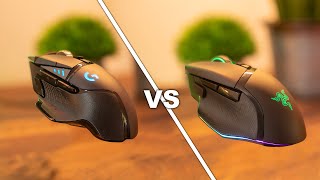
Watch Before You Buy
Frequently Asked Questions
Is Logitech or Razer better for FPS gaming?
Are Razer mice worth the price?
What is the difference between Logitech LIGHTSPEED and Razer HyperSpeed?
Which gaming mouse is best for small hands?
Do gaming mice improve your aim?
How We Analyze Products
We analyze Amazon review data — often thousands of reviews per product — to surface patterns that individual buyers miss. Our process aggregates star ratings, review counts, and buyer sentiment at scale, identifying which strengths and weaknesses appear consistently across the largest review samples available. The 105,907+ reviews analyzed on this page represent real verified-purchase feedback from Amazon buyers.
Each product earned its placement through data: total review volume, average rating, and the specific praise and complaints that repeat most often across buyers. No manufacturer paid for placement on this page. Products appear here because buyers endorsed them at scale, not because a company asked us to feature them.
We use AI to summarize review sentiment — not to fabricate opinions, but to condense what thousands of buyers actually wrote into a readable format. The pros and cons you see reflect the most common themes found in verified purchaser reviews, paraphrased for clarity. We do not claim to have accessed Reddit, YouTube, or specific publications in generating these summaries.
Prices shown reflect Amazon pricing at the time this page was last generated. Click “See Today’s Price” to get the current live price on Amazon. Read our full methodology →