Best STEM Toys for Kids 2026: Coding, Building & Science

The Learning Resources Botley 2.0 Activity Set is our pick: children as young as 5 code it with cards and a remote programmer, with no screen, while Snap Circuits is sold for ages 8 and up. Choose the Snap Circuits Explorer SC-100 if your child is 8 or older and curious about electronics: it builds 100+ projects with no soldering.
See Today’s Price →What You Need to Know
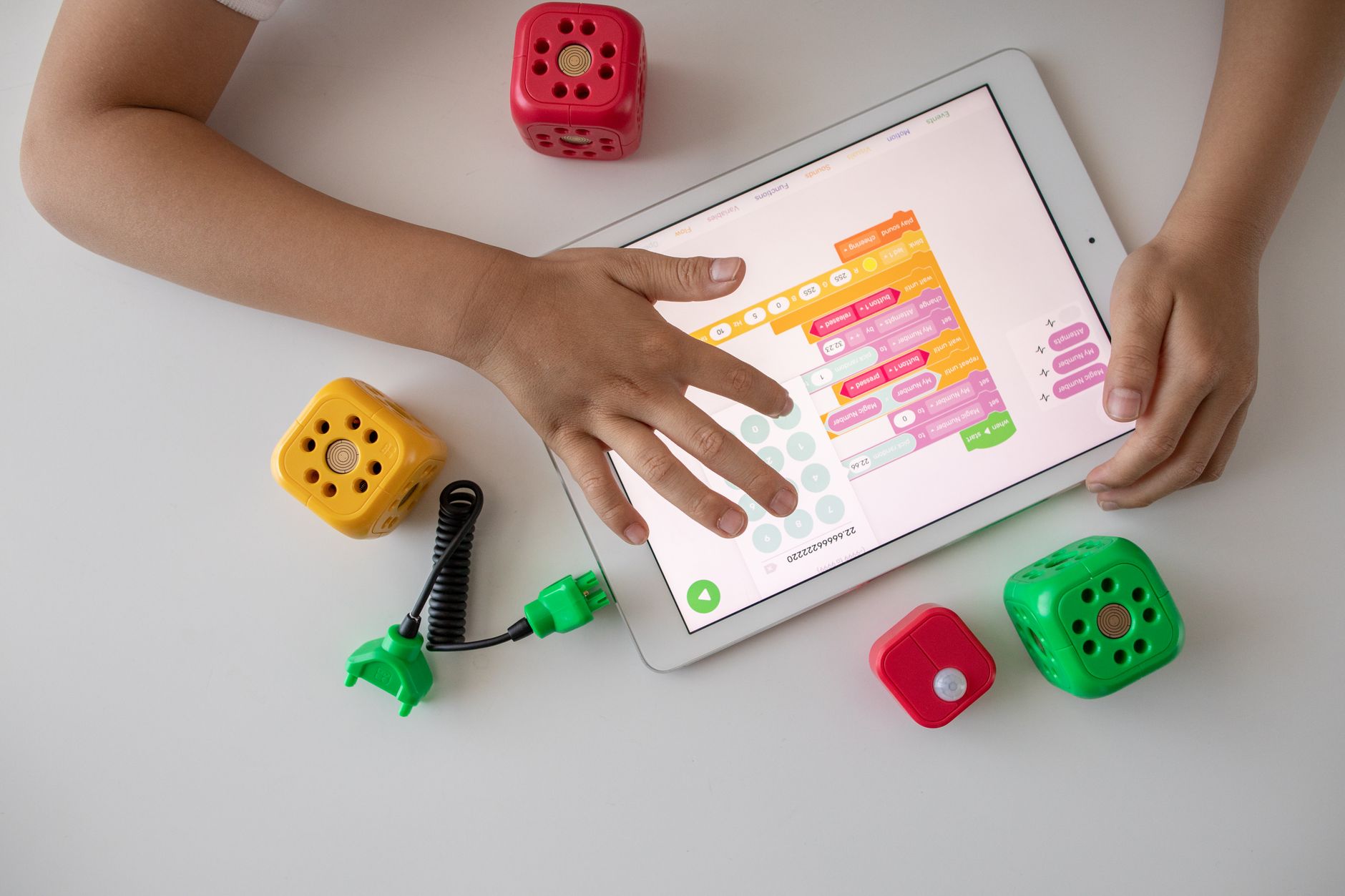 Photo by Robo Wunderkind / Pexels
A good STEM toy teaches by letting a child build, test and fix something, not by printing "educational" on the box. The five here cover the three things this page promises - coding, building and science - from age 3 to age 8 and up. The Learning Resources Botley 2.0 Activity Set leads because it teaches real coding ideas to children as young as 5 without a screen.
Coding: Botley 2.0 and Sphero Mini
Coding toys teach sequencing, loops and cause and effect. Botley 2.0 does it without a screen: children lay out coding cards, enter the steps on a remote programmer, and watch the robot follow them through mazes built from the set's 78 pieces, with multi-step paths, 45-degree turns and object sensing as they advance. Learning Resources aims it at ages 5 to 7. Sphero Mini is the next step for ages 8 and up: a ping-pong-ball-sized robot coded in the Sphero Edu app by drawing a path, dragging blocks or writing JavaScript.
Building: MAGNA-TILES
Building toys teach shapes, balance and spatial reasoning. MAGNA-TILES Classic tiles join at magnetic edges, so children from 3 can build walls, towers and 3D shapes without the grip that clicking bricks need. The 32-piece set has squares and three kinds of triangle in six translucent colours, and every MAGNA-TILES set fits every other, so it can grow as the child does.
Electronics and physics: Snap Circuits and Thames & Kosmos

For children of 8 and up who ask how things work, Snap Circuits Explorer SC-100 builds more than 100 electronic projects from colour-coded parts that snap onto a grid, with no soldering and no tools. Thames & Kosmos Physics Workshop does the same for mechanics: 305 pieces, 38 models and 37 experiments covering gravity, levers and pulleys, gears and chain drives, forces and centrifugal force, with a 104-page manual that explains the physics behind each build.
Match the toy to the age, then to the interest
Age ranges on STEM toys matter, because a toy that is too hard gets abandoned and one that is too easy gets bored. Start with MAGNA-TILES from 3, Botley from 5, and Snap Circuits, Thames & Kosmos or Sphero Mini from 8. Then follow the child's interest: a child who loves taking things apart will get more from Snap Circuits or the physics kit than from a robot. Sitting with them for the first few sessions makes it far more likely the toy is still used a month later.

How we picked: we compared each product's own listing - what it is, what comes in the box, the specifications its maker states and the warranty - and ranked them on how well they answer this page's question. We have not tested these products in hand.
Watch Before You Buy


“A screen-free coding robot for ages 5 to 7: kids program Botley with a remote and 40 coding cards and build mazes from 78 pieces.”
See Today’s Price →What we like
- Screen-free coding with a remote programmer and 40 coding cards
- 78 pieces including 6 double-sided boards and stackable obstacle pieces for mazes
- Multi-step coding paths, 45-degree turns and object sensing as kids advance
- Lights, sounds and 16 secret code combinations
Watch out for
- Aimed at ages 5 to 7; older kids outgrow it
Read Full Analysis
Botley 2.0 is the gentlest way into coding on this page, and it needs no screen at all. Children plan a route, lay out the matching coding cards, and enter the sequence with the remote programmer; Botley then runs it, with lights, sounds and music along the way. As they improve, the set adds multi-step paths, 45-degree turns and object-sensing reactions, and 16 secret code combinations unlock surprises. This Activity Set has 78 pieces: the robot, the remote programmer, 40 coding cards, six double-sided boards and stackable obstacle pieces to build mazes and invent stories. Learning Resources aims it at ages 5 to 7 at home or in the classroom; children past 8 will want the app coding of the Sphero Mini.
Skip this if: Your child is 8 or older and ready for app coding

“An electronics kit for ages 8 and up: colour-coded parts snap onto a grid to build 100+ projects, with no soldering and no tools.”
See Today’s Price →What we like
- Over 100 electronics projects from one kit
- Snap-together parts on a plastic grid: no soldering or tools
- Numbered, colour-coded pieces and a full-colour project manual
- Combines with other Snap Circuits kits for more projects
Watch out for
- Needs batteries, which are not part of the kit
Read Full Analysis
Snap Circuits Explorer SC-100 is the electronics kit. Every part is numbered and colour-coded and snaps onto the included plastic grid, so children build working circuits with no soldering and no tools, following the full-colour project manual through more than 100 projects - including, Snap Circuits says, a flying saucer that takes off and an alarm. Along the way they learn the basics of electrical engineering: how a circuit is completed, what a switch does and how power moves through parts. It is made for ages 8 and up, it needs batteries, and it combines with other Snap Circuits kits when a child wants more projects.
Skip this if: Your child is under 8
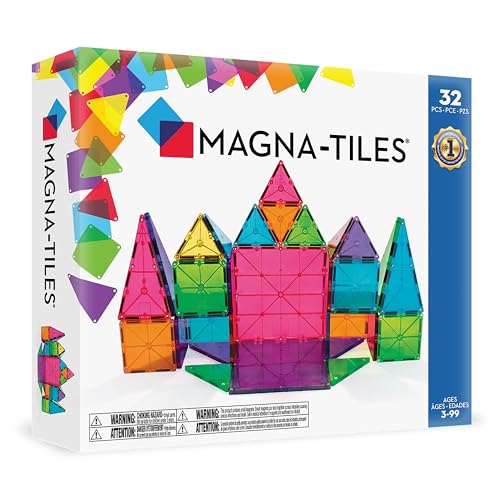
“The original magnetic building tiles: 32 translucent squares and triangles in six colours, made for children 3 and up and compatible with every MAGNA-TILES set.”
See Today’s Price →What we like
- 32-piece count is the right entry point for ages 3-5 building their first magnetic structures without being overwhelmed by piece count
- Magnetic edges enable independent connection without the dexterity that snapping, clicking, or inserting-style construction toys require
- Clear colored tiles distinguish each shape visually and allow translucent color mixing in finished builds
- Compatible with larger Magna-Tiles sets — adds directly onto 100-piece or themed sets as the child's interest grows
Watch out for
- 32-piece set feels small — outgrown quickly
- High per-piece cost vs generic magnetic tiles
- Starter set size limits building complexity
Read Full Analysis
MAGNA-TILES are the building toy that starts youngest here. This Classic set has 32 translucent tiles in six colours: 2 large and 14 small squares, and 8 equilateral, 4 right and 4 isosceles triangles. Magnets in the edges pull the pieces together, so a 3-year-old can build walls, towers and 3D shapes without the finger strength that clicking bricks need, and MAGNA-TILES says the magnets are chosen so small hands can pull tiles apart easily. The plastic is food-grade MABS, free of BPA, phthalates and latex, with a lattice against cracking and rivets that keep the magnets secure. Every piece works with every other MAGNA-TILES set, so the 32 pieces can grow into a bigger collection.
Skip this if: Your child is past the open-ended building stage
“A physics kit for ages 8 and up: 305 pieces build 38 models and run 37 experiments on gravity, simple machines, gears and forces.”
See Today’s Price →What we like
- 38 models and 37 experiments across five chapters of mechanical physics
- 305 pieces: levers, pulleys, gears, chain drives, pendulums and more
- 104-page full-colour manual that explains the physics, with equations
- Screen-free, for ages 8 and up; aligned with Next Generation Science Standards
Watch out for
- A guided experiment kit, so younger children need an adult alongside
Read Full Analysis
Thames & Kosmos Physics Workshop is the science-and-engineering kit. Its 305 pieces build 38 models for 37 experiments across five chapters, from gravity and inertia through simple machines, gears and energy transfer, forces at work and centrifugal force, ending with builds such as a working pendulum clock. The 104-page full-colour manual, written by Dr. Uwe Wandrey, explains why each model works, with keyword definitions, real-world examples, data charts and the physics equations involved. It is screen-free, aimed at ages 8 and up, and aligned with Next Generation Science Standards, which suits homeschooling. It is a guided kit rather than a toy, so younger children do best with an adult.
Skip this if: Your child wants free play rather than guided experiments
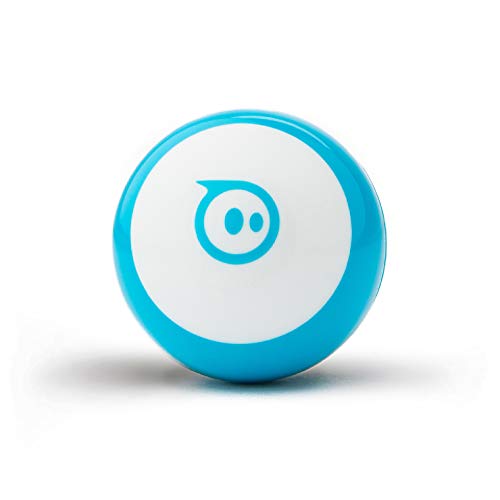
“A ping-pong-ball-sized robot that children drive, play games with and program in the Sphero Edu app, by drawing, with blocks or in JavaScript; ages 8 and up.”
See Today’s Price →What we like
- Programmable robot ball the size of a ping-pong ball, with gyroscope, accelerometer and LEDs
- Code it in the free Sphero Edu app by drawing, dragging blocks or writing JavaScript
- Drive modes and arcade games in the Sphero Play app
- Three traffic cones and six bowling pins included
Watch out for
- Needs a phone or tablet with the app
- About an hour of play per charge
Read Full Analysis
Sphero Mini is the coding robot for older children. It is a programmable robot the size of a ping-pong ball, with a gyroscope, an accelerometer and coloured LED lights. In the free Sphero Edu app children code it three ways - drawing a path on the screen, dragging coding blocks, or writing JavaScript - so it grows from a first program to real text code. The Sphero Play app adds Joystick, Slingshot and Tilt driving modes and arcade games that use the robot as a controller, and the box includes three traffic cones and six bowling pins for obstacle courses. Sphero lists about an hour of play per charge, and it needs a phone or tablet. It is sold for ages 8 and up.
Skip this if: You want a screen-free toy
Frequently Asked Questions
What is the best STEM toy for a 5-year-old?
What is the best STEM toy for an 8-year-old?
Do coding toys need a screen?
Are MAGNA-TILES compatible with other sets?
What makes a toy a STEM toy?
How We Chose These Products
Ranked from each maker's listing on what a STEM toy has to do: teach one real skill through play, suit the age it is sold for, and keep giving new challenges.
We compare each product’s Amazon listing, the manufacturer’s published specifications and Amazon customer ratings, shown with their review counts as Amazon’s data, and rank the products on how well they answer this page’s question. We do not test products in hand and we do not run our own analysis of review text. A publication or expert is named only where we cite its published findings about that product. No manufacturer paid for placement on this page.
A price appears only when Amazon’s API supplied it at a recent daily refresh, with the date and time beside it, and is withdrawn at 4 AM Central on the day after it turns 24 hours old; otherwise use “Check price on Amazon” for the live price. Read our full methodology →