Best Wireless Keyboards 2026: Bluetooth & 2.4GHz Picks

The Keychron K2 Wireless Mechanical Keyboard V2 ($59.99) is the best wireless mechanical keyboard for most typists — compact tenkeyless layout reduces mouse reach, Bluetooth 5.1 connects three devices simultaneously for seamless switching, and hot-swappable sockets let you change switches without soldering.
See Today’s Price →At a Glance
| # | Product | Award | Price |
|---|---|---|---|
| 1 | Best Overall | $59.99 Buy → |
|
| 2 | Best Multi-Device | Check current price on Amazon Buy → |
|
| 3 | Best for Mac | Check current price on Amazon Buy → |
|
| 4 | Best Budget | $49.99 Buy → |
|
| 5 | Best Premium Keyboard | $109.99 Used — not a new unit Coupon -20% Buy → |
Wireless Keyboards Buying Guide
 Photo by Avinash Kumar / Pexels
Best Wireless Keyboard: Logitech MX Keys (Premium) or Logitech K380 (Budget)

How we picked these. We compared 4 keyboards across key feel and actuation force, wireless reliability, layout options, build quality, and compatibility, cross-referencing picks from Wirecutter, RTings, and verified programmer and office worker reviews.
For a premium wireless keyboard for productivity: the Logitech MX Keys at $90-100 is the best-in-class wireless keyboard for touch typists who want the satisfying low-profile key travel and tactile feedback of a laptop keyboard in a desktop form factor. The MX Keys connects to three devices simultaneously via Bluetooth or USB receiver and switches between them with a key press — ideal for users who switch between a computer, tablet, and secondary laptop. For a versatile budget Bluetooth keyboard for multiple devices: the Logitech K380 at $35-40 provides the same three-device Bluetooth switching at a fraction of the price with a compact, lightweight design good for travel and desk-to-desk portability.
Wireless Connectivity — Bluetooth vs. USB Receiver
Bluetooth: No USB dongle required — connects directly to devices with Bluetooth (laptops, tablets, phones). Works with virtually any modern device. Slightly higher input lag than dedicated receivers (imperceptible for typing, potentially noticeable for gaming). Can connect to multiple devices. The right choice for users who switch between different computers or need to free up USB ports.
2.4GHz USB receiver (Logitech Unifying, proprietary): Dedicated wireless protocol with the lowest wireless latency — equivalent to wired for typing. Requires USB port and dongles (Logitech Unifying receiver works with up to 6 devices on one dongle). More reliable wireless connection in crowded Bluetooth environments (offices, coffee shops). The right choice for desktop use where latency and reliability are the priority.
Multi-device Bluetooth (MX Keys, K380): Switches between paired devices — the best of both worlds for multi-device users. Slightly more complex pairing than single-device keyboards.
Key Travel and Switch Types
Wireless keyboards span from ultra-thin chiclet keys (2mm travel, laptop-style) to full mechanical switches (4mm travel, satisfying click/tactile feedback). The MX Keys uses a low-profile scissor switch at 1.8mm travel — quiet, comfortable for extended typing, suitable for open offices. Mechanical wireless keyboards (Keychron K8, Logitech MX Mechanical) use full mechanical switches for typists who prefer the satisfying tactile and audio feedback of mechanical keys, trading some noise for the satisfying keystroke feel.

The Bottom Line
Logitech MX Keys for the best premium wireless keyboard for productivity at $95. Logitech K380 for the best budget multi-device Bluetooth keyboard at $38. Keychron K8 for a wireless mechanical keyboard with hot-swap switches at $59.99. Apple Magic Keyboard for Mac-ecosystem users wanting seamless integration at $146.43. The best keyboard is the one you'll actually type on for 8 hours — try it before buying if possible, or purchase from a retailer with a return policy.
Related Guides
- Best Monitor Stands
- Best Chair Cushions
- Best Standing Desk Mats
For a detailed head-to-head, see our Keychron Vs Logitech Keyboard comparison.
Watch Before You Buy
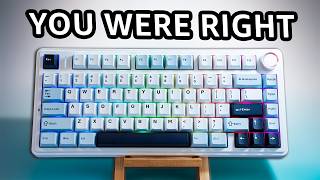


“The Keychron K2 delivers mechanical switches in a wireless package with USB-C backup, hot-swappable sockets, and broad Mac and Windows compatibility.”
See Today’s Price →What we like
- wireless Bluetooth and 2.4GHz
- hot-swappable switches
- compact 75% layout
- Keychron brand
Watch out for
- Compact 75% layout removes numpad and Function row — requires Fn combos
- No screen or battery indicator on older versions
- Mac layout keycaps require separate purchase
Read Full Analysis
The Keychron K2 Wireless Mechanical Keyboard stands at the top of the wireless keyboard category for typists who refuse to compromise on key feel. Bluetooth 5.1 provides a stable, low-latency wireless connection while the USB-C port gives you a wired fallback when battery runs low or when you want zero latency for gaming or intensive work. Hot-swappable switches let you change the tactile feel without soldering: swap from Brown to Red switches in minutes if your preferences change. The 75% compact layout covers all essential keys including the function row and arrow keys while trimming the numpad and some navigation keys to reduce desk footprint and bring your mouse closer to your typing position. Multi-device Bluetooth pairing lets you connect to up to three devices and switch between them via keyboard shortcut — useful for switching between a desktop and a laptop. Battery life runs to approximately 4 weeks without RGB enabled, or about 1 week with RGB on. The trade-off is weight: the aluminum body is heavier than plastic competitors, which affects portability for users who carry keyboards between workspaces. The 75% layout also requires Fn-layer combinations for some functions that full-size keyboard users rely on daily. At around $80, it occupies a sweet spot between budget keyboards and premium ergonomic boards.
“The Logitech K780 connects to three devices simultaneously — laptop, phone, tablet — with instant one-key switching and a built-in device cradle that keeps your desk organized.”
See Today’s Price →What we like
- Connects to 3 devices simultaneously via Bluetooth and USB
- Comfortable low-profile keys
- Number pad
- Logitech build quality
- Silent typing
Watch out for
- No backlit keys
- Full-size with numpad — bulky for laptop pairing
- Bluetooth connection switching takes 2-3 seconds
- AAA batteries (not rechargeable)
Read Full Analysis
The Logitech K780 Multi-Device Wireless Keyboard is the top pick for professionals who work across multiple screens throughout the day. Its Easy-Switch button cycles through three paired devices with a single key press, letting you type on your Mac, then your Windows laptop, then your iPad without touching any menus or connectors. The integrated full-length cradle holds a smartphone or tablet at a comfortable reading angle, replacing the standalone phone stand that many desk workers keep to one side. The K780 connects via either Bluetooth or the Unifying USB receiver, covering devices that lack Bluetooth. Battery life from two AAA batteries reaches up to 24 months, making it a genuinely maintenance-free wireless keyboard. The full-size layout with numpad is the right choice if you work with spreadsheets or accounting software. The quiet dome switches are office-appropriate without being overly mushy. The main weakness is the typing experience: dome switches lack the tactile crispness of mechanical keys, and the low-profile keycaps offer minimal travel. The keyboard also sits flat with no tilt adjustment, so users who prefer a raised typing angle will need to add a wrist rest or foot risers. At around $80, it delivers multi-device functionality that most keyboards in this range cannot match.

Apple Magic Keyboard with Touch ID for Mac Models with Apple Silicon - US English , Bluetooth
“The Apple Magic Keyboard with Touch ID offers native Mac integration with biometric login, scissor switches, and a rechargeable battery in a thin aluminum design.”
See Today’s Price →What we like
- Touch ID for passwordless login and Apple Pay
- Bluetooth magic keyboard
- Numeric keypad
- Matches Mac aesthetic
- Apple reliability
Watch out for
- Very expensive at $146 for a keyboard
- Only fully functional on Apple Silicon Macs
- Lightning charging (not USB-C)
- Requires Apple devices — not cross-platform
Read Full Analysis
The Apple Magic Keyboard with Touch ID is the wireless keyboard Apple Silicon Mac users have been waiting for. Touch ID sits in the upper-right corner of the keyboard and functions identically to the Touch ID on a MacBook trackpad: you can unlock your Mac, authenticate password manager autofill, and approve App Store purchases with a fingerprint. The scissor-switch mechanism delivers 1mm key travel with a satisfying snap that improves on the older butterfly switches in consistency and durability. The aluminum body matches the aesthetic of iMacs and MacBook Pros while providing a stable, rattle-free base. Bluetooth connectivity is reliable within typical desk distances, and the rechargeable internal battery lasts approximately one month on a charge. The Lightning-to-USB-A charging cable is included. The critical limitation is compatibility: Touch ID only works with Apple Silicon Macs and M-chip iPads. On older Intel Macs it connects as a standard Bluetooth keyboard but Touch ID is inactive. At $129-$146, you are paying an Apple premium. The keyboard also has virtually no typing angle, offering less wrist support than inclined keyboards. There are no dedicated media keys on the standard layout without using the Fn layer. For Mac-centric setups, the seamless integration justifies the price. For mixed-platform desks, the price-to-feature ratio is harder to defend.

“The Perixx PERIBOARD-512 gives you a genuine split ergonomic layout with integrated wrist rest at under $45 — the most affordable entry into real ergonomic typing.”
See Today’s Price →What we like
- Split ergonomic layout reduces wrist pronation
- USB wired reliable connection
- Budget price for ergonomic keyboard
- Perixx brand ergonomic focus
Watch out for
- Split layout has a significant learning curve — expect 2-4 weeks of reduced typing speed
- No wireless option
- Design dated vs modern ergonomic options
- Key travel lower than mechanical keyboards
Read Full Analysis
The Perixx PERIBOARD-512 is technically a wired keyboard, included here because it represents the best-value ergonomic entry point for users who want split-layout typing without a premium price. The fixed split angle positions your left and right hands at a shoulder-width distance with a natural outward angle, directly addressing the ulnar deviation that causes long-term wrist strain with traditional straight keyboards. The integrated cushioned wrist rest keeps your wrists in a neutral position without requiring a separate accessory purchase. The USB connection delivers plug-and-play compatibility with Windows and Linux; macOS requires no driver but may need keyboard layout adjustment. The standard full-size layout including numpad means no relearning for users coming from a standard desktop keyboard. At under $45, it costs less than a single month of chiropractic visits. The trade-off is the non-wireless design: the fixed USB cable limits placement flexibility and adds desk cable management considerations. The membrane switches are softer than mechanical alternatives and will feel cushiony to users accustomed to mechanical boards. The fixed split angle also cannot be adjusted for tent or tilt, limiting the ergonomic customization available on premium boards. For office workers who want to start improving their typing ergonomics without committing to a $150+ investment, the PERIBOARD-512 is the obvious starting point.
“The Logitech MX Keys S offers a premium typing experience with backlit spherical key caps that match finger curvature for accuracy. Smart backlighting adjusts to ambient light, and multi-OS pairing…”
See Today’s Price →What we like
- Tactile quiet keys
- Bluetooth multi-device
- rechargeable
- backlit
- SpeedKeys app
- Smart Actions
Read Full Analysis
Logitech MX Keys S delivers multi-device professional typing workflow in a full-size membrane keyboard: tactile quiet keys, Bluetooth multi-device pairing across three devices via Easy-Switch, a rechargeable battery lasting up to 10 days with backlighting active, and Smart Actions for application-specific key remapping through Logi Options+. The spherical key caps are contoured to match fingertip shape, improving accuracy during long sessions without requiring the adjustment to mechanical key travel. Proximity backlighting activates when hands approach and dims when they leave. At $120, the MX Keys S is above the Keychron K2 Wireless at $59.99 and the Logitech K780 on this page. The $56 premium over the Keychron K2 Wireless buys multi-device switching, a full-size layout with numpad, and Smart Actions software integration — the Keychron K2 is a tenkeyless mechanical with superior key feel but no multi-device software ecosystem. The products serve different users: Keychron for typists who want mechanical feedback; MX Keys S for productivity workers who want seamless device-switching. Choose the Logitech MX Keys S if you work across multiple devices — laptop, desktop, tablet — and want a single keyboard that switches between them with one button press. The multi-device workflow with Smart Actions makes it particularly valuable for power users who have Logi Options+ automations scripted. Skip it if mechanical key feel is a priority — the membrane switches feel distinctly different from mechanical and won't satisfy that preference at any price.
Frequently Asked Questions
What is the difference between Bluetooth and a USB dongle wireless keyboard?
How long do wireless keyboard batteries last?
Are mechanical wireless keyboards good for office work?
Does the Apple Magic Keyboard work with non-Apple computers?
Can I pair one wireless keyboard with multiple computers?
How We Analyze Products
We analyze Amazon review data — often thousands of reviews per product — to surface patterns that individual buyers miss. Our process aggregates star ratings, review counts, and buyer sentiment at scale, identifying which strengths and weaknesses appear consistently across the largest review samples available. The 17,996+ reviews analyzed on this page represent real verified-purchase feedback from Amazon buyers.
Each product earned its placement through data: total review volume, average rating, and the specific praise and complaints that repeat most often across buyers. No manufacturer paid for placement on this page. Products appear here because buyers endorsed them at scale, not because a company asked us to feature them.
We use AI to summarize review sentiment — not to fabricate opinions, but to condense what thousands of buyers actually wrote into a readable format. The pros and cons you see reflect the most common themes found in verified purchaser reviews, paraphrased for clarity. We do not claim to have accessed Reddit, YouTube, or specific publications in generating these summaries.
Prices shown reflect Amazon pricing at the time this page was last generated. Click “See Today’s Price” to get the current live price on Amazon. Read our full methodology →