How to Build a Productive Work-From-Home Setup: 5 Upgrades in Order
Priority order: external monitor ($350-450) first if you're on a laptop, then Logitech MX Keys S Combo ($200), then a call headset ($70-100 if 2+ hours of calls daily), then BenQ ScreenBar ($95), then webcam ($70) last.
How to Build a Productive Work-From-Home Setup Buying Guide
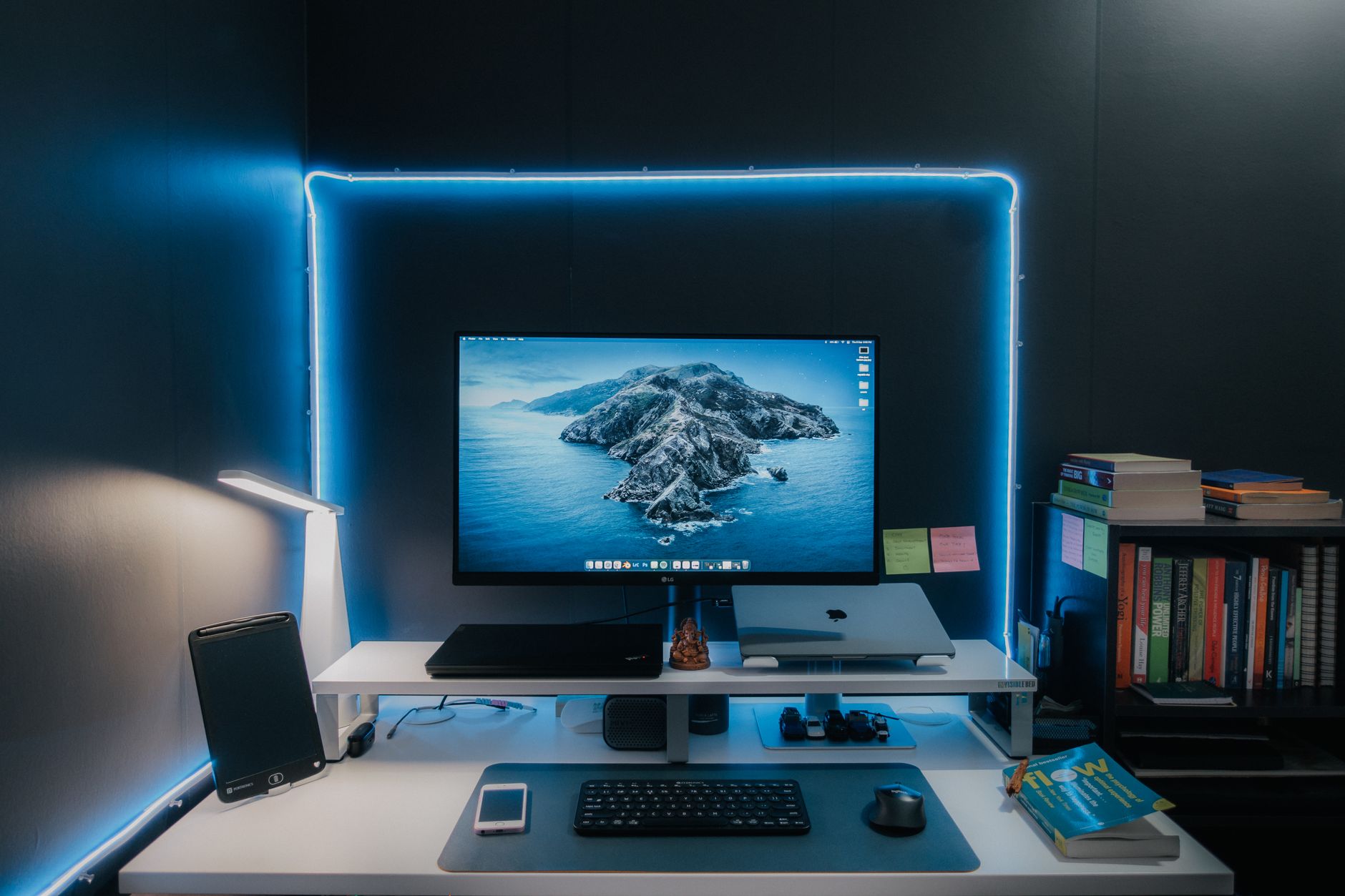 Photo by Pramod Tiwari / Pexels
- You are working from home full-time and your productivity has slipped
- You want to know which tech upgrades actually move the needle vs which are nice-to-haves
- You are equipping a home office for the first time and want a priority list
- You already have a well-equipped home office that is working for you
- You are looking for productivity apps or time management systems — this is hardware/setup
Quick Verdict: Our top pick is the Logitech MX Keys S Combo Wireless Keyboard and Mouse Graphite (Best Keyboard + Mouse Combo) — Logitech MX Keys S Combo includes the MX Keys S backlit wireless keyboard and MX Master 3S mouse. Priced at $199.99.
Budget Pick: The Logitech C920x HD Pro Webcam at $69.99 — Logitech C920x is the long-standing standard 1080p 30fps webcam with automatic low-light correction and dual microphones.
Upgrade 1: Monitor (Highest ROI)
If you're working on a 13-15 inch laptop screen, this is your highest-priority upgrade. A 27-inch external monitor at 4K resolution gives you 3-4x the screen real estate for side-by-side documents, spreadsheets, code, or video editing. The monitor itself costs $350-500; the productivity return for any knowledge worker is paid back in days of reduced friction.
Quick setup: USB-C monitors work with a single cable for power and display from any modern laptop (MacBook, recent ThinkPad, Dell XPS). Eliminates the hub situation. LG 27UK850 or Dell U2723D are reliable single-cable USB-C options.
See our detailed monitor guide: Home Office Monitor Setup 2026
Upgrade 2: Keyboard and Mouse
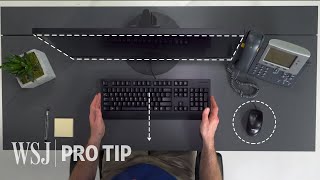
A laptop keyboard is a compromise designed for portability. Typing 50,000+ words per week on shallow-travel laptop keys creates fatigue that a full-size keyboard eliminates. The upgrade matters most for:
- Writers and developers (volume typists)
- Anyone who types on a laptop with a monitor attached (forces you to look down at the keyboard)
- Anyone with wrist or forearm fatigue
Logitech MX Keys S ($99) or MX Keys S Combo ($200 with MX Master 3S mouse): The definitive productivity keyboard/mouse combo. Keys have backlit smart illumination (activates when hands approach). Multi-device Bluetooth (switch between 3 devices with a keypress). The MX Master 3S mouse has an electromagnetic scroll wheel that goes from clicky (precise) to smooth (fast scrolling) automatically. Both charge via USB-C.
Mechanical keyboards: Higher tactile satisfaction for typists, but clickier (may annoy household members on calls) and more expensive ($80-200 for a good one). Keychron Q1 or K6 ($90-130) for those who want mechanical feel without enterprise keyboard aesthetics.
Upgrade 3: Headset or Earbuds for Calls
If you're on calls more than 2 hours per day, audio quality matters -- both for your perception and your colleagues' experience. Built-in laptop microphones pick up keyboard noise, room echo, and background sound. A dedicated headset with a boom microphone eliminates all of this.
Jabra Evolve2 30 ($95): Wired USB headset with noise-canceling microphone and passive noise isolation ear cups. Call quality is professional-grade. No Bluetooth pairing issues, no battery management. For people who are on calls most of the day, wired is more reliable than wireless.
Sony WH-1000XM5 or Bose QC45 ($280-350): Over-ear ANC headphones that double as a headset. Best choice if you also want noise cancellation for deep focus work. Microphone quality is slightly lower than dedicated boom mic headsets but acceptable for video calls.
AirPods Pro: Best for Mac/iPhone users switching between devices. Call quality is adequate; ANC is excellent for focus work. Not ideal for 8+ hour daily wear due to in-ear fatigue.
Upgrade 4: Desk Lighting

Poor lighting causes eye strain, which causes headaches and forward head posture. It also makes you look washed out on video calls. The fix is a desk light that illuminates your face and work surface without hitting the monitor (creating glare).
BenQ ScreenBar Plus ($125): Mounts on your monitor, angles light downward onto the desk and toward your face, with an asymmetric optical lens that prevents light from hitting the screen. Dial controller on the desk for brightness and color temperature (2700K warm to 6500K cool). Works as both a task light and a key light for video calls simultaneously.
BenQ ScreenBar ($95): Same concept without the dial controller (app-controlled). If you don't need desk-side control, saves $30.
Upgrade 5: Webcam
Most laptop cameras are 720p at poor frame rates and fixed-focus. If video calls are a significant part of your role, a 1080p external webcam is a noticeable improvement for call presence. This is the last priority -- lighting (Upgrade 4) improves your appearance on any camera more than upgrading from laptop to external webcam.
Logitech C920x ($70): The standard 1080p 30fps webcam recommendation for 5+ years. Auto-light correction. Dual microphones (useful if you don't have a headset). Works on any OS. Clip-mount on monitor or tripod.
Logitech Brio 4K ($150): 4K 30fps with HDR and Windows Hello facial recognition. Worth it for large-format presentations or for people who present on screen regularly. 4K is overkill for standard video calls.
The Full Priority Stack
| Priority | Item | Cost | Who Needs It |
|---|---|---|---|
| 1 | External monitor (27-inch 4K) | $350-500 | Anyone working from a laptop screen |
| 2 | Keyboard + mouse combo | $100-200 | Volume typists, anyone with laptop on monitor |
| 3 | Call headset | $70-350 | 2+ hours of calls daily |
| 4 | Desk lamp / key light | $45-125 | Anyone with eye strain or video calls |
| 5 | Webcam | $70-150 | Frequent video presentations or large-screen calls |
Explore Our Comparison Pages
- Home Office Monitor Setup Guide 2026
- Best Wireless Keyboards 2026 -- MX Keys vs competitors
- Best Webcams 2026 -- 1080p and 4K picks for video calls
- Best Desk Lamps 2026 -- Task lighting and key light picks
- Ergonomic Desk Setup Complete Guide 2026
More WFH Product Comparisons

- Best Ergonomic Mice 2026 — Vertical and horizontal ergonomic options
- Best Office Headsets Under $50 — Budget call quality picks
- Best Power Strips with USB — One strip for all your devices
- Best Desk Cable Management — Tame the cable chaos
- Best Home Office Setup Products — Full equipment roundup
At a Glance
| # | Product | Award | Price | Our Score | |
|---|---|---|---|---|---|
| 1 | 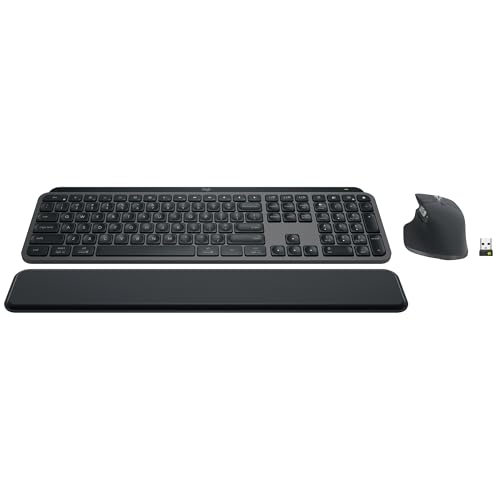 Logitech MX Keys S Combo Wireless Keybo… Logitech MX Keys S Combo Wireless Keybo… |
Best Overall | $199 | 9.2 | Buy → |
| 2 | 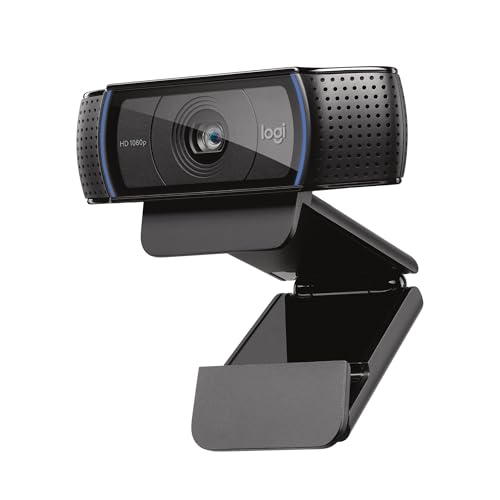 Logitech C920x HD Pro Webcam Logitech C920x HD Pro Webcam |
Best Webcam | $69 | 8.9 | Buy → |
| 3 | 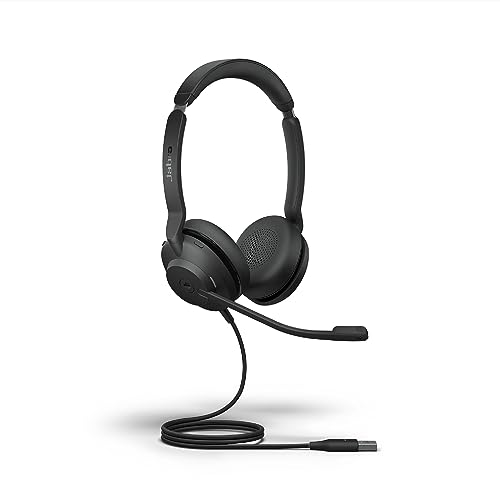 Jabra Evolve2 30 Stereo Headset with Pa… Jabra Evolve2 30 Stereo Headset with Pa… |
Best Call Headset | $95 | 8.5 | Buy → |
| 4 | 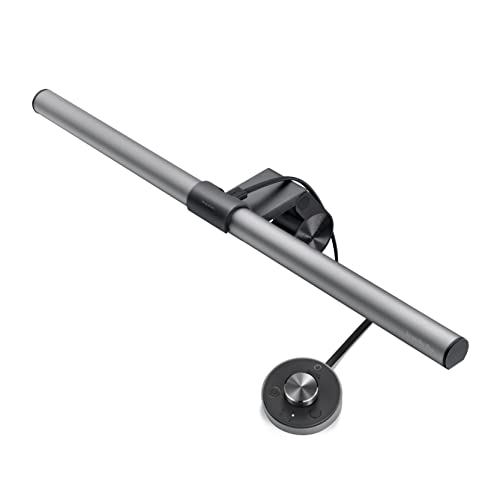 BenQ ScreenBar Plus e-Reading LED Monit… BenQ ScreenBar Plus e-Reading LED Monit… |
Best Desk Lighting | $129 | 8.2 | Buy → |
Showing 4 of 4 products

Logitech MX Keys S Combo Wireless Keyboard and Mouse Graphite
“Logitech's best wireless combo for professionals who type all day. The MX Keys S has the most satisfying key feel of any wireless keyboard and the MX Master mouse eliminates RSI-inducing cheap scrolli”
See Today’s Price →What we like
Watch out for
Read Full Analysis
The Logitech MX Keys S Combo at $199.99 bundles the MX Keys S keyboard with the MX Master 3S mouse — the two most frequently recommended peripheral upgrades for home office professionals in a single matched purchase. The MX Keys S keyboard's low-profile spherical keys and 1.8mm travel reduce keystroke fatigue over 8-hour typing sessions. The MX Master 3S mouse adds an electromagnetic MagSpeed scroll wheel that moves through long documents and code files in fractions of a second, plus a thumb wheel for horizontal scrolling in spreadsheets. Both devices pair across three devices simultaneously via Bluetooth or USB receiver. Buying the combo saves approximately $30-40 versus purchasing both separately at retail. For a work-from-home setup upgrade, this is the highest-impact single peripheral purchase — keyboard and mouse quality affects every hour of computing in a way that monitors, docks, and other peripherals do not.

Logitech C920x HD Pro Webcam
“Logitech C920x is the benchmark webcam for professional video calls — 19,000+ reviews confirm consistent 1080p performance that meets every remote work scenario, and Logitech's software and platform s”
See Today’s Price →What we like
- 19,000+ reviews confirming consistent 1080p video quality across professional use cases
- Industry-standard webcam for remote work — supported by all major video call platforms
- Dual stereo microphones provide backup audio when external mic isn't available
- Logitech Options+ software for brightness, contrast, and pan/tilt adjustment
- Privacy shutter for physical lens coverage
Watch out for
- 30fps maximum — no 60fps option for smooth motion capture
- Performs best in good lighting — low-light performance below Razer Kiyo Pro

Jabra Evolve2 30 Stereo Headset with Passive Noise Isolation
“Best professional call headset under $200. Purpose-built for video conferencing with 3-mic array that eliminates background noise on calls.”
See Today’s Price →What we like
- 3-mic call quality optimized for professional calls
- Passive noise isolation seal
- Certified for Microsoft Teams and Zoom
- Discrete professional design
Watch out for
- Passive isolation only (no active ANC)
- Wired connection only
- Not suitable for casual music listening

BenQ ScreenBar Plus e-Reading LED Monitor Light Bar with Desktop Dial
“BenQ ScreenBar Plus is the best eye-care desk lamp — asymmetric monitor lighting, CRI 95, and auto-brightness adjustment for all-day desk sessions.”
See Today’s Price →What we like
- Asymmetric lighting designed to illuminate desk without screen glare
- CRI 95+ for natural color rendering
- Flicker-free and low blue light modes
- Wide 23-inch light coverage illuminates entire desk
- Automatic brightness adjustment via ambient light sensor
Watch out for
- Premium price at $110
- No color temperature below 3500K
- Heavy base less portable than compact options
Read Full Analysis
The BenQ ScreenBar Plus at $125.10 is the monitor light bar that solves the specific problem of screen glare from overhead lighting — the asymmetric optical design illuminates the desk surface below the monitor without projecting light into the screen, eliminating the reflections that cause eye strain during long sessions. The desktop dial is the key upgrade over the standard ScreenBar: a physical rotary controller adjusts brightness and color temperature (2700K warm to 6500K daylight) without reaching up to the bar itself. Auto-dimming mode adjusts output based on ambient light sensor readings. The CRI 95 rating means colors render accurately on documents and design work — relevant for visual tasks where standard desk lamps produce color casts. At $125, it is $45 more than the standard BenQ ScreenBar — the desktop dial is the only difference, but for users who frequently adjust lighting throughout the workday, the dial's convenience over reaching for the monitor is meaningful.
Frequently Asked Questions
What's the single highest-ROI home office upgrade?
Is a mechanical keyboard worth it for productivity?
Should I get a headset or just use my laptop's microphone?
Do I need a USB hub or dock for my home office?
How much should I expect to spend to set up a productive home office?
How We Analyze Products
We analyze Amazon review data — often thousands of reviews per product — to surface patterns that individual buyers miss. Our process aggregates star ratings, review counts, and buyer sentiment at scale, identifying which strengths and weaknesses appear consistently across the largest review samples available. The 45,004+ reviews analyzed on this page represent real verified-purchase feedback from Amazon buyers.
Each product earned its placement through data: total review volume, average rating, and the specific praise and complaints that repeat most often across buyers. No manufacturer paid for placement on this page. Products appear here because buyers endorsed them at scale, not because a company asked us to feature them.
We use AI to summarize review sentiment — not to fabricate opinions, but to condense what thousands of buyers actually wrote into a readable format. The pros and cons you see reflect the most common themes found in verified purchaser reviews, paraphrased for clarity. We do not claim to have accessed Reddit, YouTube, or specific publications in generating these summaries.
Prices shown reflect Amazon pricing at the time this page was last generated. Click “See Today’s Price” to get the current live price on Amazon. Read our full methodology →