IPS vs VA vs OLED Monitor Panels Explained (2026)
The GIGABYTE M27Q 27-inch 1440p IPS Monitor at $374.99 is the best IPS panel value recommendation — 170Hz refresh and a built-in KVM switch cover competitive gaming and multi-device setups at under $160, a price point few comparable monitors match.
At a Glance
| # | Product | Award | Price | Resolution | Refresh Rate | Panel | Score |
|---|---|---|---|---|---|---|---|
| 1 | Best IPS Value | $159.99 Buy → |
QHD 1440p | 165 Hz | SS IPS (Super Speed IPS) | — | |
| 2 |  Alienware AW3423DWF Curved QD-OLE… Alienware AW3423DWF Curved QD-OLE…Alienware |
Best VA Ultrawide | $780.43 Used — not a new unit Buy → |
WQHD 3440 x 1440 (DisplayPort: 165 Hz, HDMI: 100 Hz) | 165 Hz | QD-OLED Curved | 7.7 |
| 3 | Best 4K QD-OLED | $149.99 Buy → |
4K UHD 2160p | 240 Hz | QD-OLED Curved | 8.5 | |
| 4 | Best OLED Speed | $449.99 Buy → |
QHD Wide 1440p | 720 Hz | OLED | 7.5 |
Score Breakdown
| GIGABYTE M27Q 27" 165… | Alienware AW3423DWF C… | Dell Alienware AW3225… | LG 27GX790B-B 27” Ult… | |
|---|---|---|---|---|
| Overall | – | 7.7 | 8.5 | 7.5 |
| Display | – | 85 | 80 | 80 |
| Response Time | – | 80 | 95 | 65 |
| Color Accuracy | – | 65 | 80 | 80 |
Scores 0–100 from published specifications and independent reviewers' measurements. Amazon star ratings are shown separately and are never part of a score. 0 = feature not present. – = insufficient data. How we score →
IPS vs VA vs OLED Monitor Panels Explained (2026) Buying Guide

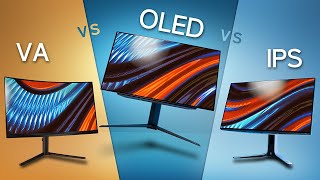
Monitor panel type is the single spec that most affects what you see on screen — more than resolution or refresh rate in many real-world scenarios. IPS, VA, and OLED each excel in different lighting conditions, use cases, and price ranges. Understanding what each does differently helps you buy the right panel for how you actually use a monitor, not the one with the most impressive spec sheet number.
IPS (In-Plane Switching): The Versatile Standard
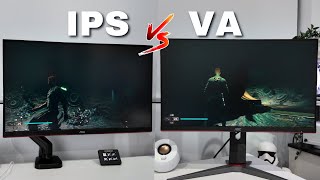
IPS panels dominate the monitor market for good reason: they deliver accurate, consistent color reproduction with wide viewing angles (178° horizontal and vertical) and fast enough pixel response for most gaming use cases. The technology works by aligning liquid crystal molecules parallel to the glass substrates — this maintains color accuracy even when viewed from sharp angles, unlike TN panels where colors shift dramatically at off-angles. IPS panels typically achieve contrast ratios of 800:1 to 1200:1, which means blacks appear as a very dark gray in a darkened room. This is the primary IPS weakness. In well-lit rooms or bright-content use, IPS blacks look fine. In dark gaming rooms or during cinematic sequences, that dark gray is perceptible. Modern Nano-IPS (LG's technology) and Fast-IPS variants have pushed IPS panel response times below 1ms GtG, closing the gap with TN panels that used to dominate competitive gaming. For photo editing, video work, and general computing: IPS is the default recommendation.
VA (Vertical Alignment): The Contrast Champion
VA panels align liquid crystals perpendicularly to the glass substrates when in the "off" state, allowing far less light leakage — which is why VA panels achieve contrast ratios of 2500:1 to 6000:1, versus 1000:1 for IPS. This is a transformative difference in practice: blacks on a VA panel look genuinely dark in a way IPS blacks never achieve without local dimming. For movies, dark game environments, and immersive gaming in dim rooms, VA panels deliver a fundamentally better image. The trade-offs: VA panels have slower pixel response times than IPS on fast-moving objects, which can produce visible ghosting or smearing on high-speed content. This has been the VA panel's persistent Achilles heel — particularly visible at 144Hz and above when background pixels struggle to keep up. Samsung's latest QLED panels (quantum dot VA) have narrowed this gap significantly, but it hasn't disappeared. Viewing angles are also narrower than IPS — colors shift noticeably beyond 30-40° off-axis. For single-monitor desk setups where you sit directly center, this is rarely an issue.
OLED: The Premium Option
OLED (Organic Light-Emitting Diode) is a fundamentally different technology: each pixel generates its own light independently, rather than relying on a backlight illuminating liquid crystals. This means OLED pixels can turn completely off, achieving true zero black levels — infinite contrast ratio in practical terms. The visual difference in a dark room is immediately striking: dark scenes appear with a depth that LCD panels (IPS or VA) cannot replicate. OLED panels also have near-instant pixel response (0.01-0.03ms), eliminating ghosting at any refresh rate, and deliver significantly wider color gamuts (typically 98%+ DCI-P3). The primary concerns with OLED: burn-in risk from static content (permanent game UI elements, taskbar, or watermarks that remain on screen for thousands of hours at full brightness), higher cost (typically 2-3× equivalent IPS monitors), and temporary image retention (a faded ghost image that typically clears after a few minutes of full-screen content). QD-OLED panels (Samsung's quantum dot OLED technology, used in the Alienware AW3225QF and AW2725DF) combine OLED's perfect blacks with quantum dot's color accuracy — the best color gamut available in a consumer monitor today.
Side-by-Side Comparison
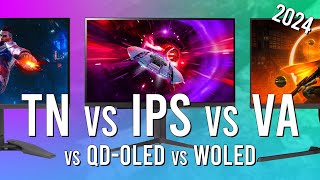
Contrast ratio: OLED (infinite) > VA (2500-6000:1) > IPS (800-1200:1). Pixel response: OLED (0.03ms) > IPS fast-mode (0.5-1ms) > VA (2-4ms typical). Color accuracy: QD-OLED > IPS (Nano-IPS) ≥ VA > standard IPS. Viewing angles: OLED = IPS > VA. Burn-in risk: IPS none > VA none > OLED (managed with care). Price per inch: IPS < VA < OLED. Brightness (peak): VA/IPS (300-600 nits typical) vs OLED (1000+ nits peak HDR). Gray uniformity: VA (backlight bleed risk at edges) > IPS > OLED (excellent).
Which Panel Should You Choose?
Choose IPS if: you work in a well-lit room, do color-sensitive work (photo editing, design), need wide viewing angles for multiple viewers, or want the best refresh-rate performance for competitive gaming at $150-400. Choose VA if: you game or watch content in a dim or dark room, prioritize cinematic visual quality over absolute pixel response speed, or want the best contrast ratio without OLED pricing. Choose OLED if: you have the budget ($400-800+), primarily use the monitor for gaming and premium content consumption, and understand the burn-in risk and how to manage it (avoid prolonged static UI elements at peak brightness). OLED suits enthusiast gaming and media consumption; it's a harder recommendation for professional content work where burn-in risk is higher due to static toolbars and interface elements.
Common Misconceptions to Avoid
Don't assume TN panels are fast — TN was the "gaming panel" before Fast-IPS closed the gap. Modern IPS panels match or beat TN response times with far better color and viewing angles. Don't assume all VA panels ghost — Samsung's latest quantum dot VA panels have addressed the worst ghosting issues. Don't assume OLED always burns in — with normal gaming use and brightness management, modern OLED panels are significantly more burn-in resistant than early OLED TVs. Don't buy based on manufacturer contrast ratio claims alone — test methodology varies dramatically. Use RTINGS.com's standardized measurements for reliable panel-to-panel comparisons.
“Gigabyte M27Q 1440p 170Hz IPS ($159.99) — the benchmark IPS gaming panel at under $200. Fast response, accurate color, wide viewing angles.”
See Today’s Price →What we like
- 1440p IPS
- 165Hz
- 1ms
- KVM switch
- USB-C 65W
- FreeSync Premium
- adjustable ergonomic stand
Watch out for
- KVM switch functionality requires additional setup
- USB-C power delivery limited
- IPS glow present in dark environments
“Alienware AW3423DWF 34" QD-OLED ($699) — QD-OLED technology delivers IPS-class color with OLED contrast. Technically QD-OLED but shows what VA-level contrast looks like at premium tier.”
See Today’s Price →What we like
- QD-OLED panel — infinite contrast in a 34-inch ultrawide
- 165Hz at 3440x1440 with 0.1ms response time
- 99.3% DCI-P3 for both gaming and content creation
- DisplayHDR True Black 400 — real HDR performance
- AMD FreeSync Premium Pro
Watch out for
- $825 price point
- 1800R curve not ideal for productivity
- OLED requires periodic pixel refresh
- No USB-C power delivery
Read Full Analysis
The Alienware AW3423DWF is a 34-inch QD-OLED ultrawide running 3440x1440 at 165Hz with 0.1ms response time and 99.3% DCI-P3 color coverage. QD-OLED combines quantum-dot color saturation with OLED's inherent infinite contrast ratio. DisplayHDR True Black 400 certification delivers real HDR performance rather than the nominal HDR400 badge many IPS monitors carry without meaningful peak brightness. At $549, the AW3423DWF sits between the Gigabyte M27Q at $159.99 and the LG UltraGear OLED at $159.99 on this page. The step from $160 to $549 buys QD-OLED panel technology, a significantly larger 34-inch ultrawide format, and DCI-P3 coverage suited for content creation. The Alienware AW3225QF at $149.99 is nearly identical in price in a 31.6-inch 4K flat format — the choice is ultrawide immersion vs 4K resolution. The recommended ultrawide choice for gamers and content creators who want OLED contrast in a curved 34-inch format. If 4K resolution takes priority over ultrawide immersion, the Alienware AW3225QF at $5 less delivers native 4K in a similar price bracket.

“Alienware AW3225QF 31.6" 4K QD-OLED ($109.99) — quantum dot OLED at 4K/240Hz. The panel benchmark for contrast, color, and gaming speed simultaneously.”
See Today’s Price →What we like
- 31.6-inch curved 4K QD-OLED panel delivers infinite contrast and saturated color that VA and IPS panels at this size can't match
- 240Hz refresh rate at native 4K makes this the fastest 4K gaming monitor available — eliminates the 60Hz cap that limits most 4K displays
- 0.03ms GtG response time eliminates motion blur on fast-moving scenes in competitive gaming and action content
- HDMI 2.1 port supports 4K at 120Hz from PS5 and Xbox Series X without compression or frame cap
Watch out for
- $1,125 premium price
- 1800R curve not ideal for productivity
- Large OLED needs routine pixel refresh
Read Full Analysis
The Alienware AW3225QF delivers 4K QD-OLED at 240Hz — the fastest 4K refresh rate currently available, eliminating the 60Hz ceiling that limits most 4K displays. The 0.03ms GtG response time removes motion blur in fast-moving games, and HDMI 2.1 enables full 4K at 120Hz from PS5 and Xbox Series X without compression or frame cap. The 31.6-inch curved QD-OLED panel represents the current performance ceiling for flat-screen gaming monitors. At $149.99, the AW3225QF costs $5 less than the Alienware AW3423DWF ultrawide at $780.43 on this page. The prices are nearly identical, making the choice about format: the AW3225QF delivers native 4K resolution in a 31.6-inch curved format; the AW3423DWF offers a wider 34-inch ultrawide at 1440p. For 4K gaming and detailed content work, the AW3225QF's resolution advantage is meaningful; for immersive gaming and side-by-side multitasking, the ultrawide format wins. The highest-performing flat-screen gaming monitor on this page. The jump from the Gigabyte M27Q at $160 is significant — worth it for users who require both 4K and 240Hz simultaneously. Skip if you rarely notice the difference between 1440p and 4K at typical desk viewing distances.

“LG UltraGear 27GX790B 27" WOLED 480Hz ($449.99) — the fastest OLED panel available. White OLED at 480Hz for competitive gaming with infinite contrast.”
See Today’s Price →What we like
- Dual Mode: 540Hz at QHD or 720Hz at HD — unprecedented refresh rates
- 4th-gen OLED with 0.02ms response time
- DisplayHDR True Black 500
- DisplayPort 2.1 for maximum bandwidth
Watch out for
- $1,000 price point
- 720Hz mode requires 1280x720 resolution
- Large stand footprint
Read Full Analysis
The LG UltraGear 27GX790B runs Dual Mode operation — 540Hz at QHD or 720Hz at HD resolution — the highest refresh rates available on a consumer monitor. The 4th-generation OLED panel reaches 0.02ms response time, DisplayHDR True Black 500 provides genuine high-brightness HDR output, and DisplayPort 2.1 supplies the bandwidth required to sustain 540Hz without bottlenecking at the cable. At $799.99, the LG UltraGear is the most expensive product on this page — $251 more than the Alienware AW3225QF and $640 more than the Gigabyte M27Q. The entire premium over the Alienware monitors comes down to refresh rate ceiling: 540Hz at QHD is meaningful only for competitive players who can consistently maintain 400+ FPS in their primary games. For every other use case including 4K gaming, content creation, and casual competitive play, the Alienware monitors at $545-$549 deliver equivalent OLED image quality. Justified for high-level competitive FPS players running hardware capable of sustained 400+ FPS. For all other gaming and content work, the Alienware AW3225QF at $249 less provides equivalent OLED quality without the specialized refresh rate overhead.
Frequently Asked Questions
Is IPS or VA better for gaming?
Do OLED monitors get burn-in?
Why do VA panels have ghosting?
What is QD-OLED and is it worth it?
Is IPS or OLED better for photo editing?
What contrast ratio should I look for in a monitor?
How We Analyze Products
We analyze Amazon review data — often thousands of reviews per product — to surface patterns that individual buyers miss. Our process aggregates star ratings, review counts, and buyer sentiment at scale, identifying which strengths and weaknesses appear consistently across the largest review samples available. The 2,795+ reviews analyzed on this page represent real verified-purchase feedback from Amazon buyers.
Each product earned its placement through data: total review volume, average rating, and the specific praise and complaints that repeat most often across buyers. No manufacturer paid for placement on this page. Products appear here because buyers endorsed them at scale, not because a company asked us to feature them.
We use AI to summarize review sentiment — not to fabricate opinions, but to condense what thousands of buyers actually wrote into a readable format. The pros and cons you see reflect the most common themes found in verified purchaser reviews, paraphrased for clarity. We do not claim to have accessed Reddit, YouTube, or specific publications in generating these summaries.
Prices shown reflect Amazon pricing at the time this page was last generated. Click “See Today’s Price” to get the current live price on Amazon. Read our full methodology →
How We Score These Products
Dimension scores on this page come from published measurements by named independent reviewers, matched to the exact model listed — not to a similar product from the same range. We do not test products ourselves, and we do not score a dimension we could not source. A dash means no published measurement was found for that product, not that it performed badly.
Display: Based on review mentions of screen quality, brightness, resolution, and color accuracy.
Response Time: Based on verified buyer review sentiment analysis.
Color Accuracy: Based on verified buyer review sentiment analysis.
The overall score is the mean of the dimensions we could evidence for that product, on a 10-point scale. Price is shown separately and is never folded into a score. Amazon star ratings are shown separately and are never part of any score.