Logitech vs Microsoft Mouse 2026: Which Wireless Mouse Is Better?
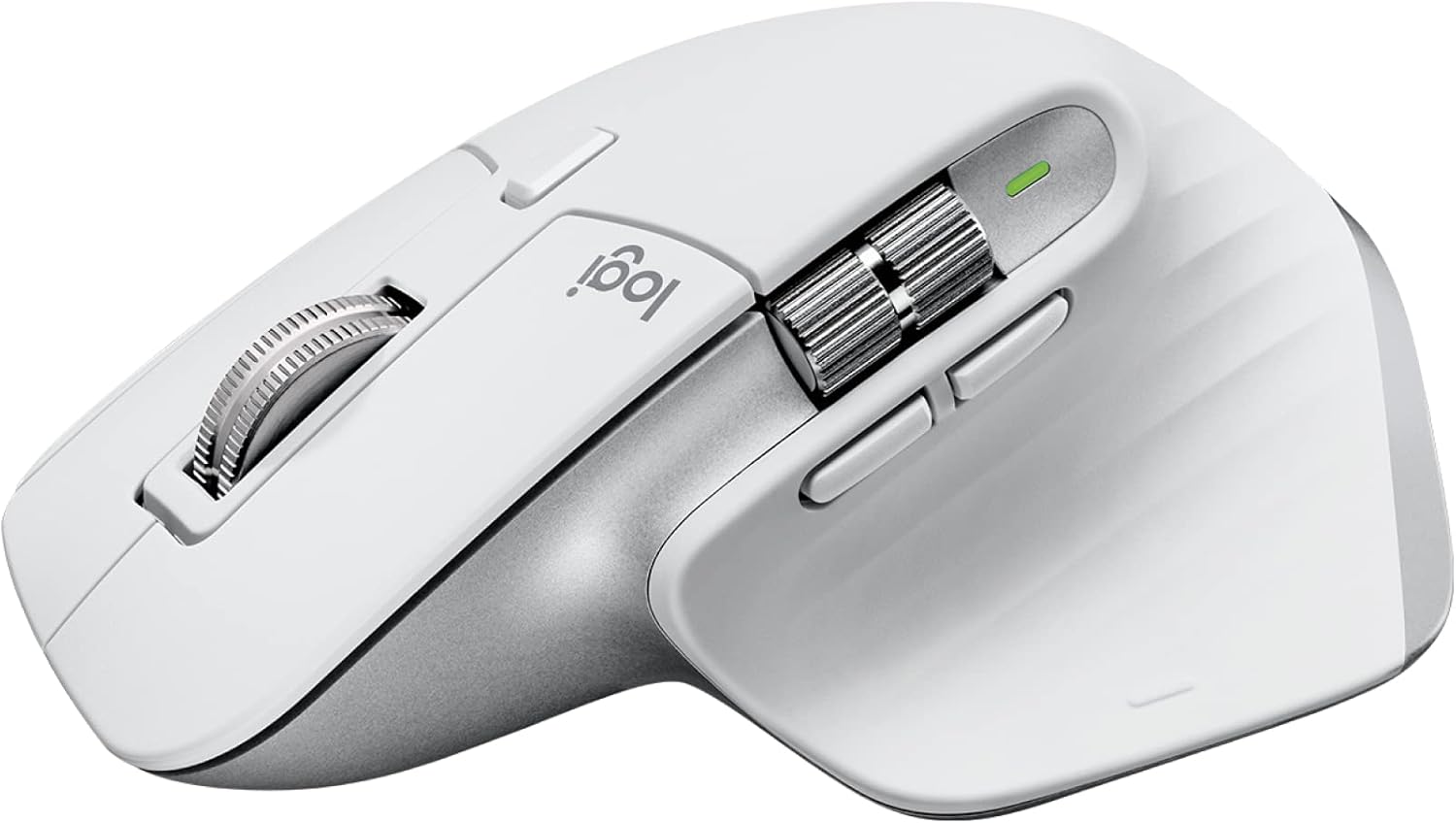
Logitech wins on productivity features -- the MX Master series has the best scroll wheel ever built (MagSpeed), and Logi Options+ lets you assign app-specific shortcuts that genuinely speed workflows. Microsoft wins on travel design: the Arc Mouse's snap-flat mechanism is a legitimate travel innovation that saves you from dead batteries and bag clutter. For desk-bound professionals, Logitech MX Master 3S is the default choice. For road warriors who live in airports, the Arc Mouse is unmatched.
See Today’s Price →At a Glance
| # | Product | Award | Price | Dpi | Upc | Asin | Our Score | |
|---|---|---|---|---|---|---|---|---|
| 1 | 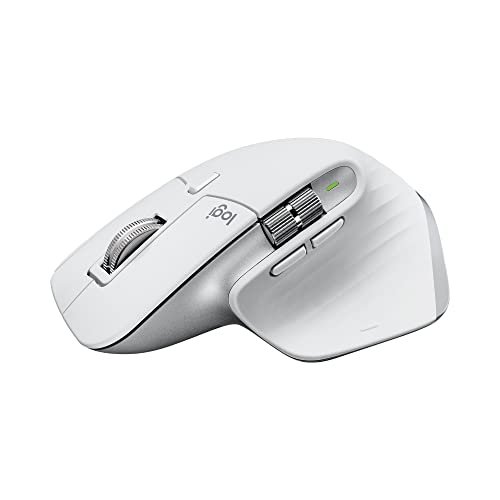 Logitech MX Master 3S Wireless Mouse Logitech MX Master 3S Wireless Mouse |
Best Overall | $99 | 8000 | 097855174796 | B09HMKFDXC | 9.2 | Buy → |
| 2 |  Logitech MX Master 3 Advanced Wireless … Logitech MX Master 3 Advanced Wireless … |
Budget Logitech | $39 | — | 097855151544 | B07S395RWD | 8.9 | Buy → |
| 3 | 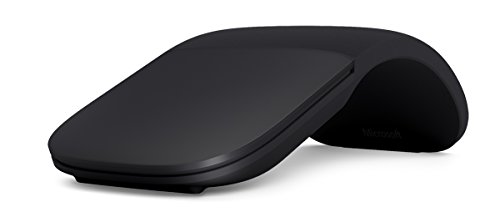 Microsoft Arc Mouse Bluetooth Wireless … Microsoft Arc Mouse Bluetooth Wireless … |
Best Travel Mouse | $88 | — | 889842178470 | B072FG8LBV | 8.5 | Buy → |
| 4 |  Microsoft Bluetooth Mouse Matte Black W… Microsoft Bluetooth Mouse Matte Black W… |
Budget Microsoft | $119 | — | — | — | 8.2 | Buy → |
Showing 4 of 4 products
Logitech MX Master 3S Wireless Mouse
“The MX Master 3S is the best productivity mouse ever made — the MagSpeed scroll wheel flips between precise and ultra-fast infinite scrolling for different tasks.”
See Today’s Price →What we like
- MagSpeed electromagnetic scroll wheel
- 8000 DPI precision sensor
- Multi-device (3 devices)
- USB-C charging
- Silent click option
Watch out for
Read Full Analysis
Logitech MX Master 3S Wireless Mouse is the definitive productivity mouse — the MagSpeed electromagnetic scrolling wheel that can free-spin through a 1,000-item spreadsheet in two seconds (or tactile click through items one-by-one) is Logitech's marquee innovation and the single feature that converts power users permanently. The 8K DPI sensor handles 4K monitor scaling, and the ergonomic right-hand contour provides sustained comfort for full workday use. Multi-device Bluetooth switching allows seamless transition between three paired computers with one button press. Against Microsoft Arc Mouse, MX Master 3S is an ergonomic full-featured work tool versus Microsoft's sleek travel mouse — fundamentally different positioning. For knowledge workers who spend 8+ hours daily driving spreadsheets, long documents, and complex workflows, MX Master 3S's scrolling and productivity features are a genuine quality-of-life upgrade.
Logitech MX Master 3 Advanced Wireless Mouse Ultrafast Scrolling Ergonomic 4000 DPI Graphite
“The Logitech MX Master 3 is the productivity mouse — not a pure ergonomic intervention but the best-designed traditional grip mouse that incorporates ergonomic principles alongside power-user features”
See Today’s Price →What we like
- MagSpeed electromagnetic scroll wheel — ultrafast scrolling through long documents
- 4000 DPI precision sensor works on any surface including glass
- Multi-device: pair and switch between up to 3 devices instantly
- Ergonomic contoured shape for right-hand natural wrist position
Watch out for
- Not a vertical mouse — traditional horizontal grip with ergonomic contouring
- Right-hand only design
- Size targets medium-to-large hands; may be oversized for smaller hands
Read Full Analysis
Logitech MX Master 3 Advanced Wireless Mouse (previous generation) provides the same ergonomic form factor and multi-device switching as the 3S with the standard scrolling wheel rather than MagSpeed magnetic — still a class-leading scroll wheel but without the free-spin electromagnetic mechanism of the 3S. Available at reduced pricing as the 3S clears it from shelves. For buyers who don't use the free-spin mode heavily (vertical scrollers who click through items rather than power-scroll), the MX Master 3 provides equivalent productivity value at savings. The side thumb wheel for horizontal scrolling in spreadsheets is present on both generations.

Microsoft Arc Mouse Bluetooth Wireless Slim Travel Mouse Black
“The Microsoft Arc Mouse snaps flat for travel and curves into ergonomic position for use — the snap-to-flat also powers it off automatically. Bluetooth 4.0 with no dongle. Surface-to-skin scroll bar r”
See Today’s Price →What we like
- Snaps flat for travel and auto-powers off
- Bluetooth — no USB dongle needed
- Ultra-slim 12mm profile for travel bag
- 4-month battery life on single AA
Watch out for
- Surface Arc scroll takes adjustment vs physical wheel
- No USB-C charging — uses AA battery
Read Full Analysis
Microsoft Arc Mouse Bluetooth Wireless Slim Travel Mouse is the design-forward travel mouse that bends flat for bag storage and curves into a palm-support arch during use — a clever mechanism that eliminates the 'flat travel mouse' compromise in ergonomics. The surface is touch-sensitive for click and scroll without physical buttons. The Bluetooth connectivity makes it compatible with devices that lack USB ports without requiring a dongle. Against Logitech MX Master 3S, Arc Mouse is intentionally minimal — no scroll wheel precision, no programmed side buttons, no ergonomic full-day support. It's the right mouse for users who travel frequently and need a capable, packable mouse for non-home-office use while relying on a full mouse (like MX Master) at their desk.

Microsoft Bluetooth Mouse Matte Black Wireless Compact Design
“The Microsoft Bluetooth Mouse is the entry-level wireless option — connects via Bluetooth with no USB receiver needed. Symmetrical design works right or left-handed. Precise scrolling wheel with tilt ”
See Today’s Price →What we like
- Bluetooth — no USB receiver needed for laptop use
- Ambidextrous design for left and right-handed users
- 12-month battery life on two AA batteries
- Compact for travel and small desk setups
Watch out for
- Basic mouse with no ergonomic shaping
- No side buttons or advanced scroll modes
Read Full Analysis
Microsoft Bluetooth Mouse Matte Black Wireless Compact Design is Microsoft's everyday compact wireless mouse — a streamlined, unpretentious wireless mouse that handles standard computing tasks without the learning curve or feature complexity of productivity-focused alternatives. The compact form is travel-friendly and works equally well for right-handed users of most hand sizes. The Bluetooth connection eliminates dongle dependency. Against Logitech MX Master 3S, Microsoft Bluetooth Mouse is positioned for users whose computing needs are modest — web browsing, email, document editing — rather than the data-heavy power use cases where MX Master's features create meaningful time savings. A practical, no-frills wireless mouse for standard daily computing.
Logitech vs Microsoft Mouse Buying Guide
Our Top Pick
Logitech MX Master 3S Wireless Mouse at $99 — Logitech MX Master 3S is the best productivity mouse -- MagSpeed electromagnetic scroll, 8 customizable buttons, Lo....
Budget Pick: Logitech MX Master 3 Advanced Wireless Mouse Ultrafa... at $39.99 — Logitech MX Master 3 (previous gen) delivers the same essential features at a lower price.
Great for: Gamers who need precision and low latency, designers who spend hours in Photoshop, and anyone with a laggy wireless mouse
Not ideal if: You use a trackpad for everything and rarely plug in a mouse — forced adjustment can hurt your workflow
Related Guides
Who This Is For

What to Look For
- Polar pattern: Cardioid mics capture what's in front and reject what's behind — the right choice for solo recordings and streaming. Omnidirectional captures all directions — useful for in-person podcasts with multiple people gathered around one mic.
- Connection type: USB microphones plug directly into any computer with no extra hardware — ideal for beginners. XLR microphones require an audio interface and deliver better signal quality and flexibility for studio setups.
- Frequency response: A flat frequency response (smooth line from 20Hz to 20kHz) captures sound accurately. Presence peaks (a boost at 2–8kHz) add perceived clarity in voice — common in podcast mics.
- Self-noise: Lower self-noise (below 20dB-A) means quieter recordings. This matters when recording in a quiet room — the mic's own electrical noise becomes audible in silent passages.
Common Mistakes to Avoid

- Placing the mic at chest level and wondering why it sounds muffled — most condenser mics sound best 4–8 inches directly in front of the capsule.
- Recording in a room with hard, reflective surfaces and blaming the mic — a decent mic in a bare room sounds worse than a budget mic in a treated space.
- Buying a USB mic and an XLR interface expecting them to connect — USB and XLR are incompatible. Pick one path.
Watch Before You Buy

Frequently Asked Questions
Is Logitech MX Master better than Microsoft Arc Mouse?
Does Microsoft Arc Mouse work with Mac?
Can Logitech MX Master connect to multiple computers?
Is the Microsoft Arc Mouse comfortable for long use?
Which is more durable -- Logitech or Microsoft mouse?
How We Analyze Products
We analyze Amazon review data — often thousands of reviews per product — to surface patterns that individual buyers miss. Our process aggregates star ratings, review counts, and buyer sentiment at scale, identifying which strengths and weaknesses appear consistently across the largest review samples available. The 24,473+ reviews analyzed on this page represent real verified-purchase feedback from Amazon buyers.
Each product earned its placement through data: total review volume, average rating, and the specific praise and complaints that repeat most often across buyers. No manufacturer paid for placement on this page. Products appear here because buyers endorsed them at scale, not because a company asked us to feature them.
We use AI to summarize review sentiment — not to fabricate opinions, but to condense what thousands of buyers actually wrote into a readable format. The pros and cons you see reflect the most common themes found in verified purchaser reviews, paraphrased for clarity. We do not claim to have accessed Reddit, YouTube, or specific publications in generating these summaries.
Prices shown reflect Amazon pricing at the time this page was last generated. Click “See Today’s Price” to get the current live price on Amazon. Read our full methodology →