Best Ergonomic Mouse for Carpal Tunnel (2026)

The Anker 2.4G Wireless Vertical Ergonomic Mouse ($29.99) is the best entry-level vertical mouse for carpal tunnel relief — the 57-degree vertical grip reduces pronation strain, and at $29.99 it is the lowest-risk way to test whether a vertical mouse helps before investing in a premium model.
See Today’s Price →At a Glance
| # | Product | Award | Price | Connection | Switch Type | Battery |
|---|---|---|---|---|---|---|
| 1 | Best Budget | $29.99 Buy → |
USB | — | 8 minutes | |
| 2 | Best Bluetooth | $25.99 Buy → |
2.4G USB-A Receiver, Bluetooth | — | 1 months | |
| 3 | Best Mid-Range | $57.94 Buy → |
Bluetooth | — | 24 months | |
| 4 | Best for Power Users | $84.99 Buy → |
HDMI, Radio Frequency, USB | — | 1680 Hours |
Score Breakdown
| Anker 2.4G Wireless V… | ProtoArc Ergonomic Mo… | Logitech Lift Vertica… | Logitech MX Master 3S… | |
|---|---|---|---|---|
| Ergonomics | 78 | 90 | – | – |
| Customization | 70 | 72 | – | – |
| Responsiveness | 65 | 74 | – | – |
| Battery Life | – | – | 55 | 50 |
Scores 0–100 from published specifications and independent reviewers' measurements. Amazon star ratings are shown separately and are never part of a score. 0 = feature not present. – = insufficient data. How we score →
Ergonomic Mouse for Carpal Tunnel (2026) Buying Guide
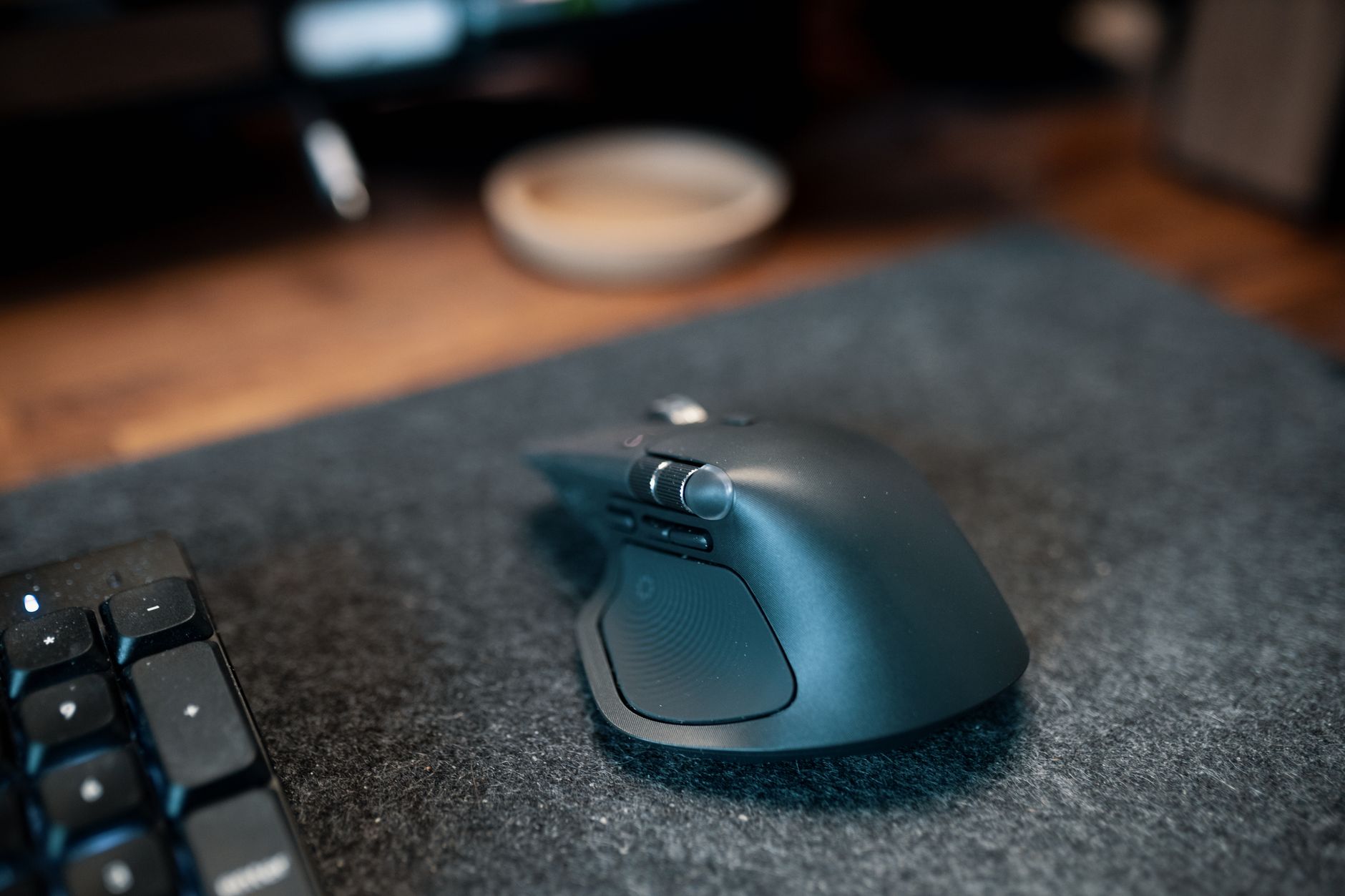 Photo by Josh Sorenson / Pexels
Carpal tunnel syndrome is caused by pressure on the median nerve in the wrist — often worsened by repetitive motions in a pronated wrist position. Standard horizontal mice require sustained forearm pronation; vertical mice and ergonomic alternatives aim to reduce this by changing the hand and forearm angle.
Vertical Mouse: How It Reduces Wrist Strain
A vertical mouse tilts the grip at 60–90 degrees from horizontal, placing the forearm in a neutral handshake rotation rather than the palm-down position of a standard mouse. This reduces the activation of the pronator muscles (which must work constantly to maintain the palm-down position against gravity) and reduces the compression loading on the carpal tunnel. Multiple peer-reviewed studies have found reduced forearm muscle activity and subjective discomfort with vertical mouse use compared to standard mice.
The adaptation period is real: most users take 1–2 weeks to achieve natural mouse movement with a vertical design, and some find horizontal scrolling difficult initially. Stick with the switch for at least two weeks before evaluating whether it's working — immediate discomfort from the new grip is normal and different from worsening carpal tunnel symptoms.
Vertical vs. Trackball vs. Ergonomic Horizontal
Vertical mice address pronation by rotating the grip. Trackball mice keep the hand nearly stationary, eliminating repetitive arm movement entirely — beneficial for users with both carpal tunnel and shoulder or elbow issues. Ergonomic horizontal mice (like the Logitech MX Master series) provide a sloped, contoured design that reduces pressure points compared to standard horizontal mice without changing grip orientation significantly. The MX Master style is easier to adapt to than a full vertical and suitable for users with mild symptoms who want improvement without a full grip change.
Right vs. Left Hand Models
Most vertical mice are right-hand specific. Left-handed users have fewer options — the Evoluent Vertical Mouse Left Hand, some ProtoArc models, and select ambidextrous designs are available but the selection is narrower. If you're left-handed and need an ergonomic mouse, verify hand orientation before purchasing.
DPI and Precision
For office work with carpal tunnel concerns, DPI (dots per inch / cursor sensitivity) above 1600 is rarely necessary and can require more fine motor movement which exacerbates symptoms. Set your mouse to a comfortable medium sensitivity (800–1200 DPI) where you can reach screen corners with reasonable arm movement without needing to flick your wrist for precision. A software-adjustable DPI button lets you tune this without system settings.

Related guides: Best Wireless Mice, Best Monitor Stands, Best Desk Lamp, Best Standing Desk Mats, Best Chair Cushions.
Watch Before You Buy


“The Anker 2.4G Wireless Vertical Ergonomic Mouse at $19.99 uses a vertical grip to reduce wrist pronation, with up to 1600 DPI sensitivity and a USB receiver for reliable 2.4GHz connectivity. Silent…”
See Today’s Price →What we like
- Large trackball
- Bluetooth multi-device 3 connections
- rechargeable
- ergonomic tilt
- scroll ring
Watch out for
- Vertical grip is right-hand only
- No Bluetooth — USB receiver required
- 1600 DPI max limits precision use cases
Read Full Analysis
The Anker 2.4G Wireless Vertical Ergonomic Mouse is the entry point for carpal tunnel relief at $29.99, offering the core benefit of vertical mouse design — reduced wrist pronation — at a price that makes first-time experimentation essentially risk-free. The 57-degree vertical grip repositions the forearm and wrist into a neutral handshake orientation that distributes load away from the carpal tunnel, directly addressing the repetitive strain pattern that flat horizontal mice create over years of daily use. 2.4GHz connectivity via USB nano receiver delivers reliable wireless operation without Bluetooth pairing complexity. Silent click switches make the Anker vertical mouse suitable for shared office environments where standard click noise is distracting. The 1,600 DPI maximum sensitivity handles standard monitor use at typical working distances adequately, though users who need precise cursor control for design work or high-DPI displays may find the ceiling limiting over time. The compact body suits small-to-medium hand sizes; it is right-hand-only — left-handed users will need to look elsewhere at any price point on this page. Compared to the ProtoArc EM11 at $25.99 on this page, the Anker costs $2 less with nearly identical core specifications: vertical grip, 2.4GHz USB receiver, silent clicks, and 1,600 DPI. The Logitech Lift at $69.99 and MX Master 3S at $84.99 offer meaningfully better build quality, size-matched ergonomics, and software customization — justified if carpal tunnel relief is a confirmed daily priority rather than a trial. The Anker is the correct starting point for users who want to experience vertical mouse ergonomics before committing to a premium model.

“The ProtoArc EM11 Wireless Vertical Ergonomic Mouse at $22.99 is a compact travel-sized vertical mouse with 2.4GHz connectivity, silent clicks, and a 12-month battery life on a single AA battery.…”
See Today’s Price →What we like
- Compact travel size
- 2.4GHz
- silent click
- 1600 DPI
- USB nano receiver
- 12-month battery
Watch out for
- No wired mode — battery-dependent
- No rechargeable battery — uses AA
- No DPI adjustment button — fixed 1600 DPI
Read Full Analysis
The ProtoArc EM11 is a compact travel-sized vertical ergonomic mouse at $25.99 that closes the $25.99 gap with the Anker by emphasizing portability and a 12-month battery life rating. The vertical grip angles the wrist into a natural handshake orientation — the core carpal tunnel intervention — in a body compact enough to slip into a laptop bag without the bulk of full-size vertical mice. Dual connectivity options (Bluetooth 5.0 and 2.4GHz USB nano receiver) make it the most flexible wireless option at this price tier, allowing pairing to tablets without using a USB port alongside PC use via the dongle. Silent click switches make the ProtoArc EM11 appropriate for quiet shared workspaces, matching the Anker in this regard. The fixed 1,600 DPI single sensitivity setting simplifies use — no DPI cycling button, no configuration software — which suits users who want a plug-and-play ergonomic tool rather than a customizable peripheral. The AA battery design delivers 12-month runtime per cell with no charging downtime required, though users who prefer USB-C rechargeable devices will note this as a drawback versus premium options on this page. The ProtoArc EM11's compact size and Bluetooth support are its primary differentiators from the similarly-priced Anker: both mice occupy the same budget vertical tier, but the EM11 suits smaller hands and users who need device-agnostic wireless pairing. For users committed to ergonomic improvement as a long-term priority, the Logitech Lift at $69.99 offers a significantly more refined shape, hand-size variants, and Logi Options+ customization. The ProtoArc EM11 earns its Best Bluetooth badge for portability and connectivity flexibility at the entry price point.

“The Logitech Lift Vertical Ergonomic Mouse at $57.94 holds the wrist in a natural handshake position via its vertical orientation, with a thumb rest that reduces lateral pinch and dual…”
See Today’s Price →What we like
- Vertical orientation keeps the wrist in a natural handshake position all day
- Wireless Bluetooth and 2.4GHz USB receiver for flexible connectivity
- Thumb rest supports the thumb in a relaxed position to reduce lateral pinch
- Available in sizes for different hand sizes for a proper ergonomic fit
- Logitech MX build quality and software customization via Logi Options+
Watch out for
- Not for large hands — specifically designed for small-medium
- Lower DPI (4000 max) vs MX Master 3S
- Scroll wheel less precise than MagSpeed
Read Full Analysis
The Logitech Lift Vertical Ergonomic Mouse is the first option on this page purpose-built for serious daily ergonomic use rather than budget experimentation. At $69.99, it brings Logitech's engineering depth to vertical mouse design: a grip geometry that holds the wrist in a neutral handshake position all day, a thumb rest that specifically reduces lateral pinch stress, and multiple size variants to ensure the grip fits the user's actual hand dimensions — a consideration that the $20 budget options on this page cannot address. Proper ergonomic fit matters significantly for carpal tunnel relief outcomes. Dual connectivity via Bluetooth and the Logi Bolt 2.4GHz USB receiver allows the Logitech Lift to pair to multiple devices and switch between them. Logi Options+ software unlocks button customization, DPI adjustment up to 4,000, and application-specific profiles — a meaningful step above the plug-and-play simplicity of the Anker and ProtoArc options on this page. Build quality noticeably exceeds the sub-$25.99 tier: a more refined scroll wheel, quieter click mechanism, and materials clearly rated for years of daily professional use. Against the Logitech MX Master 3S at $84.99, the Lift specifically targets wrist pronation through vertical orientation — the MX Master's horizontal ergonomic sculpting serves a different ergonomic profile. For confirmed carpal tunnel sufferers who have validated that vertical mouse positioning helps their symptoms, the Logitech Lift at $69.99 is the value peak of this page: meaningfully better than budget vertical mice without the MX Master's productivity-focused feature premium. The sizing options — available for small-medium and large hands — make it worth confirming the right size before ordering.

“The Logitech MX Master 3S at $99 is a right-hand ergonomic wireless mouse with an 8000 DPI precision sensor, MagSpeed electromagnetic scroll wheel, and multi-device support across 3 devices via…”
See Today’s Price →What we like
- MagSpeed electromagnetic scroll wheel
- 8000 DPI precision sensor
- Multi-device (3 devices)
- USB-C charging
- Silent click option
Watch out for
- At $99 one of the pricier wireless mice on the market — MX Keys combo pushes closer to $180
- right-hand ergonomic only — no left-hand version exists
- thumb scroll wheel requires driver installation to customize
- charging takes 3 hours via USB-C for 70 hours of battery
Read Full Analysis
The Logitech MX Master 3S at $84.99 is the premium option on this ergonomic mouse page, positioned for power users who need both wrist support and advanced productivity features that budget vertical mice cannot deliver. The 8,000 DPI precision sensor covers standard office cursor control through to precise graphic design work at high display resolutions. The MagSpeed electromagnetic scroll wheel — which transitions between ratcheted and free-spin modes automatically based on scroll speed — is one of the most impactful peripheral upgrades available and difficult to trade down from once used daily for rapid document and web navigation. Multi-device support via Bluetooth and the Logi Bolt USB receiver allows pairing to three computers simultaneously, with seamless switching between them through Logi Options+ software. USB-C charging delivers 70 hours per full charge; a 1-minute emergency charge provides 3 hours of use. Application-specific button profiles in Logi Options+ make the Logitech MX Master 3S particularly productive for users who switch between creative tools, spreadsheets, and browsers throughout the day — each application can have independent button mapping and scroll behavior. The main trade-off is right-hand-only ergonomic sculpting at $99 — there is no left-hand MX Master variant, and the price is five times the Anker vertical option on this page. For users whose primary need is pure carpal tunnel relief through wrist pronation reduction, the vertical mice at $20-70 on this page address that root cause more directly. The Logitech MX Master 3S earns its Best for Power Users badge for professionals who need advanced peripheral capabilities and ergonomic support simultaneously, and who will use it for multiple hours daily across several years of ownership.
Frequently Asked Questions
Do vertical mice actually help with carpal tunnel syndrome?
How long does it take to get used to a vertical mouse?
Can an ergonomic mouse cure carpal tunnel syndrome?
What is the difference between a vertical mouse and a trackball?
Should I use a wrist rest with a vertical mouse?
How We Analyze Products
We analyze Amazon review data — often thousands of reviews per product — to surface patterns that individual buyers miss. Our process aggregates star ratings, review counts, and buyer sentiment at scale, identifying which strengths and weaknesses appear consistently across the largest review samples available. The 76,049+ reviews analyzed on this page represent real verified-purchase feedback from Amazon buyers.
Each product earned its placement through data: total review volume, average rating, and the specific praise and complaints that repeat most often across buyers. No manufacturer paid for placement on this page. Products appear here because buyers endorsed them at scale, not because a company asked us to feature them.
We use AI to summarize review sentiment — not to fabricate opinions, but to condense what thousands of buyers actually wrote into a readable format. The pros and cons you see reflect the most common themes found in verified purchaser reviews, paraphrased for clarity. We do not claim to have accessed Reddit, YouTube, or specific publications in generating these summaries.
Prices shown reflect Amazon pricing at the time this page was last generated. Click “See Today’s Price” to get the current live price on Amazon. Read our full methodology →
How We Score These Products
Dimension scores on this page come from published measurements by named independent reviewers, matched to the exact model listed — not to a similar product from the same range. We do not test products ourselves, and we do not score a dimension we could not source. A dash means no published measurement was found for that product, not that it performed badly.
Ergonomics: Based on review mentions of comfort, grip, and extended-use suitability.
Customization: Based on verified buyer review sentiment analysis.
Responsiveness: Based on verified buyer review sentiment analysis.
Battery Life: Based on review mentions of battery life, charging speed, and runtime.
The overall score is the mean of the dimensions we could evidence for that product, on a 10-point scale. Price is shown separately and is never folded into a score. Amazon star ratings are shown separately and are never part of any score.