Best XL Mouse Pads and Desk Mats 2026

The SteelSeries QcK Heavy XXL Gaming Mouse Pad earns a 4.7-star rating as the best XL desk mouse pad in this comparison — its micro-textured cloth surface optimizes tracking for both optical and laser sensors and the thick 6mm rubber base grips the desk firmly without sliding. It covers the full keyboard and mouse area in one mat.
See Today’s Price →At a Glance
| # | Product | Award | Price | Score |
|---|---|---|---|---|
| 1 | SteelSeries QcK Medium Gaming Mou… SteelSeries |
Best Overall | $11.99 as of Nov 21, 3:40 PM CT details Buy → |
7.2 |
| 2 | Best Durability | $12.99 as of Nov 21, 3:41 PM CT details Buy → |
— | |
| 3 |  Amazon Basics Square Mouse Pad Amazon Basics |
Best Standard Size | $7.46 as of Nov 21, 8:35 AM CT details Buy → |
— |
| 4 | Best RGB Mouse Pad | $49.99 as of Nov 21, 3:41 PM CT details Buy → |
6.7 |
Score Breakdown
| SteelSeries QcK Mediu… | Corsair MM300 Extende… | Amazon Basics Square … | Razer Firefly Hard V2… | |
|---|---|---|---|---|
| Overall | 7.2 | – | – | 6.7 |
| Ergonomics | 73 | – | – | 65 |
| Responsiveness | 78 | – | – | 70 |
Scores 0–100 from published specifications and independent reviewers' measurements. Amazon star ratings are shown separately and are never part of a score. 0 = feature not present. – = insufficient data. How we score →
XL Mouse Pads and Desk Mats Buying Guide
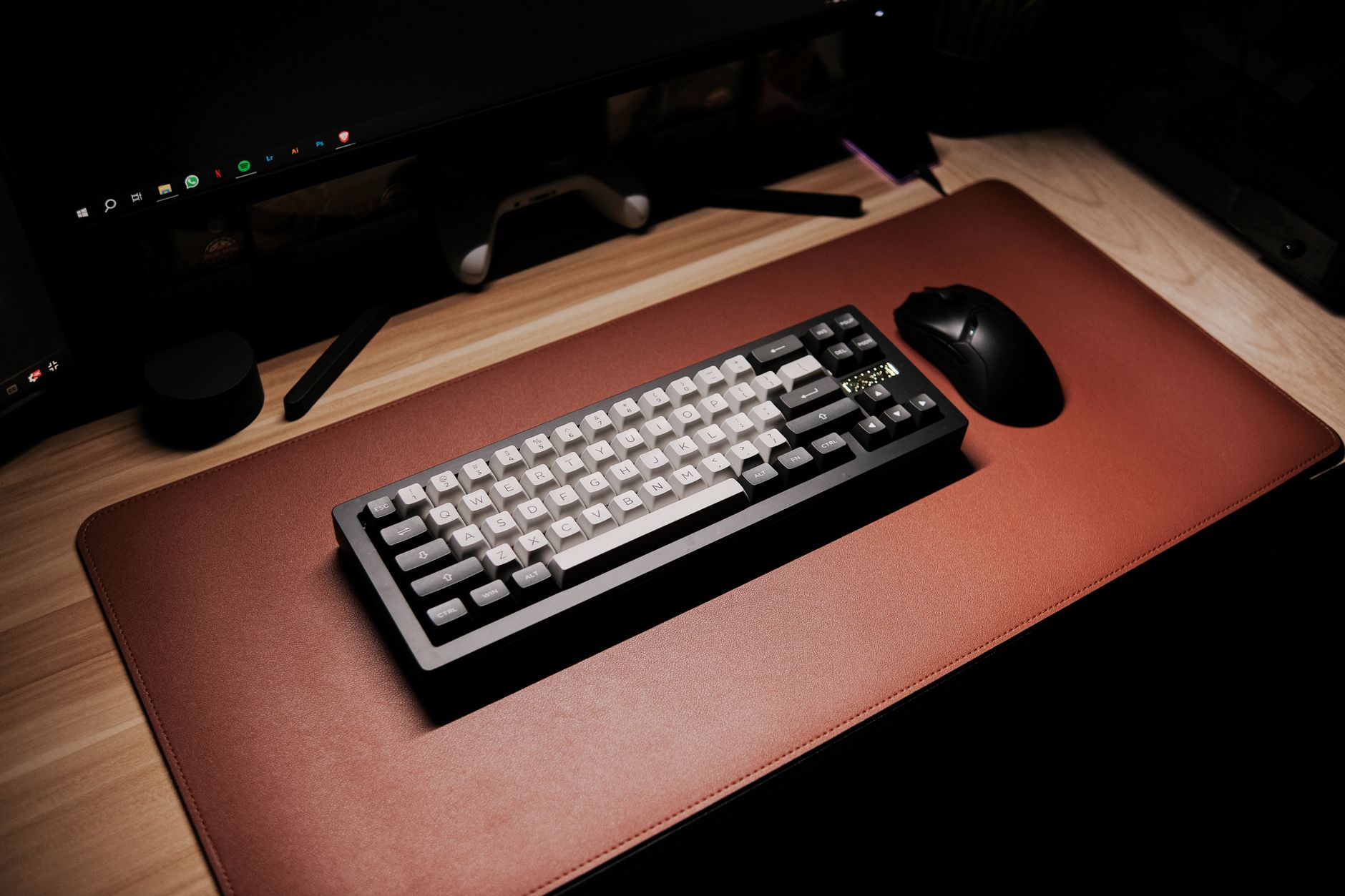 Photo by Jethro C. / Pexels
Our Top Pick
SteelSeries QcK Heavy XXL Gaming Mouse Pad 36x12 Inch — SteelSeries QcK Heavy XXL covers a 36x12" surface with a micro-woven cloth texture optimized for both low and high DP.
Budget Pick: Amazon Basics Gaming Mouse Pad — Amazon Basics Gaming Mouse Pad provides a smooth tracking surface and non-slip base for under $9; excellent starter p.
Great for: FPS players who run low DPI and make big arm sweeps, anyone whose mouse stutters on a bare or glass desk, and players who want a consistent surface they can replace cheaply
Not ideal if: You already game on a large smooth desk mat or a hard pad you like — a new cloth pad won't change much, and the break-in period (a cloth pad speeds up after a week or two of use) is real
Size considerations
How we picked these. Products were selected for consistent glide across large desks at each price point.
Surface texture
Cloth speed pads (smooth weave) reduce friction for fast mouse movements -- preferred in FPS games where quick swipes are standard. Cloth control pads (tighter weave) increase friction slightly for more precise cursor placement -- preferred in MOBA and strategy games and graphic design work. Hard surface pads (plastic, aluminum) are the fastest but loudest and less comfortable for wrist rest.Stitched edges
Without stitched edges, mouse pad perimeters fray and peel within months of regular use. Quality stitching (the Corsair MM300's "anti-fray" feature) keeps edges clean for years. At the XL size, unstitched edges are particularly problematic because the pad flexes more.Non-slip base
Thick rubber bases (3mm+) stay put during aggressive mouse movements. Thin rubber peels off hard surfaces over time. Textured rubber patterns improve grip on glass desks.Price guidance
Basic XL mouse pads run $10-20. Quality stitched-edge desk mats run $20-40. Premium desk mats with wireless charging integration or RGB run $50-100.Related Guides
For a detailed head-to-head, see our Logitech Vs Corsair Gaming Mouse comparison.


For a detailed head-to-head, see our Logitech Vs Microsoft Mouse comparison.
For a detailed head-to-head, see our Razer Vs Logitech Gaming Mouse comparison.
Watch Before You Buy
“SteelSeries QcK Heavy XXL covers a 36x12" surface with a micro-woven cloth texture optimized for both low and high DPI tracking; the heavy rubber base doesn't budge even during fast movements.”
See Today’s Price →What we like
- Micro-woven cloth surface for optical and laser sensors
- Non-slip rubber base
- Medium size: 320 x 270 mm (12.6 x 10.6 inches), 2mm thick
- Sold in other sizes and colours
Watch out for
- 2mm thin: little wrist cushion, and it shows bumps in the desk
Read Full Analysis
The SteelSeries QcK Heavy XXL earns best overall through the combination of size and surface quality that gaming and productivity users both need. The 36x12 inch footprint covers the full desk width — mouse, keyboard, notepad, and phone all sit on the same uniform surface with no desk seams or material transitions interrupting movement. The 6mm foam thickness is meaningfully cushier underhand than the 2-3mm of standard pads, which matters for extended sessions where wrist comfort accumulates. The micro-woven cloth surface is optimized for both speed and control — smooth enough for fast mouse movements without resistance, with sufficient texture to register micro-adjustments for precision work. It's the surface that multiple professional gaming teams use as a standard, which is evidence of real-world performance validation. Stitched edges are the long-term quality indicator: unstitched cloth pads fray at the edges within 3-6 months of regular use, becoming visually degraded even if functional. The QcK Heavy's stitched perimeter is reinforced enough to maintain clean edges for years. Compared to the Corsair MM300 (rank 2), the QcK Heavy is thicker (6mm vs 4mm) and softer underfoot. The Corsair's anti-fray stitching is also good, and the MM300 is the better choice for pure desk coverage at slightly lower cost. The QcK Heavy wins on gaming performance and cushion quality. Best for: Gamers who need a large surface with gaming-grade tracking performance, remote workers who want a full desk mat that prioritizes surface quality over desk aesthetic.
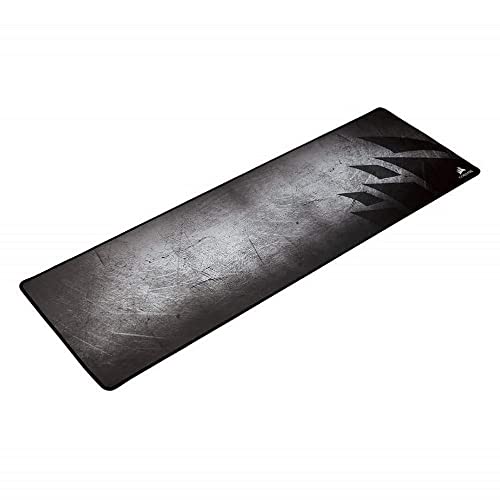
“Corsair MM300 anti-fray stitched edges prevent the fraying that kills most cloth pads within months; the dense weave feels premium and tracks accurately across all mouse sensor types.”
See Today’s Price →What we like
- Extended size runs under keyboard and mouse
- Stitched edges resist fraying
- Textile weave for low-friction tracking with laser and optical mice
- Anti-skid rubber base
Watch out for
- Needs a desk wide enough for keyboard and mouse
Read Full Analysis
The Corsair MM300 is the desk-coverage-focused option: the 930mm width is wider than the SteelSeries QcK Heavy (36 inches = 914mm), covering more horizontal surface area. For a desk setup where the primary goal is a uniform surface across the entire work area — monitor base, keyboard, mouse, and arm resting area all on the same mat — the MM300's extra width makes a practical difference. The anti-fray stitching is the durability claim worth taking seriously. Cloth mouse pad edges begin fraying at stress points — the corners and the front edge where wrists constantly contact the surface. Corsair's stitching is tight enough to prevent the fraying that makes cheaper pads look worn within months, not years. The 4mm foam thickness is adequate for comfort but noticeably less cushioned than the QcK Heavy's 6mm. For pure office productivity use on a desk without hard keyboard impact, this is fine. For gaming sessions where the wrist rests for hours, the thickness difference is perceptible. The surface texture is optimized for consistent low-resistance mouse tracking across its full width — uniform performance from the left edge to the right edge without hot spots or surface variation. Compared to the leather desk pad (rank 3), the Corsair is the gaming-capable choice with optimized mouse tracking. The leather pad is better for the home office user who doesn't game and values aesthetics over tracking precision. Best for: Desk-coverage setups where maximum horizontal width is the priority, gamers who want more surface area than the standard XL gaming pad size.
“Amazon Basics Square Mouse Pad is the dependable daily driver — just enough surface area for most desk setups and the neutral look matches any workspace color scheme.”
See Today’s Price →What we like
- Cloth surface for optical and laser mice
- Thick rubberized base stays put
- Hand washable
- 12.4 x 10.6 x 0.09 inches
Watch out for
- Too small for low-sensitivity gaming or for a keyboard
Read Full Analysis
The Amazon Basics square pad is the no-frills desk mouse pad that solves the problem it's designed for without additional features. The cloth surface provides consistent mouse tracking across the pad, the rubber base prevents sliding, and the standard desk size (roughly 10x8 inches) fits any work surface. For office use — email, spreadsheets, document work — where mouse movement is moderate and precision is not at a gaming level, this covers the need completely. At under $8, the calculation is simple: any mouse pad is better than tracking directly on a bare desk (which wears optical sensors unevenly), and the Amazon Basics pad costs less than any other option on this page. It's the right buy when the need is "a mouse pad" rather than "a gaming surface" or "a full desk mat." The surface and backing quality are adequate for their price — the pad won't fray dramatically faster than the budget gaming pad (rank 4), and the rubber backing holds position on a smooth desk. It's not built to last 5 years under gaming-intensity use, but for standard office mouse movement it lasts well enough. For users who want a larger surface, the gaming pad at rank 4 provides extended format at a small premium. For users who want better desk coverage, ranks 1-3 offer desk mat options. For users who just need a reliable mouse pad at minimal cost, this is the rational choice. Best for: Office workers who just need a basic reliable mouse pad, budget buyers replacing a worn pad, and anyone who uses a mouse moderately without gaming-specific requirements.

“The Razer Firefly V2 adds RGB edge lighting to your desk setup while delivering a hard surface optimized for high-DPI gaming — the non-slip rubber base stays put even during intense sessions.”
See Today’s Price →What we like
- Micro-textured hard surface for fast and controlled play
- Razer Chroma RGB lighting
- Built-in cable manager for a wired mouse
- Natural-foam rubber base
Watch out for
- Mouse-only size, not a desk mat
Read Full Analysis
The Razer Firefly V2 Gaming Mouse Pad distinguishes itself from every cloth pad on this page through two features: a hard-surface micro-textured tracking area and Razer Chroma RGB edge lighting. The hard surface provides lower mouse friction and more consistent sensor tracking behavior than cloth alternatives — sensors read hard surfaces with uniform reflectivity regardless of mouse movement angle, eliminating the micro-variation in tracking that develops on worn cloth surfaces over time. For high-DPI gaming (2000+ DPI) where precise small movements matter, hard surfaces are preferred by players who want predictable, zero-variation cursor behavior. Razer's micro-texture specifically is calibrated to work with all major optical sensors including Razer Focus+, Logitech HERO, and PixArt sensors. The Razer Firefly V2's 19-zone Chroma RGB perimeter lighting integrates with Razer's Synapse software ecosystem for reactive in-game lighting effects, ambient screen mirroring, and coordination with other Chroma-enabled peripherals. The USB connection carries both power and data for the RGB system, and the built-in cable management channel routes the mouse cable to reduce drag. The non-slip rubber base maintains pad position during aggressive lateral movements. On this XL pad page against cloth options like the Amazon Basics and SteelSeries QcK Heavy XXL, the Razer Firefly V2 serves a specific use case: gamers who want hard-surface tracking precision and RGB desk lighting in a single device. Buyers who prefer cloth surface feel or don't need RGB should choose the QcK Heavy XXL or Corsair MM300; the Firefly V2's $43 price is justified only if both the hard surface tracking and the Chroma RGB lighting are wanted features.
Frequently Asked Questions
Do desk mats actually improve mouse performance?
What size desk mat should I get for a standard desk?
Cloth vs hard mouse pad — which is better for gaming?
How do I clean a cloth mouse pad?
Are expensive desk mats worth it vs. cheap ones?
How We Chose These Products
We compare each product’s Amazon listing, the manufacturer’s published specifications and Amazon customer ratings, shown with their review counts as Amazon’s data, and rank the products on how well they answer this page’s question. We do not test products in hand and we do not run our own analysis of review text. A publication or expert is named only where we cite its published findings about that product. No manufacturer paid for placement on this page.
A price appears only when Amazon’s API supplied it at a recent daily refresh, with the date and time beside it, and is withdrawn at 4 AM Central on the day after it turns 24 hours old; otherwise use “Check price on Amazon” for the live price. Read our full methodology →
How We Score These Products
Each dimension score comes from evidence about the exact model listed — a published specification, a measurement by a named independent reviewer, or that product’s own buyer reviews, as described for each dimension below — not from a similar product in the same range. We do not test products ourselves, and we do not score a dimension we could not evidence. A dash means no evidence was found for that product, not that it performed badly.
Ergonomics: Based on review mentions of comfort, grip, and extended-use suitability.
Responsiveness: From evidence about this exact model (specification, named reviewer or its own reviews).
The overall score is the mean of the dimensions we could evidence for that product, on a 10-point scale. Price is shown separately and is never folded into a score. Amazon star ratings are shown separately and are never part of any score.